TrustRadius: an HG Insights company

Time Doctor

Score8.8 out of 10

100 Reviews and Ratings

What is Time Doctor?

Time Doctor offers in-depth productivity analytics, giving business owners insight on how to improve performance and scale.


Going beyond tracking and monitoring, Time Doctor’s suite of tools put data-driven improvement front and center, helping to ensure that teams of all sizes are actively working on the right things while also offering actionable insights to maximize performance and efficiency. Time Doctor tracks the collective hours a team puts in. But it also provides a detailed breakdown of the time spent on each project, client, or task, down to the second. This helps executives gain a better understanding of how time is invested, validating the time allocated to each activity and project. This data is not only vital for accurate client billing but also indispensable for maintaining precise payroll records.


Workday analytics are presented through dashboards, and over eight analytic reports and premium features that showcase productivity indicators. This includes web and app usage, daily timelines, projects and tasks, as well as productive and unproductive time.


Leaders can identify top performers, inefficient processes and unhealthy behaviors to improve performance and morale. What’s more, every team member can use these analytics to identify their own strengths and weaknesses to pinpoint where improvements can be made.


Time Doctor ultimately aims to bring clarity to the user's workday, helping to ensure that every minute of the workday is accounted for and optimally used.


Categories & Use Cases

Media

the Time Doctor web app and usage report
a timeline report
Time Doctor's realtime dashboards
an attendance report
a real-time email notification
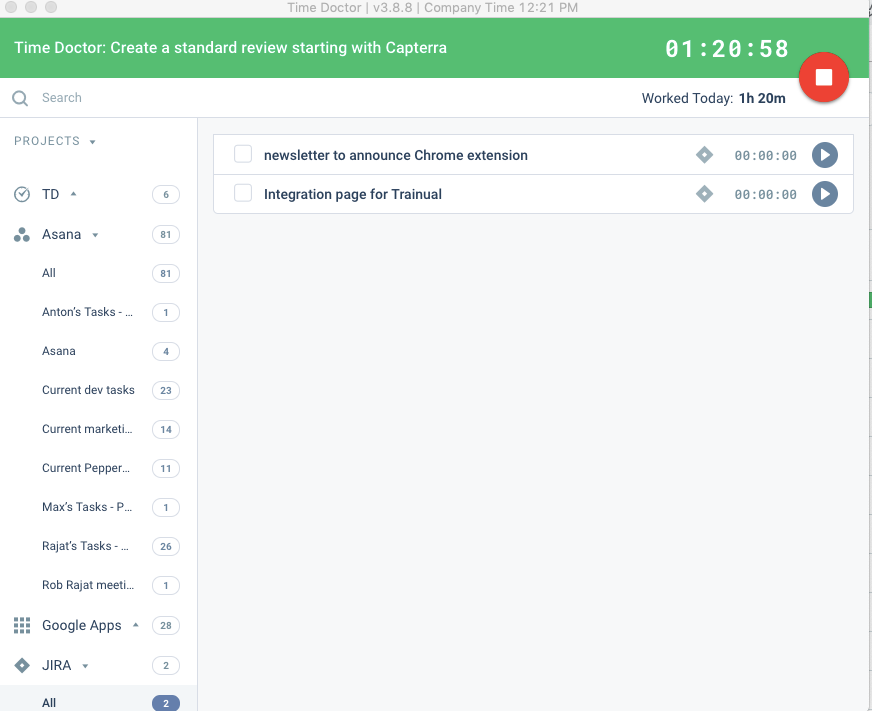
the interactive desktop app
a timeline

1 / 7

Time Doctor is a helpful tool in an age where working remotely has become a norm

Pros

  • It tracks computer activity, yet can be configured to pause while managing personal computer tasks.
  • It can be edited so that non-computer tasks such as site visits or meetings can be accounted for.
  • It is very helpful to refer to when submitting time sheets.

Cons

  • The non-computer task description fields have limits as far as details that can be added.

Most Important Features

  • Keeping track of time spent on the computer and other tasks while away from the office.

Return on Investment

  • The only negative impact is that some employees are resistant to use it because entering in the info manually while away from the computer is one more thing for them to do. Additionally, some are wary of any software which would have access to their personal computers and information.
  • The positive impact is that it can show the owner of the company how much his employees do for the company.

Other Software Used

Microsoft 365 (formerly Office 365), Adobe PhotoShop, Adobe Acrobat Reader DC

Usability

Excellent Tool!

Pros

  • The timeline report is very helpful for me in checking the team's attendance. When I start my day, I don't have to chat each person in the team to check if they already started working. This report displays a real-time view of online and offline staff in the team.
  • The desktop application is very easy to use. No drama!
  • Other reports that we often use in translating productivity is the Total Hours Tracked and the Web and App Usage. Hours Tracked outlines how long a staff member spends working at the computer vs. away and how long their breaks last. Web and App Usage records which websites and applications are used while working so we can track patterns and learn how to keep the team on task.

Cons

  • When checking/viewing Web and App Usage, I wish there's an option on this page to update or change the app's rating without going to settings page. It will be a lot easier for us to update the ratings on the Web and App Usage.

Most Important Features

  • Timeline Report
  • Total Hours Tracked
  • Web and App Usage

Return on Investment

  • By using this app, it allowed us to work on other tasks rather than constantly having a meeting with our staff to check on their tasks. Time Doctor does the job for you.

Other Software Used

HubSpot CRM

awesome productive app

Pros

  • Photo screenshots
  • Calculate the exact working minutes
  • Automated calculations of payrolls

Cons

  • Decrease the fees slightly
  • Video recording
  • Need better synchronization between PC and mobile app

Most Important Features

  • Screenshots
  • Time calculation
  • Used apps and websites per employee

Return on Investment

  • 5% improvement in human time utilization

Other Software Used

HubSpot CRM, QuickBooks Online, Google Workspace (formerly G Suite)

Best Ever Tracker I Have Used

Pros

  • Time Doctor shares the screencast pictures of users so you can check what the end user is doing and if any issue existed in the past and you forget you can check through the screencast options.
  • For freelancers as well as trainees or new employees, you can increase their productivity.
  • Best solution for all in one to manage ERP like applications.

Cons

  • Please add billed hours to end users so hr/admin can decide the cost and pay on the basis of hours.

Return on Investment

  • Increased productivity.

Usability

Time Doctor helps to track the timeline along with the productivity of the work

Use Cases and Deployment Scope

Time Doctor can be integrated with the project management tools to link the time tracking for the projects and the assigned task. It is mainly used for the all bussiness sizes, it is mostly used for the remote works jobs and for the distributed teams for improving the time management for the task or the assigned projects for enhancing the productivity and optimize resource allocation.

Pros

  • It helps in accurate time tracking
  • It easily integrated with the Project Management tools
  • It helps in remote team monitoring

Cons

  • It can be improved in user interface customization
  • The built in feedback featured can be added, it will helps the users along with the development team of the software

Return on Investment

  • It is well suited for the large team, as it is expensive to purchase.
  • The helps to track the time management for the assigned task to the team members

Alternatives Considered

Atlassian Jira Align and Slack

Other Software Used

Slack, Atlassian Jira Align, Bigin by Zoho CRM