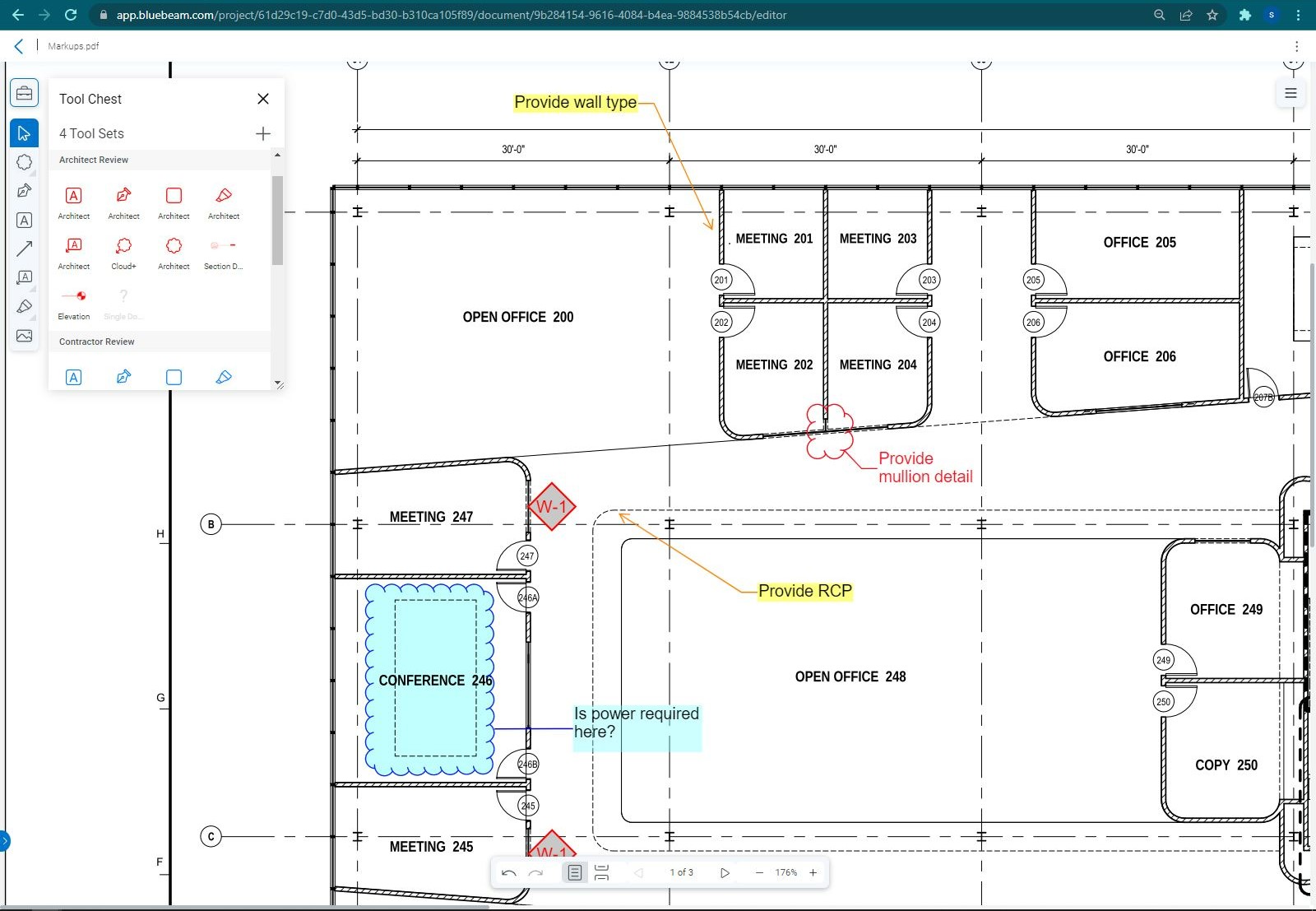
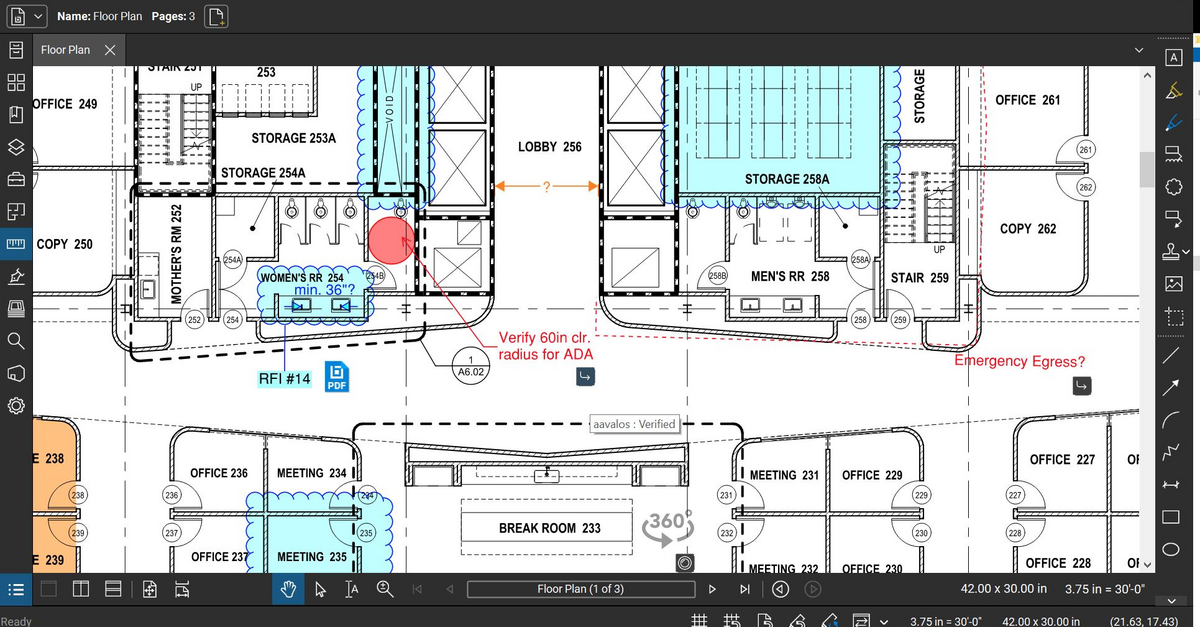
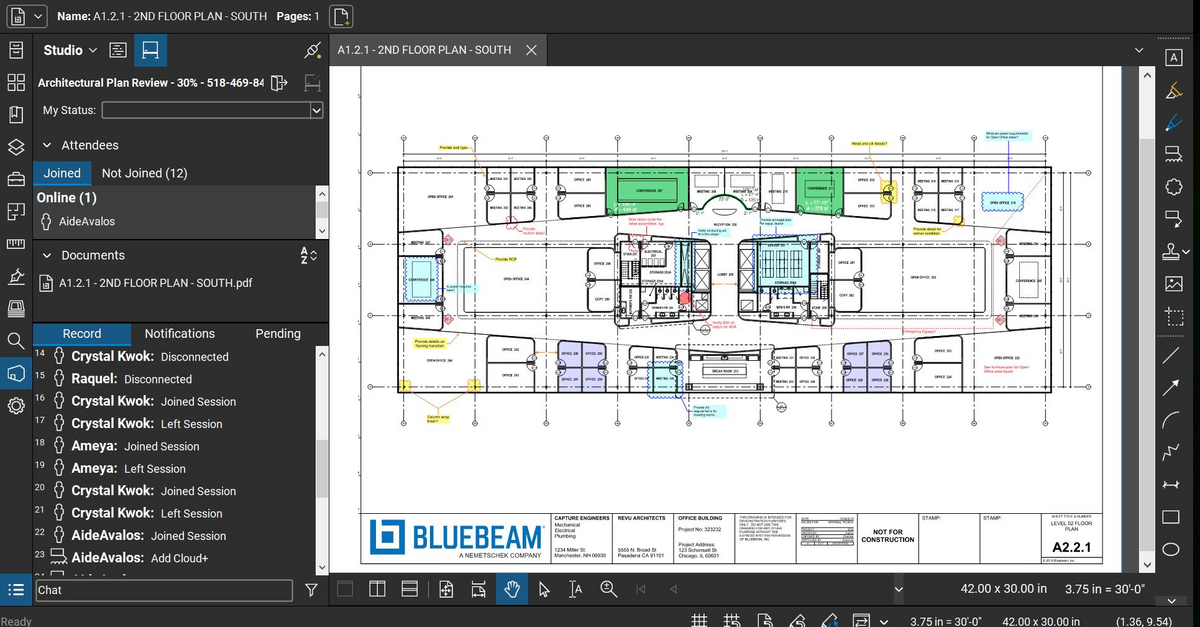
Bluebeam Revu is a PDF management, control, and editing tool. It enables collaboration and markup within shared documents across projects’ life cycles and has takeoff and bid creation capabilities.
$349
per seat
Wrike
Score 8.3 out of 10
Mid-Size Companies (51-1,000 employees)
Wrike is a project management and collaboration software. This solution connects tasks, discussions, and emails to the user’s project plan. Wrike is optimized for agile workflows and aims to help resolve data silos, poor visibility into work status, and missed deadlines and project failures.
$0
per month per user
Pricing
Bluebeam
Wrike
Editions & Modules
Revu Standard
$349
per seat
Revu CAD
$449
per seat
Revu eXtreme
$599
per seat
Wrike Free
$0
per month per user
Wrike Team
$10
per month (billed annually) per user (2-15 users)
Wrike Business
$25
per month (billed annually) per user (5-200 users)
Wrike Enterprise
Request a quote
per month per user
Pinnacle
Request a quote
per month per user
Offerings
Pricing Offerings
Bluebeam
Wrike
Free Trial
Yes
Yes
Free/Freemium Version
No
Yes
Premium Consulting/Integration Services
No
No
Entry-level Setup Fee
No setup fee
No setup fee
Additional Details
—
Every premium plan begins with a 14-day trial period.
More Pricing Information
Community Pulse
Bluebeam
Wrike
Considered Both Products
Bluebeam
Verified User
Anonymous
Chose Bluebeam
I believe Bluebeam is actually easier to learn and use versus Adobe Acrobat. With it’s how to videos and great customer support, there’s basically not a problem that cannot be figured out. As far as PDF modification, I believe Bluebeam’s tools and screen configuration is very …
Bluebeam is targeted towards construction professional and offers features and built-in markups that I use everyday. Acrobat is a generic program that requires more training and set-up for use specific to construction and design. Bluebeam was more cost-effective than Acrobat, …
I haven’t spent enough time with Revit to give a full comparison. But three architects I’ve worked with have all said they enjoy both programs and Bluebeam was highly recommended for my needs in the company.
Years ago I used Adobe which was not well suited for CAD drawings. I soon found Bluebeam which at the time was a wonderful game changer. Sadly, my recent experience has caused me to begin searching elsewhere for new software.
Bluebeam I believe is much better then Smartsheets because there are way more features that just make sense and are construction minded. I am able to host and share these documents with other users who do not need to have a Bluebeam license to view or download them from the …
Bluebeam is a more advanced PDF editor and better suited for the engineering and construction industry. It has far more tools and better capabilities for collaborative viewing, marking up, and sharing of documents.
Much better. The features are greater, the layout is better and you can just do so much more. The features alone and what you can do with it makes it worth it. Also, it allows for you to edit and create in a much more user friendly way. All of our engineers love using it …
Bluebeam Revu has essentially replaced Adobe Acrobat as our default PDF viewer and editor, because its robust suite of architecturally-focused tools allow for better review of documents and creation of simple graphic diagrams. The scale and measurement tools are especially …
PDF file sharing is really easy and simple, so users can markup and others can view them in real-time. Also, editing PDF files to crop, batch, remove, or replace pages is really efficient compared to Adobe Acrobat DC. Plus, the licensing fee is pretty small compared to Adobe …
Bluebeam Revu is a no-brainer in the AEC space. Stop wasting money on owning adobe and Revu. Revu can replace all of your Adobe usage. With a good change management process, Revu can meet the needs of your entire organization. The Bluebeam team will be with you every step …
Revu was much easier to use, more cost-effective, and is more generally used in the construction and design industry than Adobe. We found Adobe to be more of a resource hog, as well as being bloated with offers for other Adobe applications, which many times would slow down a …
Bluebeam is a good in-between of Adobe and Photoshop. If you're not looking to do photo editing, but need more capabilities than just line work, Bluebeam is perfect.
I select Bluebeam Revu when I have to as directed by the client or the owner. Otherwise, when the user does not need such a specific or robust piece of software, I usually go to one of the less expensive competitor's PDF editors. They suite our needs just fine and cost half …
Bluebeam definitely blows Adobe out of the water in the basic to the basic comparison. You will have to do more research on how exactly to use all the tools if you have never used the program before such as myself.
Bluebeam Revu has a much more sophisticated interface that allows you to mark up documents in many different ways. It can store tools for standard markup use. It provides digital signatures which can be very useful for many document types. By creating a Revu studio, multiple …
We've used these other products in conjunction with Bluebeam mainly because Bluebeam lacks RFI/COR/PO/Mark-up/revision tracking, and doesn't handle punch lists or tasks.
The newer Adobe interfaces are poor. Adobe does not do as well with drawing markup or takeoff tools. Adobe does seem to render some drawing files more quickly though. Adobe text document markup feels a bit more polished. Bluebeam was selected for better tools specific to …
This is by FAR the most powerful product that I have used. I have not turned back to Adobe for modifying documents since we purchased Bluebeam. I am not sure of the cost of the program, but sure it is worth it to the company. As to doing take-offs, this is a great tool as well …
Procore is excellent for tracking documents and links. Bluebeam is superior at editing, scaling, and marking up documents. You can track projects of any size at a very low price point with Bluebeam.
There is no comparison. The editing tools, batch tools drafting tools, personal environment profiles, settings, printing, calibrating, direct connecting apps that links Bluebeam to AutoCad and Revit. This is an extremely powerful program that is amazingly helpful and I probably …
I think Wrike is comparable against these competitors - it reminds me of Trello the most in terms of interface. I did not personally select Wrike, I am a user, not the purchase decision maker.
I like Wrike best. I liked Asana, but I think it got too pricey for the features that we wanted out of it. Notion was fine, but I think its ability to integrate with the rest of our tech stack proved difficult. Trello was fine, it was early in my career and I remember its ease …
I'm in the process of evaluating ClickUp, and so far, it seems far more robust in the areas that matter (integrations, automation, speed, ease of use) where it could apply to small and medium orgs. I have another call with ClickUp and if their pricing holds, we may end up …
Jira is really geared towards IT organizations. It is far more complex to use so it has a steeper learning curve, but once you get the hang of it, it does have more customization capabilities and it offers more functionalities, such as extra fields, types of graphs, etc.... …
Wrike provides multiple use cases on managing workflow through the various range of functionalities provided. Trello more so provides a straight forward way to obtain a full scope view of projects, but Wrike is more comprehensive in managing all stages.
We use both Wrike and Smartsheet to satisfy our necessities. Smartsheet gives us a platform to input more information, while in Wrike we stablish contact with our customers for proofing before product development; information that goes directly into our Smartsheet once the …
ClickUp and Wrike look very different - when I think of Wrike, I think of larger tasks, but ClickUp I used for smaller lists & used the calendar view more.
Great for large project and/or complex projects. However there can be a learning curve. I would possibly choose a different platform if I am working with non-techy team members.
Wrike is better than both as it allows for greater visibility and is more similar to an excel based system, which i think has a much better initial understanding of all users.
Wrike has been a helpful benchmark of industry standard. Many people who have used other similar platforms have been able to easily transition to Wrike.
I have used inhouse project management tool in my previous company. It was very slow compared to Wrike, visualisation is better in Wrike, they did not have customised template increasing repetitive work, the tool used in previous company was very slow as it takes like a lot of …
Figma is similar in many regards from the ways I've used it. Wrike is far superior to Workamajig in terms of visual language and ease of use; however, Workamajig seems to be more robust for the expansive needs of an agency.
Wrike has a much deeper feature set than Trello, though does cost significantly more. Azure Devops is better suited to developer workflows out of the box but overall, I would be inclined to use Wrike due to the simpler UX/UI.
Wrike always works - it's always up-to-date, never down, and our one source of truth. I wish the mobile version of Wrike was more usable, but that's the only thing where Wrike may not be the front runner.
In my opinion, Wrike is very similar to Asana (Asana has Wrike beat when it comes to completing tasks. Who doesn't enjoy seeing a rainbow unicorn fly across the screen when marking a task complete). Jira is also very similar but a bit more robust as it integrates with Aha for …
As stated before, the mobile application is a great companion to the desktop version. Either one works great in viewing, editing and saving documents. While the measurement tool is handy to have, we have found the precision to be lacking when measuring scaled drawings (construction design drawings). While it is a good rough place to start for measurements, we wouldn't recommend relying on the precision of the measurements taken on something with a very large scale.
Negotiations often involve long timelines and multiple rounds of discussion. Wrike allows us to assign clear ownership, track due dates, and monitor progress so that nothing stalls or gets lost. Redlines, proposals, and finalized agreements can be stored and shared within Wrike, reducing reliance on scattered email chains and ensuring everyone is working from the most current version.
different views to accommodate different users workflow
predecessors and successors to tie tasks together and adjust dates as a group
Being able to see other people's workloads so when I am planning my projects for the upcoming quarter, I can set a project delivery date that is better suited to workload and is more realistic
If you have several tabs open and you try to drag one out for a side by side view then you do not have all the modification options and you have to combine them back together.
There is a lag time when hitting the print option.
There is also a lag time when opening files, sometimes I think the window is frozen.
I wish the basic version also had basic file editing, as in editing a document as Adobe does.
For example, let's say we are onboarding a new client. There are certain tasks that need to be done. It would be great to be able to create a new project and have certain tasks preloaded.
Importing.
Importing may seem easy, but there is so much nuance to it. The fact that you need to make sure the parent task comes before child tasks is very difficult to do without the help of AI. Also, I am not sure it is possible if you have a thousand tasks to import, to make sure that you have a folder structure and parent/child tasks.
I also find that the documentation is lacking and the 2 import methods lacking as well.
Customize my inbox. When I log into Wrike, my Inbox is the first thing I see, but this doesn't show the full picture of what I want it.
Bluebeam is a powerful PDF viewer and mark-up tool. We are more familiar with it than Adobe Acrobat Pro or other viewers, and it has more features geared towards construction document managers than Acrobat Pro does.
I wish that Wrike had more drag and drop functionality that would be connected to assignee and also I wish that the finish date of a task would update to the date where you checked completed. It does not do that. Also finishing a task doesn't move the start date of the next task it "protects your time in that way", but our management team wants us to quickly see what we have down the pipeline rather than having to scroll down the list of upcoming tasks.
I'm constantly finding that Bluebeam Revu does more than I knew it could. And when I find something that it can't do, I've found that Bluebeam truly listens to its user base and will work to incorporate any good suggestion when feasible.
I love the way task management is designed within Wrike. The full overview, followed by sequential updates, really works for us - this way, we don't need to go into individual people's work subtasks to find what's happening with a project. That's very useful from a project management perspective. The to-do feature also lets everyone access info in one place.
Over two years of (almost) daily usage without outages. Don't remember any errors. I give it 9 only because some Wrike plugins (for online document edit) are based on NPAPI architecture. These types of plugins are being phased out in new browsers, and NPAPI plugins are disabled by default in recent versions of Chrome so you have to do some browser adjustments when you switch browsers or move to another computer.
Wrike tasks loads fine, but I hate clicking files and wait for a bit of time since it is powerpoint or word, Wrike assumes I want to open those on Wrike. My suggestion is to link it to office 365 so we do not need Wrike based decoder for PPTX and DOCX
Its hard for me to give a rating on this one as we rarely have to use the support feature for Bluebeam. However, when we have used it, they have been ultra supportive in helping us get exactly what we needed. I know another engineer was trying to figure out a feature and the rep gave a detailed tutorial on how to complete the task
We've had so many questions during the establishment of Wrike for our team, and the Wrike support team has exceeded our expectations. Our team is naturally curious, and the Wrike support team has always been willing to hold conversations about how we can make an idea work, to show us hidden features that delight us, and to help us plan ways to build out projects efficiently. They meet our questions with multiple solutions and best practices
I love the Wrike training options. Wrike Discover has tons of courses, learning plans, certifications, etc. This is an area where Wrike definitely shines! I wish these resources were more in your face for new people, because it seems like a lot of coworkers didn't know all of this training was available to them.
There are a lot of bells and whistles in Wrike, and not all of it is easy or intuitive to understand once it's plopped in your lap. It's easier when there are a few choice people who understand Wrike as a platform and articulate it in such a way where it makes it easy to pass it along to others in the group
Bluebeam is a diverse program with many functions and tools, whereas competitive programs only specialize in one or few tasks. Although there are many tools within the program, users can still quickly learn how to use the program to best fit their needs. There is always a help tab for any assistance needed.
Jira did not at all help us get our work done as content creators. I think that was because Jira wasn't quite right for our uses. Wrike fits our needs so much better. I can't tell you enough the relief I felt when we adopted Wrike and I never had to use Jira again.
Wrike has significantly enhanced our workflow and productivity, ensuring accuracy and efficiency meet high standards. Our work now reflects professionalism and top quality. Other departments have taken notice of how organized we are thanks to Wrike, and we take great pride in our work—all made possible by this platform
A major positive aspect is being able to take your computer home without taking the entire set of paper drawings. They have made it so easy to navigate a set of drawings that I can work at home using only the digital drawings.
Collaboration with owners and architects has been a great feature. Setting up a Bluebeam studio and having everyone get in and mark things up, then having the architect be able to go in and see what markups have been added, has made the constructability review process much much better.
Even when not working on drawings, Bluebeam is a very good tool for working with standard PDF documents. The markup tools are very easy to use.
The negative aspect is the takeoff function because some people would like estimators to use the Bluebeam takeoff because it would make their job easier down the road; however, the actual act of doing a full scale takeoff in Bluebeam would require much more time.
Wrike has improved our resource management significantly.
Wrike has improved the request intake process for us.
One negative impact of using Wrike is that we had to include Workato for some customised automations, which were not supported by Unito, but this can be on a need-to basis.