BoldSign, by Syncfusion® vs. Zoho Sign

Overview
ProductRatingMost Used ByProduct SummaryStarting Price
BoldSign, by Syncfusion®
Score 8.6 out of 10
N/A
BoldSign is an e-signature solution that enables users to send documents out for legally binding signatures. Users can save frequently used contracts as custom-branded templates, track and follow up, and manage complex sequences. BoldSign also provides an API for integrating e-signatures into one's own applications.
$0
per month 1 sender
Zoho Sign
Score 9.3 out of 10
Small Businesses (1-50 employees)
Zoho Sign is a digital signing service that lets you execute contracts quickly without the hassles of transporting paper documents while ensuring security and legality. It works completely on cloud and integrates readily with your everyday apps. According to the vendor, Zoho Sign is perfect for anyone who needs to sign business documents but widely used for HR, legal, finance, HR, and sales functions. Documents that can be signed include:…
$0
per user
Pricing
BoldSign, by Syncfusion®Zoho Sign
Editions & Modules
Essentials
$0
per month 1 sender
Growth
$5
per-month, billed annually. Monthly billing option also available. 1 Sender. Price shown is the per-month cost when annual billing is selected.
Business
$15
per-month, billed annually. Monthly billing option also available. 1 Sender. Price indicated is the per-month cost when annual billing is selected.
Enterprise API
$30
per month. $0.75 per signature request (40 signature requests included in base plan)
Premium
$99
per-month, billed annually. Monthly billing option also available. Includes unlimited senders.
Custom Plan
Custom Pricing
Free
$0.00
per user
Standard
$10.00
per user/ month
Professional
$15.00
per user/ month
Offerings
Pricing Offerings
BoldSign, by Syncfusion®Zoho Sign
Free Trial
YesNo
Free/Freemium Version
YesYes
Premium Consulting/Integration Services
NoNo
Entry-level Setup FeeNo setup fee$10 per user
Additional DetailsMonthly and annual options. In addition to BoldSign's web app options, API plans are also available. A free sandbox is available that allows you to integrate BoldSign into an application in a testing environment.
More Pricing Information
Community Pulse
BoldSign, by Syncfusion®Zoho Sign
Considered Both Products
BoldSign, by Syncfusion®
Chose BoldSign, by Syncfusion®
BoldSign is much less expensive than DocuSign with very similar features.
Chose BoldSign, by Syncfusion®
I'm not aware of any other products by Syncfusion.
Chose BoldSign, by Syncfusion®
They all have similar features, but BoldSign stands out for its simplicity and ease of use. Adobe has a business model where they are sending you ads while you are using the system and the truth is that it tends to be a bit annoying and distracting at times. I didn't like the …
Chose BoldSign, by Syncfusion®
Boldsign is less expensive and easier to implement with its easy to use interface
Chose BoldSign, by Syncfusion®
The price-performance ratio is better with BoldSign. If I want to scale up to the next level and then go back, I can do it easily with BoldSign, unlike Adobe, for example. If you want to try another application, that's fine. They all do the same thing. In my experience, the …
Chose BoldSign, by Syncfusion®
Docusing don't offer an iFrame.
Customsing documents for signature with DocuSign is a nightmare.
DocuSign customer service is terrible, as bad as Microsoft...
Chose BoldSign, by Syncfusion®
Our company uses BoldSign over its competitors because of its ease of use and functionality for the manner in which we employ it. We can quickly upload documents that need execution and get them circulated to all parties immediately to do so. This saves us tremendous amounts of …
Chose BoldSign, by Syncfusion®
It met all my needs at no cost. We only needed a basic service. BoldSign more than met our needs and did so securely and efficiently.
Chose BoldSign, by Syncfusion®
Much easier to work with and support is much better. In my experience, Docusign is just not an easy company to deal with. And, in my experience, whenever we tried to add a particular feature in our integration, Docusign would force us to upgrade to some higher level. I found …
Chose BoldSign, by Syncfusion®
These competitors provide mediocre and feature-bloated offerings that are simply a pain to use. For example, building templates in the aforementioned tools is like pulling teeth. The editor is finicky. BoldSign, by contrast is simple and generally intuitive, thereby making it …
Chose BoldSign, by Syncfusion®
It's more intuitive for using.
Chose BoldSign, by Syncfusion®
Pricing is great and the functionality is the same. I have not really used Docusign or Panda Doc that much so I can not really do a great comparison.
Chose BoldSign, by Syncfusion®
BoldSign keeps digital signing simple and easy. DocuSign is bloated and incredibly expensive and too complex for signing documents required by a small business like mine.
Chose BoldSign, by Syncfusion®
I think it is just as easy to use, but it is a lot more cost-effective. I also like BoldSign, by Syncfusion® has my company logo.
Zoho Sign
Chose Zoho Sign
Price is important but it has all the same features as some of the main brand names on the market which makes this package ideal for small businesses and larger ones looking at costs. The advantage we find is that we can edit forms with drop-down boxes and preset answers for …
Chose Zoho Sign
Before using Zoho Sign, we simply send out PDFs and had our partners and clients sign them and send them back. Obviously, Zoho Sign stacks pretty high against that because of how professional it is, how much simpler it is for us to use, and how much time it saves us.
Chose Zoho Sign
Docusign seems to be more commonly used and often times clients will ask if we can use that as opposed to Zoho Sign.
Chose Zoho Sign
I was a paid subscriber to Adobe prior to using Zoho, and found their solution expensive and inflexible. DocuSign may be the market leader, but Zoho fits better into our overall needs, especially since it integrates well with our other Zoho products.
Best Alternatives
BoldSign, by Syncfusion®Zoho Sign
Small Businesses
Foxit eSign
Foxit eSign
Score 9.8 out of 10
Foxit eSign
Foxit eSign
Score 9.8 out of 10
Medium-sized Companies
MSB Docs
MSB Docs
Score 9.4 out of 10
MSB Docs
MSB Docs
Score 9.4 out of 10
Enterprises
DocuSign
DocuSign
Score 8.4 out of 10
DocuSign
DocuSign
Score 8.4 out of 10
All AlternativesView all alternativesView all alternatives
User Ratings
BoldSign, by Syncfusion®Zoho Sign
Likelihood to Recommend
9.0
(0 ratings)
9.0
(0 ratings)
Usability
8.7
(0 ratings)
-
(0 ratings)
Support Rating
10.0
(0 ratings)
-
(0 ratings)
User Testimonials
BoldSign, by Syncfusion®Zoho Sign
Likelihood to Recommend
BoldSign is perfect for the small business or startup that needs a legally-binding solution to digitally sign contracts/agreements between 2 parties or more. It's no frills and super easy to use, and requires no training to understand how to use. BoldSign is less appropriate for organisations that require complex integrations and automation capabilities for their digital signature solution.
Read full review
If your business needs an electronic signing software, then I recommend Zoho Sign because it has all the great features. It ensures fast and secure document signing and, most importantly, it is legally binding.
Read full review
Pros
  • BoldSign was incredibly easy to pickup and start using. The UX was very intuitive and required no training or guidance.
  • BoldSign's signed contracts repository is a very easy-to-access and navigate system to store and access all our signed documents.
  • BoldSign customer support has always been incredibly responsive and helpful.
Read full review
  • Shared organizational templates encourage corporate uniformity and standards.
  • Centralized retention of the executed agreements.
  • Orchestrated signing workflow with internal and external users.
Read full review
Cons
  • It would be great if BoldSign saved my signature in my account to use each time
  • It might be easier if you could select signature (or any heading for that matter) and click where you want it instead of dragging it to where you want it.
  • It would be nice if completed document’s automatically saved to a selected folder for safe keeping.
Read full review
  • It integrates from sign to the CRM (in that order) poorly. To have the doc associated with the contact it can ONLY come from the CRM.
Read full review
Likelihood to Renew
Great product. Great price. Free for up to 25 signatures for one persons account. Having a group using it under one account is even a great price. Much cheaper than all the alternatives out there and does the same stuff the others do
Read full review
No answers on this topic
Usability
Very straight forward to use and customers understand the service. No questions or need for me to explain. The free tier is amazing and has locked me in as a customer for when we're big enough to need the paid version.
Read full review
The UI is easy and using Zoho Sign is easy too.
Read full review
Reliability and Availability
No issues to date.
Read full review
No answers on this topic
Performance
No issues with performance.
Read full review
No answers on this topic
Support Rating
At the beginning I had a question so I emailed them. Response was super quick. Other then that I have not had to contact them for any help. System is easy to use
Read full review
No answers on this topic
Implementation Rating
Very easy...I was able to start using it immediately.
Read full review
No answers on this topic
Alternatives Considered
The price-performance ratio is better with BoldSign. If I want to scale up to the next level and then go back, I can do it easily with BoldSign, unlike Adobe, for example. If you want to try another application, that's fine. They all do the same thing. In my experience, the ease of use, sourcing and functionality was perfect with BoldSign.
Read full review
Price is important but it has all the same features as some of the main brand names on the market which makes this package ideal for small businesses and larger ones looking at costs. The advantage we find is that we can edit forms with drop-down boxes and preset answers for the forms. Each entry field can be customized by data type and length or allow the client to enter their own answers.
Read full review
Scalability
Not sure as I don't have a need to scale.
Read full review
No answers on this topic
Return on Investment
  • So far I have only used the free version
  • I am sure that the paid version would be extremely beneficial if you did a bunch of contracts. I just started using the program, so not too many contracts yet. If I need to upgrade my subscription, the price will be well worth it.
Read full review
  • Allowed us to appear more more professional by sending out a fillable document instead of emailing a PDF.
  • Saved us time by sending automated reminders to recipients reminding them to sign the document.
Read full review
ScreenShots

BoldSign, by Syncfusion® Screenshots

Screenshot of the bulk sending feature, that lets users send signature requests to multiple recipients in just a few clicks.Screenshot of the bulk sending feature, that lets users send signature requests to multiple recipients in just a few clicks.Screenshot of the bulk sending feature, that lets users send signature requests to multiple recipients in just a few clicks.

Zoho Sign Screenshots

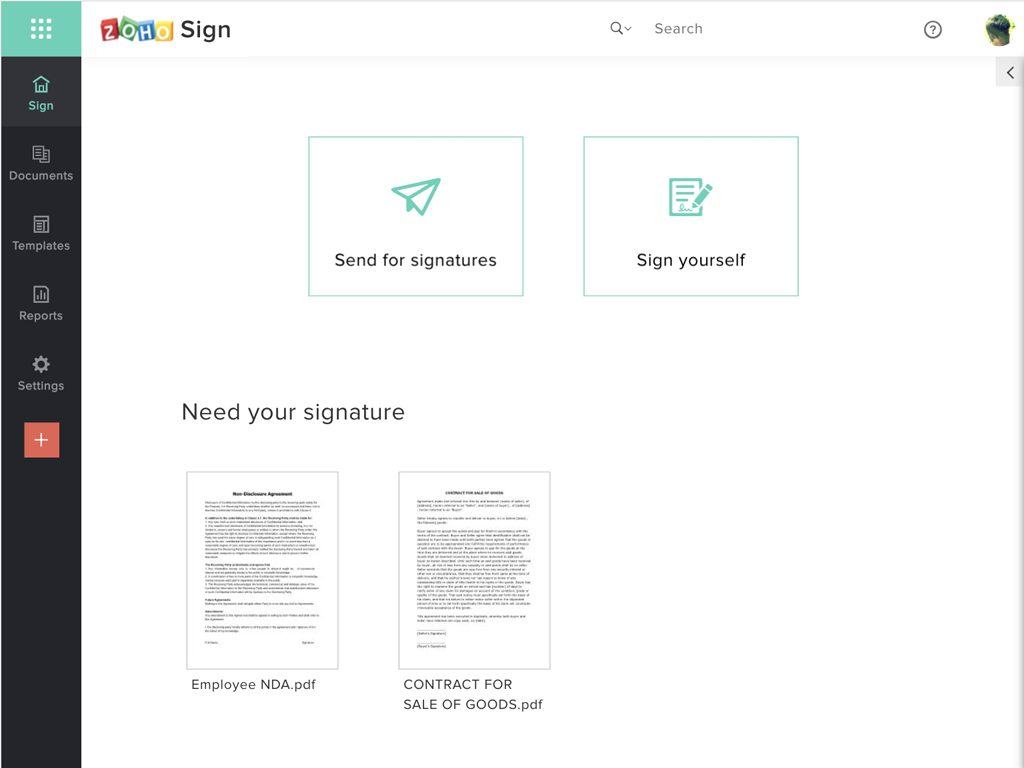
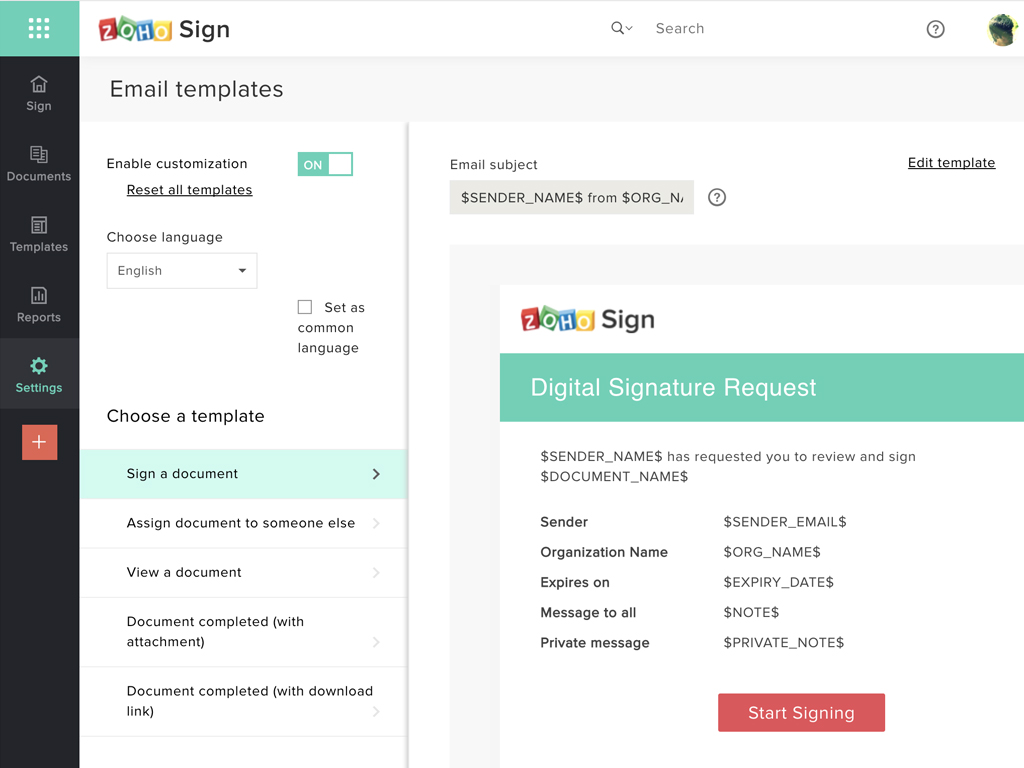
Screenshot of Zoho Sign DashboardScreenshot of Sending documents for signatures using templatesScreenshot of All document sent using Zoho SignScreenshot of Rebranding email templates sent from Zoho Sign