BricsCAD is a computer-aided design (CAD) toolkit, supporting 2D drawing, 3D modeling and visualizations, and is customizable as well as compatible with many 3rd party applications, developed by Belgian company Bricsys, a Hexagon company since late 2018.
$590
one-time fee
KiCad EDA
Score 7.8 out of 10
N/A
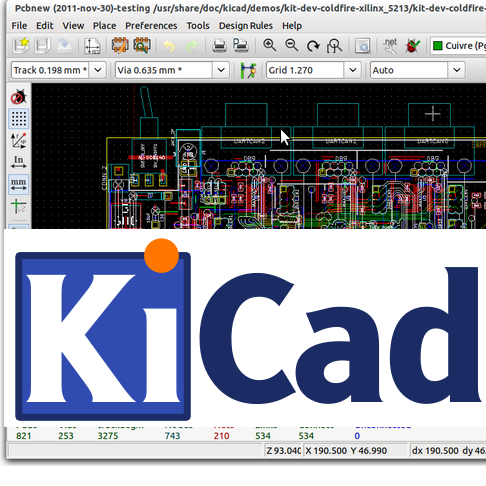
KiCad EDA is a Cross Platform and Open Source Electronics Design Automation Suite. KiCad's PCB Editor is built to be approachable enough to make the first PCB design easy, and powerful enough for complex modern designs. Its interactive router and improved visualization and selection tools make layout tasks easier.
N/A
Pricing
BricsCAD
KiCad EDA
Editions & Modules
BricsCAD Lite
$590
one-time fee
BricsCAD Pro
$1,265
one-time fee
BricsCAD Mechanical
$1,780
one-time fee
BricsCAD BIM
$1,890
one-time fee
BricsCAD Ultimate
$2,100
one-time fee
No answers on this topic
Offerings
Pricing Offerings
BricsCAD
KiCad EDA
Free Trial
Yes
No
Free/Freemium Version
No
No
Premium Consulting/Integration Services
No
No
Entry-level Setup Fee
No setup fee
No setup fee
Additional Details
—
—
More Pricing Information
Features
BricsCAD
KiCad EDA
Computer-Aided Design Software
Comparison of Computer-Aided Design Software features of Product A and Product B
It is possible to use BricsCAD in a free version over time except that it is considerably reduced in terms of functionality and performance. I especially like the collaboration, import and export features. These tools are important in that they allow you to exchange with the different teams involved in the project to make the necessary changes in time.
KiCad is great for learning and getting started with Hardware design because its open source and easy to work with. Besides this its interface is simple and easy to understand. I have used KiCad personally for simple projects as more complex projects are harder to do in KiCad. The simplicity allows to me to do my work quick
there is not full compatibility with dynamic blocks but it isn't so bad -we can create them in AutoCAD and use them to some extent anyway
it doesn't look as "sexy" and the interface looks kinda orimitive in some screens but the functionality is all there and the some
there is the hurdle of users thinking they are getting a lesser product so more marketing pozazz is needed to get the message over it is a very capable product
it's exteremly useable. AutoCAD users will carry over many eisting skills and learn some new ones on the cross over. It's fast adn lightweight meaning ot can be run on just about any PC. The help and support are realy good and problems are usually responded to within a day by experts.
KiCad is great for learning and getting started with Hardware design because its open source and easy to work with. Besides this its interface is simple and easy to understand. I have used KiCad personally for simple projects as more complex projects are harder to do in KiCad. The simplicity allows to me to do my work quick.
Very cost-effective solution, it even supports pointclouds natively and is something we will investigate further as time goes on and may in fact utilise it to replace AutoCAD with 3rd party add-ins at some point in the future, and we hope it can further reduce costs in the long-run as it continues to develop and mature.
I use nowadays mainly ALTIUM because of its advanced features for complex projects. Altium has many more benefits but on the other hand it depends on the complexity. For simple project I recommend KiCad because its open-source, easy to learn and work with. Therefore I would recommend KiCad is more then sufficient for easy less complex projects