Certinia ERP Cloud automates financial management on the Salesforce platform. The customer-centric ERP software includes a general ledger, automated billing processes, and financial intelligence.
N/A
Salesforce Revenue Cloud
Score 8.8 out of 10
Mid-Size Companies (51-1,000 employees)
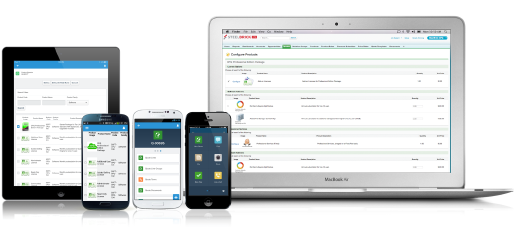
Salesforce Revenue Cloud (formerly Salesforce CPQ or SteelBrick) is built and delivered on the Salesforce Platform and Salesforce1 Mobile App which enables users to create accurate sales quotes quickly and submit error-free orders on the fly from any device.
FinancialForce Subscription & Usage Billing has more features, more useability, and manages higher numbers of customers. The systems I have used in the past are easier to navigate but couldn't handle this number of customers.
Infinitely better. We are much happier with FinancialForce ERP rather than Netsuite. This allows us so much more flexibility and growth potential. There is a good chance we will use other functionality of FinancialForce in the future to stay within the same ecosystem. We …
FFA is built on the SalesForce platform, giving us one source of data for our KPIs. Unlike Dynamics, FFA allows us to create custom reports and dashboards through which we can share financial results. We were able to better automate and streamline accounts payable using FFA. …
NetSuite is much better in that it can produce financial statements, has a subscription module, and is just as customizable as FinancialForce. If you have a midsized company, NetSuite may be better suited for your business needs. FinancialForce requires a lot of in-house …
Compared to other accounting software FinancialForce Accounting has its good and bad aspects but overall it is a good option. Reporting directly from FinancialForce Accounting can be difficult to do, but standard accounting tasks are straightforward and not time-consuming to …
The initial allure of FinancialForce Accounting was the fact that we were very happy with Salesforce.com and the ability to integrate FinancialForce Accounting with Salesforce.com easily (although it was time-consuming). But after analyzing its functionality it was also …
Outside CPA was strong proponent of Quickbooks and it was evaluated initially, but size of company, complexity of transactions, eventual move to Salesforce and need for multi-company and multicurrency ruled it out almost from the start. As the only accounting system built …
This software is so complex we can say that Salesforce works so much better in the interface. Also, the features provided by Salesforce are far better than this software. It also includes Storing data, API development, and so many other functionalities which help a developer …
This has better product capabilities like Manage Order, Mobile, pricing module, select product offers service channel. What I like best is the integration with Salesforce, the ability to create and connect opportunities and there is a lot of flexibility in this tool. It has a …
There is no comparison to a fully functional instance of CPQ. Nothing comes close due to the amount of customization and ease of use that CPQ offers once it's fully built out. Other solutions may be easier to build or administer, but for the users and business needs, CPQ is the …
SalesForce Revenue Cloud has been leaps and bounds ahead of the softwares I used to use! I had used Google Sheets at first (since it was free), then bought Excel briefly thinking that would suffice as a good CRM layout. Turns out I was wrong and needed something more. Revenue …
This program is just more advanced and customizable. It worked for our diverse team needs considering the size and complexity of our portfolio. This was just the right choice for us. The other CRM's were great for smaller-scale enterprises at the time that I used them.
Salesforce CPQ [(formerly SteelBrick)] seamlessly integrates with Salesforce allowing us to have less integrations to manage. Releases don't break a connection causing delays in the sales process.
Salesforce stacks well in terms of features like lead, quote and pricing management than other software like Zoho, bichon, agile or Hubspot, personally I believe if the entire set of tools and solutions provided by Salesforce are employed they would work like a well-oiled …
Salesforces CPQ compares very highly to Apparound CPQ, because of the integration with the Salesforce platform. Because of the integration with the regular Salesforce platform, the tools work interchangeably with one another. This process creates a great deal of efficiency, and …
CPQ is a more inline, integrated and user-friendly product compared to Apttus's offering. The fact that it was bought and embedded by Salesforce into the platform and the support that entails, was the big differentiator for us.
It is a strong offering if your a Salesforce customer. We previously used Panda Doc and the integration with Saleforce was just not robust enough as we've expanded. Panda Doc allowed for much more customization and control of templates. However, the pricing rules, …
It was not my choice to move to Salesforce CPQ. Our organization chose to move to this platform because Octiv gave the reps too much flexibility. They wanted to tighten the reins. Everyone hates Salesforce CPQ and the guy who implemented it isn't even at the company anymore.
We looked into using BigMachines and FPX but decided to implement Apttus many years ago. The Apttus implementation never went live after several hiccups along the way and we shifted our focus to Salesforce CPQ which has had it's moments as well. Overall, Salesforce CPQ is the …
Almost a no brainer as we already heavily use SalesForce. This process allowed for everything to be in one place. As stated before, it is better than our old solution because it pulls a lot of the info from the option for you, allows for you to cross-function with services …
CPQ is much more intuitive and user-friendly than JDE. JDE is clunky and was not native to the Oracle CRM tool, which created problems when it came to quote creation and consistency in how deals are moved through the pipeline. We chose CPQ because we were already using SFDC as …
FFA is a good product if you want the ability to customize functionality and reporting. However, all the setup can be overwhelming if you are looking for an out-of-the-box solution. FFA is a great choice is you are already using Salesforce and want to report on KPIs directly from the source data. There are a lot of applications to help you feed data into the system or export it out in a usable format.
CPQ is great if you can devote the time to it to make it perfect for your sales team. It requires a lot of time and energy to build it out and customize, but once that's done it is one of the most powerful tools you will have. Having an expert in CPQ is really helpful as well.
Salesforce CPQ is great for being able to quickly and easily build product bundles in an intuitive and visually appealing way.
The product catalog and ability to easily add fields to product records makes setting up products really simple and adds a lot of value to reporting within Salesforce.
Basic product and configuration rules are very easy to understand and set up.
Our Salesforce is very messy, which tells me it's not super easy to clean up.
I always have a really hard time removing a contacts from an account - it seems like you can't simply remove the relationship so we have lots of people named DO NOT CONTACT or things of that nature.
Sometimes when saving it doesn't seem like things actually save.
The company has now converted its legacy, "home grown" operations system and built it on the force.com platform, and the integration between it and FinancialForce is deeply entrenched. No other application would be able to replicate this functionality, and the company will be able to scale and leverage the force.com platform as it grows.
Change management is always an issue, but the evidence of the application's usability is that both long-time employees (used to the legacy systems for many years) and newer employees have been able to learn the system and improve their business processes.
Unless the internet is completely unavailable - which has not happened yet - the application is always accessible. Since FinancialForce is built on the force.com platform, it's uptime is tied to Salesforce security and system performance standards
The response time for FinancialForce is exemplary. Immediate acknowledgement of the support request by automatically logging a case/ticket on the provider side, then less than 24-hour follow up by a support team member with specific questions, information or resolution for the issue.
There have been some issues with multi-year pricing of certain products and services which we have been assured will be resolved but I guess are still underway, the support team apart from this has not been needed much and in the rare scenarios, it has been needed the resolutions of conflicts has been prompt and quick, so the overall support would have my high regards for being so helpful and customer-oriented so as to assure good performance of their toolset and customer satisfaction.
Through its Xtra login website available to its customers, FinancialForce offers a complete set of online, video tutorials, training and documentation. Each tutorial is "bite-sized", meaning it imparts instructional, step-by-step information in 2-3 minute narrated videos. For a particular cycle or process, like invoices to payments for example, each tutorial builds on the last so that the user can get a complete picture of the steps and process in less than 10 minutes.
The company decided to run parallel for three months in order to soften the impact of the change from the legacy "system" - which users had been interfacing with for over a decade - to FinancialForce. While not recommended, this did provide time for the in-house "super user" team of 2 people to become completely familiar with the application, and thus provide hands-on training and be a resource for the users who would be processing the daily accounting transactions.
FinancialForce Subscription & Usage Billing has more features, more useability, and manages higher numbers of customers. The systems I have used in the past are easier to navigate but couldn't handle this number of customers.
This has better product capabilities like Manage Order, Mobile, pricing module, select product offers service channel. What I like best is the integration with Salesforce, the ability to create and connect opportunities and there is a lot of flexibility in this tool. It has a very user-friendly platform & navigation across pages is the best Also I like how fast I can create quotes. I also like how detailed you can get with reporting. Any possible metric we can think of can be tracked, measured, and integrated.
We moved to a subscription business, and FinancialForce cannot facilitate it. After using FinancialForce for 4 years, we had to switch to NetSuite. We had a negative return on investment with all the resources we used to do in-house development in FnancialForce.
FinancialForce did not have a good way to match payments against invoices, and it was a very manual process. We spent a lot of human hours to get it done.
It was still relatively cheap, so for the 4 years that we used it, the actual cost of the product was what we could only afford at the time.
Easy access to reporting on closed-won, closed-lost, and open quotes.
Accuracy in data referenced in a quote - it's typically accurate as it is pulled directly from opportunity, looking up to associated subscription start/end dates, etc..
We lose valuable time in creating quotes ourselves. Quotes were requested and created through sales ops previously, sales did not have access to the excel templates used to generate quotes.