ChiroTouch is cloud chiropractic software offering an integrated EHR software built for chiropractors, top to bottom. ChiroTouch is an integrated system for payment processing and insurance claims management.
$159
per month
EHR 24/7
Score 5.5 out of 10
N/A
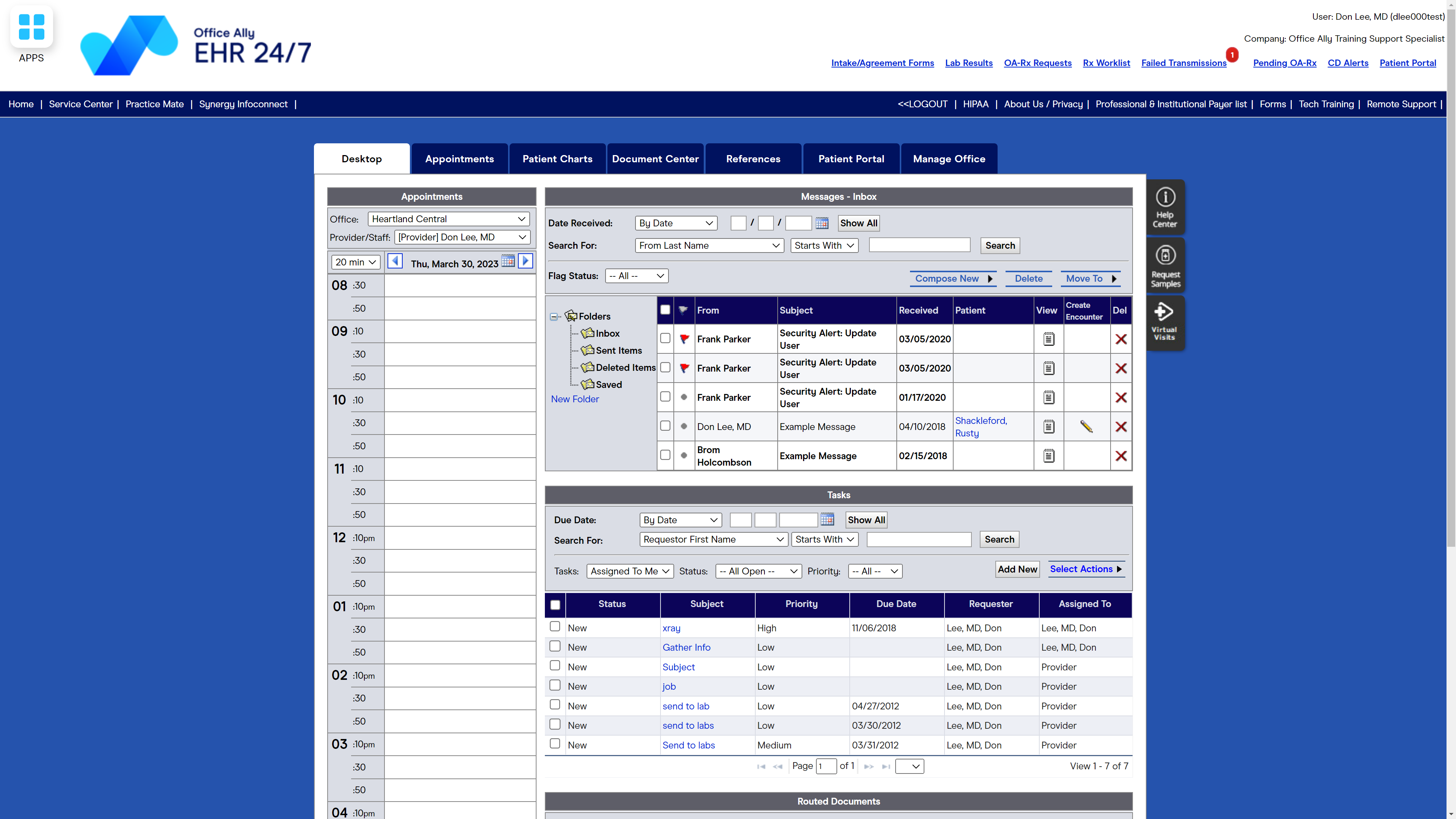
Office Ally in Vancouver, Washington offers their suite of interactive asp internet based solutions allowing for patient care from the point of contact in the physician's office to receiving payment from the insurance companies and providing overall care management from the IPAs and Health Plans. For $29.95 per month/provider, Office Ally offers EHR 24/7, an Electronic Health Records Program designed to allow healthcare providers to spend more time with patients and less time on paperwork.
N/A
Pricing
ChiroTouch
EHR 24/7 by Office Ally
Editions & Modules
ChiroTouch
$159.00
per month
No answers on this topic
Offerings
Pricing Offerings
ChiroTouch
EHR 24/7
Free Trial
No
No
Free/Freemium Version
No
No
Premium Consulting/Integration Services
No
No
Entry-level Setup Fee
No setup fee
No setup fee
Additional Details
—
—
More Pricing Information
Community Pulse
ChiroTouch
EHR 24/7 by Office Ally
Features
ChiroTouch
EHR 24/7 by Office Ally
Billing and Claims Management
Comparison of Billing and Claims Management features of Product A and Product B
ChiroTouch
-
Ratings
EHR 24/7 by Office Ally
9.0
Ratings
18% above category average
Real-time eligibility verification
00 Ratings
9.00 Ratings
Claims management
00 Ratings
9.00 Ratings
Coding
00 Ratings
9.00 Ratings
Patient billing
00 Ratings
9.00 Ratings
Financial Reporting
00 Ratings
9.00 Ratings
Patient Scheduling
Comparison of Patient Scheduling features of Product A and Product B
ChiroTouch
-
Ratings
EHR 24/7 by Office Ally
9.0
Ratings
13% above category average
Rule-based scheduling
00 Ratings
9.00 Ratings
Automated appointment reminders
00 Ratings
9.00 Ratings
Automated patient check-in
00 Ratings
9.00 Ratings
Multi-location support
00 Ratings
9.00 Ratings
Calendar interface
00 Ratings
9.00 Ratings
Electronic Medical Records
Comparison of Electronic Medical Records features of Product A and Product B
ChiroTouch
-
Ratings
EHR 24/7 by Office Ally
8.4
Ratings
15% above category average
Charting / document management
00 Ratings
8.00 Ratings
Templates
00 Ratings
8.00 Ratings
Patient portal
00 Ratings
8.00 Ratings
Mobile/tablet support
00 Ratings
9.00 Ratings
Fax integration
00 Ratings
8.00 Ratings
Integration with other EMR and PM systems
00 Ratings
9.00 Ratings
Workflow automation
00 Ratings
8.00 Ratings
Speech recognition
00 Ratings
9.00 Ratings
Customization
00 Ratings
8.00 Ratings
E-prescribing
00 Ratings
9.00 Ratings
Medical Security and Privacy
Comparison of Medical Security and Privacy features of Product A and Product B
ChiroTouch
-
Ratings
EHR 24/7 by Office Ally
9.3
Ratings
11% above category average
HIPAA compliance
00 Ratings
10.00 Ratings
Role-based permission levels
00 Ratings
9.00 Ratings
Data backups and redundancy
00 Ratings
9.00 Ratings
Local mode / networking failsafe
00 Ratings
9.00 Ratings
Workflow and Scale
Comparison of Workflow and Scale features of Product A and Product B
I found the software to be well-suited for our small chiropractic office, though I imagine it would work well for a larger practice, as well. I would not recommend switching to this system unless staff can add several weeks to their schedules to learn the system and get accustomed to the interface. I also wouldn't recommend this system to practices on a tight budget, as the most helpful features are only available at an extra charge.
Smaller doctor or dental offices would be fine using Office Ally for patient visits and appointments; it's easy to use and learn, and I'm able to handle most needs with it. For a larger practice, there are better, more technologically advanced software products that would offer more streamlined and professional statements, schedules, and accounting needs.
There needs to be a way to print patient visit summaries for a date range vs printing one summary for each appointment, one at a time.
It would be helpful if the top row of the calendar, showing doctors/practitioners names, would remain on the screen when scrolling to the end of the day. Appointments get scheduled under the wrong doctor at times because the names disappear and columns get confused.
There should be a way to view/print/download what has been paid, per patient, to the office in one place vs searching for payments under the Accounting Tab and payments tracked under Patient visits.
With the intense instruction from ChiroTouch team and easy contact with customer service, I would say that ChiroTouch is the easiest software we have ever used in this office. I can not speak highly enough about the customer service and training staff at ChiroTouch.
Sometimes we get weird error messages. We have been having a problem with our check-in computer and ChiroTouch hasn't been able to figure out the problem
Generally we never have problems with speed. If we have, it's been because we needed to perform software updates, and then it went back to working quickly.
Their IT support is actually not bad. The few times we've had technical issues, they've been able to solve it without a whole lot of hassle, and the techs seem knowledgeable. However, as for using the system they are not knowledgable at all. I usually get the impression when I ask a question they are basically just looking it up in a manual. On SEVERAL occasions I have asked a question and was told the system could not do what I was asking, only to later find the exact functionality myself, or to find an adequate work-around. It's clear they don't work with the software in any real-world way, and thus can't answer anything outside of the basics. I would rather spend a significant amount of my own time trying to figure something out than deal with their support personnel (though they do tend to be polite).
I haven't had to call too many times to get help with Office Ally but when I have had to call, I haven't always had the best customer service. It seems that I am bugging the person I reach when I call for technical support because I'm usually reminded that there are videos to watch for technical support help. On the flip side, there have been times that I called for help and was treated how you assume you'll be treated when you call for help - with grace, dignity, professionalism, and respect.
The particular person we were assigned was not very well versed in the software. Several things we asked about we were told we not possible, and then I later figure out how to do them by myself after getting to know the software. I guess that is what comes from trainers who use the system in theory but not in an actual office. They are basically reading off a script that guides you how to set things up, nothing more. If she didn't know the answer, she didn't research it, she just told us it wasn't possible. However, it was a multi-session training spread out over a couple weeks and they did walk you through all the basics. It does take a lot of customization, so this was appreciated. It would have been very intimidating to do without guided support sessions.
I have used ChiroTouch at three different companies. One was transitioning from Chiro8000 which is extremely out-dated and does not have nearly the capabilities of ChiroTouch. Another company was transitioning from old school paper charts and just a calendar program for scheduling. The third was transitioning from OfficeAlly, which is fairly rudimentary but super inexpensive (I think $30 a month) and actually has some functionality that ChiroTouch does not have! I was only part of the decision making process for purchasing ChiroTouch at one of these companies, and at the time I believe I looked at every software out there. We went to the Parker seminar in Las Vegas and looked at several of them at the trade show and did other demos for companies that were not there from home. The other software company we greatly considered was Eclipse. Unfortunately this was several years ago and I don't recall the exact pros and cons. What I realize now I should have pushed for was a trial version of the software before purchase. I asked and they said no. Now after having done other software integrations in other industries, I realize this is a big red flag. If a company won't let you take the software for a test drive, you know something is not right. The demo with ChiroTouch seemed very polished, but when we got the product it was anything but. It is still a decent system and has helped tremendously in all 3 offices I have used it. However, I think there is just not a whole lot of stellar competition out there, so they don't put much time and money into their system moving with the times. Sad to say, when I looked into systems 4 years ago or so, there wasn't anything all that great out there. I hope it has changed.
I used to use Best Notes. Best Notes was difficult to navigate and very inflexible. We used it in the early time of EHR/EMR, so that the software was not very useful. When I changed to Office Ally, we are so delighted to change it because again it is easily to navigate the software. There is minimum of learning curve than other software.
It's reliable, though occasionally has connectivity issues. Their support says it's our computing issue, not the software, but we don't have similar problems with other software. Definitely needs to be backed up daily. We use ChiroTouch's backup and it works well
We are able to have appointments clearly scheduled weeks and months ahead of time so we save money by knowing when to have doctors come in or work elsewhere - we aren't having to pay a doctor to be here when there aren't patients scheduled.
We are able to pay doctors based on the number of office visits they have had with patients vs having to pay a base salary for a doctor even if they did not see any patients.