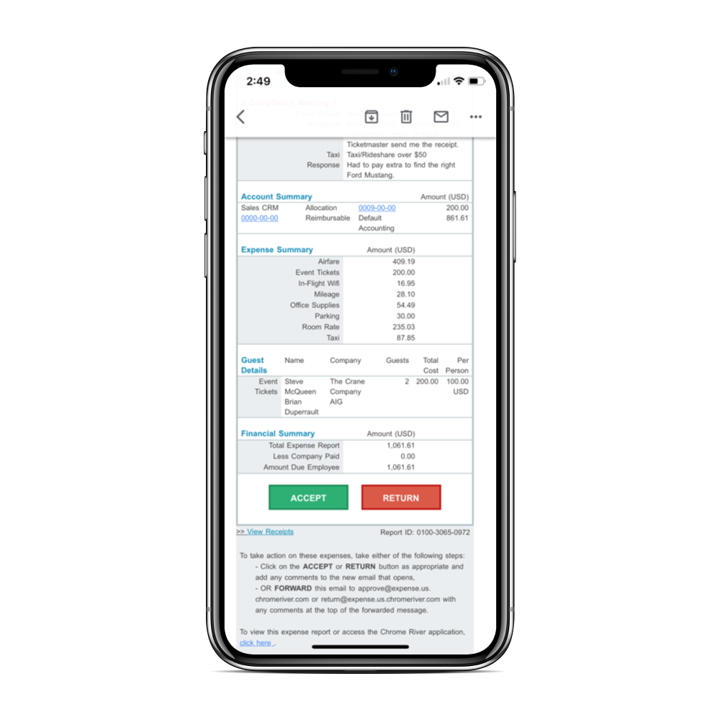
Chrome River EXPENSE is expense management software, from Chrome River Technologies in Los Angeles, California.
N/A
FreshBooks
Score 8.6 out of 10
Small Businesses (1-50 employees)
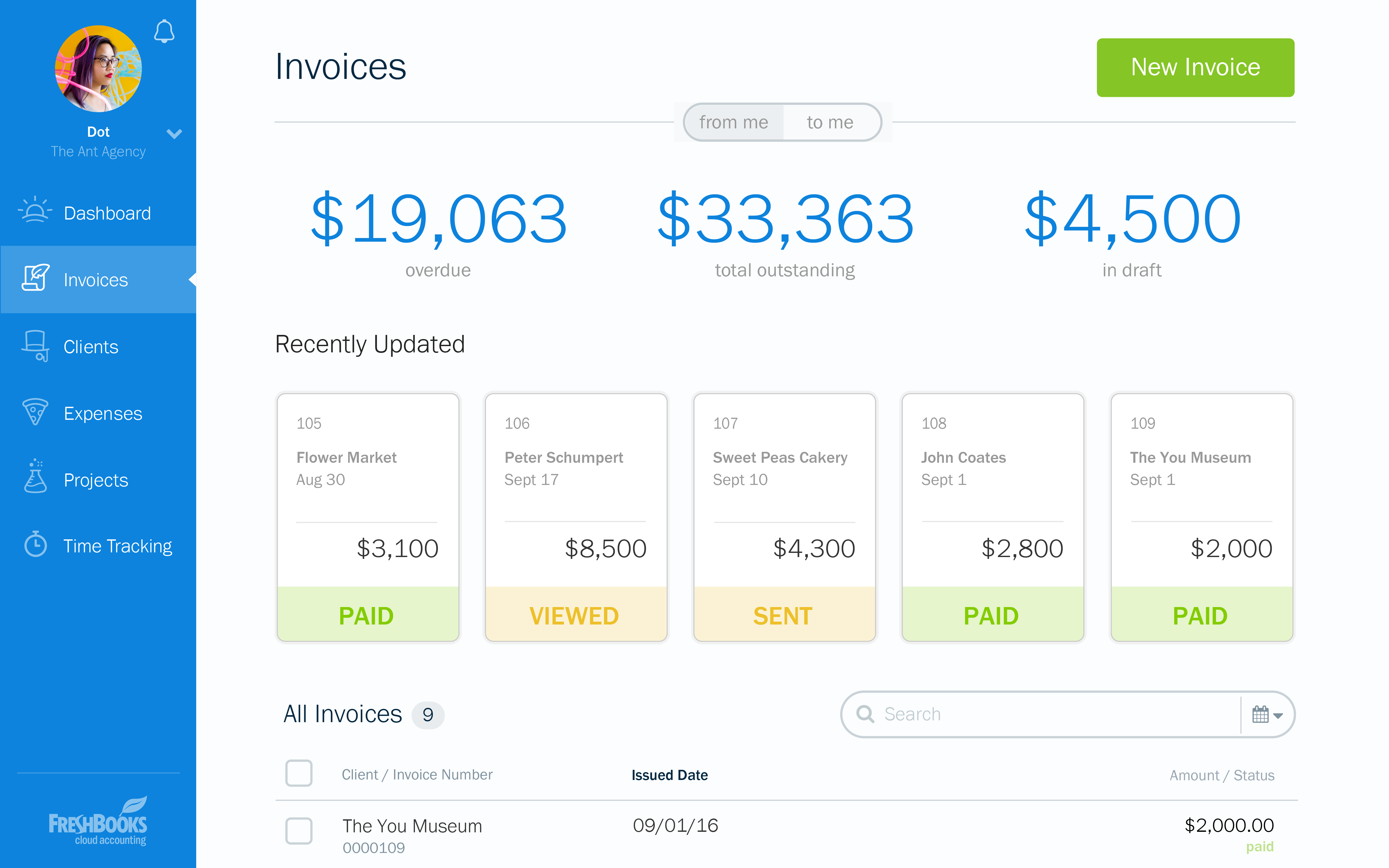
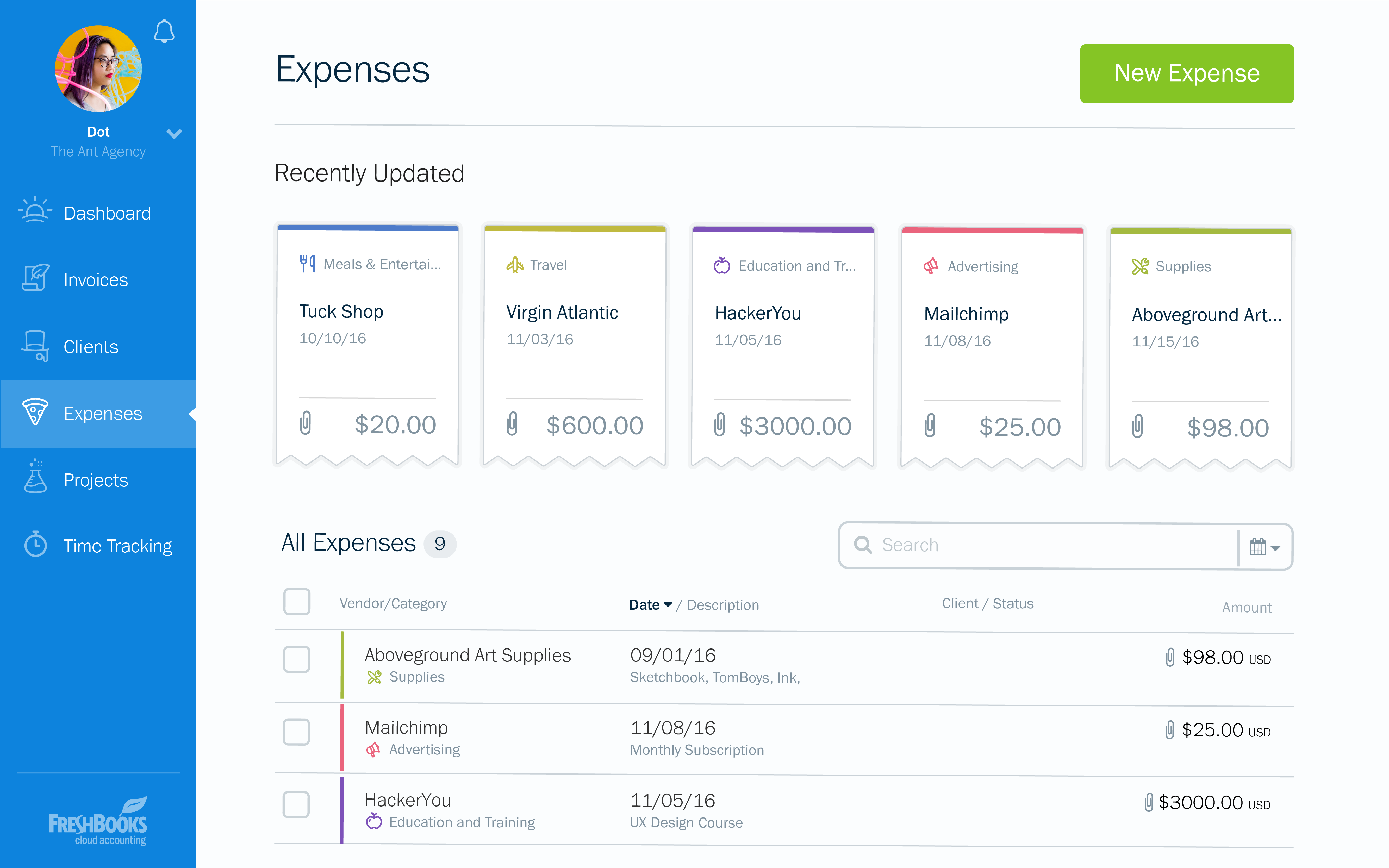
FreshBooks is an accounting service for small businesses. The solution enables users to send and manage invoices, track billable time and collect online payments. The vendor’s value proposition this that their solution provides a straightforward service that simplifies the billing process.
$21
per month
Pricing
Emburse Chrome River
FreshBooks
Editions & Modules
No answers on this topic
Lite
$21
per month
Plus
$38
per month
Premium
$65
per month
Select
Custom Pricing
Offerings
Pricing Offerings
Emburse Chrome River
FreshBooks
Free Trial
No
Yes
Free/Freemium Version
No
Yes
Premium Consulting/Integration Services
No
No
Entry-level Setup Fee
No setup fee
No setup fee
Additional Details
We offer three cost-effective, subscription-based pricing models:
A transaction-based model, priced according to expense report volume
A submitter-based model, priced according to an average number of monthly submitters
An enterprise-level model that includes unlimited expense reports. Pricing for this model is based on total employee headcount
Feel free to contact us to discuss the best one for your organization.
The overall user interface was easy to use and it made the task of the reporting very easy. Compliance rules are guiding the users to correctly upload and enter receipts, which are already uploaded and recognized via OCR during the business trip. Uploading can easily done via …
We have not used any other products at the moment as we are still trying to get all employees on the same page with the Chrome River software. Once company wide everyone is on the same page we hope to expand the software to more products to make our work more efficient.
The user interface and features surpass the experience and similar features of other products because of the following. Good customer support to also make the program better. Also, a good interface to navigate the expense creation process.
Concur was a very detailed platform that we used at my old company, but it was not very user friendly. The compliance rules set up required heavy detail from the employee that leadership or managers would not even read. the rules set in place resulted in slow processing times …
With a smaller organization, Chrome River has proven cost-effective yet has all of the tools needed to create efficiencies throughout our expense reporting process.
This software is basically just the other end of Emburse Chrome River and works in almost the exact same way. They both work well together and I think they are easy to use for any staff, no matter their level of technological knowledge. I would recommend an organization to use …
The 3 biggest reasons we went with Chrome River were: The dynamic workflow capabilities of Chrome River compared to other systems. We have 30-45 budget owners who need to review/approve based on the budget codes they oversee. Most other systems just allowed for a …
Area Director of Marketing and Business Development
Chose Emburse Chrome River
It's the [industry-leading] software for Enterprise level organizations with [large-scale] teams and financial responsibilities. The software has the most robust set of tools and pays for itself with the amount of time it saves. Many newer alternatives have sprouted up but I …
Accounts Payable and Financial Services Coordinator
Chose Emburse Chrome River
I think Chrome River is much more intuitive and user-friendly. Also, I love the ease of pulling data and diving into analytics with Chrome River. The system is very dynamic and changes in real-time. As far as Concur goes, I had a lot of difficulty and redundant motions when …
Emburse Chrome River Expense is the first expense management system that our university has used. I do not have any other product to evaluate or compare it with. Before deciding to purchase and use Emburse Chrome River Expense, we did have a few other product demos but high …
We shopped Rydoo and another online expense reimbursement platform but ultimately chose Emburse Certify for our needs. Emburse Certify was more customizable for our organizations needs. This was our first time using an online expense platform. Previously, as recently as 2018, …
Chrome River was selected for ease of use and price per report. One of our affiliates was already using Chrome River and it came highly recommended and we were able to negotiate a price per report that was within our budget. Most of the expense systems have the same features …
I haven't actually used anything like this before outside of doing expense reports via Excel sheets and coding them by hand into Netsuite, so this is a massive difference.
We initially tried implementing Concur, but they provided no dedicated resources to our implementation and ended up initially implementing the wrong version and we finally scrapped the project.
QuickBooks' interface is clunky, confusing, and slow. QuickBooks support is worse than if there were no support at all. FreshBooks' UI is clean, intuitive, and even when changes are rolled out, easy to quickly learn. Their support is second to none and never disappointed us.
FreshBooks does very well in comparison, especially since it is free software for Barclays bank users. Sage software is much worse than FreshBooks. However, Xero and QuickBooks, the market leaders, are still ahead with usability, additional features, reporting, and connection …
There is no fluff and feature overload with FreshBooks. I can get to what I need quickly and easily. I don't have to deal with unnecessary features and fields the system considers essential. The payment features are streamlined and have lots of flexibility when receiving …
In my experience, quickbooks customer service was terrible, and program was very complicated to use. We switched to FreshBooks to simplify day to day use.
FreshBooks is a relative novice compared to the giant Quickbooks application that has been around for years and it is established as the go-to app for account management and invoicing. I would say that in a few years, FreshBooks can become a threat to QuickBooks but it will …
We do not consider other options since our client wants the implementation of this platform in order to use it in the two countries where it has operations.
At the moment, full integration was not possible and we still share the information with a Mexican system to complete …
I selected FreshBooks because it combined Toggl, Harvest and Quickbooks features into a single system. This simple move allowed for me to save money on the tools and in turn bring all client data into a single portal.
FreshBooks is easy to use and automatically generates the …
FreshBooks is easy to implement and the onboarding process is straightforward. It has great user interface to navigate and any user can easily start using it. It also offers customization of the modules/reports. Most importantly invoice tracking is a great module. It is offered …
I looked at QuickBooks but they only had desktop products and I was interested in a hosted solution. Freshbooks has always been ahead of their competition in this area of mobile, on the go use cases where a modern platform can be used to stay up to date and accessible from …
We considered using Xero for our invoicing due to the more advanced accounting features but chose FreshBooks because it offered recurring payments. Xero did not offer this critical feature at the time of purchase. And since invoicing was our main priority, FreshBooks did a …
Freshbooks offers its finances in a secure and easy manner. they are also simple yet they can efficiently manage expenses, invoices, reports, and time tracking.
FreshBooks is an invoicing software that wants to do accounting. Xero is an accounting software that wants to do billing. Both are pretty solid at their core functionality, and weak on the other. However, it's a shorter step for Xero to add interest and recurring CC billing, so …
Years ago we started using FreshBooks and then decided to look for a less expensive option. After trying multiple solutions, we went back to FreshBooks and haven't looked back since. That was over 10 years ago.
No service can compete with their functionality, pricing, and …
The software we selected is because the learning curve is very kind. Once we draw the way we manage our business, we understand we have to make some changes in order to adjust to the new software. This software allows us to reflect every aspect of the business, costs and …
I really liked Wave Apps for a bit. It had some limitations, but I really like how easy it was to use and intuitive. Great pricing too. So I would recommend that over Freshbooks at this point for someone who is just getting started. Quickbooks is great for accounting. Super …
Don't get me wrong — I like Xero for accounting purposes. But Xero's invoicing isn't great. There's too many features I depend on that FreshBooks has that Xero just does not. I need to be able to take deposits, send automatic reminders, and create an extremely user-friendly …
FreshBooks is hands down the best software for collecting invoices, payments, tracking time and managing expenses we have ever used. I am an avid user and fan and have been and will continue to be. They are keen on the updates, on listening to customers feedback and making …
You have to know why you want to establish an online solution. Understanding what you want to accomplish will probably lead you to FreshBooks as it has the cleanest, simplest design going and it accomplished its tasks without being a burden.
A Member of PR Department, Social Media Platform Responsible
Chose FreshBooks
I love that I can truly give an estimate on the spot and afterward transform it into a receipt. I can begin working with my customer instantly. It is similarly wonderful that I can do it anywhere and it incorporates with Stripe, which collects numerous monetary forms so we can …
Chrome River in my experience is suited to the employees being more independent when completing their reports, due to the extensive questions and steps. This allows us (the reviewers) to come in and assist the employees more efficiently. I think it fits well with out needs and easy to help our employees
FreshBooks is the perfect tool for businesses who have hundreds of clients and customers whom they invoice regularly. It removes the need to manually send invoices to clients and customers, by streamlining inputted information to create an automated invoicing system which keeps clients and customers up to date with their bills. It is also a great tool for managing expenses, especially for companies with different teams working on varying projects, ensuring these teams do not exceed the budget ceiling.
[Emburse] Chrome River listens to its customer's needs and does its best to match current products to those needs, or collaborate internally to determine if an enhancement can be made available that will not only benefit that customer, but will be a good use case for all Chrome River customers.
The [Emburse] Chrome River customer service team is great. Unlike most companies, you can speak to a liver person!
[Emburse] Chrome River's training offerings are relevant and pertinent to the day to day operations of the software.
FreshBooks is pretty intuitive to use. I did have some questions when I first started using the system, but it wasn't a long learning curve.
FreshBooks provides more capability than other billing applications such as PaySimple or BlinkSale. FreshBooks does provide an easy invoicing function. It's easy to create invoices that can be sent via email or snail mail to one or more individuals (for example, the decision-maker and the accounting dept). Clients can pay online or send a check and then I note that the payment has been received. If paid by credit card, the system automatically marks the invoice paid. Your business accounts such as bank accounts can be linked to FreshBooks. Then, the system can automatically draw in expenses and will create simple P&L reports, overdue invoices, client history, etc. If you don't have inventory and complex payroll, etc. FreshBooks provides just the right level of capability to make financial tracking simple.
FreshBooks integrates with a number of credit card companies. I use Stripe, which has fees similar to Paypal, but much more reliable processing. I can accept all credit cards, including American Express, for a reasonable fee.
Would be great to have pre-saved templates available to apply to line items at the expense report header level rather than having to go into each line.
Would be nice to have a mass upload functionality for things like cost codes, allocations, and credit card users.
Pricing structure is very poor for us. $10/user per month when we have staff that comes and goes. And it's impossible to change a free contractor to a paid staff and vice-versa. This is my biggest complaint.
They only allow one admin owner user. Emails must come from that account. This is annoying, as other staff cannot log in with the same power.
The user interface is quite dated. I've made recommendations to improve it and all have been ignored. It's skinny and not fluid. Also, there is no way to link between invoices and clients.
Chrome River is easy to use. We needed little training for our users and instead pointed them to Chrome River's Help Guides which are clearly written and easy to understand. With tools SNAP and the ability to email receipts means we can be completely remote when submitting reports.
At the current needs of our business, FreshBooks suits us perfectly - it allows online access by our accountant to the system for GST purposes, easy input of expenses and tracking of Profit and Loss statements. FreshBooks customer service is great as well - very understanding and accommodating.
I would rate Chrome River Expense a 10 because, as I mentioned before, it is very simple and easy to use. This is important from an administrative point-of-view as well as for the field employee. Being a general contractor, it makes it all the better for our employees to use a program that is easy to understand and requires little time and effort. It has made tracking expenses very simple and has been well received by the entire company.
It is well-built software with no significant drawbacks. It offers all the necessary futures expected from online software. However, it is not yet up there with Xero and QuickBooks regarding connections with other software and advanced reporting features. The developers work closely with accountants, and therefore, I expect further development of the software.
I cannot tell you how relieved we were when utilizing Chrome River support in comparison to other Enterprise level software support centers. Tickets were quick and representatives were swift in [their callbacks] and resolutions to our common and most difficult problems. The team there is professional and makes each new support ticket a breeze.
I think the support level for FreshBooks is on par with a 6 because the folks behind this application do a fairly good job at providing support for their customer base. I still don't think they are at an elite level when it comes to supporting but are getting there although too slow in my opinion.
Before implementation begins, make sure you have a plan on how you would like your workflow and platform setup for a system like Chrome River. It will speed the process and eliminate the need to make changes when you go live.
The overall user interface was easy to use and it made the task of the reporting very easy. Compliance rules are guiding the users to correctly upload and enter receipts, which are already uploaded and recognized via OCR during the business trip. Uploading can easily done via APP, mail or receipt gallery. There is no need for storing paper. Chrome River is supporting digital archiving
There is no fluff and feature overload with FreshBooks. I can get to what I need quickly and easily. I don't have to deal with unnecessary features and fields the system considers essential. The payment features are streamlined and have lots of flexibility when receiving payments. I love FreshBooks support, and it is 100 more customer-friendly and easier to work with than its primary competitors from my experience.
Since implementing FreshBrooks, 80% of invoices created are paid in less than 30 days from the time the invoice is sent via email to the client. Prior to FreshBooks, we were mailing or hand-delivering our invoices and payment on those invoices was in the 45-90 day range.
Time tracking is done directly in FreshBooks (or through a plugin that's connected directly to FreshBooks) and is very easy to use. With this feature we're much better able to track all business activities. This has helped us to quantify the time we're spending on non-billable business-related work in addition to our billable client hours. We've been able to adjust our pricing accordingly, as well as being more efficient with our non-billable activities.
When FreshBooks online payments is set-up in your account, payments made with this method are automatically sent to your bank account. We choose between FreshBooks payments and PayPal payments in order to manage how much money stays in the PayPal account for online expenses vs. how much is transferred directly to the bank account.