ConnectWise RMM is built upon the Asio platform and combines out-of-the-box automation coupled with robust automation that IT solution providers can use to deliver customized services to
their customers. ConnectWise RMM aggregates both software and human elements,
covers the spectrum of do-it-yourself (DIY) and do-it-for-you (DFY) delivery
options, and integrates an intelligent automation engine. It’s a solution that
reinvents how IT solution providers adopt, interact with and manage their…
N/A
NetApp Cloud Insights
Score 9.2 out of 10
N/A
NetApp Cloud Insights is an infrastructure monitoring tool that gives
users visibility into their complete infrastructure. With Cloud Insights, users can monitor, troubleshoot and optimize all resources including
public clouds and private data centers.
screenconnect and RMM are two totally different platforms We did not try any other competitive RMM software out their because of the history of using ConnectWise's software. We have never have had any issues with their software so we started using RMM right out of the box and …
Having evaluated and used other platforms, ConnectWise is above the rest in the market. Having the additional tools for patch management, reporting, Dashboard is key to running the help desk for our company. The ability to run scripts and support the end-user is key and …
Automate (LabTech) would be the aforementioned "heavy-duty" kind of RMM tool. It's big, it's complex, and very capable compared to Continuum Command. That said, the impetus is very much on the service provider to configure and maintain nearly 100% of the product, whereas in …
The one thing we liked about over the two listed above were the "all in one" solution, and how Continuum keeps moving to include items other than just RMM, they really are striving to be a solutions provider for managed IT companies. I have mentioned before, the ability to put …
At the time that we were testing out Labtech, it was slightly cheaper BUT lacked many of the features, such as live human support and NOC. Everything depended on scripts fixing the issues. What if the scripts fail? Well, then it's on you to figure out why and fix it. No help …
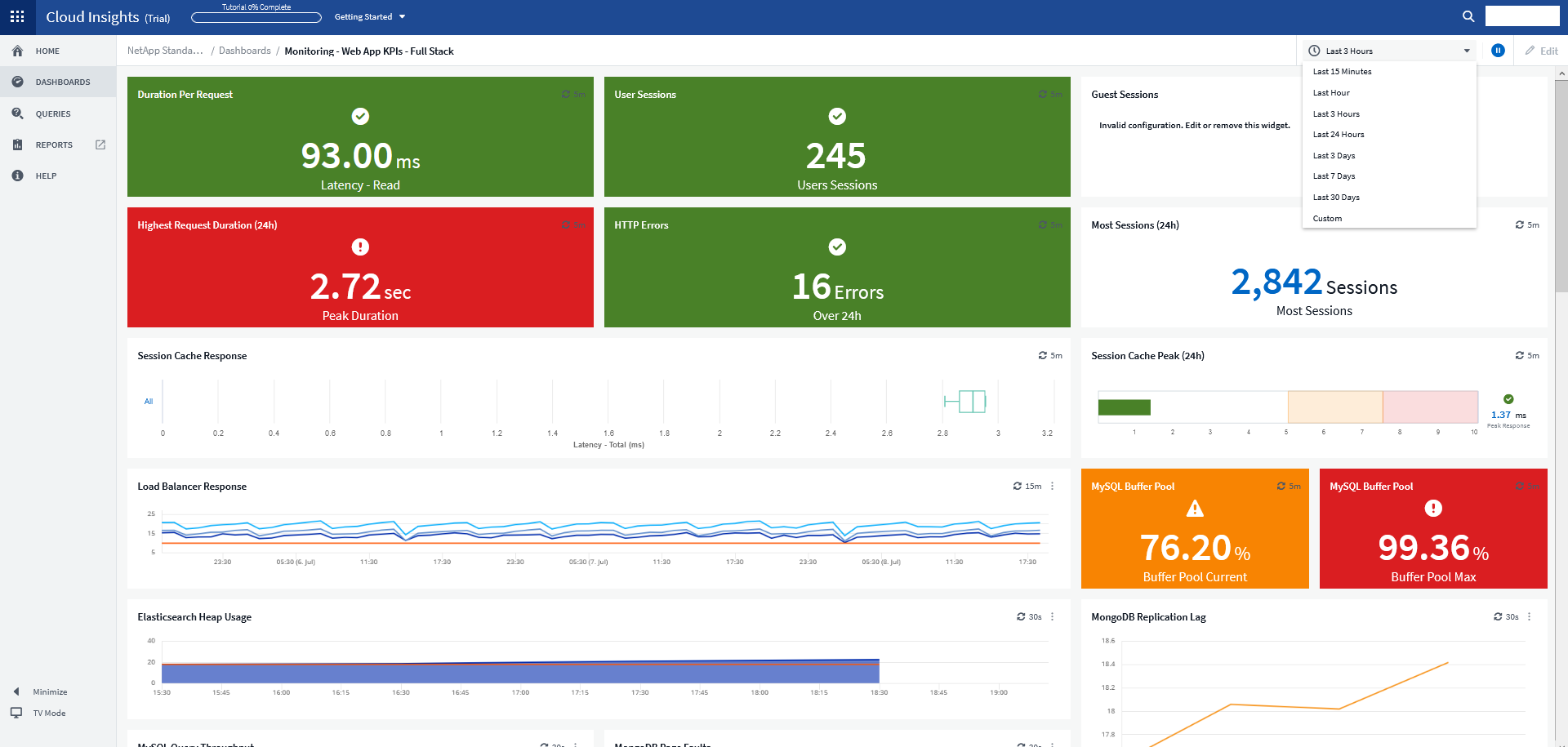
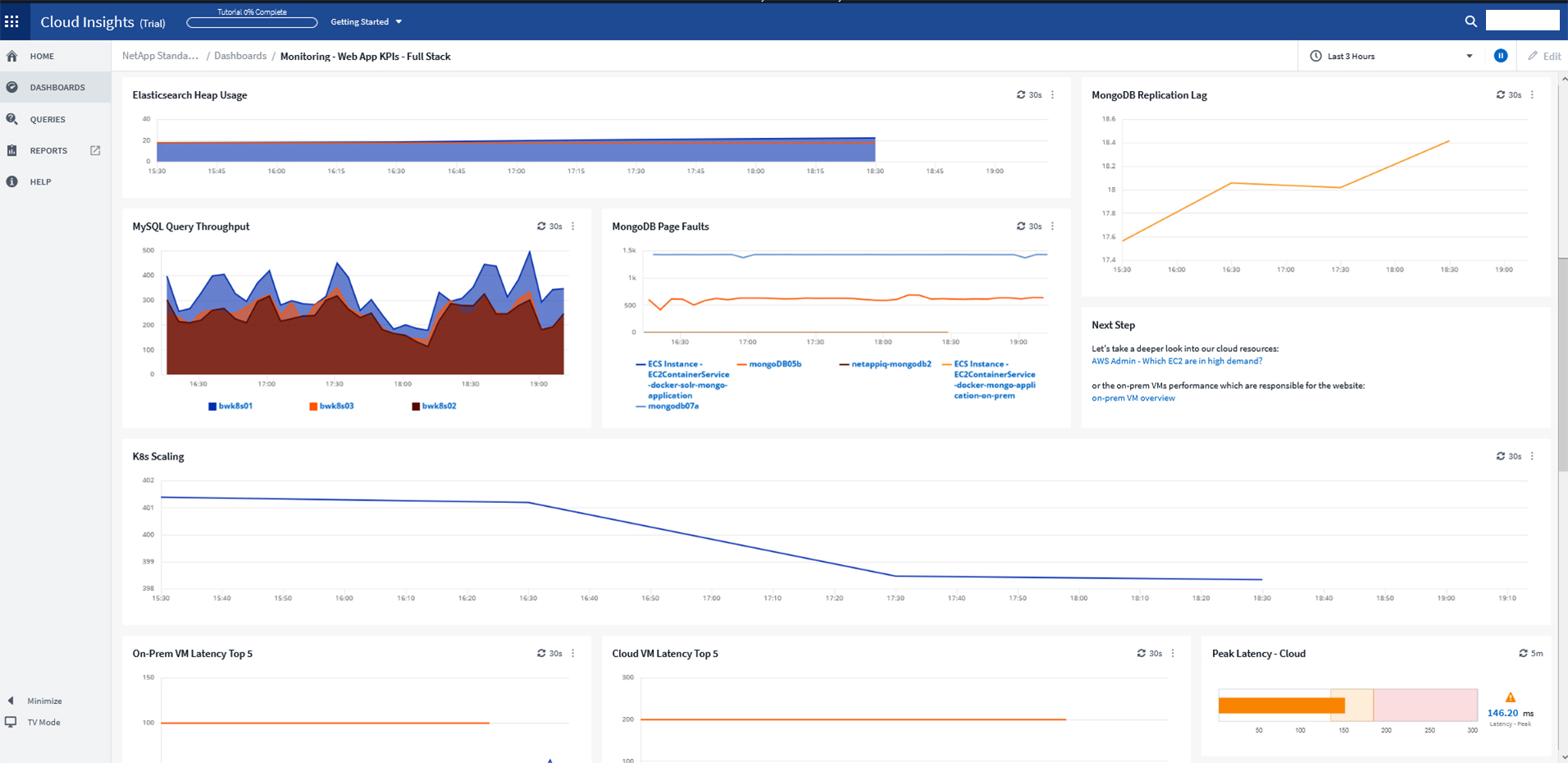
For a while, we were using Zabbix to monitor our Kubernetes applications and microservices on our infrastructure in more than one public cloud platform. Cloud Insights has much better visualized dashboards. In addition, despite such a large number of quality features, it's …
Cloud Insights is a very compact service compared to others. This is very compatible with the service selection policy suitable for the purpose. So you really pay for the part of the product you need, which increases your financial efficiency and lowers start-up costs (time to …
I assumed that this was a new product on the market and gave it a try since it had good customer feedback. So far it has done the job and provides some really good features.
Easy to install data collectors; the main focus of the product is multi-vendor cloud technology systems. Easy-to-use dashboards with widely supported features, which can be easily used in a WYSIWYG-manner. The NetApp data collector uses Telegraf as a way to integrate data from …
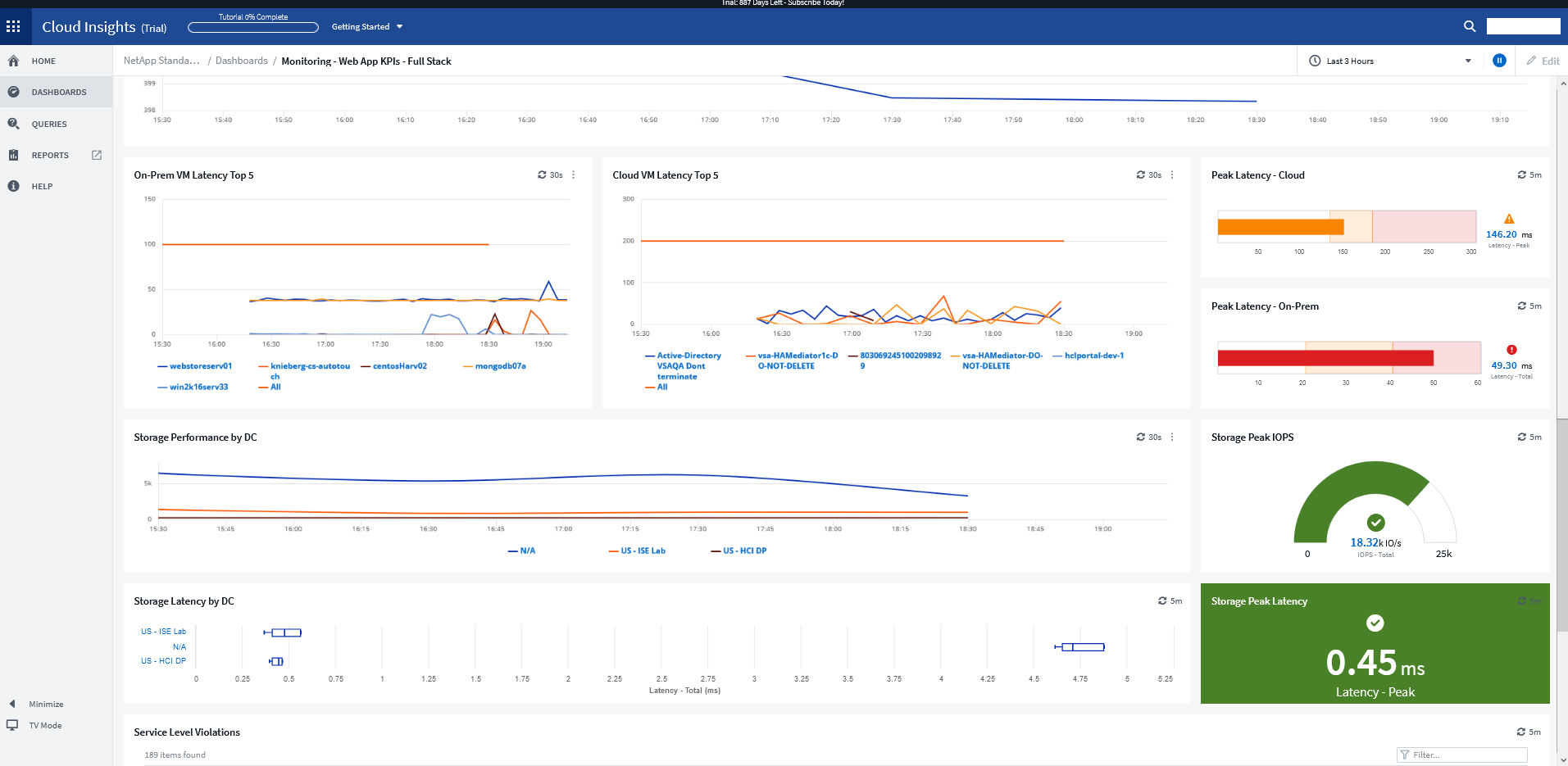
Cloud Insights allows us to create custom dashboards to monitor and trend any aspect of their infrastructure including CPU, memory, storage network utilization, IOPS, capacity utilization and more. Cloud Insights also provides visibility into the inter-connectivity of the …
Azure Bot Service isn't as responsive as Cloud Insights. Neither tool will pinpoint the problem exactly for you. If one did, that would be the clear choice. Work is still necessary to actually solve the problem, and Cloud Insights is more responsive to give the team more time …
It is well suited for environments with a large number of users (think MSPs) that need remote access, and quickly getting to a client site is either not an option, or will greatly increase delays in support. It also works well to monitor client devices and make decisions based on the robust reporting offered (hardware, installed OS version, OS Patching, etc.). It is not very well suited for small environments or single businesses due to cost, and management required.
For example, we had an application slowdown. It looked like the slowdown was storage. However, it was a malformed SQL query that no one realized was pulling data from the storage location that also housed the application. Cloud Insights saved us hours of downtime and frustration. Cloud Insights pinpointed which system was hogging resources. What makes Cloud Insights special is the way it looks at the data collected from the data sources. The insights it provides into the flow of data; sheds new light on how things work in your environment.
Grouping/Reporting: static organization as well as dynamically and quickly getting inventory and other machine-based information
Out-sourced teams do a good job of handling small things without much input as long as you are clear and concise.
Patching is likely the best thing about their platform. Windows patch testing is actually performed in house and they make recommendations for you. Allowing you to push through patches if you know someone needs something. But this is a major task that very few if anyone else does.
I have been extremely happy with its usability. You can take thins as they are out of the box and it is useful. You can carry it as far as you want to go and every step you take improves your ROI.
Before using Cloud Insights, we quickly resolved all the issues we had by talking with the support team. The support team is eager to assist and technically well equipped. They quickly understood what we needed and helped us during the setup and the first use period so that we could adapt easily.
ScreenConnect and RMM are two totally different platforms We did not try any other competitive RMM software out their because of the history of using ConnectWise's software. We have never have had any issues with their software so we started using RMM right out of the box and never have had a reason to switch.
Cloud Insights allows us to create custom dashboards to monitor and trend any aspect of their infrastructure including CPU, memory, storage network utilization, IOPS, capacity utilization and more. Cloud Insights also provides visibility into the inter-connectivity of the components in our infrastructure by providing topology views of any component.