ConnectWise ScreenConnect is a remote support, access, and meeting solution. With it, users can utilize remote support and access to repair computers, provide updates, and manage machines. Users can also conduct online seminars and presentations using remote meetings.
$39
per month
RDCMan
Score 7.7 out of 10
N/A
RDCMan, or Remote Desktop Connection Manager from Microsoft, is a utility for managing multiple remote desktop connections. Once shut down due to a vulnerability in version 2.7, RDCMan is now updated and part of the Sysinternals family of tools. The 2.8 release fixes CVE-2020-0765, the XML parsing vulnerability. As of May, 2025, RDCMan is in version 3.1.
N/A
Pricing
ScreenConnect
Microsoft Remote Desktop Connection Manager (RDCMan)
Editions & Modules
One
$39
per month
Standard
$59
per month
Premium
$69
per month
No answers on this topic
Offerings
Pricing Offerings
ScreenConnect
RDCMan
Free Trial
Yes
No
Free/Freemium Version
No
Yes
Premium Consulting/Integration Services
No
No
Entry-level Setup Fee
No setup fee
No setup fee
Additional Details
—
—
More Pricing Information
Community Pulse
ScreenConnect
Microsoft Remote Desktop Connection Manager (RDCMan)
Considered Both Products
ScreenConnect
Verified User
Anonymous
Chose ScreenConnect
ScreenConenct is easier to use and simply allows you to connect easily. ScreenConnect also allows you to save the access session or make it a one off session. LogMeIn always wanted to save the session and sometimes the customer could get lost in the shuffle.
We prefer ScreenConnect as it is much better for an MSP with thousands of client machines, the other options don't provide an easy way of accessing a machine quickly enough. We have also had an issue with the other software's reliability to connect. ScreenConnect's integration …
I used anydesk when i was in my previous company. I dont know much about anydesk, but it was almost similar to this. Most of the features that are there in ScreenConnect are also there in anydesk.
Its lightweight and it is slightly cheaper than TeamViewer at least at the time of buying ScreenConnect. But we are exploring any desk and splash top again.
For cost and management capabilities, I found ScreenConnect to be the best option. Some of the other services offered easier connection opportunities for my clients, but overall, I liked the tools and price point of ScreenConnect.
TeamViewer is more more limited than what ConnectWise ScreenConnect offers. ConnectWise ScreenConnect has more trust built into it by installing running processes on the client computers. The tools work reliably and TeamViewer is not the better choice for use across multiple …
I think ConnectWise ScreenConnect is by far the superior product to all of these. It is way ahead and does do not even come close. It has way more options and features and is much easier to use and manage.
ConnectWise Control is far superior just on price alone. Logmein Rescue's pricing is ridiculous in comparison. The ease of use from the end user is similar with both products. However, the technician side of the software is significantly better on the ConnectWise Control …
ConnectWise Control gives you a lot of the features that the other products provide, but nothing that you won't use. Nothing is worse than a clunky remote session where you are fighting for CPU/RAM resources, and ConnectWise Control beats them all hands down. This product is …
ConnectWise Control was more reliable and cheaper than TeamViewer and LogMeIn however the support wasn't as good when there was an issue. ConnectWise Control is a faster solution however we did experience crashes every now and again.
We have used Beyond Trust occasionally for one of our White Label clients, but have found it is not as robust as ConnectWise Control. The seamless integration of Control with ConnectWise Automate makes it the best and most effective choice for our technical teams to deploy and …
ConnectWise Control does a better job with on demand access with our clients PCs, than BeyondTrust. However they have better access when it comes to PCs we dont have anything installed on and need them to go to our website to access their PCs.
In terms of overall ease of use ConnectWise Control (formerly ScreenConnect), is so much easier to setup and use. Create and download the installer, and then run it once. I've never had any issues with remote machines being behind a firewall or having to be on the AD. There are …
We like the functionality of ConnectWise and the ability to create custom groups and packages that help with deployment of the agent on our client workstations. Overall it's a more robust and flexible solution that suits our needs.
ConnectWise is easy to implement, the software functions and feature support our users equipments. Deployment agents is simple, can be run on demand with url and email. Agent could be pre-install and provide constantly remote access to user PC or equipment. It also offer a …
RDP is fine for what it is, but there's a lot you can't usually do like connect from outside the network without opening up the firewall. As for Kaseya, I can't recall what their remote options were, but they left a lot to be desired. One method was similar to an RDP session and …
ConnectWise works very well. As well as any other remote connection software I have used. It's biggest draw back is lack of support for Chrome/Mobile OS's. This is something that a competitor I have used does very well and it be great if they added this in the future. I am …
We used a few other products before we found ConnectWise Control. While the other products worked well for us, the vendors kept raising the prices to the point that they became unaffordable for a small company like mine.
The Avanti Software needed alot of attention if you are new to such tools. So for that reason we chose Microsoft Remote Desktop Connection Manager because of the more user friendly use of it. Also because it integrades great with windows and the remote servers we have. Thats …
While these tools are completely different I think the ease of use and reliability is really reflected well in this case for Microsoft Remote Desktop Connection Manager. I find Adobe to be very unintuitive and difficult to use and there can be a lot of confusion. While …
RDCMan outshines TeamViewer in every possible way. It’s fast, more reliable, and easier to use. I have had frequent crashes and issues when using TeamViewer, while none with RDCMan. Screen responsiveness also seems much better with RDCMan versus TeamViewer. I would often …
Like with everything IT, we have many tools in the tool box. Sometimes you can use different tools to do the same job. It can often depend on the user and experience of the situation. Many things have it's pro's and cons. But the main thing is that you fix the issue and the …
We haven't needed to test or compare any other Remote Desktop Management solution, as Microsoft Remote Desktop Connection Manager (RDCMan) works so well, and does most everything we need it to do. There is also the benefit that it is both a Microsoft product (which has good …
Microsoft Remote Desktop Connection Manager (RDCMan)
Likelihood to Recommend
I feel [ConnectWise Control (formerly ScreenConnect)] works on all sizes of implementations. I've used it with about 1000 endpoints and I've even used it for managing a couple family machines to make remote support easier. It works super well and does exactly what you want it to. It has not disappointed me at all and I'd recommend it to any employers I work for as well.
It is a useful tool and definitely beats other alternatives and options. There is always room for improvement however which is why I gave a rating of 8. From a core function perspective Microsoft Remote Desktop Connection Manager is definitely what you want but down the line I think certainly some bells and whistles would be nice.
One thing it does well is being able to deploy it quickly and easily. It takes very little space to install the actual program and also installs quickly. Once installed, it is relatively to start creating groups and adding servers/machines, without users needing to be trained in how to do this, or consulting the documentation.
Another thing it does well is having an easy to use layout within the Microsoft Remote Connection Manager (RDCMan) window. There is a tree directory structure, showing groups, and corresponding servers/machines. There are also thumbnails of servers/machines that are displayed. This helps IT, Administrators, to see what is connected and what is not, along with understanding what is on the actual screen of the live server/machine in realtime.
If CWC integrated with more RMM software other than LabTech it would be great as LabTech is way too expensive and convoluted at this point so we discontinued using it in favor of a simpler and much less expensive option.
Though it does support multiple monitors well, it would be nice to have the ability to have it automatically pop each remote monitor out to the local monitors if so desired.
Right now it uses email for multifactor authentication, I would rather it use an electronic key that can be stored on cell phone or user desktop.
The ability for it to automatically login to a Windows desktop would be a big help as well. It will store a username and password but you must manually send a control-alt-delete and then click a button to have it fill. Tying to something like Lastpass along with an autologin feature would be great.
I would recommend this product for both internal remote control of end user workstations and remote access to other clients over the internet. It provides a secure and feature rich product that allows me to complete any necessary tasks without ever leaving the office. I will continue to renew as I'm eager to see what they do next. I would however wish the cloud service had a better API to work in conjunction with team collaboration or chat services to make it easier to connect with end users who use multiple workstations. (Slack or Stride provide this functionality)
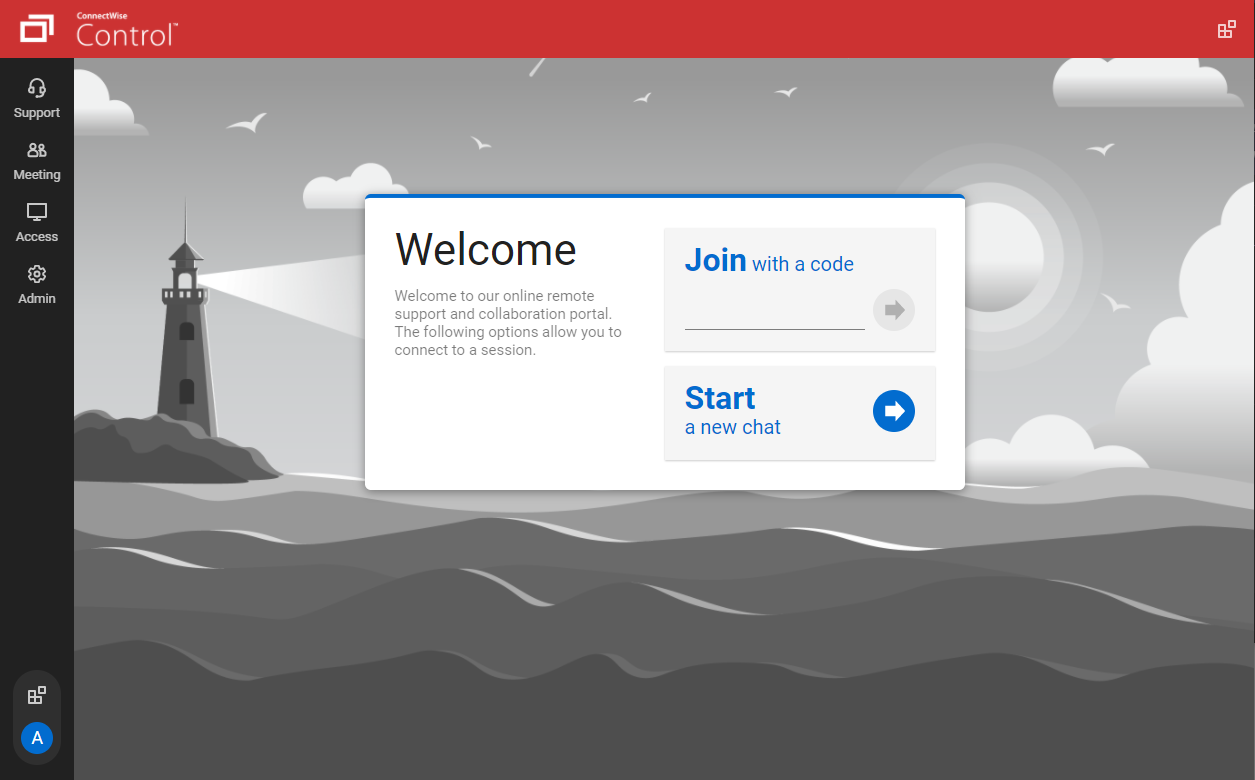
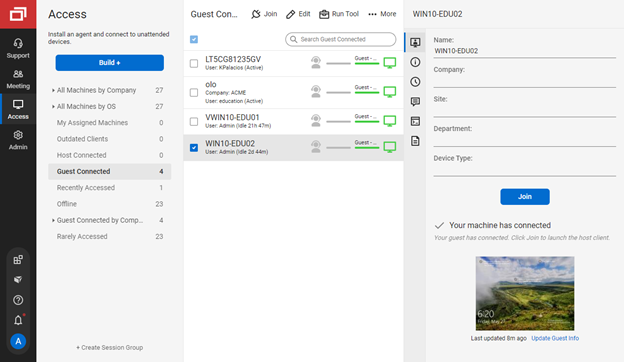
If you're a support noobie or a seasoned admin, this product is everything you are looking for. Join with a code - CHECK! Hop onto a permanent session installed on a PC/Server - YOU GOT IT! Wake up a remote sleeping computer - no problem. Need to customize access to different roles in your organization - BUILT RIGHT IN!
As alluded to in previous responses it is a very functional tool. It allows me to do my job quickly and efficiently every single day. There are little to no issues using the connection on a day to day basis. It handles everything you need from a remote connection perspective.
It performs well. It also has full control over windows security and does not get hung up like GoToMeeting when trying to install remote software at the prompt to install as admin / override. I have used TeamViewer, WebEx, LogMeIn and GoToMeeting. This is by far the best at spontaneous, remote control. It is also very easy to get a novice user connected to the session.
There have been two times when something has went wrong and I needed immediate assistance in order to be able to use Screenconnect to be able to help clients and response has not been immediate. The response time has been within 24 hours. Both times if there had been easier to navigate self help I would have been able to help myself. With better self help and a speedier response it would definitely be a 10 as they always respond and help. Just a little more difficult or slow than it should be at times
Plenty of information and support online, and with many things it's pretty straight forward for the average tech to navigate and work with. But with most things online you're not the only person that's had the issue before, and using a search engine you should be able to figure it out.
the one I attended didn't grab my attention the way I thought it would. Maybe because of the way I use the product; or because of how I am using an online instance, not a locally installed version. Some of the discussion got more technical and off the topic, it seemed.
ConnectWise has done everything they could to help us in any situation. Great support team and their new updates are always providing features that we need. Its a simple solution that works the way we need it to. Their legacy pricing model is still much better than their subscription based model however it is still fair pricing
We have used Beyond Trust occasionally for one of our White Label clients, but have found it is not as robust as ConnectWise Control. The seamless integration of Control with ConnectWise Automate makes it the best and most effective choice for our technical teams to deploy and manage our client machines.
The Avanti Software needed alot of attention if you are new to such tools. So for that reason we chose Microsoft Remote Desktop Connection Manager because of the more user friendly use of it. Also because it integrades great with windows and the remote servers we have. Thats also why we dont use TeamViewer either.
As far as I can see there are no real barriers to scaling up - as and when we need more subscriptions, we can add them in with no negative impact to the existing way that we're using the tool
Quite simply our business could not function without a form of remote control software. Control has done an amazing job at filling a core foundation pillar of our business model as an MSP, having some clients in very remote destinations, we can still service them through the use of Control.
We pay per technician for an unlimited number of endpoints, and this pricing model has served us very admirably. As a smaller startup MSP, the cost of paying per endpoint would only serve to hurt our growth. Being able to pay a flat rate based on staffing is very desirable.
The whole experience using Control is polished and speedy. I couldn't imaging going back to a slower solution, the value Control brings is palpable in our business model.