
Stephanie Sylvestre
Chief Programs Officer/Chief Information Officer
Chose CoreIntegrator Workflow
We didn't review another product because CoreIntegrator so perfectly met our needs.

| Product | Rating | Most Used By | Product Summary | Starting Price |
|---|---|---|---|---|
 CoreIntegrator Workflow | Mid-Size Companies (51-1,000 employees) | CoreIntegrator in Hummelstown provides AP Automation, built on the CoreIntegrator Workflow platform their solution provides organizations with made-to-order forms and workflows to meet purchasing workflow needs. Automate the Purchasing Department by streamlining Purchase Requisition, PO Matching and Journal Entry processes. | N/A | |
 QuickBooks Desktop Pro | N/A | Quickbooks Desktop Pro is accounting software from Intuit, Inc. It includes core accounting features, plus analytics and exportable reports. It is offered in on-premise and SaaS forms. | N/A |
| CoreIntegrator Workflow | QuickBooks Desktop Pro | |||||||||||||||
|---|---|---|---|---|---|---|---|---|---|---|---|---|---|---|---|---|
| Editions & Modules | No answers on this topic | No answers on this topic | ||||||||||||||
| Offerings |
| |||||||||||||||
| Entry-level Setup Fee | No setup fee | No setup fee | ||||||||||||||
| Additional Details | Since the final solution is catered to the specific needs of the customer, the pricing varies from case to case. | — | ||||||||||||||
| More Pricing Information | ||||||||||||||||
| CoreIntegrator Workflow | QuickBooks Desktop Pro | |
|---|---|---|
| Considered Both Products |  CoreIntegrator Workflow Stephanie Sylvestre Chief Programs Officer/Chief Information Officer Chose CoreIntegrator Workflow We didn't review another product because CoreIntegrator so perfectly met our needs. |  QuickBooks Desktop Pro  John Demar President and Principal Consultant Chose QuickBooks Desktop Pro So many of our clients use it and recommended that we use it. We used to use Sage 50 and were hesitant to move over. The TurboTax integration is a great feature and was a factor in my decision to switch. I think QB and the others are all very capable of meeting our needs. …  Terri Kilgore Office Administrator Chose QuickBooks Desktop Pro QuickBooks Desktop Pro is top-notch accounting software. It allows for a good bit of customization and drilling down on the reports. I've not had to use their support as our accountant and his IT staff are certified with Intuit. A little over one year ago, I started cloud-based …  Randi Mortensen Accounting Assistant Chose QuickBooks Desktop Pro Of all of the accounting software I have used over the years, QuickBooks is easy to use, and very user friendly for people who are NOT computer savvy.  Miriam Lasar, MBA, CAE Finance Consultant Chose QuickBooks Desktop Pro Sage Intacct, QuickBooks Online and Xero  Dana Friedman CEO (Chief Executive Officer) Chose QuickBooks Desktop Pro We are hoping another product comes out soon or gets reinvented so as to become a threat to Intuit. Perhaps they will adjust pricing back to normal levels, and not force upgrades when everyone knows they're not really necessary except as a cash cow to the developer.  Matt Wipf Wood Truss Designer Chose QuickBooks Desktop Pro We have never used any other type of financial software at our business.  tony Lamm Computer and Information Systems Manager Chose QuickBooks Desktop Pro MIP Fund Accounting has better reporting but is lesser used than QuickBooks. The reporting is not as clear when using QuickBooks for example it does not have a drill-down that is available with MIP Fund Accounting from Sage. We purchased QuickBooks Desktop Pro because we have …  Randi Yeaman Inside Sales & Lab Chose QuickBooks Desktop Pro No others.  Ryan Husbands, MBA, CPA Accountant Chose QuickBooks Desktop Pro MS Dynamics has the Microsoft name behind it and everything that entails. It is a modular software system that has amazing support, and many software experts who can tailor make software solutions for any company. Yet this has a cost, and many companies don't necessarily need … |
| CoreIntegrator Workflow | QuickBooks Desktop Pro | ||||||||||||||||||||||||||||||||||||||||||||||||||||||||||||||||||
|---|---|---|---|---|---|---|---|---|---|---|---|---|---|---|---|---|---|---|---|---|---|---|---|---|---|---|---|---|---|---|---|---|---|---|---|---|---|---|---|---|---|---|---|---|---|---|---|---|---|---|---|---|---|---|---|---|---|---|---|---|---|---|---|---|---|---|---|
| Payroll Management |
| ||||||||||||||||||||||||||||||||||||||||||||||||||||||||||||||||||
| Customization |
| ||||||||||||||||||||||||||||||||||||||||||||||||||||||||||||||||||
| Security |
| ||||||||||||||||||||||||||||||||||||||||||||||||||||||||||||||||||
| Reporting & Analytics |
| ||||||||||||||||||||||||||||||||||||||||||||||||||||||||||||||||||
| General Ledger and Configurable Accounting |
| ||||||||||||||||||||||||||||||||||||||||||||||||||||||||||||||||||
| Inventory Management |
| ||||||||||||||||||||||||||||||||||||||||||||||||||||||||||||||||||
| Order Management |
|
| CoreIntegrator Workflow | QuickBooks Desktop Pro | |
|---|---|---|
| Small Businesses |  Square 9 Softworks Score 9.1 out of 10 |  QuickBooks Self-Employed (discontinued) Score 8.9 out of 10 |
| Medium-sized Companies | Square 9 Softworks Score 9.1 out of 10 |  Zoho Books Score 9.0 out of 10 |
| Enterprises |  Webexpenses Score 9.2 out of 10 |  Oracle Fusion Cloud Enterprise Performance Management Score 10.0 out of 10 |
| All Alternatives | View all alternatives | View all alternatives |
| CoreIntegrator Workflow | QuickBooks Desktop Pro | |
|---|---|---|
| Likelihood to Recommend | 10.0 (0 ratings) | 9.9 (0 ratings) |
| Likelihood to Renew | - (0 ratings) | 10.0 (0 ratings) |
| Usability | - (0 ratings) | 10.0 (0 ratings) |
| Availability | - (0 ratings) | 8.3 (0 ratings) |
| Support Rating | 7.7 (0 ratings) | 1.2 (0 ratings) |
| In-Person Training | - (0 ratings) | 10.0 (0 ratings) |
| Implementation Rating | - (0 ratings) | 9.0 (0 ratings) |
| Product Scalability | - (0 ratings) | 8.0 (0 ratings) |
| CoreIntegrator Workflow | QuickBooks Desktop Pro | |
|---|---|---|
| Likelihood to Recommend |
|
Dana Friedman CEO (Chief Executive Officer) |
| Pros |
|
Matt Wipf Wood Truss Designer |
| Cons |
|
Tony Lamm Computer and Information Systems Manager |
| Likelihood to Renew | No answers on this topic |
|
| Usability | No answers on this topic |
|
| Reliability and Availability | No answers on this topic |
|
| Support Rating |
|
|
| In-Person Training | No answers on this topic |
 Chuck Bunn Principal/Owner |
| Implementation Rating | No answers on this topic |
 Erika Neilson President |
| Alternatives Considered |
Stephanie Sylvestre Chief Programs Officer/Chief Information Officer |
|
| Return on Investment |
|
|
| ScreenShots | CoreIntegrator Workflow Screenshots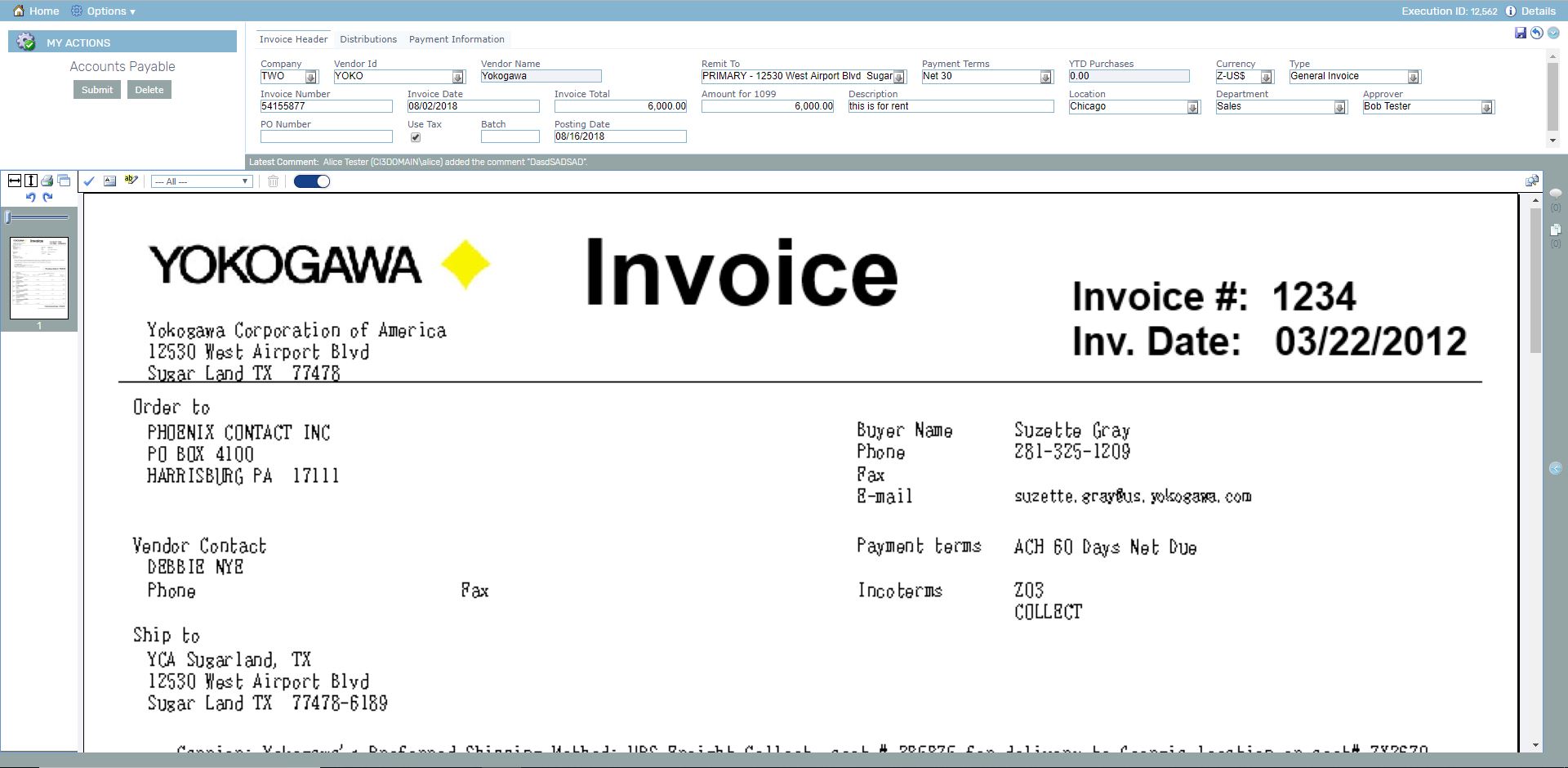  |