CRM Assistant for Gmail™ vs. Kintone

Overview
ProductRatingMost Used ByProduct SummaryStarting Price
CRM Assistant for Gmail™
Score 10.0 out of 10
N/A
CRM Assistant for Gmail™ introduces features designed to streamline customer relationship management workflows. The plugin is designed to elevate the SuiteCRM experience by integrating it with Gmail. By enabling users to save customer information, email correspondence, and other data into SuiteCRM from within Gmail, it helps to enhance efficiency, minimize redundancy, and offers a user-friendly cross-platform experience.
$8
per month per user
Kintone
Score 7.4 out of 10
N/A
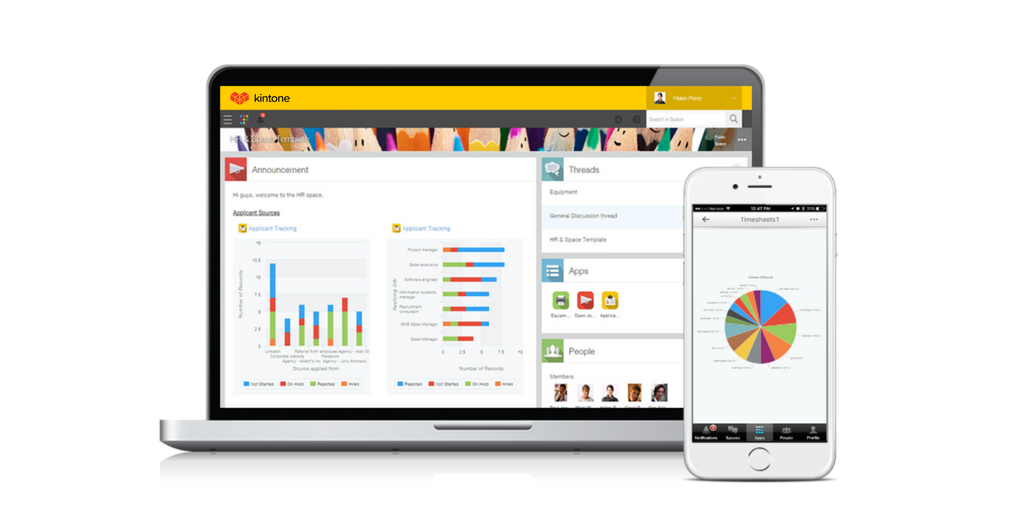
Kintone is a customizable digital workplace platform that lets the user manage data, tasks, and communication in one central place. Over 30,000 customers use Kintone’s no-code platform with more than 1.5 million database and workflow applications custom built for their businesses. The no-code drag-and-drop interface can be used to create custom database applications. Whether it’s sales leads, customer quotes, or inventory management, it can be organized in Kintone and viewed from the…
$24
per month per user
Pricing
CRM Assistant for Gmail™Kintone
Editions & Modules
Monthly
$8
per month per user
Yearly
$80
per year per user
Professional Subscription
$24
per month per user
Offerings
Pricing Offerings
CRM Assistant for Gmail™Kintone
Free Trial
YesYes
Free/Freemium Version
NoNo
Premium Consulting/Integration Services
NoNo
Entry-level Setup FeeNo setup feeOptional
Additional DetailsAll subscriptions have a minimum requirement of 5 users.
More Pricing Information
Community Pulse
CRM Assistant for Gmail™Kintone
Features
CRM Assistant for Gmail™Kintone
Low-Code Development
Comparison of Low-Code Development features of Product A and Product B
CRM Assistant for Gmail™
-
Ratings
Kintone
9.4
Ratings
11% above category average
Platform Security00 Ratings9.50 Ratings
Platform User Management00 Ratings9.60 Ratings
Reusability00 Ratings9.50 Ratings
Platform Scalability00 Ratings9.60 Ratings
Best Alternatives
CRM Assistant for Gmail™Kintone
Small Businesses
Cloze
Cloze
Score 9.9 out of 10
Stackby
Stackby
Score 9.0 out of 10
Medium-sized Companies
Shared Contacts for Gmail
Score 8.1 out of 10
Quixy
Quixy
Score 9.9 out of 10
Enterprises
Shared Contacts for Gmail
Score 8.1 out of 10
Creatio
Creatio
Score 9.7 out of 10
All AlternativesView all alternativesView all alternatives
User Ratings
CRM Assistant for Gmail™Kintone
Likelihood to Recommend
10.0
(0 ratings)
9.0
(0 ratings)
Likelihood to Renew
-
(0 ratings)
8.3
(0 ratings)
Usability
10.0
(0 ratings)
7.8
(0 ratings)
Availability
-
(0 ratings)
10.0
(0 ratings)
Performance
-
(0 ratings)
9.0
(0 ratings)
Support Rating
-
(0 ratings)
9.4
(0 ratings)
Implementation Rating
-
(0 ratings)
6.8
(0 ratings)
Configurability
-
(0 ratings)
9.6
(0 ratings)
Ease of integration
-
(0 ratings)
5.0
(0 ratings)
Product Scalability
-
(0 ratings)
7.0
(0 ratings)
Vendor post-sale
-
(0 ratings)
8.0
(0 ratings)
Vendor pre-sale
-
(0 ratings)
2.0
(0 ratings)
User Testimonials
CRM Assistant for Gmail™Kintone
Likelihood to Recommend
Since this is a simple add-on, and we don't work at home, its mobility is very useful for employees like us who need to travel for work. We can check on our phones or tables if there's an important update. It works well with GMail mobile app and easily accessible anytime, anywhere.
Read full review
Kintone is great if you want a software that will help you in managing your data, and keep track of which tasks are assigned to whom. It also helps to streamline communication and information in one central place. However, it is not for you if you are looking for something complex that has to manage a lot of data.
Read full review
Pros
  • Email Archiving with Attachments
  • Attachment Management
  • Mobile Compatibility
  • Notes and Record Association
Read full review
  • Flexibility. You can build apps (without coding) to serve a wide range of processes and projects.
  • Ease of use. The interface is intuitive.
  • Training. There are resources readily available to train new users. Even starting from scratch, I felt like I was up to speed in just a few hours.
Read full review
Cons
  • It's dependency on other apps
  • This could have been a multiple in one if they just integrated everything else in CRM Assistant for Gmail™
  • Recently Opened Records could have been placed in a different tab for its own, instead of the home page
Read full review
  • I feel that Kintone is not well enough known yet. This means that other apps/APIs are not necessarily easy to connect with Kintone. Yes, you can use Zapier though for interfacing with other apps.
  • It would be great if it could give more customized options to change the look and format of certain things. You can make price quote apps, for example, but have to rely on 3rd party apps or programming skills to customize the look and fields.
  • If you make a table as an input field, it cannot connect to other internal Kintone apps for lookups and such.
  • I think there is more potential to make more customized data graphs.
Read full review
Likelihood to Renew
No answers on this topic
I still think that there's a room for Kintone's future, and high expectations for them in additional features and innovative tools and supports. Truly hope that they will support email features, and standardized supports for various plug-ins with the 3rd party software and apps. In the meantime, we will have to consider our ways of doing our work in all aspects
Read full review
Usability
The work it does is exactly what we needed for the kind of business we're running. We're handling hotel blocks and commissionable sales, and it helps us remain organized with our records and recent activities. It also helps us keep track of our productivity everyday and keeps important files safe without the risk of being leaked.
Read full review
Kintone is agile app and most of the time we can easily come up with new apps. However, there should be more feature-based drag and drop and or a visual-based usability, as we all want to minimize the number of clicks and dropdown menu selections as much as possible. Thanks.
Read full review
Reliability and Availability
No answers on this topic
Never had an issue with this.
Read full review
Performance
No answers on this topic
No issues.
Read full review
Support Rating
No answers on this topic
The support from Kintone has been excellent. On numerous occasions, customer service representatives have proactively reached out to us to see if we needed help with anything. They also scheduled Zoom calls one month after we went live to go over any questions we had. Additionally, they assigned a local account representative to check in on us periodically to provide any necessary help.
Read full review
Implementation Rating
No answers on this topic
Everyone has their own tastes of things and way they want to work. Asking them to adapt to the changes with the new tools or apps is always difficult. We would want to start with a very small but best example within the organization, which in our case was that the employees will not be bothered by the bosses by being asked to find the documents, status of the progresses, or major things/requests/projects.
Read full review
Alternatives Considered
No answers on this topic
Kintone is the easiest product to create from and the cost is the lowest I believe. In addition, reconfigurability and extendability are great. If you look for a low code tool, you can try Kintone. But as same as another low code tool, don't expect too much.
Read full review
Scalability
No answers on this topic
I could see this work for all departments if implemented correctly.
Read full review
Return on Investment
  • We started from GMV of 200k to 1M from January to April.
  • From 1M GMV in April, to consistently achieving 2M and up in October.
  • Other apps would be to pricey. I'd say it's worth the value for the work it does for our numbers!
Read full review
  • It used to take us 15-20 minutes to create a quote for a client. It now takes less than 3.
  • It allows a few of our employees to work remotely, which was essentially impossible prior.
  • We can see raw data for success/failure rates, which we actively use in our employee review process.
Read full review
ScreenShots

CRM Assistant for Gmail™ Screenshots

Screenshot of Email ArchivingScreenshot of Home PageScreenshot of Record Detail View

Kintone Screenshots

Screenshot of a view of apps from the portalScreenshot of 4 ways to build an appScreenshot of mobile accessScreenshot of the drag and drop interfaceScreenshot of business app views