CyberArk Workforce Identity vs. Microsoft Entra External ID

Overview
ProductRatingMost Used ByProduct SummaryStarting Price
CyberArk Workforce Identity
Score 8.0 out of 10
N/A
CyberArk Identity is a SaaS-delivered suite of solutions designed to simplify identity and access management in enterprises. CyberArk Identity unifies Workforce Access and Identity Management solutions in a single offering. Workforce Access capabilities include single sign-on, multi-factor authentication, session security, and credential management. Identity Management capabilities include lifecycle management, identity orchestration, and identity governance. With CyberArk Identity,…N/A
Microsoft Entra External ID
Score 9.9 out of 10
N/A
Microsoft Entra External ID (formerly Azure Active Directory B2C, or alternately, Azure Active Directory External Identities) provides business-to-customer identity as a service. Customers can use their preferred social, enterprise, or local account identities to get single sign-on access to applications and APIs.
$0
per month per active users
Pricing
CyberArk Workforce IdentityMicrosoft Entra External ID
Editions & Modules
No answers on this topic
Premium P1 (for More than 50,000 MAU)
$0.00325
per month per active users
Premium P2 (for More than 50,000 MAU)
$0.01625
per month per active users
Offerings
Pricing Offerings
CyberArk Workforce IdentityMicrosoft Entra External ID
Free Trial
YesYes
Free/Freemium Version
NoYes
Premium Consulting/Integration Services
NoNo
Entry-level Setup FeeNo setup feeNo setup fee
Additional DetailsA flat fee of $0.03 is billed for each SMS/Phone-based multi-factor authentication attempt.
More Pricing Information
Community Pulse
CyberArk Workforce IdentityMicrosoft Entra External ID
Considered Both Products
CyberArk Workforce Identity
Chose CyberArk Workforce Identity
They are IAM tools that provide single sign-on access, allowing us to easily and securely access and integrate the software to the tool of our choice.

Chose CyberArk Workforce Identity
It's a more affordable option. That's the main reason why our team went with Centrify. From the admin side, its a really clean interface.
Chose CyberArk Workforce Identity
CA AuthMinder & SiteMinder
Chose CyberArk Workforce Identity
Centrify offered us more for our money by being more than just an SSO platform. There were several other features included such as MDM and MFA. This started other initiatives for us and felt the other solutions we evaluated would not have been able to provide.
Chose CyberArk Workforce Identity
We reviewed Okta and OneLogin while looking at Centrify for our ticketing solution SSO partner. When doing so we looked at it from the aspect of if we wanted to roll this out where we could see the use cases for it and initially it would be in a couple departments then branch …
Chose CyberArk Workforce Identity
Centrify provided both SSO support as well as Mac support; we needed both. Other products had one or the other, but not both.

This made choosing Centrify a no-brainer as we didn't have to have a wide variety of integrations to do and vendors to manage.
Chose CyberArk Workforce Identity
I think they are quite similar and don't have enough knowledge about one over another.
Chose CyberArk Workforce Identity
We selected Centrify for their breadth of services and their number of template applications which makes integrating an app a breeze.
Chose CyberArk Workforce Identity
Centrify was introduced to provide a secure, versatile and easy-to-use login experience, but it is still competiting against the other products that are in use within our company.
Chose CyberArk Workforce Identity
Seemed to be the best in breed and the one with deeper Mac integration on the short roadmap. As an Apple Distinguished School, this is obviously very critical to us. Very easy to set up and it has a deep pre-canned application pool for already deployed apps. Very easy for …
Chose CyberArk Workforce Identity

During our evaluation process, Centrify could show in the PoC that they are very flexible and open minded to our ideas. An application integration which was not part of the product catalog has been integrated for free. Furthermore the whole package compared to the …

Chose CyberArk Workforce Identity
Centrify's pricing was much better than their competitors. They also offered a better sign-in/multi-factor experience for our users when doing pilot testing. Their product also included other features like Mobile Device Management that was a nice add-on.
Chose CyberArk Workforce Identity
Quest seemed archaic and lacking in features when compared to Centrify.
Chose CyberArk Workforce Identity
Centrify was a quick roll out for us. The cost was comparable to other tools we looked at and Centrify had additional security options.
Chose CyberArk Workforce Identity
We evaluated Clever, even though it is free to schools, tech support was almost non-existent. It doesn’t integrate easily with Active Directory.
Chose CyberArk Workforce Identity
We started off using ADFS from Microsoft, which took most of a day to get fully functional and nearly a week to get fully optimized. The documentation was inconsistent with ADFS and there was no real support without opening a Microsoft Premier Support ticket. At the time, if …
Chose CyberArk Workforce Identity
We felt that Centrify had the most flexibility for the cost. They also have fairly robust mobile device management capabilities which some of the other products did not have.
Chose CyberArk Workforce Identity
Centrify provided mobile device management and identify access management from one pane of glass, and was less expensive.
Chose CyberArk Workforce Identity
Centrify offers many more features and much better control.
Chose CyberArk Workforce Identity
We selected Centrify over some of the other services out their because it gives us more options such as SSO and MDM all in one and for the most part it is easy to use not only for the administrator but also for the end user.
Chose CyberArk Workforce Identity
OneLogin and Okta provide similar experiences, but OneLogin is less mature than Centrify. Their Mac and Windows management suites are still in a beta phase are cannot be deployed en masse to our user base. Okta is more expensive and does not have the security compliance. …
Chose CyberArk Workforce Identity
Centrify was a much better fit for our organization size and a much simpler utility to manage.
Chose CyberArk Workforce Identity
I was previously a OneLogin customer and even though Centrify has a lot more features, I'd have to say that my experience with OneLogin versus Centrify has been a lot better overall.
Microsoft Entra External ID
Chose Microsoft Entra External ID
I really enjoy how simple it is to connect this Active Directory with other Microsoft Products to collaborate with colleagues and clients.
Chose Microsoft Entra External ID
Each one of these alternatives has pros and cons. PingOne from Ping Identity states they "help deliver the secure and seamless customer experience to win battles for customer acquisition, retention, revenue, loyalty, and trust." While that may be the case, they did not fit our …
Chose Microsoft Entra External ID
The best selling points for Azure Active Directory B2C that stand out from the competition are:
  • Pricing, both at small and very large scale (and in between), is hard to beat
  • The seamless integration with Azure should make Azure Active Directory B2C the first choice of CIAM …
Chose Microsoft Entra External ID
Microsoft Entra has much more advanced features than Amazon cognito. The access permission feature, mfa, data protection is top notch. Amazon cognito does offer MFA but the security access feature is not very great. The Microsoft Entra offers a wide selection of access …
Features
CyberArk Workforce IdentityMicrosoft Entra External ID
Identity Management
Comparison of Identity Management features of Product A and Product B
CyberArk Workforce Identity
9.0
Ratings
11% above category average
Microsoft Entra External ID
-
Ratings
ID-Management Access Control9.00 Ratings00 Ratings
ID Management Single-Sign On (SSO)9.00 Ratings00 Ratings
Multi-Factor Authentication9.00 Ratings00 Ratings
Password Management9.00 Ratings00 Ratings
Account Provisioning and De-provisioning9.00 Ratings00 Ratings
ID Management Workflow Automation9.00 Ratings00 Ratings
ID Risk Management9.00 Ratings00 Ratings
Best Alternatives
CyberArk Workforce IdentityMicrosoft Entra External ID
Small Businesses
WatchGuard AuthPoint
Score 9.1 out of 10
WatchGuard AuthPoint
Score 9.1 out of 10
Medium-sized Companies
RSA Access Manager (Discontinued)
Score 10.0 out of 10
RSA Access Manager (Discontinued)
Score 10.0 out of 10
Enterprises
RSA Access Manager (Discontinued)
Score 10.0 out of 10
RSA Access Manager (Discontinued)
Score 10.0 out of 10
All AlternativesView all alternativesView all alternatives
User Ratings
CyberArk Workforce IdentityMicrosoft Entra External ID
Likelihood to Recommend
9.0
(0 ratings)
8.9
(0 ratings)
Likelihood to Renew
10.0
(0 ratings)
-
(0 ratings)
Support Rating
9.0
(0 ratings)
-
(0 ratings)
User Testimonials
CyberArk Workforce IdentityMicrosoft Entra External ID
Likelihood to Recommend
Centrify Identity Service is well suited for nearly any organization, especially ones utilizing Active Directory for user management. It is especially well suited for organizations looking to reduce internal resource use, because it's easy to maintain and manage. Its features also allow you to free up resources previously dedicated to the provisioning and deprovisioning of Office 365/Salesforce users (as well as other applications).
Read full review
It is not easy to calculate the actual ROI due to the difficult quantification of all factors, but it certainly contributed a lot in protecting, monitoring and controlling access to our system. It also made it much easier to detect vulnerable external users with simple and "easy to hack" passwords they use on multiple apps.
Read full review
Pros
  • Single Sign-on Integration is easy and complete configuration is UI driven with lots of help tips
  • RESTFul APIs for Multi-factor Authentication is easy to use and implement. Also, Centrify supports all new Security features for Multi Factor Authentication and hence you can easily select and configure different challenges based on the policies and roles for the user.
  • Lots of Built-in reports available for normal day to day auditing.
Read full review
  • One of the things that Microsoft Entra External ID does really well is creating user logins, accounts and profile. It is very easy to create them, manage them and delete them. It is fast and reliant.
  • Limit access or authorization feature. We can allow different levels of authorization and access. So that not all the employees would have access to all the data. Only some relaible employees would have access and power to change anything.
  • Mutli factor authentication feature is also a really good feature to secure data. Even overseas vendors need MFS to login which gives double protection to our data.
Read full review
Cons
  • Occasionally, I get logged out of Gmail, sometimes in the middle of an email. I'm not sure why it happens, but I think it has something to do with timing out. Which is strange because I'm on email all day. Not sure why.
Read full review
  • Troubleshooting diagnostic logs effectively requires VS Code
  • Group and role management requires additional effort
  • The programming model (XML) could use some developer experience love
Read full review
Likelihood to Renew
Centrify is central to creating efficiency and safety for our clients and internally. To remove it would cause a massive disturbance in the lives of our employees and our clients.
Read full review
No answers on this topic
Usability
No answers on this topic
I find it easy to use. The usability is great. Every department uses it for different purposes. Everyone access information relevant to them. Since we've started to use this we have seen less security incidents.
Read full review
Support Rating
The support staff thus far has been very helpful. At times I feel they are driving the process forward without my intervention or constant reminder, which is nice to have in a company for a change. Most support seems to be a hassle but so far Centrify appears to treat your project as their own project.
Read full review
No answers on this topic
Alternatives Considered
We started off using ADFS from Microsoft, which took most of a day to get fully functional and nearly a week to get fully optimized. The documentation was inconsistent with ADFS and there was no real support without opening a Microsoft Premier Support ticket. At the time, if you turned on Multi-Factor Authentication (MFA) for Office 365, it turned it on for everything without any granularity. Our Information Security department said that MFA was a requirement for offsite access to our email systems, but users didn't need MFA when onsite. We looked at Okta, OneLogin, and Centrify at the same time. Centrify was the only one that responded quickly and offered a free POC with support included. We tried to deploy the Okta solution on our own, but ran into issues due to some of our non-standard AD configuration. We never received a return call from OneLogin. The Centrify POC took about 15 minutes to complete for basic functionality and a couple of hours to work out the issues related to our environment. We have been very happy with the Centrify solution and went live with our POC.
Read full review
The best selling points for Azure Active Directory B2C that stand out from the competition are:
  • Pricing, both at small and very large scale (and in between), is hard to beat
  • The seamless integration with Azure should make Azure Active Directory B2C the first choice of CIAM platform for anyone building on Azure
  • Full compatibility with Azure AD's audit log format means Azure Active Directory B2C can be easily integrated into your SIEM tooling
Read full review
Return on Investment
  • CyberArk Workforce Identity provides secure access to on-premises and cloud applications. The platform is highly scalable and works well for companies of any size.
  • I can classify and label data. Also keep track of activity in shared applications and data, to know exactly who accesses each of the files.
Read full review
  • Having monthly active users billing was cost-effective.
  • Helped with the IT support that was already managing the Azure platform of the company; this helped to manage the costs better and optimize them.
Read full review
ScreenShots

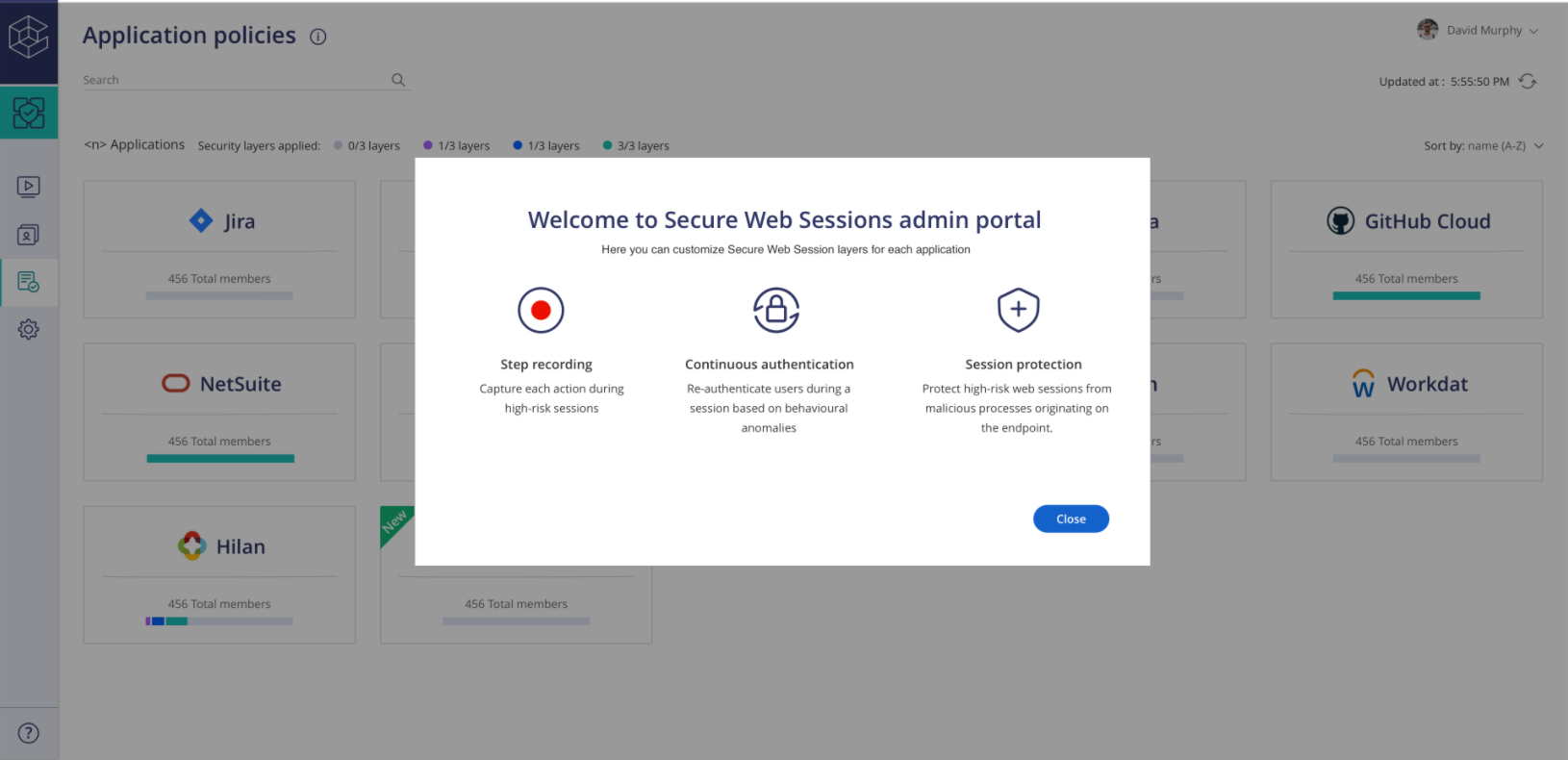
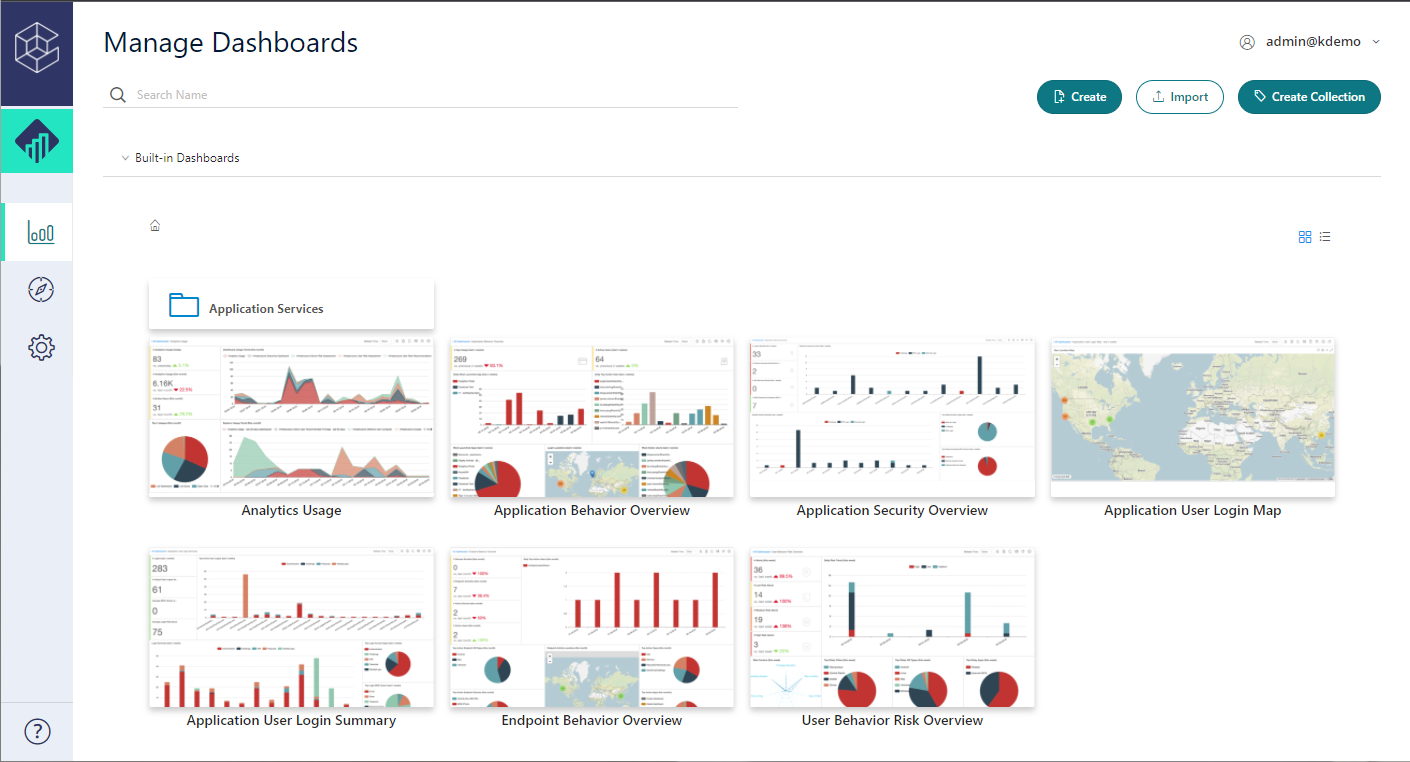
CyberArk Workforce Identity Screenshots
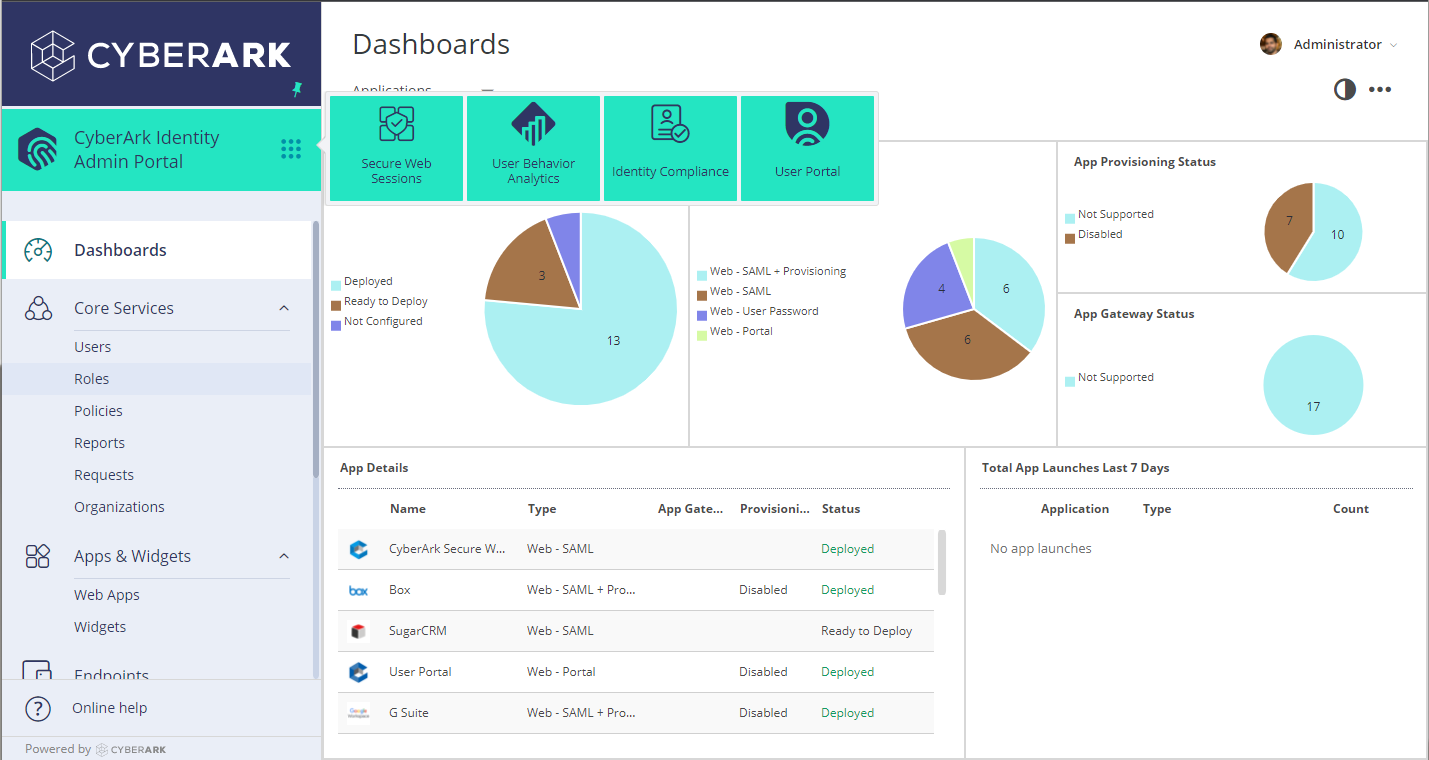
Screenshot of Admin PortalScreenshot of Identity LoginScreenshot of SWS PortalScreenshot of UBA PortalScreenshot of User Portal