Dayforce is a people platform that simplifies HR operations. As a unified HCMS, it delivers HR, payroll, benefits, workforce management, talent, and analytics—helping organizations boost productivity, stay compliant, and make smarter decisions with embedded intelligence and personalized experiences.
N/A
Hubstaff
Score 9.4 out of 10
Small Businesses (1-50 employees)
Hubstaff is a workforce analytics software tailored to boost productivity in remote, hybrid, and in-house teams while fostering a positive employee experience. Integrating with over 30 apps, Hubstaff's key features include time tracking, screenshots, activity tracking, URL and app monitoring, workforce analytics, automatic payroll and invoicing, scheduling, GPS and location monitoring, and timesheets. Hubstaff is compatible with Mac, Windows, Linux, Chrome, iOS, and…
$7
per month per user (2 seat minimum)
Pricing
Dayforce
Hubstaff
Editions & Modules
No answers on this topic
Starter
$7
per month per user (2 seat minimum)
Grow
$9
per month per user (2 seat minimum)
Team
$12
per month per user (2 seat minimum)
Enterprise
$300
per year per seat
Offerings
Pricing Offerings
Dayforce
Hubstaff
Free Trial
No
Yes
Free/Freemium Version
No
Yes
Premium Consulting/Integration Services
No
No
Entry-level Setup Fee
Optional
No setup fee
Additional Details
—
Discount available for annual pricing.
More Pricing Information
Community Pulse
Dayforce
Hubstaff
Features
Dayforce
Hubstaff
Human Resource Management
Comparison of Human Resource Management features of Product A and Product B
Dayforce
8.2
Ratings
4% above category average
Hubstaff
-
Ratings
Employee demographic data
9.10 Ratings
00 Ratings
Employment history
9.20 Ratings
00 Ratings
Job profiles and administration
9.30 Ratings
00 Ratings
Workflow for transfers, promotions, pay raises, etc.
9.30 Ratings
00 Ratings
Organizational charting
6.50 Ratings
00 Ratings
Organization and location management
6.50 Ratings
00 Ratings
Compliance data (COBRA, OSHA, etc.)
7.30 Ratings
00 Ratings
Payroll Management
Comparison of Payroll Management features of Product A and Product B
Dayforce
8.7
Ratings
9% above category average
Hubstaff
-
Ratings
Pay calculation
9.30 Ratings
00 Ratings
Support for external payroll vendors
7.00 Ratings
00 Ratings
Off-cycle/On-Demand payment
9.20 Ratings
00 Ratings
Benefit plan administration
8.60 Ratings
00 Ratings
Direct deposit files
9.30 Ratings
00 Ratings
Salary revision and increment management
8.30 Ratings
00 Ratings
Reimbursement management
9.10 Ratings
00 Ratings
Leave and Attendance Management
Comparison of Leave and Attendance Management features of Product A and Product B
Dayforce
9.0
Ratings
12% above category average
Hubstaff
-
Ratings
Approval workflow
9.40 Ratings
00 Ratings
Balance details
9.20 Ratings
00 Ratings
Annual carry-forward and encashment
8.60 Ratings
00 Ratings
Employee Self Service
Comparison of Employee Self Service features of Product A and Product B
Dayforce
8.3
Ratings
3% above category average
Hubstaff
-
Ratings
View and generate pay and benefit information
8.60 Ratings
00 Ratings
Update personal information
8.50 Ratings
00 Ratings
View company policy documentation
7.70 Ratings
00 Ratings
Employee recognition
9.10 Ratings
00 Ratings
View job history
7.70 Ratings
00 Ratings
Asset Management
Comparison of Asset Management features of Product A and Product B
Dayforce
8.6
Ratings
6% above category average
Hubstaff
-
Ratings
Tracking of all physical assets
8.60 Ratings
00 Ratings
HR Reporting
Comparison of HR Reporting features of Product A and Product B
Dayforce
6.2
Ratings
19% below category average
Hubstaff
-
Ratings
Report builder
6.30 Ratings
00 Ratings
Pre-built reports
6.30 Ratings
00 Ratings
Ability to combine HR data with external data
6.00 Ratings
00 Ratings
Onboarding
Comparison of Onboarding features of Product A and Product B
Dayforce
8.7
Ratings
10% above category average
Hubstaff
-
Ratings
New hire portal
9.20 Ratings
00 Ratings
Manager tracking tools
8.20 Ratings
00 Ratings
Performance and Goals
Comparison of Performance and Goals features of Product A and Product B
Dayforce
8.7
Ratings
9% above category average
Hubstaff
-
Ratings
Corporate goal setting
8.30 Ratings
00 Ratings
Individual goal setting
9.10 Ratings
00 Ratings
Line-of sight-visibility
8.60 Ratings
00 Ratings
Performance tracking
8.80 Ratings
00 Ratings
Performance Management
Comparison of Performance Management features of Product A and Product B
Dayforce
8.1
Ratings
3% above category average
Hubstaff
-
Ratings
Performance plans
8.70 Ratings
00 Ratings
Performance improvement plans
8.60 Ratings
00 Ratings
Review status tracking
7.40 Ratings
00 Ratings
Review reminders
8.40 Ratings
00 Ratings
Multiple review frequency
7.70 Ratings
00 Ratings
Succession Planning
Comparison of Succession Planning features of Product A and Product B
Dayforce
8.6
Ratings
10% above category average
Hubstaff
-
Ratings
Create succession plans/pools
9.30 Ratings
00 Ratings
Candidate ranking
8.20 Ratings
00 Ratings
Candidate search
8.20 Ratings
00 Ratings
Candidate development
8.60 Ratings
00 Ratings
Recruiting / ATS
Comparison of Recruiting / ATS features of Product A and Product B
Dayforce has great customer support, and you can always count on them to get you the professional help you need. It is a great place to store all your personal data in a very secure manner by assigning different user roles. The only thing where I wouldn't see it appropriate is for very small-scale companies, less than 50 people.
It enables you to monitor workers' time on every project. It monitors productivity even if an internet connection is not available. It provides a customizable interface. Every task is customizable to suit project requirements. It allows you to track time from anywhere in the world. In this way, it provides powerful insights to determine how many hours are required to do a project.
It has all the features that need to have while managing the project like screen capturing, sending invoices, create and view reports, pay and quick insights.
It also gives me the reports of my team effectiveness.
It tracks all the project progress along with team effectiveness and productivity at the workplace, gives me all the insights into team performance, and also helps me to track team productivity easily.
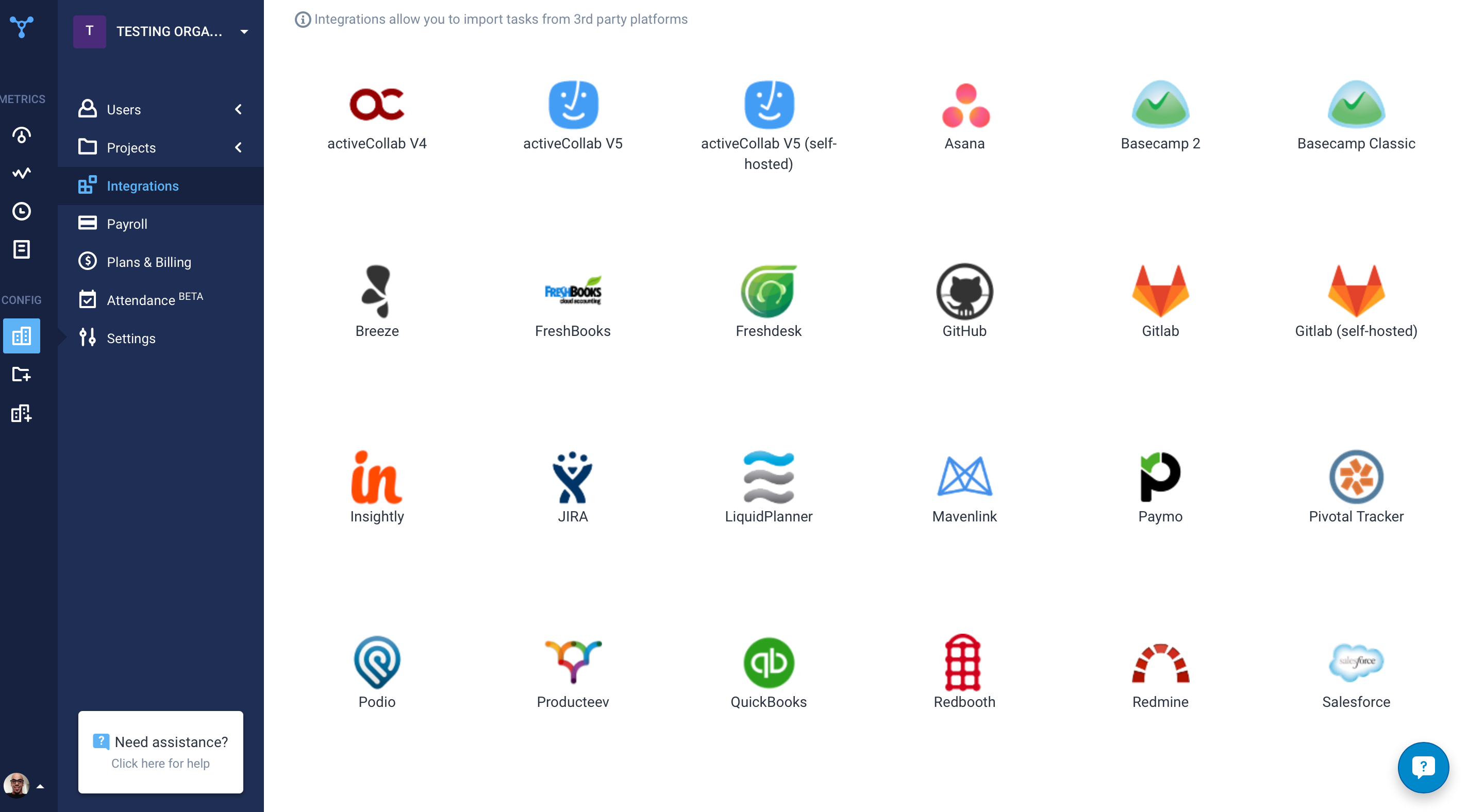
Another great feature that Hubstaff has which is its integration module.
[Hubstaff] is limited to integrations, while working on the projects I face difficulty to drag the drop because sometimes the plan requires to be discussed and it becomes a necessity to insert various attachments on the spot so that we could achieve the maximum.
We are highly invested in Ceridian's Dayforce product. It give us the flexibility and scaling that our growing company needs. Its potential reaches beyond the basic HR functions to the decision making that our Management Team needs. Ceridian is always innovating the employee and employee experiences to offer cutting edge options.
I give Dayforce a 10 because it was easy to integrate into our network since it was cloud-based. It is also user friendly and easy to maneuver around the web site. We were able to integrate three separate applications into just one site which made it easier for employees to access the tools they need
I give it 9 because it is really good for time tracking and managing remote teams. It helps me to manage my team very efficiently. Still, prices are high, so don't give 10. I need more discounts to add more team. Also need more accuracy as users are now fooling the tools with various cheats. Overall it is good and helfull
Dayforce's high availability ensures that our HR processes are supported around the clock, which is critical for a global organization like ours. The platform is cloud-based, offering reliable access from any location at any time, allowing our employees, managers, and HR teams to stay connected regardless of time zones or geographic locations. This level of availability ensures that payroll processing, employee self-service, and real-time data access continue uninterrupted, even during peak periods or unforeseen disruptions. The system’s robust infrastructure minimizes downtime, which is vital for operations that span multiple regions. Additionally, having a centralized platform that’s always available helps keep our teams aligned, ensures compliance, and facilitates timely decision-making across all our locations.
I've never had any issues and always received proper support. They let you know in advance when they'll be in maintenance and it's always in odd hours, so it's good. You still can use it when they are maintaining it.
We haven't noticed any slow-down due to the integration of Dayforce WFM with our Ceridian HPL products (HRIS and Payroll). The new HTML view of the timesheets don't load as quickly as the old Silverlight view - however, we have gotten used to the change.
This is dependent on what type of support that is needed. Ceridian has opportunities to make improvements relating to support on the global/UK side. I find it challenging to get problems solved quickly with our UK Native payroll. The US side is different. We tend to get our issues resolved quickly when we encouter issues on the US side.
Hubstaff has always responded to support requests in a timely manner and has kept me in the loop of changes. When contacting them about future changes/features they've always been upfront on whether that is a change they are looking to make and when that change may occur. Finally, if the person I have communicated with was unable to resolve, they always escalated to the next best person who can answer/resolve.
The courses are very interactive and informative. There are classes for every topic, which allows you to make the most of the system. There are also some "go at your own pace" course which is a great option for a busy schedule.
Have a strong internal team. Communicate with your implementation team - they are there to make it work for you. Take the time to really think about how you want the system to work for you - in some cases, you may need to rethink your own business practices to see if you are working harder when the system could do it for you
Having Payroll, HR, Time, and Benefits all in a single application with Dayforce has significantly improved efficiency and accuracy. Unlike other solutions with third-party integrations, Dayforce eliminates data silos, reduces errors, and saves time by streamlining processes, providing a more cohesive and user-friendly experience. Dayforce also had a competitive price point versus competitors
Hubstaff is a better tool than Hubstaff. There are certain details which if present can enhance the overall user experience and I must mention that Hubstaff has carefully taken into account and has given attention to detail by even making easy to understand training videos available for beginners that can further help and aid them in training.
Overall, we are extremely happy with the Dayforce WFM module. Our biggest pain point is concerning the twice annual software upgrades - which is the only reason I haven't rated them as a '10'. Because every customer is configured differently, the upgrades can sometimes have adverse effects on our current configured policies/rules. And although they roll-out the upgraded version in a test environment several weeks before go-live, not all testing is accurate in that environment. Some issues do not present themselves until you are working with live punches.
The efficiency within Ceridian DayForce has allowed our payroll department of only 2.5 FTE handle paying ~3,000 employees.
Easily handles the differences and nuances in our multiple bargaining agreements. Everything from different pay schedules and unique rates/bonuses for some of the most detailed/granular CBA details.
The availability of the recording feature is the biggest plus of this software so that I can easily record things that can be proved helpful to me further.
It has replaced timesheets with spreadsheets and this is how it makes my work easier and interesting for me.