
Rob Morris
Director of Inside Sales
Chose DialSource
DialSource Telephony is way better than the others: no delay, no static, clear consistent voice quality.

| Product | Rating | Most Used By | Product Summary | Starting Price |
|---|---|---|---|---|
 DialSource | N/A | DialSource helps customer-facing teams have better conversations. DialSource is an enterprise software company that provides software to businesses to make, receive and manage customer-facing communications. DialSource’s applications for Salesforce and Microsoft Dynamics CRM are designed to automate recurring sales and service tasks, eliminate manual activity logging and streamline CRM management; while… | N/A | |
 Salesforce Revenue Cloud | Mid-Size Companies (51-1,000 employees) | Salesforce Revenue Cloud (formerly Salesforce CPQ or SteelBrick) is built and delivered on the Salesforce Platform and Salesforce1 Mobile App which enables users to create accurate sales quotes quickly and submit error-free orders on the fly from any device. | $30 Per User per Month |
| DialSource | Salesforce Revenue Cloud | |||||||||||||||
|---|---|---|---|---|---|---|---|---|---|---|---|---|---|---|---|---|
| Editions & Modules | No answers on this topic |
| ||||||||||||||
| Offerings |
| |||||||||||||||
| Entry-level Setup Fee | Required | Optional | ||||||||||||||
| Additional Details | Please contact us to learn more and review pricing options for your organization. | — | ||||||||||||||
| More Pricing Information | ||||||||||||||||
| DialSource | Salesforce Revenue Cloud | |
|---|---|---|
| Considered Both Products |  DialSource Rob Morris Director of Inside Sales Chose DialSource DialSource Telephony is way better than the others: no delay, no static, clear consistent voice quality. | Salesforce Revenue Cloud  Neha Pant Account Manager- Existing Business Chose Salesforce Revenue Cloud Conga CPQ  Nathaniel Sintros Sales Operations Manager Chose Salesforce Revenue Cloud There is no comparison to a fully functional instance of CPQ. Nothing comes close due to the amount of customization and ease of use that CPQ offers once it's fully built out. Other solutions may be easier to build or administer, but for the users and business needs, CPQ is the …  Pranav Lal Enterprise Architect Chose Salesforce Revenue Cloud Salesforce CPQ was faster in performance and suited our needs. Its direct integration on the SFDC platform made it easier to implement. Chose Salesforce Revenue Cloud I haven't used PandaDoc, but a friend of mine uses it at their organization and recommended it.  Prashant Choudhary Business Development Manager Chose Salesforce Revenue Cloud Salesforce stacks well in terms of features like lead, quote and pricing management than other software like Zoho, bichon, agile or Hubspot, personally I believe if the entire set of tools and solutions provided by Salesforce are employed they would work like a well-oiled …  Jared Wacht Principal Salesforce Administrator Chose Salesforce Revenue Cloud CPQ is a more inline, integrated and user-friendly product compared to Apttus's offering. The fact that it was bought and embedded by Salesforce into the platform and the support that entails, was the big differentiator for us.  Lindsey Stevens Enterprise Account Executive Chose Salesforce Revenue Cloud It was not my choice to move to Salesforce CPQ. Our organization chose to move to this platform because Octiv gave the reps too much flexibility. They wanted to tighten the reins. Everyone hates Salesforce CPQ and the guy who implemented it isn't even at the company anymore.  Graham Power Account Executive Chose Salesforce Revenue Cloud i did not make this decision  Cameron Walker Senior Account Manager Chose Salesforce Revenue Cloud CPQ is much more intuitive and user-friendly than JDE. JDE is clunky and was not native to the Oracle CRM tool, which created problems when it came to quote creation and consistency in how deals are moved through the pipeline. We chose CPQ because we were already using SFDC as … |
| DialSource | Salesforce Revenue Cloud | ||||||||||||||||||||||||||||||||||||
|---|---|---|---|---|---|---|---|---|---|---|---|---|---|---|---|---|---|---|---|---|---|---|---|---|---|---|---|---|---|---|---|---|---|---|---|---|---|
| CPQ |
|
| DialSource | Salesforce Revenue Cloud | |
|---|---|---|
| Small Businesses |  Salesflare Score 6.0 out of 10 |  QuoteWerks Score 9.4 out of 10 |
| Medium-sized Companies |  Lead411 Score 9.1 out of 10 | QuoteWerks Score 9.4 out of 10 |
| Enterprises |  Dialpad Sell Score 9.5 out of 10 |  SAP Sales Cloud Score 8.3 out of 10 |
| All Alternatives | View all alternatives | View all alternatives |
| DialSource | Salesforce Revenue Cloud | |
|---|---|---|
| Likelihood to Recommend | 9.6 (0 ratings) | 8.0 (0 ratings) |
| Likelihood to Renew | - (0 ratings) | 9.1 (0 ratings) |
| Usability | - (0 ratings) | 8.6 (0 ratings) |
| Availability | - (0 ratings) | 9.1 (0 ratings) |
| Performance | - (0 ratings) | 8.2 (0 ratings) |
| Support Rating | 10.0 (0 ratings) | 7.9 (0 ratings) |
| Product Scalability | - (0 ratings) | 8.2 (0 ratings) |
| DialSource | Salesforce Revenue Cloud | |
|---|---|---|
| Likelihood to Recommend |
 Andres Pirela Loyo Director of Residential Sales |
Nathaniel Sintros Sales Operations Manager |
| Pros |
 Mark Coffman Senior Mortgage Loan Officer |
|
| Cons |
Andres Pirela Loyo Director of Residential Sales |
|
| Likelihood to Renew | No answers on this topic |
 Marcus Sandelowsky, CLSSBB Business Process Analyst |
| Usability | No answers on this topic |
Marcus Sandelowsky, CLSSBB Business Process Analyst |
| Support Rating |
Mark Coffman Senior Mortgage Loan Officer |
Prashant Choudhary Business Development Manager |
| Alternatives Considered |
Rob Morris Director of Inside Sales |
|
| Return on Investment |
 Cilia Flores Head of Community |
|
| ScreenShots | DialSource Screenshots  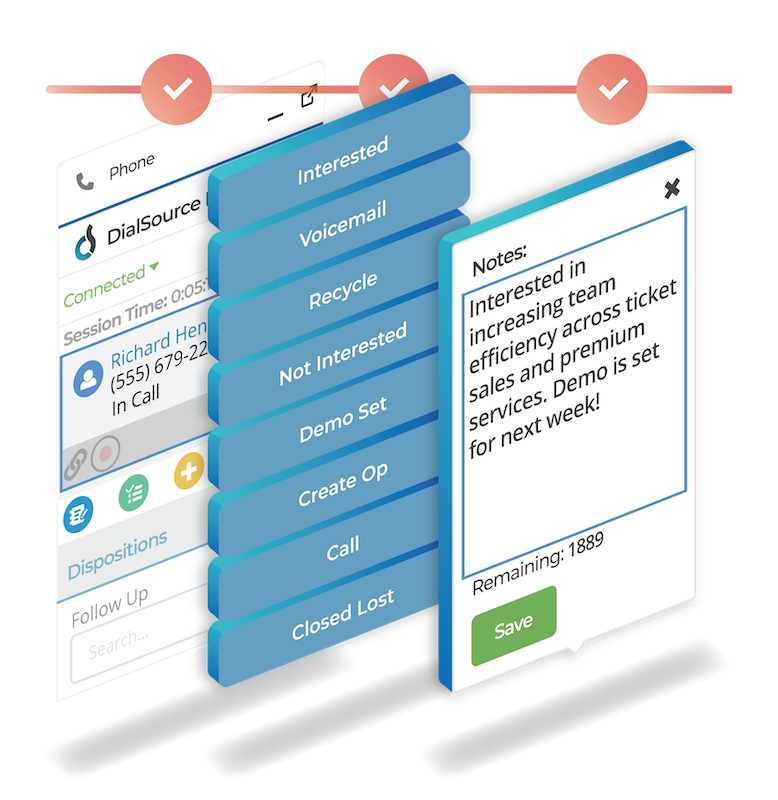  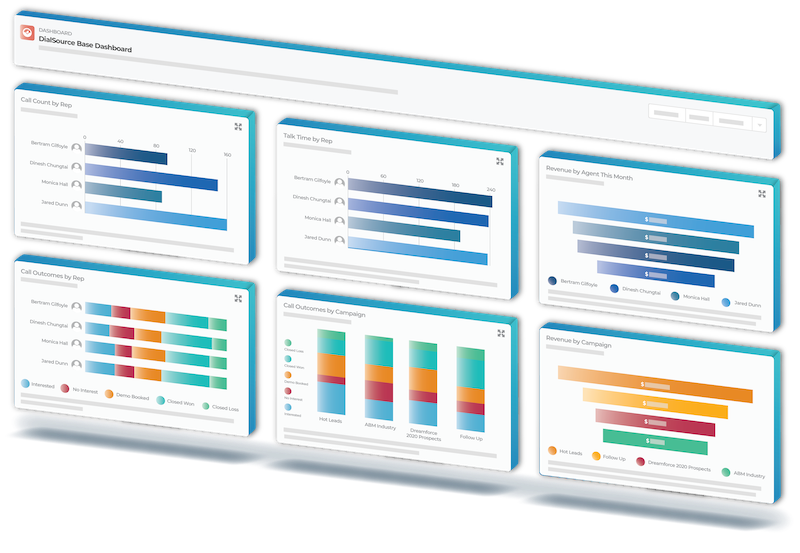 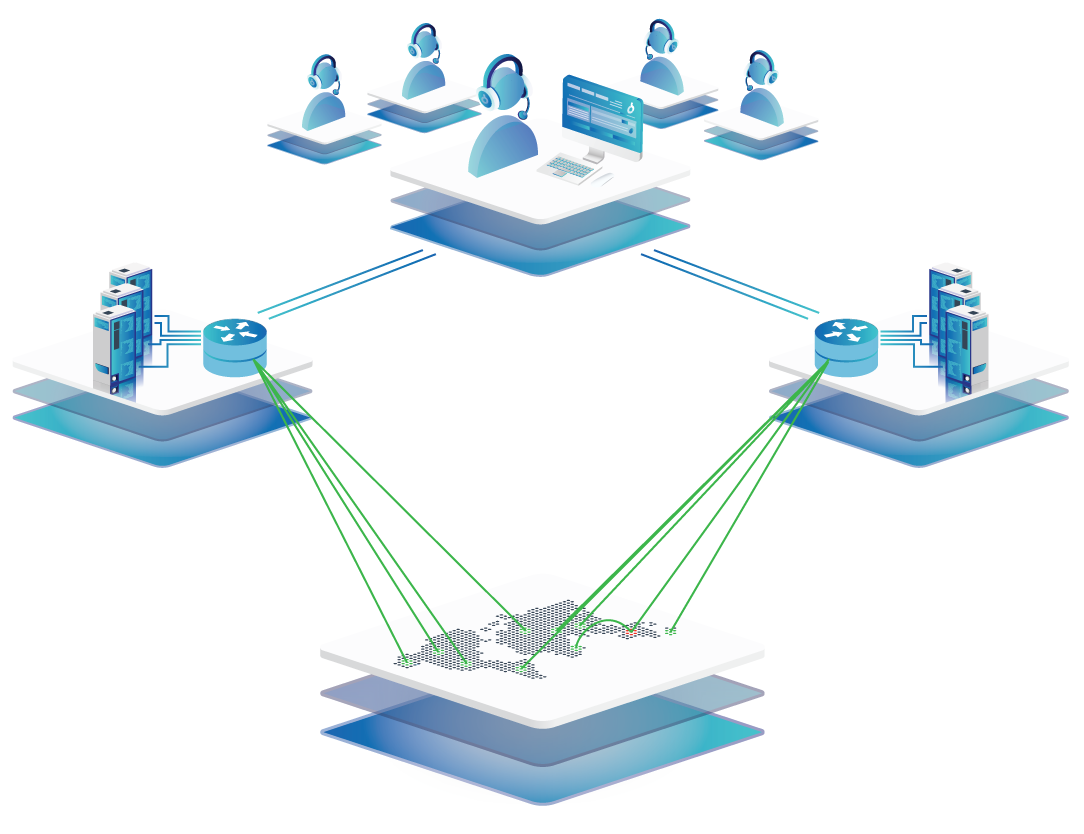 | Salesforce Revenue Cloud Screenshots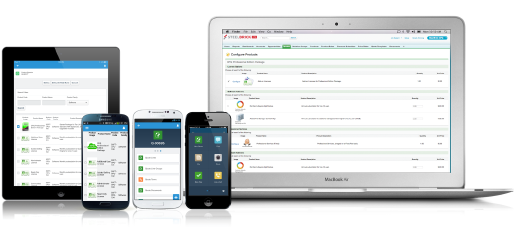 |