Digital.ai Agility (formerly VersionOne) helps organizations harness the power of their people’s knowledge, processes, and technology to build agile practices that scale across the enterprise. Its capabilities enable organizations to align products and investments with strategic business goals by coordinating planning, tracking, and reporting work across large distributed companies. Digital.ai Agility connects business strategy with team execution, providing a unified view at all levels,…
N/A
Planview AgilePlace
Score 9.9 out of 10
N/A
AgilePlace is a project management solution built around flexibility, data-driven analytics, and workflow automation. The software was acquired by Planview in December 2017 to expand that company's capabilities.
Digital.ai Agility provided a better user experience with more functionality geared towards the type of processes our team was following. Trello was too basic and did not have nearly the functionality we needed. Azure DevOps had many of the same features as Digital.ai …
Vice President, Chief Architect, Development Manager and Software Engineer
Chose Digital.ai Agility
The waterfall evangelists wanted MS Project. Some Agile enthusiasts wanted Rally and some wanted VersionOne. We did an evaluation and looked at how each tool supported them. We mainly use VersionOne, but since the PM team is from a center of excellence, they still use …
These two are close; however, CollabNet VersionOne offers more flexibility and control. Admin users have a wider variety of customization options and integration with 3rd party applications
We considered rally & Agilecraft since they also provides good support to SAFe framework. Though I personally found Rally better equipped but Rally was rejected due to its higher cost.
Adobe Experience Manager Mobile High Profile Quality Engineer
Chose Digital.ai Agility
JIRA appears to be more extensible with the ability for Scrum, Kanban, bug/incident tracking, and the ability to customize dashboards. However, VersionOne's performance over the same teams is extremely fast in comparison and therefore allows users to be more productive over the …
Mingle is more easy to do business with regarding customizations. We wanted features like task lists, reporting across project boards on a company level. Mingle was able to accommodate such changes.
Basecamp functions much differently from Version One and serves a different purpose, so it's kind of like comparing apples and oranges. However, both V1 and Basecamp have their pros and cons. V1 makes it easier to manage Agile processes, but Basecamp is more user-friendly and …
I didn't select Jira myself, but Jira has drag & drop capability for attachments; a better search engine; much more customization available per team; a cleaner look and feel; great integration with Zephyr for test case management; and story items are not as bloated with fields.
AgilePlace is better than JIRA when it comes to ease of use and intuitiveness of the tool. Card based model and ability to customize/tailor the way you want makes AgilePlace is a great tool. Look and feel as well as colored cards, makes the board layout much more easier to …
All these tools are different and have different uses. Depending upon SDLC your organization uses, you would use any of these tools. They all have their plusses and minuses.
Originally, we had evaluated two other tools next to Planview LeanKit: Kanbantool and Kanbanflow. The latter was a close contestant for productive use, as it was also very customizable and a joy to work with and look at. It also had lower user fees and a mobile integration.
Front-End Web Developer, Office of Mediated Education
Chose Planview AgilePlace
I use Trello a bit for personal use. It's much less powerful than LeanKit, but it's also a better design and simpler to use. ServiceNow has some kanban board stuff built-in, but I wasn't super impressed with it. JIRA seemed to be even more complex than LeanKit for the short …
I think that LeanKit is very similar to Asana's Kanban feature and Trello, but is much less sleek looking than Asana. Asana's clean and sleek UI makes me enjoy project management much more than LeanKit. It might sound silly that the UI makes so much of a difference to me, but …
Our company uses LeanKit, Pivotal Tracker, and Trello. It all depends on what team you're on. There's even a team that just does KanBan on a whiteboard. In the end, I would tank LeanKit above Pivotal Tracker, but below Trello. The differences are relatively subtle between …
Both VersionOne and Trello are good products. VersionOne is for the real hardcore Agile shops who want to track and report on everything related to the Agile process. Trello is a tool that works for Agile, but really is just a simple list making/tracking tool. Both tools serve …
I have used Trello, which is not as robust for tracking and customizing workflows as LeanKit is. It does not scale well to big teams. JIRA is the standard project management software but does not support Kanban well.
Nearly all the other tools I evaluated against are free, so that's one area where LeanKit is not as competitive. LeanKit does allow the experience to be much more customizable, though.
Being from QA I prefer Spiratest and QC for the fact my team can do all our work in one program and it is linked. But the tech department as a whole prefers Leankit as it is the tool of choice based on ease of use and overall performance.
While LeanKit was not designed for project and task management, we selected it because of its collaborative nature as a project and task management platform for our marketing team. It was also selected because our engineering and product management teams were using Leankit. We …
Digital.ai Agility is an ideal tool for anyone who is looking to track the work of a software development team following agile processes. It easily supports multiple teams with multiple backlogs, but also allows aggregation and rollup across those teams for larger analysis and planning.
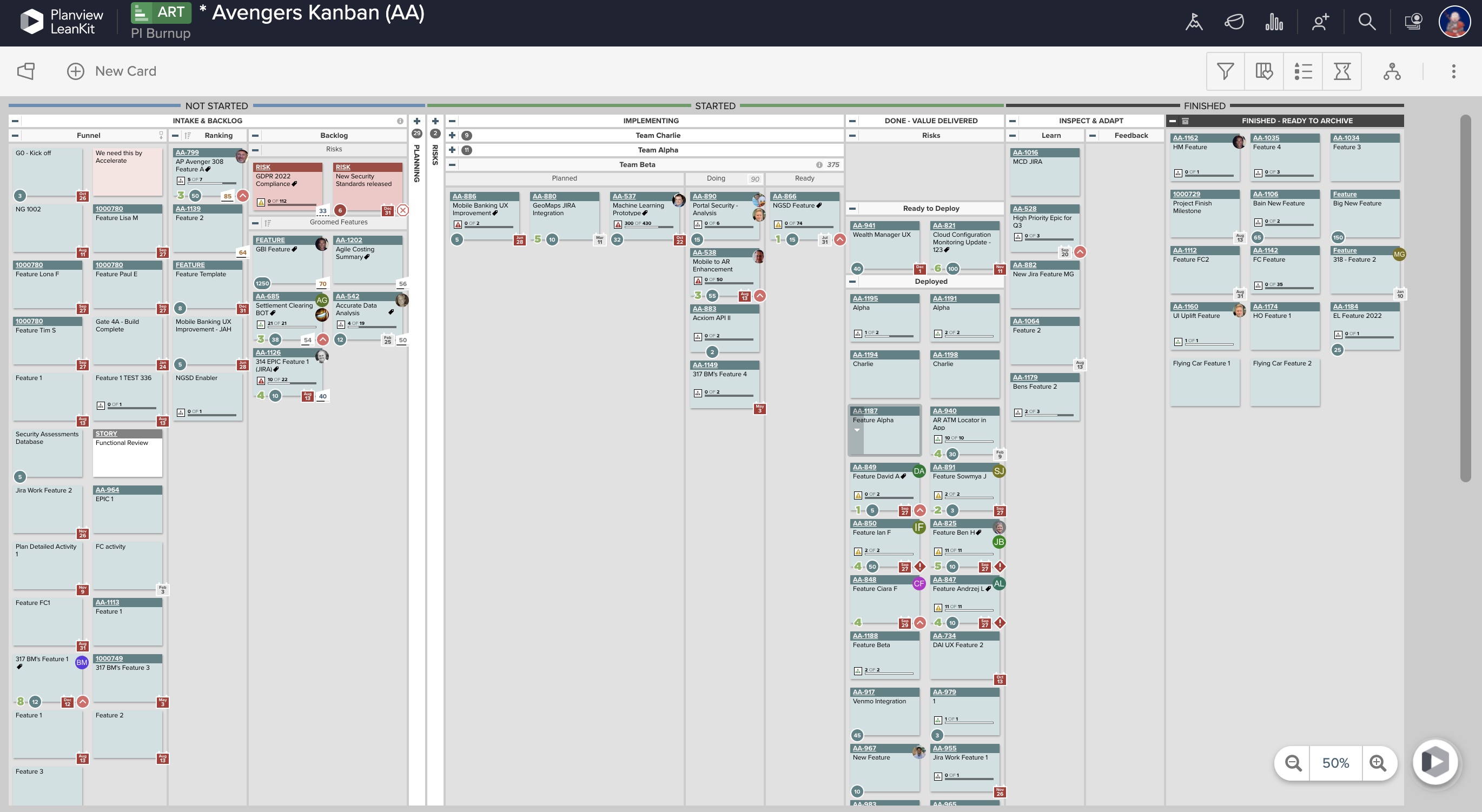
AgilePlace is a great way for teams, or individuals, to bring visibility to the work in process and in their backlog. The color coding and icon use helps to quickly analyze the type of work or status of the work. The product team is doing a good job at listening to their user's feedback and implementing improvements. Where it falls short is when reporting needs to occur.
Okta Integration: We love using SSO for all our SaaS apps, and as new team members join, they can be automatically joined to the appropriate LeanKit boards.
Filtering and viewing: Can filter and refine by several fields as well as custom fields. Assigned Users, Tagged, Card Type, Date, etc
Their analytics and reporting can be helpful for PMs, especially if they have several teams they oversee.
Saving of changes is inconsistent. Sometimes the changes appear to save automatically and other times the user needs to click the "Apply" button. Until the user is familiar with when this needs to happen, work can easily be lost.
This may be a setup configuration issue, but it would be good to be able to set the default team when creating stories. Too often stories are created and the user forgets to enter the team and they need to search the entire database for the story that was just created.
LeanKit isn't the best designed Kanban system I've seen, but overall it's pretty usable. The boards I've used are pretty complex, so it can be difficult to find things. I found that searching and filtering for specific cards was somewhat of a challenge. Dragging a card from one lane to another is kind of a fun way to get things done though.
VersionOne provides outstanding training. They have Product Owner training that I recommend every Product Owner attend. They have scrum master training and other agile training that was well worth the money paid because it made the teams more productive. And the support for the tool is incredible. These people live and breathe Agile and are evangelists and enthusiasts.
Every time I have reached out to the AgilePlace support team I have received a timely response in addition to professional & personal feedback. Their consultants are knowledgeable and the management team is happy to jump in and help when needed.
We considered rally & AgileCraft since they also provides good support to SAFe framework. Though I personally found Rally better equipped but Rally was rejected due to its higher cost. AgileCraft & Version One provides many common features i.e Team Rooms, Planning Rooms, Capabilities Kanban, Road mapping but Version One support for collaboration tools & its seamless integration with GitHub played key role in going with Version One.
Originally, we had evaluated two other tools next to Planview LeanKit: Kanbantool and Kanbanflow. The latter was a close contestant for productive use, as it was also very customizable and a joy to work with and look at. It also had lower user fees and a mobile integration. In the end, we picked Planview LeanKit because of several reasons: Aesthetics: The look was much more clean and professional. Reporting: It was obvious from the start that we could use Planview LeanKit as a tool for improvement. API: We needed to integrate the Kanban into our central systems and Planview LeanKit API was (and still is) a way to do it. Card Headers: This sounds like a simple thing, but the headers above the titles fit our work perfectly and looked perfect, which helped the decision.
At first, it was difficult for the teams as we were learning Agile and VersionOne. But VersionOne provided us with great training and support. As such the teams were able to quickly adopt and embrace Agile.