GoldMine CRM (discontinued) vs. Salesmate

Overview
ProductRatingMost Used ByProduct SummaryStarting Price
GoldMine CRM (discontinued)
Score 2.6 out of 10
N/A
GoldMine CRM was is a Customer Relationship Management (CRM) solutions for small businesses boasting at its peak over 1 millions users across verticals, a CRM solution for businesses running Windows, available for the Cloud, Mobile and on premise. The product was acquired by Ivanti, and currently is no longer available as a standalone application.
$65
per month per user
Salesmate
Score 10.0 out of 10
Mid-Size Companies (51-1,000 employees)
Salesmate is a single platform that helps create personalized experiences across marketing, sales, and service touchpoints across all channels – email, text, chat, web, calls, and eCommerce. It is designed to enable users to generate more leads, close more deals, and build lasting customer relationships. It replaces many disjointed systems to save users time and money. Salesmate offers businesses: …
$29
per month per user
Pricing
GoldMine CRM (discontinued)Salesmate
Editions & Modules
Cloud Based
$65
per month per user
On-Premise - multi-user
$1,992
one-time fee 3 shared users (includes 1 year of support)
Basic
$29
per month per user
Pro
$49
per month per user
Business
$79
per month per user
Enterprise
Custom
Offerings
Pricing Offerings
GoldMine CRM (discontinued)Salesmate
Free Trial
NoYes
Free/Freemium Version
NoNo
Premium Consulting/Integration Services
NoNo
Entry-level Setup FeeNo setup feeOptional
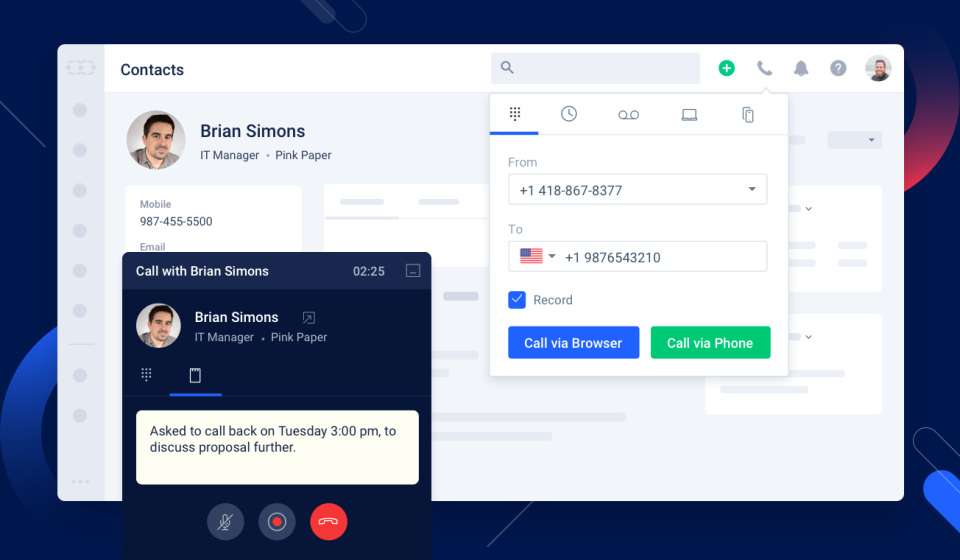
Additional DetailsWe offer built-in calling: Starting at $1.10 per month for your phone line & pay as you go credits
More Pricing Information
Community Pulse
GoldMine CRM (discontinued)Salesmate
Considered Both Products
GoldMine CRM (discontinued)
Chose GoldMine CRM (discontinued)
We use this with GoldMine when placing our orders, they both have there uses with in our company. We also use Zoom for automatic emails and calls, this tool is more for searching for the right contact within the companies I work with. I think GoldMine covers a lot more of my …
Chose GoldMine CRM (discontinued)
GoldMine is a better overall product based on scalability, ease of use and cost effectiveness. All of the customization in GoldMine was beyond the other applications we tested and considered. Overall we believe we made the right choice based on how quickly we saw results. Our …
Chose GoldMine CRM (discontinued)
Cost and ease of use for sure.
Chose GoldMine CRM (discontinued)
Redtail and other company owned or developed systems.
Chose GoldMine CRM (discontinued)
We didn't consider any other product. We have used GoldMine for nearly 20 years and recently upgraded to the latest version. The additions being offered, like mobile and web access we very tempting for us. Before GoldMine, we used in house Databases and spreadsheets that worked …
Chose GoldMine CRM (discontinued)
I cannot remember the name of the CRM system used at my last company, but it was nothing in comparison to GoldMine. It lacked many of the expanded search features and dashboard.
Chose GoldMine CRM (discontinued)
Our university still utilizes Banner, which requires us to have information stored there and migrate it to GoldMine twice per day. Banner is NOT user-friendly, but our set up makes it more robust than GoldMine. GoldMine makes information available with fewer clicks and puts it …
Chose GoldMine CRM (discontinued)
I have used Salesforce CRM, NetSuite CRM and Zoho CRM. I would say Goldmine is a much better tool than NetSuite, but the features of Salesforce and Zoho make it much better tool than Goldmine.
Chose GoldMine CRM (discontinued)
I have used ACT and preferred Goldmine. I just find it's capabilities greater even if one does not use them all. Also, with it's own internal email system that make it possible to see emails, along with other interactions with a contact, even if the emails originally come from …
Chose GoldMine CRM (discontinued)
Honestly, comparing CRMs is in my "to-do" list since stepping into this role. I have not yet had the chance to do a full market analysis of various CRM offerings. I'm sure it stacks up nicely in the price column based on a very quick survey I did on other CRM options.
Chose GoldMine CRM (discontinued)
Originally, I only knew GoldMine, but over the last few years have used and trialled lots of other software. The big competitors really I think are ACT! and Maximizer for onsite software, still I think my preferred route. At the moment, whilst I think that cloud CRM products …
Salesmate
Chose Salesmate
I haven't used any other CRM, but from what I've heard from other's that have, other CRM's are much more expensive and they don't offer the sale level of customer support that Salesmate does.
Chose Salesmate
Salesmate was a good trade-off in pricing, features and possibilites: we started with a very simple pipeline management and then we slowly added some new features that we were already paying for in the basic/pro level. No need to upgrade to higher cost solutions to have full …
Chose Salesmate
Salesmate is more individualised and significantly more impactful for the individual user whereas Salesforce is better at reporting and more applicable for upper management rather than daily use and workflow management.
Chose Salesmate
I did brief this at the start itself. Salesmate is a simple tool, which is easy to understand, easy to navigate, easy to automate your own process, easy to configure and execute things without manually feeding it everything with all details. The simple point is - Email Outlook …
Chose Salesmate
I was using the free version of Hubspot, which was extremely limiting. If I wanted to go ahead and unlock a simple feature, which every other CRM offered, my price would shoot up to hundreds of dollars a month for no reason, as they force you to unlock “all the features” not …
Chose Salesmate
Salesmate is head and shoulders above these other systems when you weigh the price to features. Salesmate is simple to navigate and is packed with useful everyday features; all included at the same price. The standard features in Salesmate are additional or nonexistent features …
Chose Salesmate
Salesmate is way better at keeping organized, creating call lists, and keeping track of won and lost deals. I spent years trying to organize blitz to no avail and that's why we made the move to Salesmate.
Chose Salesmate
I am fairly decent with computers but I don't like dealing with things that are overly complicated. I loved Salesmate because it had all of the features we needed to manage clients, but not a bunch of extra stuff you never use. Customization of the system was easy and it didn't …
Chose Salesmate
Salesmate is more user-friendly than the above. We enjoy the simplistic functions rather than too many moving parts that confuse our staff. Salesmate keeps all of the important features that you would look for in a CRM. However, if you are looking for more features you can …
Chose Salesmate
In our quest to streamline our sales effort and consolidate our siloed data, we evaluated various CRM's out there in the market and zeroed on to Salesmate, some of the features we really liked, are the
Chose Salesmate
The mobile feature is not available with Creatio Manual dialing with Freshsales CRM no power dialer Customizable but fairly detailed (more focused on quotation management) Knowledge base not available with Mothernode
Chose Salesmate
I can't even remember them all. It simply blows them out of the water. I'm not being paid for this. It's the best I've found for my business.
Chose Salesmate
Very similar in overall layout and user experience...but the features blow these others out of the water. Where alternative solutions had features either lacking or as an upgrade (ie having to spend an extra $10-$30/month/user) Salesmate has these features out-of-the-box.
Chose Salesmate
Every call, chat and email creates a support ticket which is usually 24-48 hours for a response. I accomplished more with Salesmate support than I did with a month of the entire Fresh Works Suite. Also - all components are separate with Freshworks i.e. contacts to not sync …
Chose Salesmate
We've only been using Salesmate as long as I've been employed.
Chose Salesmate
I have looked at trial versions of most of the major CRM's most of which did NOT have a VOIP component. The ones that did poorly worked and were buggy. I extensively looked at Bitrix24 (lacks certain functionality), worked with LessAnnoyingCRM integrated with SIMPLII VOIP …
Chose Salesmate
Compared to Hubspot, Salesmate just provides so much more for less. It misses some of the marketing stuff that Hubspot has but personally I never needed them because I use a different software for that anyway.
Features
GoldMine CRM (discontinued)Salesmate
Sales Force Automation
Comparison of Sales Force Automation features of Product A and Product B
GoldMine CRM (discontinued)
-
Ratings
Salesmate
8.1
Ratings
5% above category average
Customer data management / contact management00 Ratings10.00 Ratings
Workflow management00 Ratings9.90 Ratings
Territory management00 Ratings9.00 Ratings
Opportunity management00 Ratings9.90 Ratings
Integration with email client (e.g., Outlook or Gmail)00 Ratings7.30 Ratings
Contract management00 Ratings6.00 Ratings
Quote & order management00 Ratings5.60 Ratings
Interaction tracking00 Ratings7.90 Ratings
Channel / partner relationship management00 Ratings6.90 Ratings
Customer Service & Support
Comparison of Customer Service & Support features of Product A and Product B
GoldMine CRM (discontinued)
-
Ratings
Salesmate
7.7
Ratings
2% above category average
Case management00 Ratings7.40 Ratings
Call center management00 Ratings7.90 Ratings
Marketing Automation
Comparison of Marketing Automation features of Product A and Product B
GoldMine CRM (discontinued)
-
Ratings
Salesmate
6.3
Ratings
18% below category average
Lead management00 Ratings6.70 Ratings
Email marketing00 Ratings6.00 Ratings
CRM Project Management
Comparison of CRM Project Management features of Product A and Product B
GoldMine CRM (discontinued)
-
Ratings
Salesmate
8.4
Ratings
10% above category average
Task management00 Ratings8.90 Ratings
Reporting00 Ratings7.90 Ratings
CRM Reporting & Analytics
Comparison of CRM Reporting & Analytics features of Product A and Product B
GoldMine CRM (discontinued)
-
Ratings
Salesmate
7.6
Ratings
0% above category average
Forecasting00 Ratings7.80 Ratings
Pipeline visualization00 Ratings7.90 Ratings
Customizable reports00 Ratings7.10 Ratings
Customization
Comparison of Customization features of Product A and Product B
GoldMine CRM (discontinued)
-
Ratings
Salesmate
6.9
Ratings
8% below category average
Custom fields00 Ratings7.30 Ratings
Custom objects00 Ratings6.70 Ratings
Scripting environment00 Ratings6.40 Ratings
API for custom integration00 Ratings7.10 Ratings
Security
Comparison of Security features of Product A and Product B
GoldMine CRM (discontinued)
-
Ratings
Salesmate
8.0
Ratings
4% below category average
Single sign-on capability00 Ratings7.80 Ratings
Role-based user permissions00 Ratings8.20 Ratings
Integrations with 3rd-party Software
Comparison of Integrations with 3rd-party Software features of Product A and Product B
GoldMine CRM (discontinued)
-
Ratings
Salesmate
7.0
Ratings
5% below category average
Marketing automation00 Ratings7.00 Ratings
Platform
Comparison of Platform features of Product A and Product B
GoldMine CRM (discontinued)
-
Ratings
Salesmate
6.3
Ratings
15% below category average
Mobile access00 Ratings6.30 Ratings
Best Alternatives
GoldMine CRM (discontinued)Salesmate
Small Businesses
Salesmate
Salesmate
Score 10.0 out of 10
Salesflare
Salesflare
Score 6.0 out of 10
Medium-sized Companies
Creatio
Creatio
Score 9.7 out of 10
Creatio
Creatio
Score 9.7 out of 10
Enterprises
Creatio
Creatio
Score 9.7 out of 10
Creatio
Creatio
Score 9.7 out of 10
All AlternativesView all alternativesView all alternatives
User Ratings
GoldMine CRM (discontinued)Salesmate
Likelihood to Recommend
3.0
(0 ratings)
10.0
(0 ratings)
Likelihood to Renew
4.6
(0 ratings)
9.1
(0 ratings)
Usability
8.0
(0 ratings)
10.0
(0 ratings)
Availability
10.0
(0 ratings)
-
(0 ratings)
Performance
7.0
(0 ratings)
-
(0 ratings)
Support Rating
7.8
(0 ratings)
1.4
(0 ratings)
In-Person Training
10.0
(0 ratings)
-
(0 ratings)
Implementation Rating
9.0
(0 ratings)
9.1
(0 ratings)
Configurability
8.0
(0 ratings)
-
(0 ratings)
Product Scalability
9.0
(0 ratings)
-
(0 ratings)
User Testimonials
GoldMine CRM (discontinued)Salesmate
Likelihood to Recommend
GoldMine brings some great Sales forecasting tools to the table. By using the set analytics business can properly be forecast and adjusted as new variables are added. Trends are easy to pick out once set up and running. The whole list of customization allows most businesses to make adjustments on the fly to produce better results in the field. From small operation on up GoldMine will scale to fit your needs.
Read full review
Salesmate gives us everything we need as a small business, with a clear interface, and can adapt to any business. If I was being ultra picky, I would perhaps suggest the ability to remove or hide certain modules not applicable to our niche, e.g., we are a B2C business, so the company module is not really useable for us, but this is not a negative by any means.
Read full review
Pros
  • Organizing trouble tickets or "cases" in customer profiles. They are associated with the customer, so you can go into any customer record and click the cases tab and sort them by any of their columns.
  • The dashboard is invaluable as a support technician. It allows me to find my trouble tickets and sort them by the date they were last updated, allowing me to continuously follow up on older ones as time goes on.
  • The integration of companies, contacts, and cases is essential, as it allows our departments to access the same pools of information efficiently.
Read full review
  • For each client, it tracks emails, text messages, activities, files, calendar events, phone calls, to-do items.
  • Customization is quite good -- you add fields you need. Like was discovery received, full payment, partial payment, etc. You can later run reports.
  • Integration with other apps is good; I use QuickBooks and DocuSign.
  • Customer service is very good.
Read full review
Cons
  • GoldMine itself can be a little hard to use if editing the information within the program is not enabled. This comes into play if the main information storage is another system that is migrated to GoldMine
  • Third party apps or software can be complicated to be moved into GoldMine history. It is possible, but requires some upkeep and maintenance.
  • GoldMine takes A LOT of expertise to set up. If set up incorrectly by a bad representative, then it can affect the overall usage of the program in significant ways. Make sure you ask the Goldmine rep several questions and get recommendations for the rep as well as the product.
Read full review
  • The search feature can be buggy and does not allow for highlighted text to be typed on. You must clear the box or hit backspace before typing. The only app in my life that does this.
  • The dashboard button is pointless if it still makes you choose between legacy or classic.
Read full review
Likelihood to Renew
If there were a product that would mean less on-site support/maintenance with comparable or not much more cost, I would seriously consider switching. Furthermore, going to a more mobile, paper-less application process would tip the scales in the favor of a competitor. I'd also like something that integrates web forms so that data entry is more stream-lined as is response time
Read full review
Very happy with the customer service and the overall functionality of the program. With new features always being launched and discussed I'm looking fwd to growing with them
Read full review
Usability
Personally, perhaps I should give it a higher rating, but I do genuinely think it was very easy to pick up and run with, but I did have a full training session and of course was keen on using it. In my previous marketing role many years ago, I 'd tried to create an MS Access database and this has taken ages, so being introduced to the power of GoldMine really impressed. People have comments on it, but my opinion is its still fast and a great workhorse
Read full review
The platform is incredibly robust while maintaining a clean appearance. This allows you to see exactly what you need at any given time without being overwhelmed. The ability to customize your dashboard easily allows you to see the information that is most relevant to your operations and needs.
Read full review
Reliability and Availability
For me, its always been there, no worries here about downtime or the internet being down or switched off. Having it on a laptop as well with Goldsync means I'm always able to updated my notes and then synchronise. This to me is one of the benefits of purchased on-premise software, it cant simply be turned off!.
Read full review
No answers on this topic
Performance
Pretty good, Yes, there are occasions when i may think there should be an easier way to do things, but over the years, I've always found a way to get the information out that i want, sometimes just needing a bit of help from the technical team. Day to day,. it works for me very well.
Read full review
No answers on this topic
Support Rating
Their customer support is spot on! We never feel like we're being made to wait, and when we email, they respond and offer assistance very quickly. It's the same response I'd expect from an in-house IT team down the corridor. Some support teams you know you're talking to the first line support chap who probably doesn't know how to resolve your issue, and you have to wait until they give up and pass it, but GM support people seem very knowledgable
Read full review
Fantastic - always reply in a reasonable amount of time, usually with a simple fix. The support website is very handy, but often you will likely have 'niche' questions - to which the team are all to happy to help with. For larger issues, we have had to lodge tickets with tech, but to date, every issue we have had has been resolved. Very happy with the support and service.
Read full review
In-Person Training
I was originally trained by the UK distributor and then subsequently trained my self and had access to GoldMine consultants. In the long run, this saved me a lot of time really since I knew the product on an advanced/administrator basis and able to perform day to day tasks. Some things, still needed the consultants. The trick was with the training, I knew when I was out of my depth
Read full review
No answers on this topic
Implementation Rating
As I said earlier, to me now with all this experience, it is ensuring that you focus on two things:- 1/ Ensure core customisations only are required until you get users started and embedded in using the system. 2/ Ensuring users get some good level of dedicated training time, internal or external, but I feel this is best done in a group rather than at your own speed. Afterall, no one really customises their MS Word or MS Excel each time, they just ignore the bits they don't need or ask if they do need them
Read full review
No - All very straightforward and simple.
Read full review
Alternatives Considered
We use this with GoldMine when placing our orders, they both have there uses with in our company. We also use Zoom for automatic emails and calls, this tool is more for searching for the right contact within the companies I work with. I think GoldMine covers a lot more of my needs and [OSAS] Traverse [ERP] is just for billing purposes.
Read full review
I was using the free version of Hubspot, which was extremely limiting. If I wanted to go ahead and unlock a simple feature, which every other CRM offered, my price would shoot up to hundreds of dollars a month for no reason, as they force you to unlock “all the features” not just the ones you need. Salesmate is much better, as you can choose which features you want, and don’t want.
Read full review
Scalability
GoldMine, when maintained well has always been pretty reliable and in over 10 years, I don't think we've ever lost a day or more than an hour or so when we cant use it. Occasional a 'blip' will happen and you will have to log out, the only thing to bear in mind, which I'm not good at is ensuring you keep the mailbox to less than 2000 mails in your inbound box, I hover around 1800 and need to streamline this to get rid of my junk or notifications from LinkedIn groups for example when i mean to read, but never get round to it
Read full review
No answers on this topic
Return on Investment
  • Documentation and easy access to documentation regarding a particular customer or contact.
  • While utilities exist to re-align territories and other assignments in Goldmine they are not always well documented so even if you are savvy and want to implement some functions yourself you will likely need a VAR support person to do the job for you -- at least the first time.
  • Typically, I have found support to be responsive and prompt. More importantly, even with drive failures, we rarely suffer any downtime with Goldmine.
Read full review
  • It saved me so much time following up with leads. I move them to the next stage, and Salesmate does the rest.
  • It does a whole load of outreach for me. It's seamless.
  • I get a lot more responses from people in my pipeline - especially using SMS to follow up.
Read full review
ScreenShots

Salesmate Screenshots

Screenshot of Track your deals through a sales pipeline. Close more deals by staying focused and organized.Screenshot of With our mobile applications, your reps can enjoy using Salesmate on the road.Screenshot of Workflow automation can automate touchpoints, outreach, and more. Keep your team focused on what they need to do without having them to complete manual tasks.Screenshot of Understand your sales team's productivity. We have reports that will show your top and lowest performers. This will give management actionable insights to help the team perform better.Screenshot of Built-in calling and texting makes Salesmate a turnkey solution to onboard any new sales rep in your office or remote.