
Alok Singh ☁️
Technical Consultant
Chose Google Meet
Slack is not capable of handling large attendees so we are using Google Meet when number of attendees are higher.

| Product | Rating | Most Used By | Product Summary | Starting Price |
|---|---|---|---|---|
 Google Meet | N/A | Google Meet, formerly Hangouts Meet, replaces the former Google Hangouts as the company's G Suite integrated web conferencing tool, allowing users to join meetings directly from a Calendar event or email invite from a computer, phone, or conference room. G Suite's Enterprise edition also creates a dial-in phone number for each meeting, as an additional convenience. | $6 per month | |
 Zoho Meeting | N/A | Zoho Meeting is a web-based online meeting solution. | $3 per month |
| Google Meet | Zoho Meeting | |||||||||||||||
|---|---|---|---|---|---|---|---|---|---|---|---|---|---|---|---|---|
| Editions & Modules |
|
| ||||||||||||||
| Offerings |
| |||||||||||||||
| Entry-level Setup Fee | No setup fee | No setup fee | ||||||||||||||
| Additional Details | — | You can also get the toll-free add-on at $20/month and additional storage space for 200 sessions recording at $20/month for your organization. | ||||||||||||||
| More Pricing Information | ||||||||||||||||
| Google Meet | Zoho Meeting | |
|---|---|---|
| Considered Both Products |  Google Meet Alok Singh ☁️ Technical Consultant Chose Google Meet Slack is not capable of handling large attendees so we are using Google Meet when number of attendees are higher.  rishabh mishra Senior Project Manager Chose Google Meet It stands out because of its user friendly interface which is quite intuitive and simple to use and its integration with Google work space. Unlike Zoom which comes up with more advanced webinar features. Meet provides ease of use and accessibility. As compared to Microsoft …  Ashadujaman Khan Commis Chef Chose Google Meet Microsoft Teams and Webex Meetings  Souvik Giri Graduate Engineer Trainee Chose Google Meet Zoom can be defined as a much easier , advanced and accessible version of the Google meet with multiple features such as selective chat enable , polls , emoticons , real time liveboard and calendly integration as well  Sanjay kumar Teaching Assistant Chose Google Meet Cisco Webex DX80 and GoTo Meeting  Naman Goel Teaching Assistant Chose Google Meet Google Meet provides good facilities at many situations than any other software.  Stan York VP of Development Chose Google Meet We haven't actually selected Google Meet as a replacement for the others - rather each has its own niche.  Joshua Schiffer Partner Chose Google Meet I prefer Zoom, but Google Meet is a good alternative. Zoom is more secure and easier to manage. Zoom has more customization and I trust it more, as too many Google apps get changed without you knowing.  Rahat Afnan Freelancer Chose Google Meet Well we switched from Zoom because of paying issue. While Google Hangouts Meet is almost free there zoom needs extra charge to long meetings. And Zoom couldn’t meet up our common interests while meeting with foreign clients always. Performing Zoom meetings with phone isn’t …  Sergey Gorbanenko QA Engineer Chose Google Meet To maintain in-depth and frequent communication, we use Google Hangouts Meet because the conversation is stable and flexible. We can achieve our goals through effective communication; communication with suppliers and purchasers is significant. |  Zoho Meeting  Afia Tamanna Information Technology Business Consultant Chose Zoho Meeting Zoom focuses on video webinars, meetings, chat options, integration, and high-definition video conferencing, whereas Microsoft Teams focuses on Microsoft integrations that include real-time video chat. Both Google Meet and Zoho Meeting offer various features, including HD video …  Hasan Md Ripon Managing Director Chose Zoho Meeting Zoho Meeting is very affordable and it suits better for the small business like ours. In addition to these, it offers the same features Microsoft Teams does. It has better adaptability compared to teams both in desktop and mobile applications. Moreover, it ensures data security …  sameer chhabra Associate Solution Advisor Chose Zoho Meeting Well, my organization gave my entire team access to Zoho Meeting post the reported security issues with Zoom. Once I started using this platform, I realized that it is way more agile and works the best as compared to all of its competitors. Other Zoho products like CRM, Home …  Nafisha Labiba Business Development Manager Chose Zoho Meeting Zoho Meeting serves the exact purposes stated by Zoho Team. It doesn't use any 3rd party applications for giving the services. It doesn't use the customers data for commercial purpose which by means ensures more data security. It can be used in web which doesn't require any …  Jack Mattheus Human Resources Management Chose Zoho Meeting • The IT department decided to change the service that we had previously because Zoho Meeting is much more complete and has several services that we are also using such as Zoho Mail and Zoho CRM. We prefer to use them all from the same service provider.  Damindu Weerasooriya Software Engineer Chose Zoho Meeting I think Zoho Meeting is lacking so many features when compared with other products. Most importantly they have to work on audio video quality and increasing room capacity. If we compare this with Zoom, they offers meetings up to 100 participants with their free package …  John Hinson Administrative Director & Marketing Manager Chose Zoho Meeting Zoom is a better option if you're willing to pay. However, if you already have Zoho One, Meeting is still a solid choice. They're constantly working on the app and updating features, so any problems with Meeting will likely be addressed sooner rather than later. For now, Zoom … |
| Google Meet | Zoho Meeting | ||||||||||||||||||
|---|---|---|---|---|---|---|---|---|---|---|---|---|---|---|---|---|---|---|---|
| Performance & Compatibility of Online Events Software |
| ||||||||||||||||||
| Screen Sharing |
| ||||||||||||||||||
| Online Meetings / Events |
| ||||||||||||||||||
| Online Events Collaboration |
| ||||||||||||||||||
| Online Events Security |
|
| Google Meet | Zoho Meeting | |
|---|---|---|
| Small Businesses |  Intermedia AnyMeeting Pro Score 7.1 out of 10 | Intermedia AnyMeeting Pro Score 7.1 out of 10 |
| Medium-sized Companies |  JioMeet Score 10.0 out of 10 | JioMeet Score 10.0 out of 10 |
| Enterprises |  Webex Meetings Score 8.4 out of 10 | Webex Meetings Score 8.4 out of 10 |
| All Alternatives | View all alternatives | View all alternatives |
| Google Meet | Zoho Meeting | |
|---|---|---|
| Likelihood to Recommend | 8.6 (0 ratings) | 8.9 (0 ratings) |
| Likelihood to Renew | 7.0 (0 ratings) | - (0 ratings) |
| Usability | 8.2 (0 ratings) | 8.5 (0 ratings) |
| Support Rating | 9.8 (0 ratings) | 8.5 (0 ratings) |
| Google Meet | Zoho Meeting | |
|---|---|---|
| Likelihood to Recommend |
|
sameer chhabra Associate Solution Advisor |
| Pros |
|
|
| Cons |
|
Jack mattheus Human Resources Management |
| Likelihood to Renew |
 Chantal Matthews, MSEd, CHES®, CHWC Assistant Director of Health Promotion | No answers on this topic |
| Usability |
|
Nafisha Labiba Business Development Manager |
| Support Rating |
|
Hasan Md Ripon Managing Director |
| Alternatives Considered |
|
Afia Tamanna Information Technology Business Consultant |
| Return on Investment |
|
Damindu Weerasooriya Software Engineer |
| ScreenShots | Zoho Meeting Screenshots  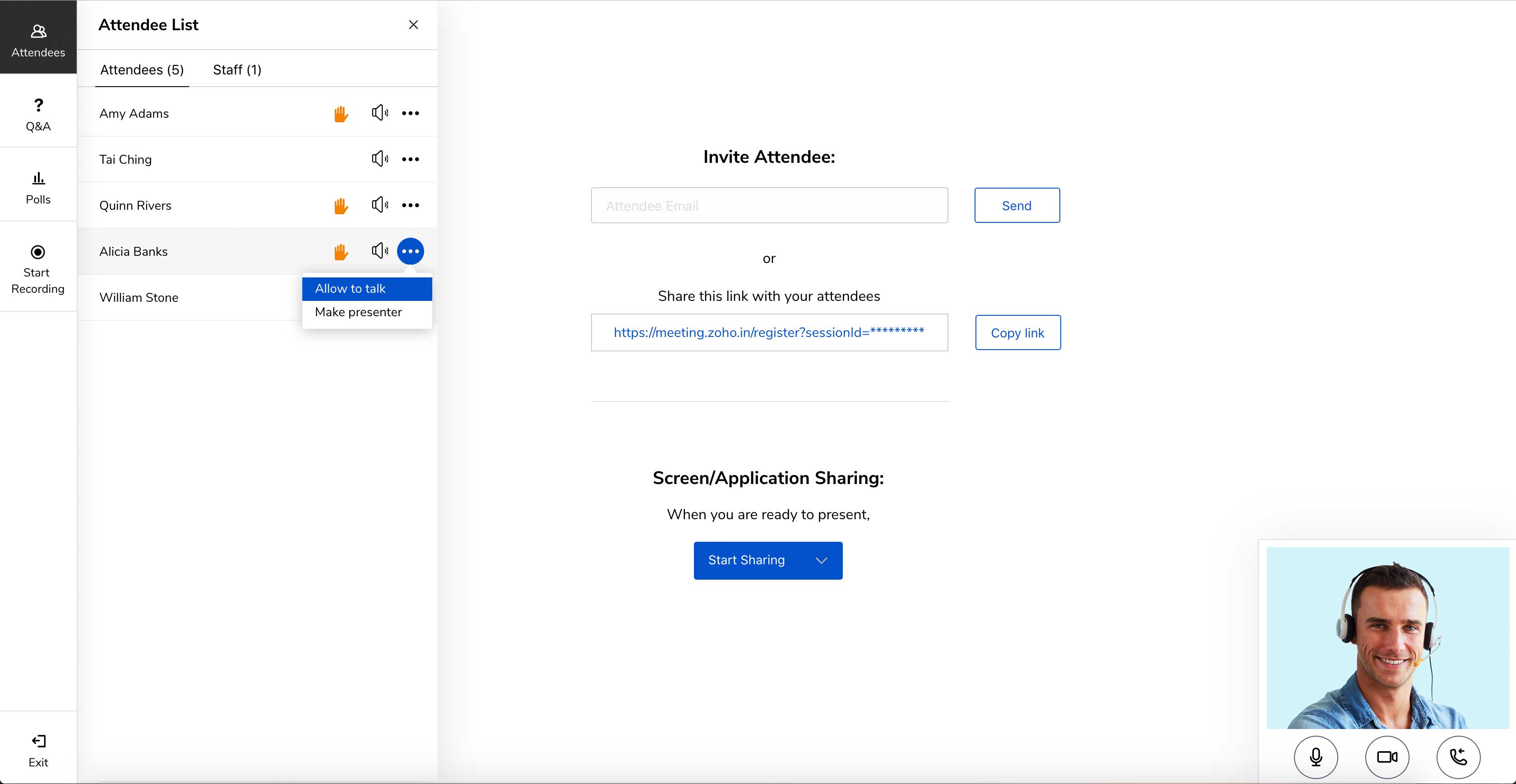   |