Google Sheets is the spreadsheet app available on Google Workspace, or standalone, with a free plan for personal use and accessible via mobile apps for iOS and Android.
N/A
OnePageCRM
Score 10.0 out of 10
N/A
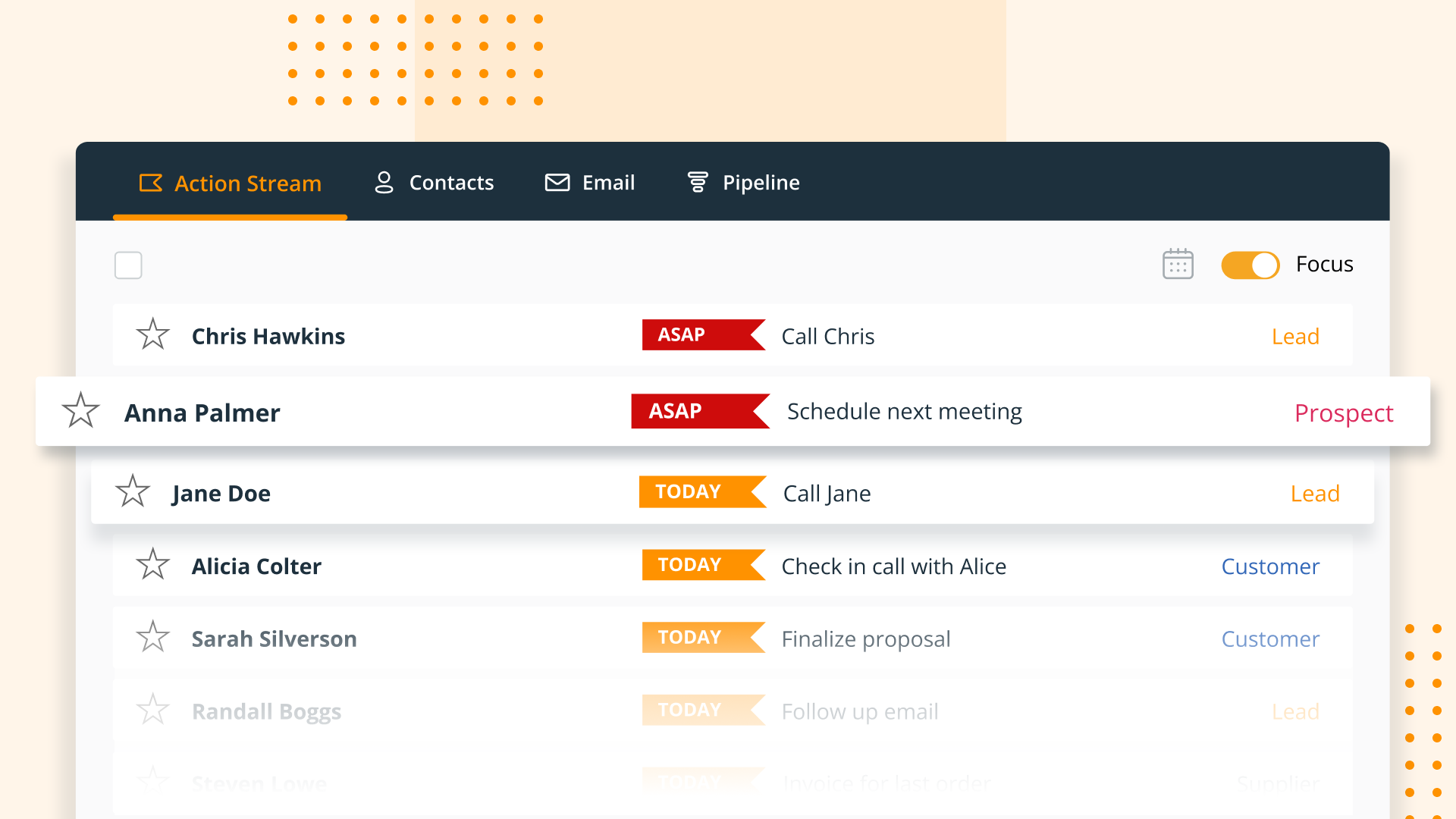
OnePageCRM aims to turn the complexity of a CRM into a simple to-do list. This action-focused CRM helps users interact with contacts by setting simple follow-up tasks. Just out of a promising sales call? Type the next action to "Send a quote", set a date, and move on to the next contact. Contacts will be sorted by task priority so the user can sell with focused attention to each prospect and client. OnePageCRM can be tried with a 21-day free trial today.
$9.95
per month per user
Pricing
Google Sheets
OnePageCRM
Editions & Modules
No answers on this topic
Professional Plan (Annually)
$9.95
per month per user
Professional Plan (Monthly)
$15
per month per user
Business Plan (Annually)
$19.95
per month per user
Business Plan (Monthly)
$29
per month per user
Offerings
Pricing Offerings
Google Sheets
OnePageCRM
Free Trial
No
Yes
Free/Freemium Version
No
No
Premium Consulting/Integration Services
No
No
Entry-level Setup Fee
No setup fee
No setup fee
Additional Details
—
OnePageCRM offers 4 months free in annual subscriptions.
More Pricing Information
Community Pulse
Google Sheets
OnePageCRM
Features
Google Sheets
OnePageCRM
Sales Force Automation
Comparison of Sales Force Automation features of Product A and Product B
Google Sheets
-
Ratings
OnePageCRM
9.3
Ratings
19% above category average
Customer data management / contact management
00 Ratings
9.90 Ratings
Workflow management
00 Ratings
10.00 Ratings
Territory management
00 Ratings
10.00 Ratings
Opportunity management
00 Ratings
10.00 Ratings
Integration with email client (e.g., Outlook or Gmail)
00 Ratings
10.00 Ratings
Contract management
00 Ratings
5.40 Ratings
Quote & order management
00 Ratings
10.00 Ratings
Interaction tracking
00 Ratings
9.50 Ratings
Channel / partner relationship management
00 Ratings
9.20 Ratings
Customer Service & Support
Comparison of Customer Service & Support features of Product A and Product B
Google Sheets
-
Ratings
OnePageCRM
9.9
Ratings
27% above category average
Case management
00 Ratings
9.90 Ratings
Call center management
00 Ratings
9.90 Ratings
Help desk management
00 Ratings
9.90 Ratings
Marketing Automation
Comparison of Marketing Automation features of Product A and Product B
Google Sheets
-
Ratings
OnePageCRM
10.0
Ratings
27% above category average
Lead management
00 Ratings
10.00 Ratings
Email marketing
00 Ratings
10.00 Ratings
CRM Project Management
Comparison of CRM Project Management features of Product A and Product B
Google Sheets
-
Ratings
OnePageCRM
10.0
Ratings
27% above category average
Task management
00 Ratings
10.00 Ratings
Reporting
00 Ratings
10.00 Ratings
CRM Reporting & Analytics
Comparison of CRM Reporting & Analytics features of Product A and Product B
Google Sheets
-
Ratings
OnePageCRM
10.0
Ratings
28% above category average
Forecasting
00 Ratings
10.00 Ratings
Pipeline visualization
00 Ratings
9.90 Ratings
Customizable reports
00 Ratings
10.00 Ratings
Customization
Comparison of Customization features of Product A and Product B
Google Sheets
-
Ratings
OnePageCRM
10.0
Ratings
29% above category average
Custom fields
00 Ratings
9.80 Ratings
Custom objects
00 Ratings
10.00 Ratings
Scripting environment
00 Ratings
10.00 Ratings
API for custom integration
00 Ratings
10.00 Ratings
Security
Comparison of Security features of Product A and Product B
Google Sheets
-
Ratings
OnePageCRM
10.0
Ratings
18% above category average
Single sign-on capability
00 Ratings
9.90 Ratings
Role-based user permissions
00 Ratings
10.00 Ratings
Integrations with 3rd-party Software
Comparison of Integrations with 3rd-party Software features of Product A and Product B
Google Sheets
-
Ratings
OnePageCRM
10.0
Ratings
31% above category average
Marketing automation
00 Ratings
10.00 Ratings
Platform
Comparison of Platform features of Product A and Product B
Google Sheets is a great tool mostly for people in the finance department such as accountants who have to analyze hundreds of transactions. The software makes it easy to organize data and handle some analysis. Also, when it comes to data presentation, Google Sheets offers some of the best features. However, this is not to sat people outside the finance docket cannot benefit from this software. It is a great tool to have when handling data.
It's hard to be helpful here: we use OnePage in such a limited way that I'm certain some of the higher level features would really help other organizations, it's just that our activity flow isn't based here. We use our help-desk ("Freshdesk") for the majority of our customer communication, and in fact don't manually communicate from OnePage directly.
Shifting to Sheets after years and years of Excel is like learning to crawl after I've been running for years. Some sort of translator document. Such as if you use XYZ in Excel, the same function can be found here in Sheets
Functionality shuts down after 5K or so lines are used. I work in finance. We have hundreds of thousands of transactions we need to analyze.
If Big Query is the answer to large amounts of data, it needs to be as easy to use as Sheets is.
OnePage does not show an overall "life of the lead" in one place. While it tracks everything, it can be difficult to get a broad overview/timeline of all communication.
I am not involved in the purchase/selection process, but my organization is a Google shop, and Sheets meets most of our spreadsheet needs and works seamlessly with our other tools. I don't anticipate our switching anytime soon.
Overall the formula functions could improve but there's workarounds for them. Utilzing different formulas or approaches for building out accounting schedules. While collebrating with multiple team members and different departments being able to go in and see where others are on the sheets is helpful. Google Sheets overall is a great product
Like most Google products, Google Sheets rarely has outages or slowness, and when it does, connection is always momentarily restored. I can't recall a time when I've been unable to access Google Sheets but able to access other sites just fine. That said, errors aren't uncommon when handling large data volume. You know what they say about using spreadsheets as databases, but sometimes it's just the most convenient option, especially for smaller or one-off projects, and not being able to store large amounts of data hampers our ability to move quickly with scrappy prototypes or full solutions. It would be great if we could better integrate our data manipulation (Apps Script) with big data in the sheet.
Again, Google Sheets is no exception to Google's general high speed and reliability, but load times can be slow for larger amounts of data. I've used Sheets with Zapier and have used the Python API, and speed has never been an issue.
I have never contacted Google Sheets support, but Google Sheets makes it very easy to report an issue or suggest a feature from Sheets itself (Help > Help Sheets improve), and I've had mostly good experiences with support for other Google products.
Microsoft Excel and Numbers on Mac. Used the first reiteration of the Windows 365 and was terrible. It stacks up well against excel due to power of two other Google products 1) Google search and 2) YouTube. If you cannot find an article or video to help you might be disappointed but keep looking.
OnePage is not as robust when compared to SharpSpring. SharpSpring is better with email marketing, lead scoring, social media management, etc. OnePage is better for the sales team, but for our fulfillment team, Asana works better because of the ability to create sub-tasks and projects.
Google Sheets works very well with multiple users. It's convenient to see in real-time who is collaborating in a sheet, down to the specific cell that they're viewing/editing. Linking Sheets across departments is convenient with the IMPORTRANGE function.
The thing is, GTD seems to work well for me and ensures that I don't forget to follow up which is the number one failure in sales prospecting. So, the ROI is obviously good.