TrustRadius: an HG Insights company

OnePageCRM

Score10 out of 10

20 Reviews and Ratings

What is OnePageCRM?

OnePageCRM aims to turn the complexity of a CRM into a simple to-do list. This action-focused CRM helps users interact with contacts by setting simple follow-up tasks.

Just out of a promising sales call? Type the next action to "Send a quote", set a date, and move on to the next contact. Contacts will be sorted by task priority so the user can sell with focused attention to each prospect and client.

OnePageCRM can be tried with a 21-day free trial today.

Media

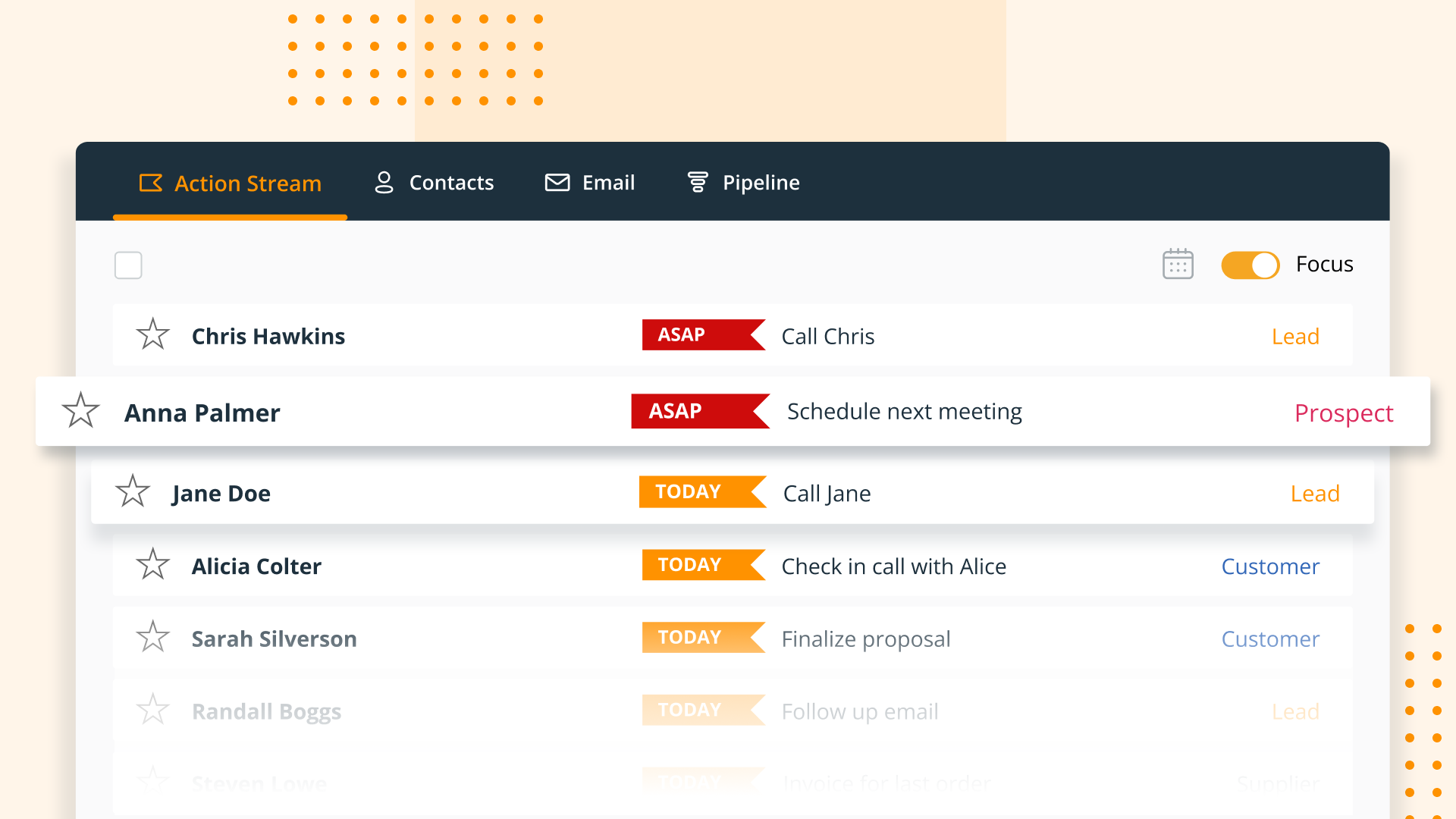
OnePageCRM transforms the user's database into an actionable to-do list. Contacts are sorted into Action Stream by task priority so users know what to do next.
OnePageCRM displays relevant calls, notes, deals, and golden nuggets about a contact in one place.
OnePageCRM's email integration allows users to send emails in bulk, create templates, and track opens.
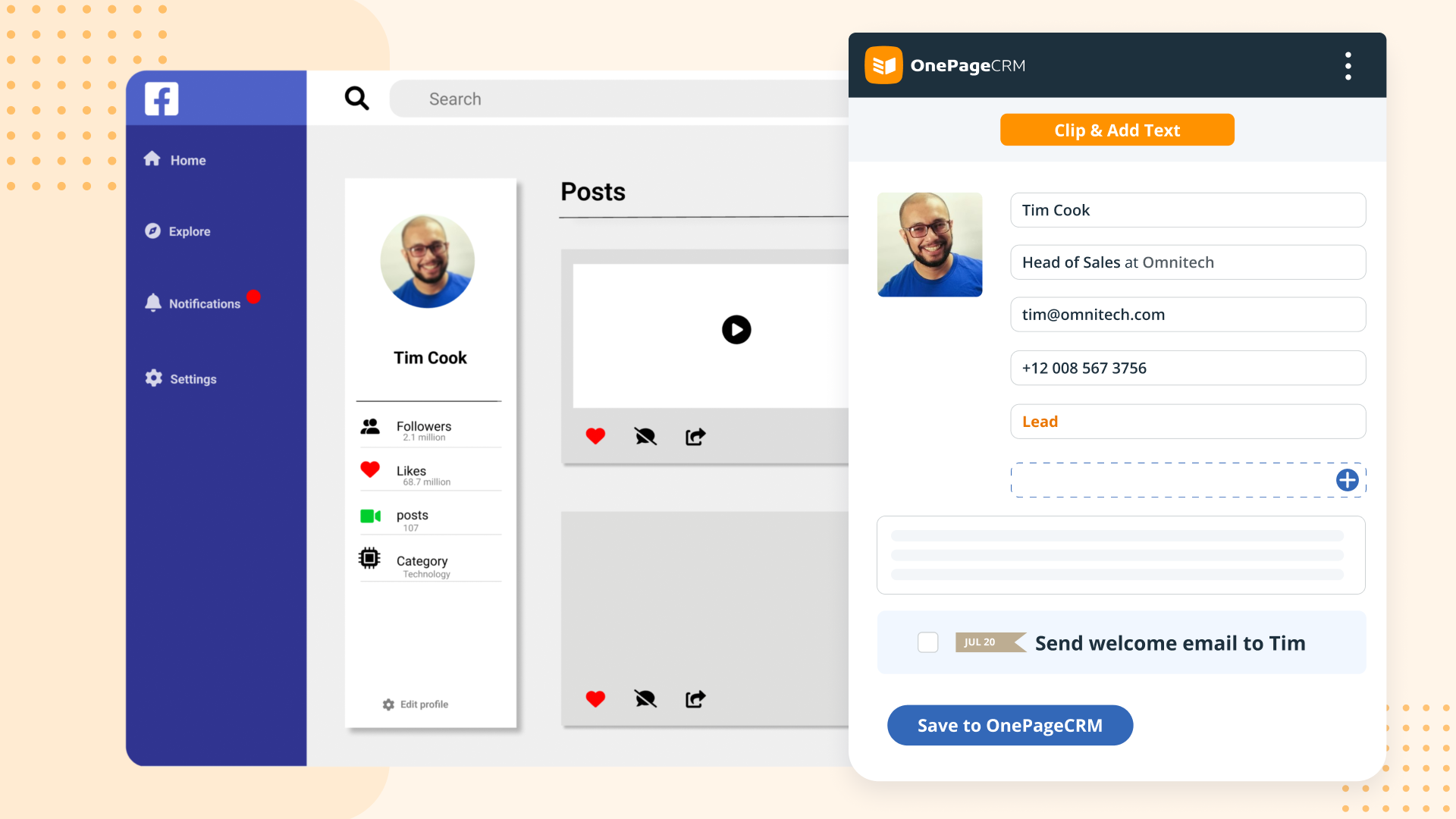
For lead generation, OnePageCRM's browser extension lets users add leads to a CRM from any webpage in one click.
For sales on the go, download the OnePageCRM mobile app (iOS & Android). Log calls and update deals.
Manage deals with OnePageCRM's drag-and-drop feature and keep track of goals with a live KPI dashboard.

1 / 6

Top Performing Features

  • Workflow management

    The software helps automate parts of the sales process, such as sending emails, updating contact records, and following approval processes.

    Category average: 7.4

  • Territory management

    Users can defines salesperson territories based on customer or market characteristics.

    Category average: 7.2

  • Opportunity management

    Users can track deals and create quotes.

    Category average: 8.1

Areas for Improvement

  • Interaction tracking

    Users can log and track all customer interactions through any channel, including social, email, phone and in-person.

    Category average: 8

  • Channel / partner relationship management

    The software allows for sales, territory, lead, order and account management for partners or OEM relationships.

    Category average: 7.9

  • Contract management

    Users can manage contracts, with features such as digital signatures, automated alerts, invoicing, and automated workflow for contract review and approvals.

    Category average: 7.8

OnePage CRM works well for our needs!

Pros

  • It uses a split screen: one half is your action stream, the other is for a selected contact. This is really helpful.
  • You can do mass actions-- like rescheduling a group of actions for another day.
  • "Tags" are a handy feature... it's sophisticated enough to trigger automated follow-ups in our mail service, Klaviyo

Cons

  • Multiple contacts should automatically merge. Without this, there is a risk of a prospect receiving too many emails from us.
  • They do regular updates -- seems like almost daily. This requires a refresh, and it just seems too often.
  • The checkbox system is odd: On the left have of the screen, it functions as a "select" button....but on the right half of the screen, it functions as a "task complete" option. I would move to have two distinct looking items.

Return on Investment

  • We are able to follow up with our sales leads in a way that works very well for our product line. Losing a lead because they "slipped through the cracks" really doesn't happen!
  • OnePage is quite affordable. It has unquestionable value to us.
  • Training our team to use this tool takes minimal time (at least for the way we use it).

Other Software Used

Freshdesk, Shopify, Harvest

Great for Sales Prospectors and forces next steps.

Pros

  • Keep tabs on deals in progress
  • The work stream is great and it's easy to use
  • Forces next steps to be scheduled. Again, it has an intuitive interface which means that the "getting things done" principals are easy to use
  • Allows dialing and emailing directly from the software

Cons

  • The ability to interface with all or many VoIP services would be top of my priority list
  • Skype is not a favourite of mine, but Google hangouts is which is now included with OnePageCRM
  • The ability to create email templates would be good. I have a separate app for that, but it would be good to have it on board

Return on Investment

  • The thing is, GTD seems to work well for me and ensures that I don't forget to follow up which is the number one failure in sales prospecting. So, the ROI is obviously good.

Alternatives Considered

HubSpot CRM, Zoho CRM and Pipedrive

Other Software Used

LinkedIn Sales Navigator

OnePage - Great for The Sales Team

Pros

  • Track Communication - OnePage makes it easy to track all client communication in one place.
  • Forecasting Deals - OnePage makes it easy to forecast deals and make detailed notes.
  • Scheduling Calls/Follow Ups - OnePage lays out daily tasks in an easy-to-read pipeline.

Cons

  • OnePage does not show an overall "life of the lead" in one place. While it tracks everything, it can be difficult to get a broad overview/timeline of all communication.

Return on Investment

  • OnePage has helped with time efficiency for the sales team. Because OnePage is so easy to use and manage, our sales team can spend more time selling and less time working with the system.
  • OnePage is great for organization. It helps us track our daily schedules/tasks and shows all communication clearly in one place.

Alternatives Considered

SharpSpring and Asana

Other Software Used

SharpSpring, Asana

OnePage Helps Sales

Pros

  • OnePage pulls in emails very well and clearly displays them when you click on each contact.
  • Tracking data. It is great to track the number of calls, emails, deals won/lost, etc.
  • Lead importing is hassle-free.

Cons

  • Doesn't have very many integrations.
  • Doesn't track campaigns or lead quality.

Return on Investment

  • Tracking has helped us maximize the efficiency of our sales team.
  • We have been able to use OnePageCRM to notice trends in the types of leads and the overall sales cycle.
  • Makes it easy to quickly review previous communication.

Alternatives Considered

Asana, SharpSpring and Mailchimp

Other Software Used

SharpSpring, Asana, WordPress