From GoTo (formerly LogMeIn), GoToMeeting is an online meeting, desktop sharing, and video conferencing software that enables users to connect via the internet. It hosts a suite of online meeting tools, including real-time screen sharing and integrated audio.
$12
Per Organizer / Per Month for 150 Participants [billed annually]
GoTo Webinar
Score 8.1 out of 10
N/A
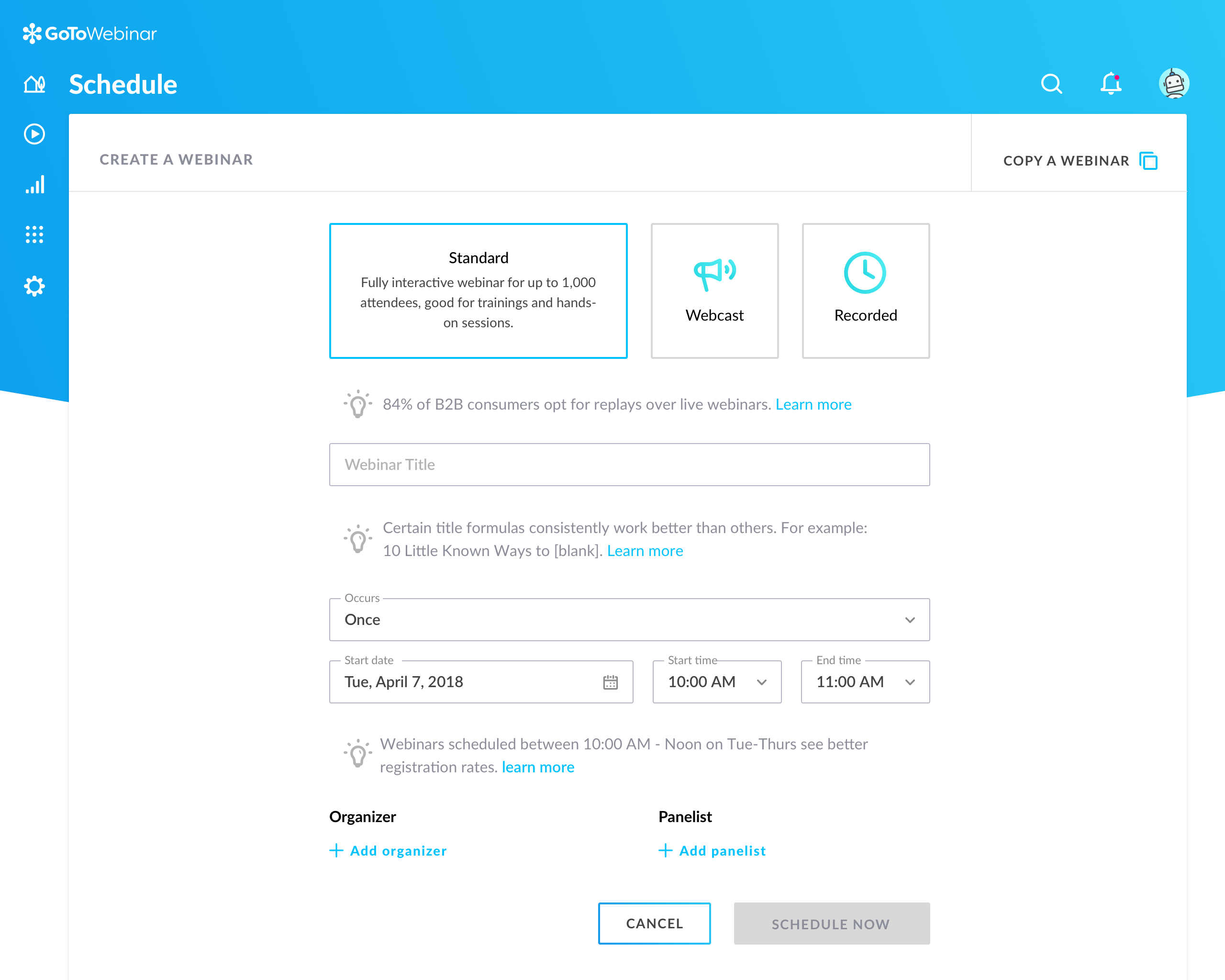
GoToWebinar is GoTo’s webinar and online conferencing solution, and offers features like audience polling and Q&A, flexible scheduling experiences, and webinar templates. It offers CRM integrations and reporting & analytics tools to help engage clients’ audiences.
$49
per month per organizer
Pricing
GoTo Meeting
GoTo Webinar
Editions & Modules
Professional
$12.00
Per Organizer / Per Month for 150 Participants [billed annually]
Business
$16.00
Per Organizer / Per Month for 250 Participants [billed annually]
Enterprise
Custom Pricing
3,000 Participants
Lite
$49/month
per month per organizer
Standard
$99/month
per month per organizer
Pro
$199/month
per month per organizer
Enterprise
$399/month
per month per organizer
Offerings
Pricing Offerings
GoTo Meeting
GoTo Webinar
Free Trial
Yes
Yes
Free/Freemium Version
No
Yes
Premium Consulting/Integration Services
No
No
Entry-level Setup Fee
No setup fee
No setup fee
Additional Details
Pricing available by monthly or annual subscription, with discounts for annual commitments.
—
More Pricing Information
Community Pulse
GoTo Meeting
GoTo Webinar
Considered Both Products
GoTo Meeting
Verified User
Anonymous
Chose GoTo Meeting
At first, I never thought that this platform is existing because I have been exposed to different platform before, not until I was employed in my current company and I can say that it helps me to communicate with my colleague . If there's an urgent concern regarding the task, I …
GoTo Meetings has no time limit for sessions with more than x attendees. GoTo Meetings provides an easy way to allow attendees to share their screens. GoTo Meeting does not require membership/license/registration attendees; they are not required to download the desktop …
When exploring virtual meeting solutions, we evaluated alternatives such as Zoom and Microsoft Teams. GoTo Meeting stood out for its user-friendly interface, robust features, and a reputation for reliability, making it the preferred choice for our organization's diverse virtual …
GoToMeeting has greater flexibility in live streaming, file sharing and collaborative work. Zoom does well when there is the need for only one person to be in control of the meeting. GoToMeeting has become the product that is easiest to use and train new employees how to use.
GoToMeeting allows staff to create seminars and run them as a class where Skype can be used for a call and tends to glitch when adding others to create a full conference. GoToMeeting allows for more of a group setting, which helps grow a program and audience.
GoToMeeting is a solid basic option for remote meetings/teleconferencing. Although my team uses Zoom now, we had great experiences with GoToMeeting. I rarely if ever experienced poor video or audio quality, and I never heard my logistics team complain about GoToMeeting's …
We selected GoToMeeting for its recording capabilities, but Skype now offers the same functionality without the cluttered/confusing GoToMeeting UI, and with a good degree of user competency from folks using it in their personal lives. Compared to the competition, GoToMeeting …
GoToMeeting is about as easy to use as Zoom and BlueJeans. It is comparable to Amazon Chime, but less integrated than Google Hangouts/Chat. Almost all these solutions include file sharing, screen sharing, chat, and polling. The most helpful features are dial-in numbers and …
In all honesty, there is very little difference from features and functionality standpoint from GoToMeeting and their primary competitors. It boils down to interface and ease of use for me. GoToMeeting is highly reliable and has evolved enough over time to keep me as an 8-year …
GoToMeeting out competes all, simply because GoToMeeting UI is so simple to use there is no need for additional manuals or tutorials to read on how to use it. The benefits and features are very helpful to us, and also getting on a session instantly is very quick without any …
Cost is more when you use GoToMeeting compared to ScreenConnect but with that you do gain easier setup and a few more features. The integration of both are very easy to use and the customization of both are equivalent as well.
All have nice features, and no single one seems to have everything, but I like GoToMeeting best because it is an industry standard that most people are familiar with and it works consistently even when some people connect by phone and others by VoIP.
I used WebEx at my last job. GoToMeeting seems to have a friendlier interface and is easier to log in, record presentations, as well as tracking attendees froma moderator perspective. I like that GoToMeeting will automatically create an Outlook invitation to forward onto …
ITI has considered join.me as an alternative to GTM. Join.me did not have the full functionality like GTM and we could not record and download meetings for future reference. The one benefit of join.me was that it did not require attendees to download any software on their end …
GoTo Webinar
Verified User
Anonymous
Chose GoTo Webinar
We tried GoTo Meeting before and I think that GoTo Webinar stacks up against GoTo Meeting by being quite similar. They both share a lot of similar features but I beleive Goto Webinar targets those who have larger groups within the meeting. GoTo Webinar also allows for …
We needed more participant seats. Plus you can either buy a GoTo Meeting, or buy a GoTo Webinar and get a free GoTo Meeting with it. It is more cost effective that way.
GoTo Webinar simply looks much much more professional - it is the standard and professional go-to (quite literally) when it comes to presenting information in an easy, secure, accessible way. We also attempted to/used to following: Vimeo, GoTo Meeting, Google Hangouts Meet, …
It stacks up very well for what it is designed for. I found no alternative that I could do as good of job at registration, conferencing, and capturing responses in one platform. I prefer the join.me interface and desktop UI to gotomeeting, but they do not have a competing tool …
I was only introduced to GoTo Webinar in my current role, I would always give this a 10/10 rating because it is a work from home workers friendly, easy to use and to set up. I am encountering any trouble using it. Just clicking the generated link and there, I am already in the …
GoToWebinar has quite a few competitors however the pre-, during, and post-webinar features that GoToWebinar offers helps it to soar over these other options. GoToWebinar's email reminders to clients, Q/A during the session, and post-survey follow-up keep your client engaged …
We preferred the GoToWebinar interface over WizIQ. GoToWebinar controls are simple and intuitive. Our teaching staff are scattered around the globe, so we have to have a platform that is super easy to use. We don't have resources for a lot of face-to-face training. We haven't …
I've used GoToWebinar at multiple different organizations, and it continues to be the most affordable, functional and easy to use remote desktop tool on the market. Webex has grown more and more expensive over the last decade, and BlueJeans is complicated and confusing to use.
I have used BlueJeans' video conferencing service for some of our work with other agencies. BlueJeans, unlike GoToWebinar, requires a separate software download, which is quite cumbersome. The sharing of controls is also far more difficult and often leads to long pauses while …
I selected gotowebinar as it was offering trial mode and I liked it. But I still think with number of participants that gotowebinar is allowing comparing to others they will need to think about lowering price and extending their capacities.
Microsoft Teams has always given us issues if we run an extensive meeting with more than 30 participants. Often, HR would train many people at once, and call quality would degrade or crash. This provides a good alternative when Teams is not working correctly, but we must continue orientation or training. It is inappropriate for all meetings since we are embedded in the Microsoft ecosystem, and Teams integrates well with SharePoint.
It is great for big events like training or product demos. It's good for marketing webinars with features like polls and Q&A. It's not ideal for small, casual meetings. It can be too expensive for some businesses. For smaller events, other tools might be better.
Lack of security updates (Not sure if they are taking care of but they should make users aware of it frequently)
Brand recognition improvement (Specifically in the US market where many customers still prefer Zoom)
Many prospects still consider GoTo as a legacy platform compared to Meet, Teams, Zoom. This is not a missing feature but GoTo team should really position themselves as innovative rather than pre-existing perceived notion of being legacy.
Dashboard for control are mostly intuitive but in some menus like the webcasting section can be cluttered
The current polling and survey capabilities are too simple. More advanced features, such as branching logic and real-time results, would make engagement more dynamic and insightful.
Although it's easy for organiser to use goto webinar, users have reported issues and long wait time on their end and they don't have much control over the session
We used other software like goto meetings but found it best because of its user friendly interface and easy interfacing. It helped us in COVID and now we can say we are depending on it and love it. We recommend it to our friends company and they are also using it. It is very affordable and easy to integrate with system
GoTo Webinar is not boring at all. Its design is extremely intuitive and specific for what its name serves. It is a great software for webinars which have become the trend of "continuous learning". I like the way we can manage participants in the webinars, interacting with them while they cannot disturb the flow of the speech by intruding with the mic.
The simplicity of GoToMeetings desktop, mobile, and web-based applications make it a very robust and user-friendly meeting solution. At times, it may be more complex than needed, but it is nice to have so many features that can be used if needed. Once installed, it is very easy to use and navigate.
GoTo Webinar's User Interface is simple and straightforward, which is what I, as an end user, prefer to interact with when I only use a software once or twice a month; I don't want to have to remember extra steps just to attend a webinar.
I rated GoTo Webinar a 9 out of 10 for availability because it generally performs reliably, with minimal application errors or unplanned outages. The platform’s high uptime ensures that it’s usually accessible when needed, supporting a seamless experience for scheduling and conducting webinars. While occasional minor issues may arise, they are infrequent and typically well-managed, contributing to a strong overall rating for availability.
I rated GoTo Webinar an 8 out of 10 for performance due to its generally robust capabilities. Pages load quickly, and reports are generated efficiently, even for complex data sets. The platform’s integration with other systems typically doesn’t introduce significant latency or performance issues. However, during peak usage times or when handling very large data volumes, there can be occasional slowdowns. Despite these instances, GoTo Webinar consistently provides strong performance and reliability in its core functions.
When we have issues, they seem to respond quickly and do everything they can to help us. They have even tried to find other ways we could get more use out of their product, or improve the way we are currently using it. Overall, their support has been fairly good for us.
I was always able to get someone on the phone when I needed to. They were very thorough and ensuring my questions were answered. And if I was asking for a solution or request that they didn't offer, they told me so I could at least stop trying to search for it.
I didn't participate in the implementation nor did my company. As far as I know we have an IT office running alla these projects and we just use the final products for our educational purposes. I also didn't notice implementation at any level while using the desktop interface, but would immediately recognize it, if so.
GoTo Meetings has no time limit for sessions with more than x attendees. GoTo Meetings provides an easy way to allow attendees to share their screens. GoTo Meeting does not require membership/license/registration attendees; they are not required to download the desktop application. They can attend from the web if they choose to do so.
Zoom scores well above GoTo and ON24 in brand recognition across mid to large enterprises. But GoTo scores well in SMBs. Regarding value for money and ROI, it's better than ON24. We selected GoTo because of the price point and to ensure that our partner-sourced SMB stacks do not end up not engaging with us because of a lack of a proper medium.
I rated GoTo Webinar an 8 out of 10 for scalability because it effectively supports deployment across multiple departments and sites with its flexible features. It allows for easy management of large-scale webinars and integration with various systems, accommodating a growing number of users and sessions. However, some users might find limitations in advanced customization or specific integration needs as their requirements become more complex. Overall, its robust capabilities and adaptability make it a strong choice for scalable webinar solutions.
Good: We've been able to keep various client teams trained up on our product
Good: It helps us automate communication about the webinars, as well as follow-ups
Bad: There is a time suck that shouldn't exist surrounding the recurring scheduler which needs to be rethought and retooled with more than the most basic real world use cases in mind