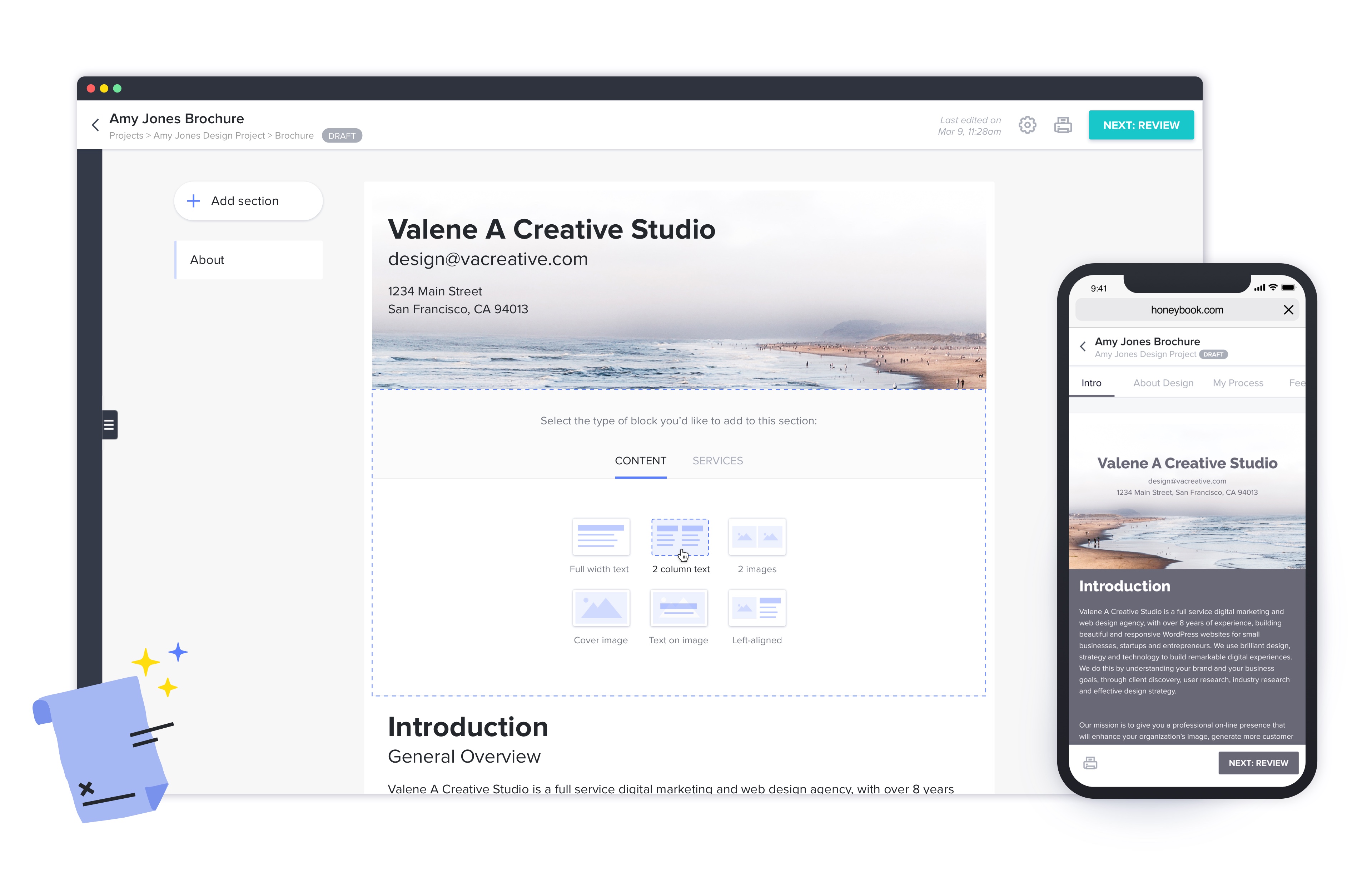
HoneyBook aims to help creative entrepreneurs and freelancers book more clients, manage projects and get paid all in one place. With HoneyBook, users can automate busy work and stay on top of to-dos, saving time and money, while growing a business. HoneyBook is designed to emulate a personal assistant. The vendor states that small business owners and freelancer customers have tripled their bookings and saved multiple hours a day using HoneyBook. They further state that a variety of small…
$36
per month
Notion
Score 8.7 out of 10
N/A
Notion aims to present users with an all-in-one workspace — for notes, tasks, wikis, and databases, from Notion Labs in San Francisco.
$0
Pricing
HoneyBook
Notion
Editions & Modules
Starter
$36
per month
Unlimited Plan - Monthly
$39
Month
Essentials
$59
per month
Premium
$129
per month
Free
$0
Plus
$12
per month per user
Business
$24
per month per user
Enterprise
Custom Pricing
Offerings
Pricing Offerings
HoneyBook
Notion
Free Trial
Yes
Yes
Free/Freemium Version
No
Yes
Premium Consulting/Integration Services
No
No
Entry-level Setup Fee
No setup fee
No setup fee
Additional Details
2 months free with annual billing.
A discount is offered for annual billing.
More Pricing Information
Community Pulse
HoneyBook
Notion
Features
HoneyBook
Notion
Sales Force Automation
Comparison of Sales Force Automation features of Product A and Product B
HoneyBook
6.4
Ratings
19% below category average
Notion
-
Ratings
Customer data management / contact management
6.40 Ratings
00 Ratings
Workflow management
5.60 Ratings
00 Ratings
Opportunity management
5.10 Ratings
00 Ratings
Integration with email client (e.g., Outlook or Gmail)
8.70 Ratings
00 Ratings
Contract management
7.10 Ratings
00 Ratings
Quote & order management
5.40 Ratings
00 Ratings
Interaction tracking
6.50 Ratings
00 Ratings
Customer Service & Support
Comparison of Customer Service & Support features of Product A and Product B
HoneyBook
7.7
Ratings
2% above category average
Notion
-
Ratings
Case management
8.70 Ratings
00 Ratings
Help desk management
6.70 Ratings
00 Ratings
Marketing Automation
Comparison of Marketing Automation features of Product A and Product B
HoneyBook
4.7
Ratings
47% below category average
Notion
-
Ratings
Lead management
4.70 Ratings
00 Ratings
CRM Project Management
Comparison of CRM Project Management features of Product A and Product B
HoneyBook
7.0
Ratings
8% below category average
Notion
-
Ratings
Task management
5.70 Ratings
00 Ratings
Billing and invoicing management
7.10 Ratings
00 Ratings
Reporting
8.40 Ratings
00 Ratings
CRM Reporting & Analytics
Comparison of CRM Reporting & Analytics features of Product A and Product B
HoneyBook
5.5
Ratings
32% below category average
Notion
-
Ratings
Customizable reports
5.50 Ratings
00 Ratings
Customization
Comparison of Customization features of Product A and Product B
HoneyBook
9.0
Ratings
18% above category average
Notion
-
Ratings
Custom fields
9.00 Ratings
00 Ratings
Custom objects
9.00 Ratings
00 Ratings
Security
Comparison of Security features of Product A and Product B
HoneyBook
6.6
Ratings
23% below category average
Notion
-
Ratings
Single sign-on capability
6.40 Ratings
00 Ratings
Role-based user permissions
6.70 Ratings
00 Ratings
Platform
Comparison of Platform features of Product A and Product B
HoneyBook
6.6
Ratings
11% below category average
Notion
-
Ratings
Mobile access
6.60 Ratings
00 Ratings
Project Management
Comparison of Project Management features of Product A and Product B
HoneyBook
-
Ratings
Notion
9.9
Ratings
25% above category average
Task Management
00 Ratings
9.60 Ratings
Gantt Charts
00 Ratings
10.00 Ratings
Scheduling
00 Ratings
10.00 Ratings
Workflow Automation
00 Ratings
10.00 Ratings
Mobile Access
00 Ratings
10.00 Ratings
Search
00 Ratings
10.00 Ratings
Visual planning tools
00 Ratings
10.00 Ratings
Communication
Comparison of Communication features of Product A and Product B
HoneyBook
-
Ratings
Notion
9.6
Ratings
19% above category average
Chat
00 Ratings
10.00 Ratings
Notifications
00 Ratings
10.00 Ratings
Discussions
00 Ratings
10.00 Ratings
Surveys
00 Ratings
9.30 Ratings
Internal knowledgebase
00 Ratings
10.00 Ratings
Integrates with Gmail and Google Hangouts
00 Ratings
8.90 Ratings
Integrates with Outlook
00 Ratings
9.00 Ratings
File Sharing & Management
Comparison of File Sharing & Management features of Product A and Product B
I would recommend Honeybook to other coaches, consultants, and small business owners. It may not be appropriate for a large team's use, but works for the size of organization I currently own and manage. It also integrates with QuickBooks and makes financial data management fairly seamless.
At the company I work for, we use Notion as an organizational base for all sectors and projects. For example, we use it for the marketing team, customer support team, among others. And for each one, we can create pipelines, tasks, due dates, execution time, tags with different colors. It's something very versatile that helps with everything around here. We've even created a sales funnel in Notion.
Sending sales proposals + contracts with custom payment schedules.
Automatic email reminders when clients have opened proposals, signed, and payed. HoneyBook even sends automated email reminders when clients haven't opened the email, reminding me to follow up.
A very easy-to-use dashboard with templates for invoices, contracts, questionnaires, emails, and more.
A place to see my sales pipeline with all of my clients, projects, and progress statuses in one place.
All of my branding automatically integrated into everything that I send.
The inability to export client data is ultimately what led us to switch to another CRM. It was great to be able to see all client project information within the specific project, but we needed everything from contracts, to general client data to form submissions and questionnaires to ALL be exportable data and that was not an option. All information only lived in HoneyBook.
HoneyBook's forms were beautiful but I wish they would have been able to link to SurveyMonkey or Zapier to allow for more integrations. We might not have switched to another platform had that been the case.
I use Notion on my personal tablet, and unlike on the computer, I have a lot of difficulty editing backgrounds, GIFs, and page dividers. It's not as user-friendly, and often the elements end up cut off or misaligned, which is frustrating.
While the current calendar feature is helpful, I'd love to see more customization options. The Google Calendar style isn't always ideal, especially for tasks without specific times or for ongoing projects that require daily maintenance.
It would be fantastic to have more flexibility in customizing Notion pages. For example, I'd love to create planners with the freedom to add illustration boxes, stickers, or GIFs without being restricted to a fixed layout.
Since I do not use ALL the functionality in HoneyBook, I have wondered if the plan I am on is too much. That is why I rated a 9 rather than 10. I have definitely considered downgrading but not leaving HoneyBook.
This is now a copy-paste response since this platform is asking me to answer every single question. It is such a negative experience with Honeybook that they even upset me while I'm trying to warn others of all the horrible pitfalls in working with the platform.
Notion addresses most of our needs and help teams to organize their tasks, track their progresses and then archive for future reference. The company uses Notion to share announcement, holiday schedules, employee contact information and organizational structures. Everyone finds it useful and helpful. The notifications are instant. Reminders are on time.
They have ALWAYS been amazing when I needed any type of service or help. Their concierge service is also amazing vs other services I have used in the past. I have confidence when I ask for help - both through Chat or even on their Facebook group that I will get an answer quickly.
Honeybook and Dubsado have a lot of similarities. I'd say the only big difference is that Dubsado still has more advanced workflow capabilities. Dubsado also is much harder to set up. Honeybook is simpler and easier to use right from the start.
Notion is much more robust than Google Tasks, which I find very limited. Notion is far more customizable and affordable than Asana, which is more of a turnkey solution for teams that want to work within a pre-defined structure. Notion and ClickUp are comparable, in my opinion, in terms of task management and affordability, however Notion is the more customizable and expansive option whereas ClickUp is mostly just for task management.
HoneyBook has increased my efficiency, particularly when it comes to billing. I wanted to make it easier for myself to bill and HoneyBook has made it a breeze to automate my system.
I love the forms HoneyBook provides, which fit seamlessly with my website. It makes lead generation easy, and automation has been a dream come true for my efficiency.
HoneyBook has given me the ability to quickly follow up with professional materials that I wouldn't have had printed to hand out to potential customers. I love the digital capabilities and simplicity of the system, which has been worth the investment.