HubSpot’s CRM enables growth-minded businesses to optimize their relationships with leads and customers. Through harnessing the power of carefully crafted sales, marketing, customer service, content management, and operations tools, the software aims to make it easy to unify team strategy and drive conversion. Additionally, the software allows users to connect with over 875 integration apps, APIs, and solutions partners to create a customizable user experience that suits the way teams work.…
$0
Per Month [Unlimited Users]
Insightly
Score 7.4 out of 10
N/A
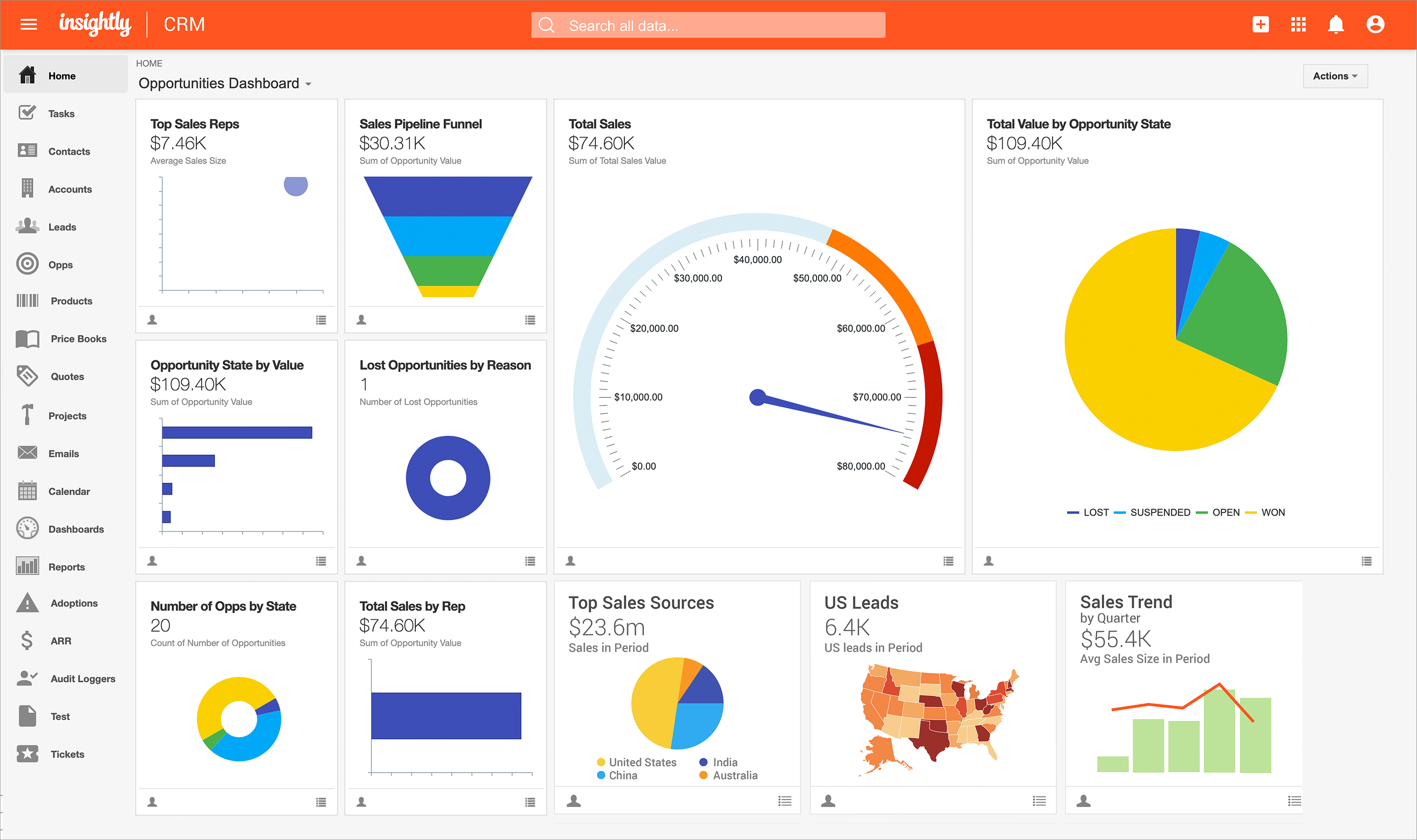
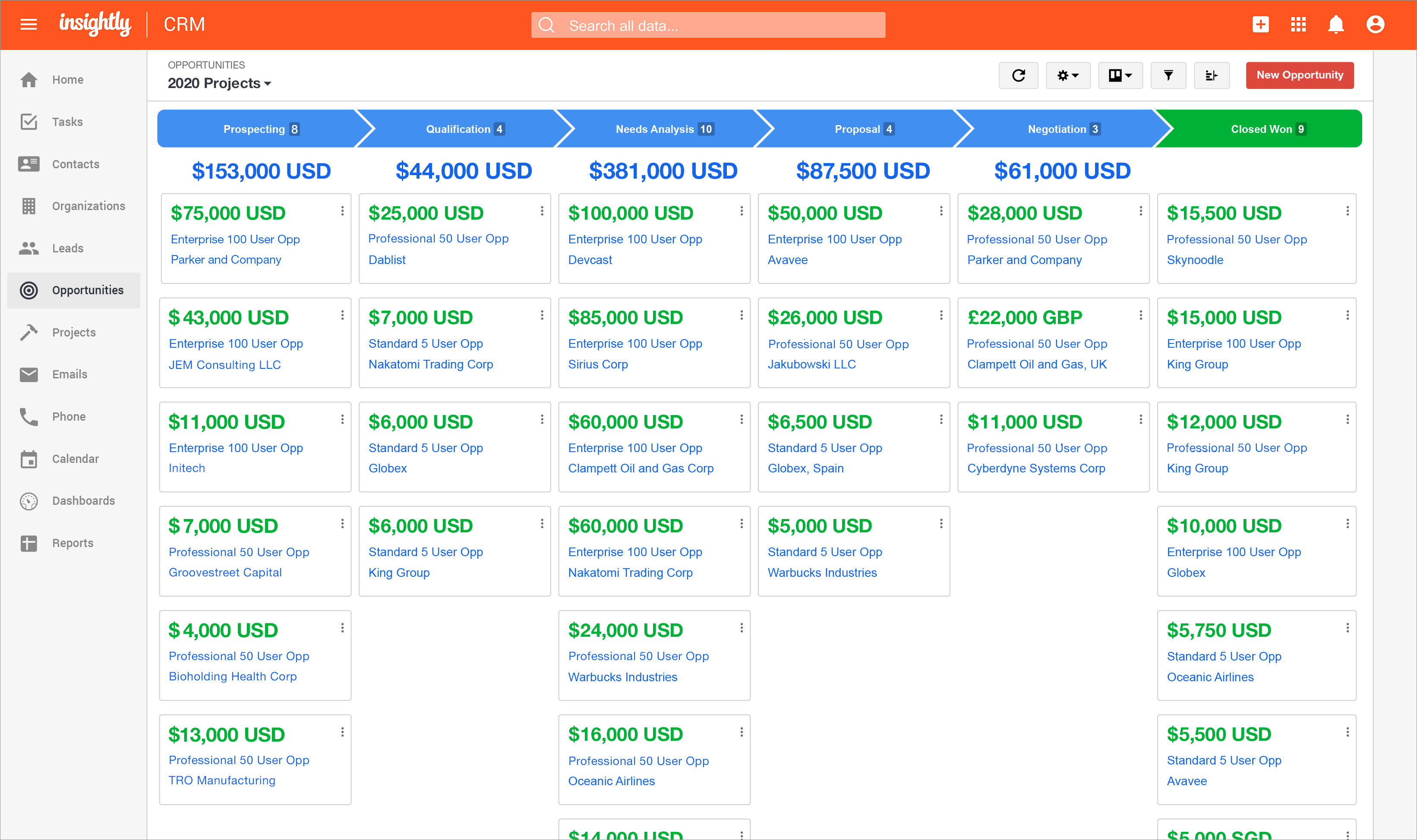
Insightly is presented as a modern, affordable CRM that is easy to use, simple to customize, and that scales with companies as they grow, designed to solve common pain points that legacy CRMs can't. Available in any vertical, Insightly CRM customers can add companion products for marketing automation, customer service, and integrations in the same platform. Insightly has more than a million users worldwide.
We use Apollo.io, but that's just for some sales automation. Mostly, HubSpot CRM has everything that a not-so-power user of a particular stream would ask for. You cannot go wrong with HubSpot CRM, and a very easy decision unless somebody has very specific requirements. As a …
I have worked for companies that used Pipedrive and Zoho CRM Plus, but despite their differences in features, I find these tools to be the same. Zoho CRM Plus is excellent software to keep clients' information in the same location, but it is too costly if you ask me. Pipedrive …
We liked the automated marketing that is available in HubSpot CRM compared to other products. It's also very easy to create reporting and view pipelines for different teams.
We've been using Hubspot for years and don't foresee making any changes away from it. It has been fully integrated into how our business operates. We ultimately selected HubSpot CRM because it had all the features and functions that our marketing, sales, and operations teams …
I used Salesforce in a previous company. It was way more complex, especially because we would receive bugs and error messages that would prevent us from fixing the issue when it was urgent, as it would cause a contract not to be sent, for example. We had a customized version …
HubSpot CRM has closed the gap and stacks up to staple CRM's like Sales Force. They've made themselves more appealing by lowering the entry-cost to get started.
HubSpot CRM definitely has the most features and is built for enterprise clients. We have been testing some other CRMs. They often have limited functionality but for a cheaper price ex. Attio.
Better in almost every way for a small business - more straightforward, more functionality out of the box, really easy to understand, and get support too.
HubSpot is easier to navigate, work in, and export data compared to these other software. Its integration with Zapier, Slack, and Chargebee has revolutionized the relationship between our sales and CS teams, making information extremely easy to find. These other platforms I …
I think SFDC does some things better than HS but overall comparable. ChurnZero literally serves a different purpose, but I will say that Company/ Contact management and reporting are much easier in CZ.
I prefer use of Monday overall and we have since transitioned to Monday for many of our teams. I think Monday has a more intuitive interface and better customization. Training is inferior to HubSpot, but customer support is superior. Monday, frankly looks cooler.
HubSpot CRM has its own strengths and is well suited for companies in the Series A/Series B range. I have used other tools which are highly customizable but when the use-cases are particularly unique and custom.
We felt that HubSpot CRM served us better when we were still a start up, and tailors also very well to scale ups. We felt Monday was a tool more for start ups that wanted a CRM and project management tool at the same time, which wasn't what we were looking for. Salesforce CRM …
We selected HubSpot CRM because it was so many tools in one and felt like the right sized platform for my agency (we are small, just a few folks). The academy and self serve option made onboarding feel easier than I thought. The other tools are mainly email providers, we …
HubSpot CRM works 'by itself', if you add different components to the suite, like Marketing, for example, you won't lose data or need to check the quality of syncs, APIs or webhooks. It's all native, all in one.
We use/used Active Campaign in one of our companies and in our current company we are using High Level. The main reason we use a combination of the two is due to the budget constraints. High Level is far more affordable, provides many if not all of the same features as …
Salesforce is the leading legacy (and modern) provider for a reason, but it should be clearly mentioned that is so admin-heavy that it is sometimes just very burdensome to work with them. Basically, you need an entire team of employees work full-time with Salesforce just to …
In our company, we previously used various CRMs that often had shortcomings and failed us at critical moments. Since adopting HubSpot CRM, we've noticed significant improvements, as it allows us to segment our databases, properly qualify leads, and generate reports and insights …
HubSpot CRM allows you to create much more complex and sophisticated workflows than most competitors that I have used. At the same time, it does the basics very well if all you want to do is create a list of contacts, send them emails, and measure your email deliverability and …
HubSpot CRM is just a very attractive well organized platform that is constantly evolving and had it not been for the cost and contract terms it would be a top recommendation.
Microsoft Dynamics is not very flexible in connecting with other apps or with other ideas and processes. Salesforce is definitely too costly and also the customer service is not working well. HubSpot is doing much better on that, and overall, it's the solution that has from our …
I did not select Insightly for our company as I am a user but not a decision maker, but compared to Chronus, Insightly is a much more organized CRM. Chronus also had technical issues that slowed or prevented our work, and I have rarely run into that in my time using Insightly.
Insightly has just worked much better. The thing about Insightly that really sets it apart is the email linking. Having the ability to read all of the emails sent and received during the project let's you see the full story of the projects inception to its completion. …
I have forgotten the names of the softwares because we did the scoping over a year ago, but insightly was the best by far for our needs. The other two were focused on a different side of property services and had a lot of features that were not applicable. Without insightly, we …
Insightly is significantly better than Zendesk. It is easy to use, pleasant to look at, and makes sense. However, I don't think Insightly is fair now compared to Salesforce. Insightly can do many of the same things as Salesforce, but I've only started on some of these features. …
I did not select Insightly; my executive team selected Insightly. I would rate Insightly below any other CRM or marketing platform I've used based on its inefficiencies, lack of intuitive work processes, poorly functioning mobile app, and even the design, which is not appealing …
Insightly can be easily navigated and is straightforward. Based on my experience, it is more intuitive, and the menu buttons are self-explanatory, unlike the salesforce I have experienced. There are just a lot of buttons to click from, or sometimes, it could be a drop-down box …
Not too sure sorry, I have not used any other CRMs. We do use platforms such as Monday to track our workflows, we find it a lot easier to track actions as a whole. However Insightly does store details and information regarding our clients a lot better then Monday would.
Insightly was easy to customise and allows for us to have fields in our CRM that are relevant to us. Workflow management and marketing is better on other platforms
We’re looking to use a simple CRM that can fulfill our needs for a CRM. We needed to manage our Pipeline and Opportunities in a simple and easy format, that the entire team could utilize on a daily basis and Dashboard that were useable and changeable to our needs. Insightly has …
I have had experience with other tools and the Insightly support is far better than my experience with the other tools. Support and training are critical when it comes to the adoption of a new tool within an organization. Insightly very much values their partnerships and …
Insightly can stand on the same line with these other powerful crms. I selected insightly because they are a great value CRM with all the features from the big competition in terms of customisation. They are a powerful software that keeps up with the Joneses but does it at a …
Salesforce was always confusing to use, and quite a mess. Companies that I worked at in the past had to invest a significant amount of time creating a salesforce portal or skin to actually make it usable by the sales representatives. Even then, integration was always a bit …
Insightly has far more modern applications than Goldmine. It allows for more customizations. Our reports are nicer looking and it seems much more user friendly. Insightly also seems to be more than just sales focused. Goldmine seemed to really be geared more towards a sales …
Most of our clients are either government institutions or Education sector clients, such as universities, colleges, Coaching Institutes, and Competitive boards. We store their data in a single place. That means we can keep our one client's data in one place without any confusion. Our data is always clear and understandable while it is in HubSpot CRM.
For what we use it for and the ease of use I am happy to recommend Insightly however I can appreciate that others may have more complex feature requirements than I use. As such I would mainly only recommend it to people who I feel would use it in a similar capacity to me.
The ability to create marketing campaigns and have control over when to stop and when to send the next according to your cadence design is excellent. However the ability to see the performance and the history for each prospect is so simple and so accessible - I kicked myself for not getting it sooner.
Having one place to create companies and contacts as well as score leads and track all contract products means we don't have to miss any renewals.
The Deal tracker gives us the ability to track multiple pipelines as well as team and individual metrics like average sale, percentage of goal, contribution to team effort which when mixed with an activity tracker means the team stays lean and mean to crush all goals.
The real time chat feature means prospects can navigate to our landing page for info about us, levels of product availability, pricing and begin a quick chat with members of the sales and support team.
Intel features along with lead scoring, SEO integration, podcasts and white papers all combine to be the most comprehensive CRM you could need.
To be honest there are some barriers due to which we are unable to use Hubspot at it's full potentials. The region that we work in has some restrictions that don't allow us to make calls or text which leaves us to just Email to the client.
Insightly offers a great product; it's the right fit for our company at this time. We were, however, considering moving to Contactually due to their cost effective automation features. However, they lacked the project management capabilities of Insightly. As our company grows, we would love to stay with Insightly - and if they can nail the automation and add the ability to customize a little bit more, it would be the perfect solution for us. For a larger company with a more involved sales team, you might find the metrics/reporting to be a bit basic. Insightly offers great customer service even to free customers
Once you are set up with HubSpot CRM, it becomes difficult to use any other tool, as it integrates you into the workflow and makes it a habit to log in to HubSpot to identify tasks for the day. The overall ease of use is also a brilliant factor in using HubSpot. They push you towards deal closure and revenue generation.
Some items are not easily accessible as an admin, and the number of available resources is outdated (video from 2017). For basic tasks such as updating prospects or contacts, it is fine. However, when you change the screen size, the system becomes less responsive, with tables often being difficult to read.
The provider is 100% available, with no downtime, maintenance, or unexpected outages. We have been able to perform solid continuous services for 12 months without any interruptions. We have backups as well, unlike the in-house backup that they keep on their end. I believe they have a very good redundancy and backup infrastructure in case they get any outages.
Pages normally load quickly, but every now and then, as entering updates to fields, it take a while to update. Sometimes even after refreshing the screen, we have to exit and go back in to get the fields or queries to update.
Because when I needed help HubSpot responded immediately and provided me with the information I needed which enabled me to realize that HubSpot was even more customizable and easier to use than I thought! And I already thought HubSpot was very user friendly and easy to use, and then Support showed me how to manipulate the settings, columns and the appearance of the tool.
We have used Insightly for almost 2 years now. We have always been able to get in touch with support for a variety of reasons and they have never disappointed us. The support staff have always been very understanding. They have assisted with answers to our questions and have provided great tech support. We would highly recommend them.
Well, we didn’t get the chance to do this in-person training but rather one-on-one online training with HR in-house. There were PowerPoints to discuss as well as video instructions on how to use the app, so it was okay. We were able to play around with it during the training or onboarding session.
I've used Insightly's online training &/ or learned as I went. I've found the blogs and online written material helpful. I've also attended a few webinars, which can be useful if you use a J-I-T approach so as not to overwhelm you (or your staff) with functionality that you are using just yet. The fact that it's all available on their website and you can learn at your own pace is invaluable
If you've had any prior experience with cloud based marketing automation or group communication tools, you can do the implementation without paid outside support. Though getting to a SLA (service level agreement) would be best achieved with the help of a third party who can facilitate
did not participate in the implementation of this product did not participate in the implementation of this product did not participate in the implementation of this product did not participate in the implementation of this product did not participate in the implementation of this product did not participate in the implementation of this product
Our team and senior managers deemed these products worth reviewing and requested that every team assess them, enabling our company to make an informed decision about the software to purchase. Everybody checked, and a survey was conducted among all those employees. We received the most votes for HubSpot CRM, as most employees preferred it.
Insightly actually have many different fields and customization options for data management. Other programs do not have the ability to organize data in this way. It is easy to manage customer contact information, phone call and email tracking, company management and many other data fields. Microsoft and Google do not provide equivalent programs or services. Insightly customer service is quick to respond and address issues. It just takes quite a few emails in order to properly specify an issue or request
(+) Being able to download my LinkedIn connections was a huge benefit. (+) I use the task function to stay on top of my follow-up activity which is another positive feature. (+) The sorting capabilities also help me pinpoint the contacts that I need to stay on top of. (-) When I add a new lead from an existing organization, I would like the organization's information to automatically populate the fields like address, website, description. I enter all that information manually. (-) My mass mailing experience has been tedious due to the email function being interrupted and crashing due to bad email addresses in some of my records. (-) Many of my leads do not have current email addresses. I wish Insightly offered a tool to help find email addresses. I spend too much time researching to find email addresses.
Gave a ton of visibility into user and sales funnel.
Able to get back to new signups or inbound leads much faster, sometimes within minutes. We have a Slack integration that's super helpful.
Saved hours each week that were earlier spent digging through emails or spreadsheets for context; meetings are a lot shorter because it is super easy to go through the created reports.
For negative impact, the time setting up the various data fields and making sure the data was right and how it showed was not easy.
Having the integrations available has saved all of us time jumping from platform to platform. Definitely assisted with focus and probably scrubbed at least one meeting.
For the few issues we had setting up and customizing the tool, the ease of adoption across all the departments has been truly spectacular and beyond expectations.
Hoping the team will make it more plug and play for future rollouts and work on the mobile app and then this platform would be 100!