Chose IBM Cloud Databases
N/A for other services, but used IBM because of reputation as it is an industry giant who has been a big player in the IT industry for years.

| Product | Rating | Most Used By | Product Summary | Starting Price |
|---|---|---|---|---|
 IBM Cloud Databases | N/A | IBM Cloud Databases are open source data stores for enterprise application development. Built on a Kubernetes foundation, they offer a database platform for serverless applications. They are designed to scale storage and compute resources seamlessly without being constrained by the limits of a single server. Natively integrated and available in the IBM Cloud console, these databases are now available through a consistent consumption, pricing, and interaction model. They aim to provide a cohesive… | N/A | |
 Snowflake | N/A | The Snowflake Cloud Data Platform is the eponymous data warehouse with, from the company in San Mateo, a cloud and SQL based DW that aims to allow users to unify, integrate, analyze, and share previously siloed data in secure, governed, and compliant ways. With it, users can securely access the Data Cloud to share live data with customers and business partners, and connect with other organizations doing business as data consumers, data providers, and data service providers. | N/A |
| IBM Cloud Databases | Snowflake | |||||||||||||||
|---|---|---|---|---|---|---|---|---|---|---|---|---|---|---|---|---|
| Editions & Modules | No answers on this topic | No answers on this topic | ||||||||||||||
| Offerings |
| |||||||||||||||
| Entry-level Setup Fee | No setup fee | No setup fee | ||||||||||||||
| Additional Details | — | — | ||||||||||||||
| More Pricing Information | ||||||||||||||||
| IBM Cloud Databases | Snowflake | |
|---|---|---|
| Considered Both Products | IBM Cloud Databases  Sunil Varma GRADUATE ENGINEER TRAINEE Chose IBM Cloud Databases a powerful storm disrupted power supplies and network connections to the data center hosting our critical databases. Despite the external factors causing widespread service disruptions, IBM Cloud Databases demonstrated its exceptional reliability. The auto-failover feature …  Sai karthik Satyavarapu Senior Technical Specialist Chose IBM Cloud Databases UI is easier to use and flexible. AWS EBS is very simple to use and do upgrades and monitor the upgrades easily. I also recommend IBM to implement these.  Pretty Varughese IT Executive Chose IBM Cloud Databases We've chose IBM Cloud Databases due to uptime, high performance, and redundancy.  Ben Holmes Business Intelligence Supervisor Chose IBM Cloud Databases We already had existing contracts with IBM and Microsoft, so those made the most sense to verify. Both are good options for data storage. Since much of our existing Dbs are IBM related, we stuck with IBM cloud dbs, just so that the SQL code would port well. Additionally, we …  Mohib Hassan Director Chose IBM Cloud Databases AWS RDS & Oracle OCI. AWS RDS has a wider range of databases but at a higher cost. IBM Compose has fewer databases but is perfect for data related solutions like data warehousing (IBM Db2 AI enabled Warehouse is a GREAT product!)  Ryan Donovan Associate Partner Chose IBM Cloud Databases We are still evaluating the differences between IBM Cloud Databases and AWS Postgres instances.  Jon Tara Chief Code-Wrangler Chose IBM Cloud Databases I did compare IBM Compose for PostgreSQL with PostgreSQL offerings available from Amazon and Google. IBM Compose was judged easier to provision and maintain. I'm pleased with the additional more granular provisioning flexibility and more favorable cost structure that has come …  Sagiv Frankel Freelance Web Developer Chose IBM Cloud Databases UI/UX was much better with ibm compose.  Richard King Owner Chose IBM Cloud Databases I have only used self-hosted servers in the past.  Juan Miret Director fundador Chose IBM Cloud Databases I've tried Amazon DynamoDB and Heroku Postgres, but Compose was much much easier and faster to set up, and also has more DB alternatives.  Alfred Reinold Baudisch Co-Founder and CEO Chose IBM Cloud Databases Aiven backup options are very limited (you can't download backups and you don't have an API) and their dashboard is incomplete and without an optimal design; but they accept way more data centers, and they have more pricing options. | Snowflake  Jeremy Pierce, MBA Data Warehouse Engineer Chose Snowflake We had a MS SQL server with over 2 TB of ram & 51 processors that we were using, that could no longer handle our workload. Snowflake can handle 3 times that workload with ease and efficiency.  David Williams Head of Engineering Chose Snowflake We particularly liked Snowflake's security model as well as its unique storage (whereby everything is essentially a pointer to immutable micro-partitions, which is the key behind its zero-copy cloning, its secure sharing, its time travel, etc.). and also how it separates …  Yogesh Kulkarni Principal Consultant Chose Snowflake While Snowflake is more open to cloud eco system, SAP integrated well with SAP eco system products like SAP ECC or SAP S/4. So for people who have invested heavily in SAP eco system including SAP ECC or S/4, it makes sense to go with SAP DWC which is also evolving very rapidly. …  Harvey Wyche Director of Technical Product Management Chose Snowflake In my opinion, the other tools have similar and some different features; however, when I ran proof of technologies between Synapse and Snowflake. Snowflake did things better or just had functionality that the other tools did not. One that stuck out at the time was scale up …  Darren Mihalic Business Development Manager Chose Snowflake Snowflake has won the match because it is giving an excellent performance with its efficient features and reliable results. This is a totally secure program for our precious and important data.  Brian Bickell Data Practice Director Chose Snowflake In my experience running the data management practice at InterWorks, we believe that cloud data warehouse products will eventually serve the majority of data warehousing use cases and power data analytics at most companies. Of this cohort, we believe that Snowflake is the best …  Sudarshan Kothari Lead Analyst Chose Snowflake Accommodates future data types such as JSON and XML. Scalability is another advantage. Pay per use is beneficial for organizations like yours. Direct connectors with AWS help us to go with it. No limit on user creation and clone data not eating up extra disk space are a few …  Duncan Hernandez Product Owner, Business Intelligence Chose Snowflake Our issue with Redshift was that it was very expensive. On top of that, queries were still slow and if we used more of Redshift's memory, then it would have cost even more. Snowflake is not cheap, but less costly for us. Plus, the performance was much better. Also, we got to … |
| IBM Cloud Databases | Snowflake | |||||||||||||||||||||
|---|---|---|---|---|---|---|---|---|---|---|---|---|---|---|---|---|---|---|---|---|---|---|
| Database-as-a-Service |
|
| IBM Cloud Databases | Snowflake | |
|---|---|---|
| Small Businesses | IBM Cloudant Score 7.4 out of 10 |  Google BigQuery Score 8.4 out of 10 |
| Medium-sized Companies | IBM Cloudant Score 7.4 out of 10 | Google BigQuery Score 8.4 out of 10 |
| Enterprises | IBM Cloudant Score 7.4 out of 10 | Google BigQuery Score 8.4 out of 10 |
| All Alternatives | View all alternatives | View all alternatives |
| IBM Cloud Databases | Snowflake | |
|---|---|---|
| Likelihood to Recommend | 8.1 (0 ratings) | 9.2 (0 ratings) |
| Likelihood to Renew | 8.0 (0 ratings) | 10.0 (0 ratings) |
| Usability | 7.0 (0 ratings) | 9.3 (0 ratings) |
| Support Rating | 1.0 (0 ratings) | 9.9 (0 ratings) |
| IBM Cloud Databases | Snowflake | |
|---|---|---|
| Likelihood to Recommend |
|
|
| Pros |
|
Harvey Wyche Director of Technical Product Management |
| Cons |
Alfred Reinold Baudisch Co-Founder and CEO |
|
| Likelihood to Renew |
|
|
| Usability |
|
 Jake Schlingman Product Manager |
| Support Rating |
 Joshua Dickson Founder & CEO |
David Williams Head of Engineering |
| Alternatives Considered |
|
|
| Return on Investment |
Ben Holmes Business Intelligence Supervisor |
 Sahil Khan Data Analyst |
| ScreenShots | Snowflake Screenshots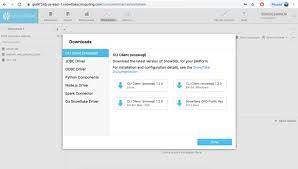 |