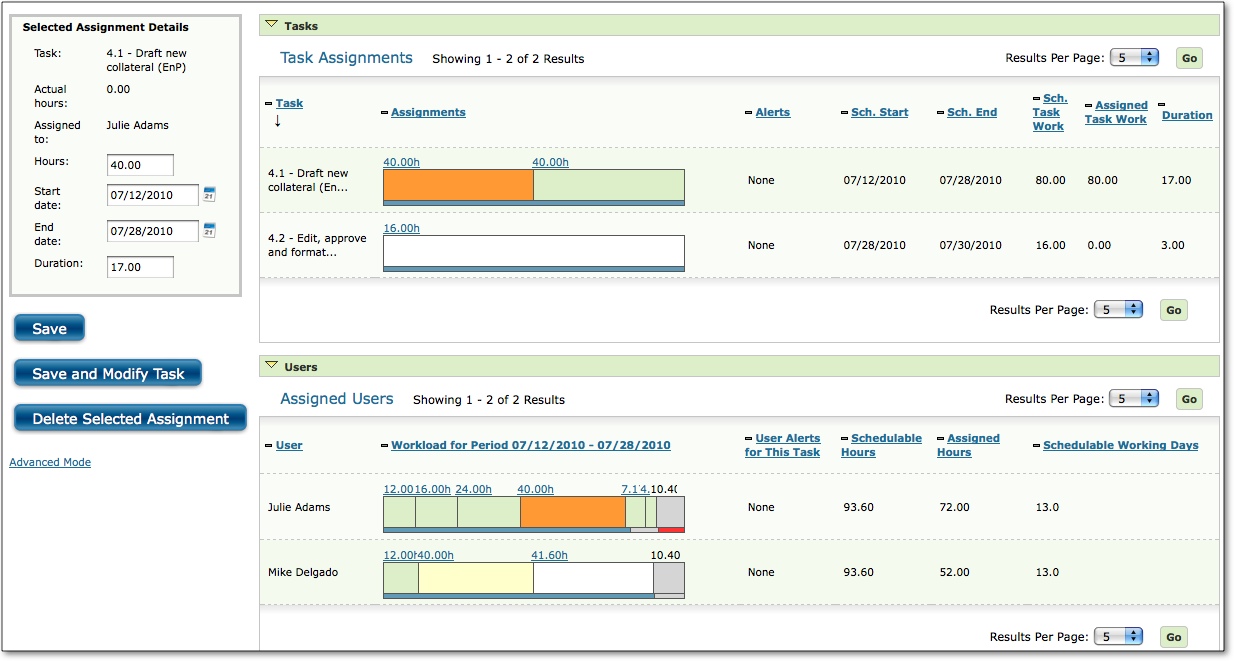
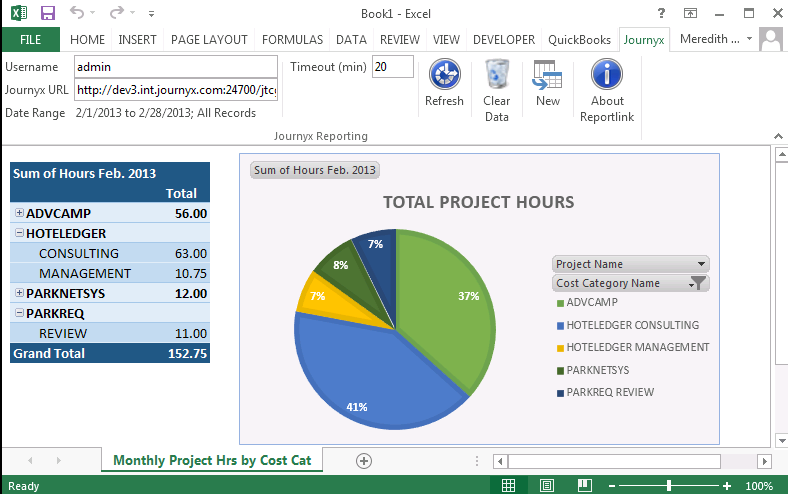
Journyx's time and expense tracking software aims to streamline the collection and processing of timesheets – reducing payroll time, growing client billings, and increasing project profitability. The vendor says Journyx helps you collect better time and expense data for better, more informed decisions. Key benefits include:
Integrate Journyx time and expense tracking with existing business systems, including Microsoft Dynamics GP, NAV, SL, and AX, QuickBooks, MS Project,…
N/A
QuickBooks Time
Score 8.6 out of 10
N/A
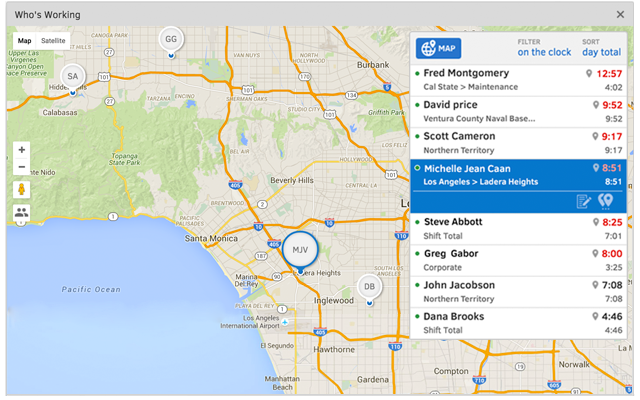
QuickBooks Time (formerly TSheets) is a cloud-based time tracking and scheduling app that allows employees to clock in and out from the job site with the devices they’ve already got in their pockets. The vendor aims to help companies replace paper timesheets with accurate, electronic time data as well as make payroll and invoicing faster and less costly. QuickBooks Time also accurately tracks time and GPS points (even without cell or internet service) then automatically syncs when back…
$0
1 user, unlimited projects
Pricing
Journyx
QuickBooks Time
Editions & Modules
No answers on this topic
Free
$0
1 user, unlimited projects
Premium
$8
per user/month + $20 base fee/month (paid annually)
Elite
$10
per user/month + $40 base fee/month (paid annually)
Offerings
Pricing Offerings
Journyx
QuickBooks Time
Free Trial
Yes
Yes
Free/Freemium Version
No
Yes
Premium Consulting/Integration Services
No
No
Entry-level Setup Fee
Optional
No setup fee
Additional Details
Both our hosted and on-premise solutions are priced on a per license, per month basis. We have a base solution, Journyx, with additional products and add-ons that we offer based on your specific requirements.
Pricing is highly dependent on your business requirements. We're happy to discuss your needs in detail so we can provide you with a solution that meets those needs.
This would be good for a small company who does not want to build their own time submission system. The interface is fairly dated, but we are quite familiar with it, so that is not really a negative for our company. The primary feature we struggle with most is the inability to …
Toggl is nicer as far as full capability and additional features, but QuickBook's time is built right in, which makes it nice not to have to go between multiple interfaces. As someone who jumps between programs all day, it is nice to stay within one to complete multiple …
Worst Experience in our 35 Year Company History, never again and learned [QuickBooks] Time has Failed on the easiest Tasks [QuickBooks] Time CEO/ and Executives are clueless about serving their customers, they should ALL Be fired
We selected QuickBooks Time over Smartsheet or Timesheets.com for numerous reasons. In regards to Timesheets.com, we needed additional features that Timesheets.com couldn't offer like real-time visuals on each employee and email notifications when changes were made. In regards …
The cost is better. We are a nonprofit organization. We don’t need a bunch of bells and whistles. We need affordability. We run on a tight budget. Bamboo, from research looked great but TSheets offered exactly what we needed at a fair price.
We are currently switching to Jira for our time tracking as we've moved into using it heavily to the point where we can estimate well enough time spent for our purposes (government grants). For a contractor or team working on billable hours, TSheets would be superior. For a …
We used to do all of our scheduling manually or in archaic software that wasn't user-friendly. We researched other software and found that this was going to meet our needs most comprehensively. Staff used to track their hours on a notepad on their phone or on an excel …
We'd used Freshbooks for a bit, but it wasn't comprehensive enough for all the various project types and time tracking needs we have. Harvest we considered due to its integration with Asana, but our Asana projects don't always line up with how we need to track and bill time. …
TSheets just seemed like the best bang for our buck. It had all the resources we were looking for, great reviews online, and the best customer service out of all of the options we researched. It was important to us to find a program that would be able to smoothly integrate …
As TSheets is web-based, it alllowed us to more easily manage our field technicians. There is always the slight concern that the internet may not be available, or TSheets servers may be down, but so far in the last few years, it has been stable and seen good function and …
Besides Intuit Payroll (Sage), the only program I've used is WorkBrain through Menards, and it's more as a scheduling guideline for management, employees don't use it to punch in or out or record hours. However, WorkBrain does show scheduling and it matches with a punch clock …
None of the other systems we looked at provided us with the functionality that we needed and were looking for. Everything that we considered, from using an Excel spreadsheet to software products that were supposedly easy to use, provided us with what we needed...that being …
TSheets' ease of use for all and ease of syncing with other software really makes it stand out from other similar systems. It is also considerably affordable despite all that it offers to the company. Their customer service is also very helpful and they are available via email, …
Procas is very cumbersome and much of the configuration/setup cannot be done via web browser. Procas is expensive. Procas support is not 24x7 nor is support more than 8 hours. Deltek is expensive.
We used a tracking program called OL Time. It has tremendous functionality and reports capabilities but it doesn't integrate with accounting software and has no tablet/phone interface that I'm aware of, nor is it live tracking.
This is solely based on support, as TSheets support blows these other two out of the water. I HATE online chats from a support standpoint, but TSheets has surprised me each time with the clarity and timeliness of response.
Our director of research utilized this software at another facility and implemented it here due to the success of data capture from his other hospital. We were very fortunate that he had already knowledge about the system and we were able to implement it our institution very quickly.
It would be very useful for certain remote jobs that require a high level of presence, as in the case of web development, or remote maintenance sessions, so that when reviewing the work data it is possible to ensure that there will be no failures. By being able to include files in the management, from the equipment tab, it is possible to fully control the hours in which each change in these files were made.
There is a LOT of functionality, including a many functions that we don't ever use. If there were some way to set up a "dashboard" of only the functions we need, it might be a little easier to navigate some of the management and reporting areas.
Initial setup can be daunting, particularly for a larger company using a lot of functionality. Its been a long time since we've been through that, but the initial training and support has to be robust, comprehensive and very clear. (However, I can't say that it isn't now)
TSheets tech support people, like Shawn Sommer, from Tsheets. She has been instrumental, after terminating the person in charge of TSheets I was left with a learning curve too high to climb but after 10 mins of her instructions I was able to make payroll in no time. She cleared all errors that nobody had fixed before. TSheets is not a vendor for me, TSheets is my partner in business. Thank you TSheets.
Overall good product. I think some integration issues that are probably on the way would give it a higher score. Easy to use, easy to see how well it connects to current book keeping software we use, and would be easy to adopt by someone who is a QuickBook user that has billable clients or just wants that metric to see how their time is allocated.
I have never failed to have an issue resolved within minutes of contacting Support. Jen D recently assisted my with an export issue and I was back on track in less the 10 minutes. She was knowledgable and thought about the current and future contexts of the issue and assured there would be no recurrence next payroll.
This would be good for a small company who does not want to build their own time submission system. The interface is fairly dated, but we are quite familiar with it, so that is not really a negative for our company. The primary feature we struggle with most is the inability to allow line-item rejection of time entries
We used to do all of our scheduling manually or in archaic software that wasn't user-friendly. We researched other software and found that this was going to meet our needs most comprehensively. Staff used to track their hours on a notepad on their phone or on an excel spreadsheet. There was really nothing else available to us that did what TSheets could do and the price fit in our budget. We have been very happy with our decision!
Requires employee time reporting on activity, cost center and other custom fields synced with payroll so records are submitted, reviewed and approved every two weeks.
Funders are confident in our ability to appropriately allocate funds.
Helps to ensure that employees are being held accountable for their clocked in time and allows us to clock them out if we see they're not where they say they are, saving us money.
Decreases time our staffing coordinator has to spend on inputting times after events - when managers can clock staff in and out during the event, it allows our staffing coordinator to use their office time more effectively.