Chose Keap
Much better ESP over Keap. Intuitive with simplicity in setting up flows, segmentation, etc. Also, we're paying much less than we did for Keap. Overall, way better product.

| Product | Rating | Most Used By | Product Summary | Starting Price |
|---|---|---|---|---|
 Keap | N/A | Keap is a small business-focused, comprehensive sales and marketing platform which combines basic contact management, CRM, marketing automation, and e-commerce capabilities into a single, subscription-based SaaS product. | $199 per month | |
 Pipedrive | N/A | Pipedrive is a customer relationship management (CRM) software built to help small teams to drive sales. | $24 per month per seat |
| Keap | Pipedrive | |||||||||||||||
|---|---|---|---|---|---|---|---|---|---|---|---|---|---|---|---|---|
| Editions & Modules |
|
| ||||||||||||||
| Offerings |
| |||||||||||||||
| Entry-level Setup Fee | Optional | No setup fee | ||||||||||||||
| Additional Details | All plans with 1 user and 500 contacts. The price is $30.00 for each additional user. | Monthly plans are available. The Essentials monthly plan at $24 per month. | ||||||||||||||
| More Pricing Information | ||||||||||||||||
| Keap | Pipedrive | |
|---|---|---|
| Considered Both Products | Keap  Ashley Voltoline Owner Chose Keap When choosing which CRM was right for our business, we looked at ActiveCampaign and Keap, as they are both greeat with automation campaigns. We decided that Keap was a better fit for our business, because Keap has a business phone line and native texting. Being able to accept …  TJ Nigro CMO (Chief Marketing Officer) Chose Keap Keap is the only CRM that we have used.  Ryan Pond Marketing Assistant Chose Keap Systeme IO is a great software with a much lower cost, but it isn't nearly as robust and it doesn't meet HIPAA standards which are essential to our business. Go High Level on the other hand is a powerful software that is limited by design and oversimplified. It really just cuts …  Austin Moorhead CEO (Chief Executive Officer) Chose Keap First off the campaign builder has no equal, the price is competitive, and the Keap community is a phenomenal resource to learn new things.  Armand Panganiban Managing Editor Chose Keap Keap, compared to MailChimp, Aweber, and Sendfox, is a complete solution. The latter 3 are primarily for email and don't have the same flexibility by themselves for a campaign or email automation. Keap, compared to Typeform, is similar, but Typeform does form building better. …  Narender Sharma Founder Chose Keap Fast, affordable, and easy. These three things are enough.  Muhammad Waheed Ensari Director Training and Consultancy Chose Keap Keap is an all-in-one platform for sending bulk emails, managing contacts, tasks management, creating workflows in email marketing, actions-based tasks, creating task reminders, managing tasks with team members, and better reporting with the analytics used in Keap. The landing …  Taylor Hicks Creative Strategist Chose Keap Keap stacks up well against similar software I've used. They are definitely the most user-friendly platform I've encountered, but not at the loss of good functionality. All the processes we need to work on/automate are available to us in Keap, it has been a wonderful growth …  Sue Ginsburg Client Success Specialist Chose Keap Keap is easy to use and has many different uses, not just one.  John Tarr Senior Internet Marketing Manager Chose Keap Keap is a cost-effective, powerful CRM and marketing automation tool for those who have the time and resources to learn all of its intricacies. For any other system, you will be paying for a better user interface, better reporting and visualizations, more intuitive everything, …  Renée Boudakian Co-Founder & Business Automation Master Chose Keap Looking at a variety of other tools, Keap is the ultimate sales and marketing automation software. The other tools either pale by comparison in terms of their features (for a similar price point), or they come with a very hefty price tag that isn't economic for most …  Krista Bakker Owner Chose Keap Keap is by far the most complete and user-friendly tool to use when it comes to setting up marketing automation and funnels. Compared to other autoresponders, like Aweber, GetResponse, and ActiveCampaign, Keap provides so much more functionality. Also for other funnel builders, … | Pipedrive  Aviva Rosman Co-Founder and COO Chose Pipedrive Hubspot is more complex with more functionality, Pipedrive is easier and more straightforward to use.  Adam Tuchscherer Sales/Finance Exec Chose Pipedrive Overall compared to SFDC and other CRM tools Pipedrive stacks up very well when it comes to ease of use and usability. It needs a bit better more robust reporting compared to some of the other tools. But for the cost and value provides I'd rank Pipedrive very highly in …  Adil Khan Robin Front-end Developer| Team Lead Chose Pipedrive Pipedrive has an excellent UI, email tracking features, and the ability to display contact information and notes about each individual. It allows us to integrate other systems with a high degree of automation, which is crucial to our workflow. Easy to pick up and use, with …  Mark Rueckert Sales Director Chose Pipedrive Pipedrive is less complex and far more affordable. It is missing some of the marketing tools (email marketing, adspend tracking, etc.) But for a small team this tool is far superior. It cuts out the fluff and focuses on helping you manage a pipeline. And the cost is a million …  Jack Mattheus Human Resources Management Chose Pipedrive The difference between this CMR software and similar ones is that Pipedrive is much more complete in terms of features that can be exercised in different job roles such as consulting, human resources management and marketing.  Stephen Steinberg Founder Chose Pipedrive Pipedrive is extremely simple with the pipeline management, but more time-consuming than necessary for even simpler tasks like browsing through contacts or organizations, and especially making changes to those contacts or organizations. If they were able to make it so that you …  Brett Eskelson VP of Sales Chose Pipedrive Pipedrive is nowhere near as capable as Salesforce, but it's also much easier to manage. I think of Pipedrive as a simple version CRM that is good for managing inbound lead's interests in an organized way. When you have a larger sales structure with different components and … |
| Keap | Pipedrive | ||||||||||||||||||||||||||||||
|---|---|---|---|---|---|---|---|---|---|---|---|---|---|---|---|---|---|---|---|---|---|---|---|---|---|---|---|---|---|---|---|
| CRM Project Management |
| ||||||||||||||||||||||||||||||
| Email & Online Marketing |
| ||||||||||||||||||||||||||||||
| Lead Management |
| ||||||||||||||||||||||||||||||
| Campaign Management |
| ||||||||||||||||||||||||||||||
| Reporting & Analytics |
| ||||||||||||||||||||||||||||||
| Platform & Infrastructure |
| ||||||||||||||||||||||||||||||
| Sales Force Automation |
| ||||||||||||||||||||||||||||||
| Customer Service & Support |
| ||||||||||||||||||||||||||||||
| Marketing Automation |
| ||||||||||||||||||||||||||||||
| CRM Reporting & Analytics |
| ||||||||||||||||||||||||||||||
| Customization |
| ||||||||||||||||||||||||||||||
| Security |
| ||||||||||||||||||||||||||||||
| Social CRM |
| ||||||||||||||||||||||||||||||
| Integrations with 3rd-party Software |
| ||||||||||||||||||||||||||||||
| Platform |
|
| Keap | Pipedrive | |
|---|---|---|
| Small Businesses |  Salesmate Score 10.0 out of 10 | Salesmate Score 10.0 out of 10 |
| Medium-sized Companies |  LocaliQ Score 9.0 out of 10 |  Creatio Score 9.7 out of 10 |
| Enterprises |  LeadSquared Score 7.2 out of 10 | Creatio Score 9.7 out of 10 |
| All Alternatives | View all alternatives | View all alternatives |
| Keap | Pipedrive | |
|---|---|---|
| Likelihood to Recommend | 7.2 (0 ratings) | 7.6 (0 ratings) |
| Likelihood to Renew | 9.0 (0 ratings) | 8.0 (0 ratings) |
| Usability | 9.0 (0 ratings) | 9.6 (0 ratings) |
| Availability | 9.1 (0 ratings) | 8.2 (0 ratings) |
| Performance | 9.1 (0 ratings) | - (0 ratings) |
| Support Rating | 9.0 (0 ratings) | 8.5 (0 ratings) |
| In-Person Training | 9.1 (0 ratings) | - (0 ratings) |
| Online Training | 8.6 (0 ratings) | - (0 ratings) |
| Implementation Rating | 8.0 (0 ratings) | 8.2 (0 ratings) |
| Configurability | 2.0 (0 ratings) | - (0 ratings) |
| Ease of integration | 1.0 (0 ratings) | - (0 ratings) |
| Product Scalability | 9.1 (0 ratings) | - (0 ratings) |
| Vendor post-sale | 6.0 (0 ratings) | - (0 ratings) |
| Vendor pre-sale | 1.0 (0 ratings) | - (0 ratings) |
| Keap | Pipedrive | |
|---|---|---|
| Likelihood to Recommend |
TJ Nigro CMO (Chief Marketing Officer) |
Adil Khan Robin Front-end Developer| Team Lead |
| Pros |
|
|
| Cons |
|
Mark Rueckert Sales Director |
| Likelihood to Renew |
 Tyler Guthrie Marketing Automation Manager |
|
| Usability |
 Stacey Stearns Program Specialist |
|
| Reliability and Availability |
| No answers on this topic |
| Performance |
| No answers on this topic |
| Support Rating |
|
|
| In-Person Training |
| No answers on this topic |
| Online Training |
| No answers on this topic |
| Implementation Rating |
|
 Ed Juline Director of Sales |
| Alternatives Considered |
| |
| Scalability |
| No answers on this topic |
| Return on Investment |
Ryan Pond Marketing Assistant |
|
| ScreenShots | Keap Screenshots 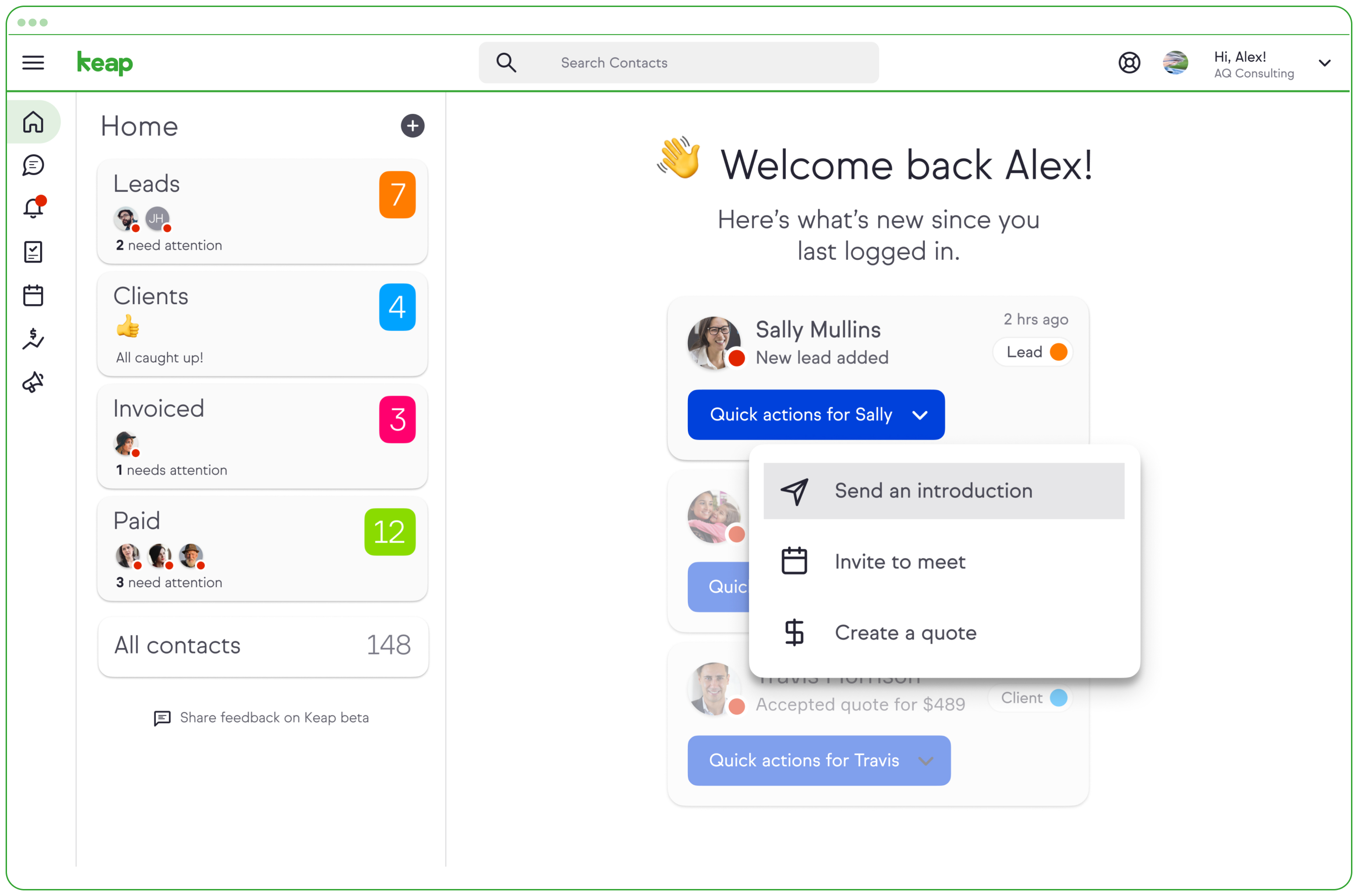  | Pipedrive Screenshots      |

