Chose KeepSolid Sign
In the first instant, I missed one document for which I had to go back and re-sign once I found the correct email. This is probably more user error, but it did make it more confusing, so I switched to KeepSolid Sign.

| Product | Rating | Most Used By | Product Summary | Starting Price |
|---|---|---|---|---|
 KeepSolid Sign | N/A | KeepSolid Sign is an electronic signature application from KeepSolid in New York, a privacy, security and VPN software company. | N/A | |
 PDF AutoSigner | N/A | PDF AutoSigner from Adweb Technologies is a document signing software used to sign PDF documents automatically, offloading document signing efforts to an unattended environment. The vendor states that with it users can easily sign PDF documents across multiple departments and across multiple signatories, and sign PDF documents like invoices, tenders, business contracts, Form-16, etc. AutoSigner PDF document signing software is suitable to different types of companies with… | N/A |
| KeepSolid Sign | PDF AutoSigner | |||||||||||||||
|---|---|---|---|---|---|---|---|---|---|---|---|---|---|---|---|---|
| Editions & Modules | No answers on this topic | No answers on this topic | ||||||||||||||
| Offerings |
| |||||||||||||||
| Entry-level Setup Fee | No setup fee | No setup fee | ||||||||||||||
| Additional Details | — | — | ||||||||||||||
| More Pricing Information | ||||||||||||||||
| KeepSolid Sign | PDF AutoSigner | |
|---|---|---|
| Considered Both Products |  KeepSolid Sign  Duc Minh Nguyen President Chose KeepSolid Sign Docusign is also a signature software where you can sign your documents online and quickly send it back and forth just like KeepSolid Sign. Docusign is a better product in my opinion as it's been there longer and you can save a decent amount of documents online so that you can …  Tim Mack Founder and Ring Master Chose KeepSolid Sign I started with DocuSign, however I was not in love with their services. Its a good platform, however the price and value for me was better with Keep Solid Signed. Besides the above, I use google docs at times. This is another great value, but as far as legal issues are … |  PDF AutoSigner  Kathryn Johnson Marketing Specialist Chose PDF AutoSigner The pricing is a big difference between PDF AutoSigner and Adobe Sign. |
| KeepSolid Sign | PDF AutoSigner | |
|---|---|---|
| Small Businesses |  Foxit eSign Score 9.8 out of 10 | Foxit eSign Score 9.8 out of 10 |
| Medium-sized Companies |  MSB Docs Score 9.4 out of 10 | MSB Docs Score 9.4 out of 10 |
| Enterprises |  DocuSign Score 8.3 out of 10 | DocuSign Score 8.3 out of 10 |
| All Alternatives | View all alternatives | View all alternatives |
| KeepSolid Sign | PDF AutoSigner | |
|---|---|---|
| Likelihood to Recommend | 8.3 (0 ratings) | 8.7 (0 ratings) |
| Support Rating | - (0 ratings) | 9.0 (0 ratings) |
| KeepSolid Sign | PDF AutoSigner | |
|---|---|---|
| Likelihood to Recommend |
Duc Minh Nguyen President |
|
| Pros |
|
Kathryn Johnson Marketing Specialist |
| Cons |
|
|
| Support Rating | No answers on this topic |
Kathryn Johnson Marketing Specialist |
| Alternatives Considered |
|
|
| Return on Investment |
Tim Mack Founder and Ring Master |
|
| ScreenShots | PDF AutoSigner Screenshots 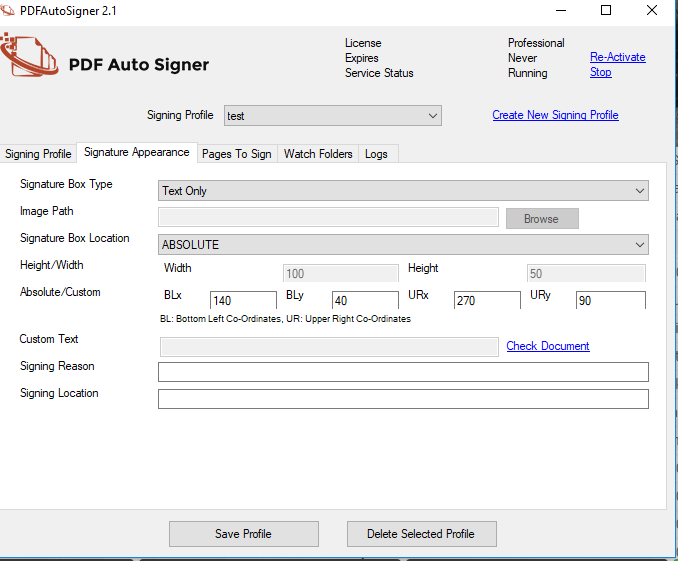 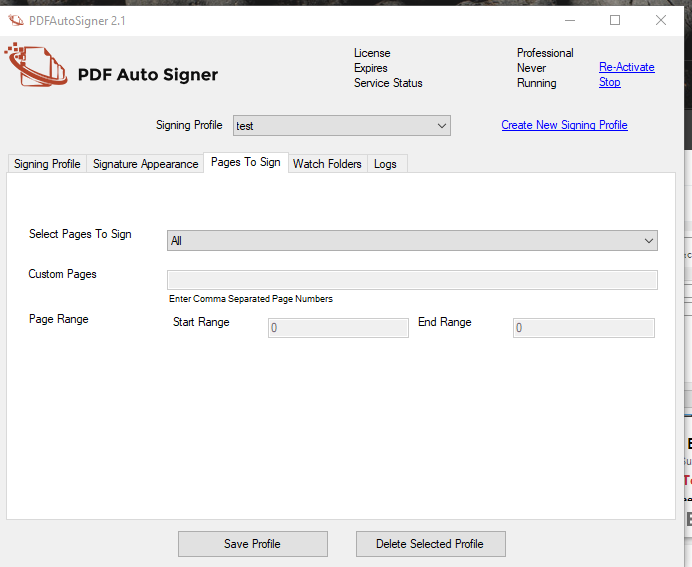  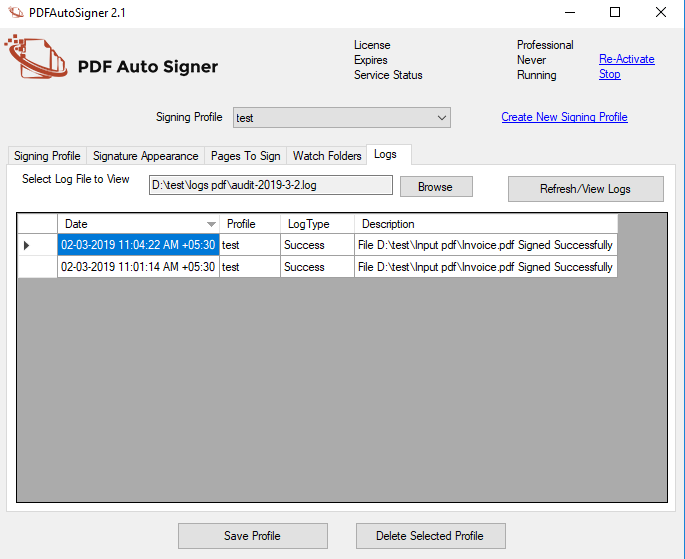 |