TrustRadius: an HG Insights company

PDF AutoSigner

Score8.8 out of 10

7 Reviews and Ratings

What is PDF AutoSigner?

PDF AutoSigner from Adweb Technologies is a document signing software used to sign PDF documents automatically, offloading document signing efforts to an unattended environment.


The vendor states that with it users can easily sign PDF documents across multiple departments and across multiple signatories, and sign PDF documents like invoices, tenders, business contracts, Form-16, etc.

AutoSigner PDF document signing software is suitable to different types of companies with different needs, available as independent, standalone software or as a solution that integrates with applications to enable digital signing from within an application ERP. Organizations large or small, whether using ERPs, tally or MS office can use PDF AutoSigner.


Categories & Use Cases

Media

Configure of Signing Profile
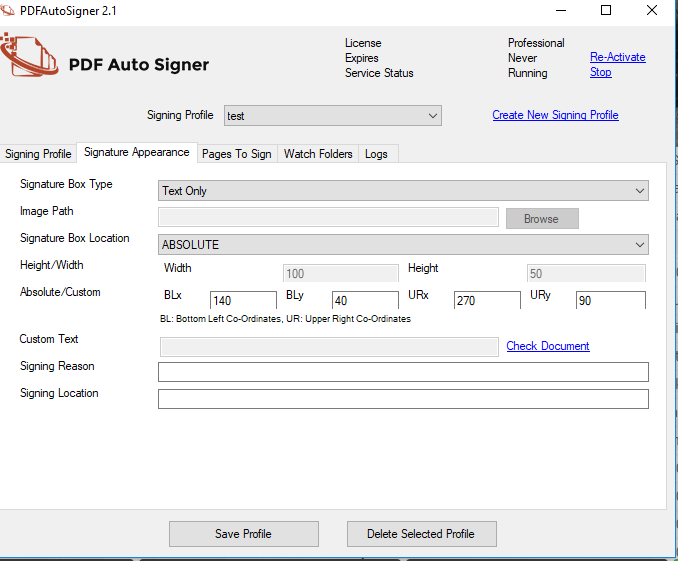
Signature Appearance Configuration
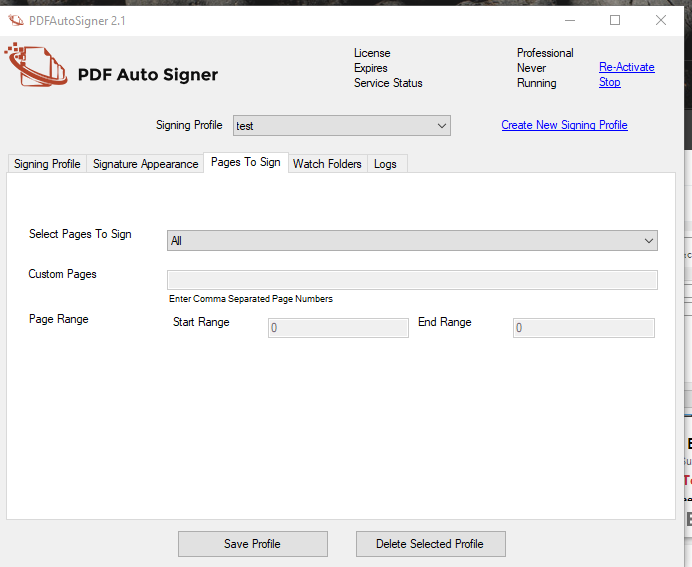
Configuration of Page to sign
Configuration of Watch Folder
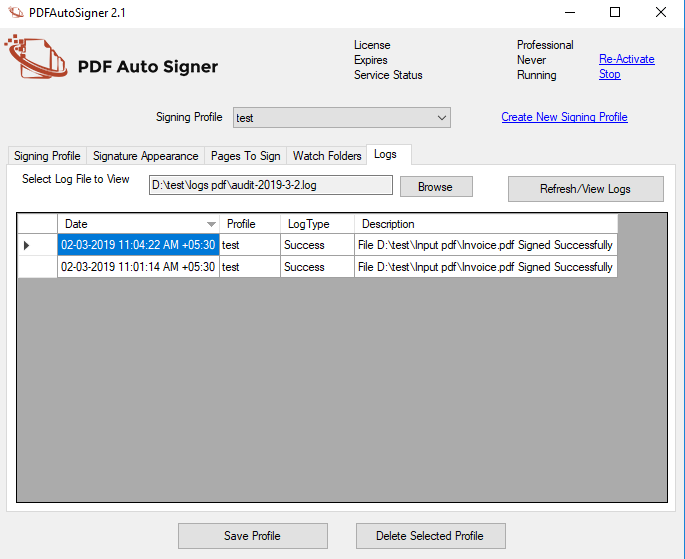
Audit Logs

1 / 5

Easy to Use PDF AutoSigner

Pros

  • Very easy to use
  • Makes signing official documents easy and fast
  • Keeps you in control of all documents and where they are located

Cons

  • The pricing seems a little high for a month-to-month

Return on Investment

  • The ROI for our company is the quick and easy communication between remote teams.
  • The time saved by using this program is immeasurable.

Alternatives Considered

Adobe Sign (formerly EchoSign) and Adobe Send & Track

Other Software Used

Adobe Acrobat DC, Adobe Connect

Good signing software that integrates well with other applications

Use Cases and Deployment Scope

It is extremely easy to use, as it provides clear directions on where to sign (very intuitive), and if users have missed on signing correctly. It is also smooth to operate, allowing easy indexing of documents and encourages a collaborative approach. The software can easily integrate with my applications to enable digital signing effortlessly.

Pros

  • Easy to integrate with MS Office, Tally and ERPs
  • Simple to use (very intuitive)
  • Allows easy indexing of documents

Cons

  • A bit pricey vs. alternatives

Most Important Features

  • Integrates easily
  • Makes document signing easy and swift
  • Allows easy indexation of documents

Return on Investment

  • Improved efficiency in compliance tasks
  • Firm-wide implementation without hassle
  • Cost is a bit steep which impacted budget - hence, cheaper alternatives are being tested

Other Software Used

DocuSign

Never Fear Signing Large Scale Electronic Documents Again

Use Cases and Deployment Scope

We had so many large scale documents for my business, so we needed a mass signing application. After testing a couple of products, PDF AutoSigner stood out from the crowd. The compatibility, price, and ease of use made it a no brainer when finding the best products for our PPMs and other large documents

Pros

  • Easy to use
  • Compatible
  • Value for price
  • Good customer support

Cons

  • dark mode
  • Upload speed
  • Update the interface

Most Important Features

  • PPMs
  • Internal documents
  • Prospectuses

Return on Investment

  • Less time filling out documents
  • Allows for us to move more digitally
  • Perfect Price

Alternatives Considered

DocuSign and Citrix RightSignature

Other Software Used

Citrix Workspace, Microsoft Teams, GreaseBook

PDF AutoSigner is easy to use and reduce the amount of physical prints to be signed

Use Cases and Deployment Scope

PDF AutoSigner to sign PDF files that earlier were printed to be signed manually with a pen. Generally and like most other companies we need to be able to sign papers that typically are electronic, and instead of now printing these papers and scanning them again to get them into the computer, we now sign these papers with PDF AutoSigner

Pros

  • Very easy to use
  • Saves a lot of time
  • Also it saves a lot of physical papers that earlier were printed to be signed and then scanned and trashed.

Cons

  • I'm just a user of this software, but I have heard it is a bit pricey.
  • Not sure if it exists already, but I would like to have an option to use the sign feature on a mobile device. This would really save a lot of extra time in my work routine.

Most Important Features

  • The most important feature is the usability and ease of use.
  • You can easily access signed documents and get an overview of your work. Simple and nice feature

Return on Investment

  • In my organization we have kept track of physical prints by users and the amount of total prints from users have decreased since the implementation of PDF AutoSigner. This obviously isn't the only explanation behind the decrease, but definitely a positive part of it.
  • We don't have track or data of time saved, but many colleagues and myself have saved a lot of time being able to sign documents much faster.

Alternatives Considered

Penneo