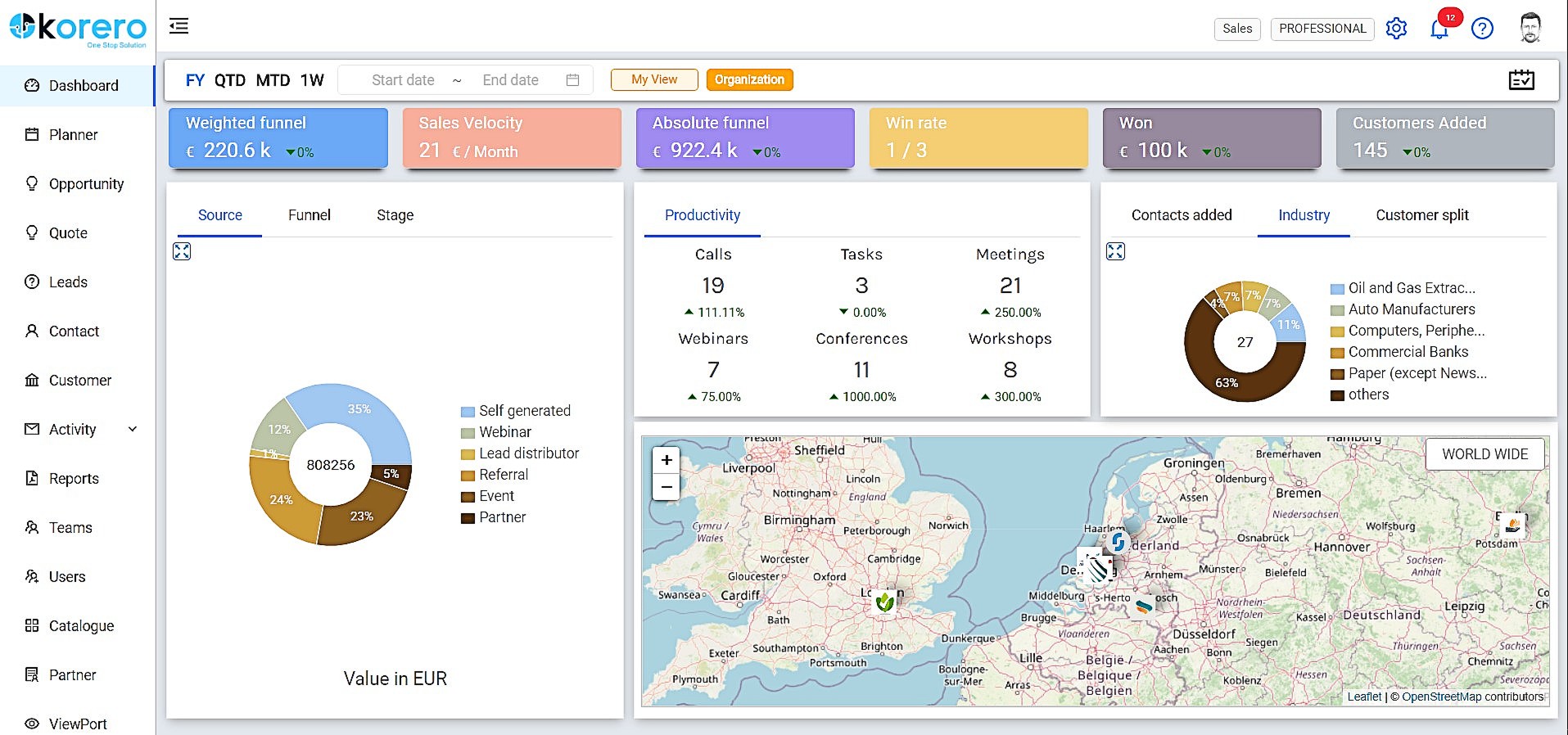
Korero is designed to be a one stop solution for Customer Relationship
Management, Collaboration and Communication combined with Automation features
to empower and make your sales team highly effective and productive. Primarily
focused on the B2B and Small & Medium Enterprises sector, Korero boasts a simplified User Interface for a
great User Experience.
Korero is available as a Software as a Service solution – pay as you go,
cloud enabled with an omnichannel presence (Android…
$10
per user
Zoho CRM
Score 8.7 out of 10
N/A
Zoho CRM is a simple, very low-cost CRM option for the smaller end of the SMB segment.
The product has several useful integrations with other products, including QuickBooks, and Google Apps and Google Docs.
The product also has an integrated project management module.
$14
Per User/Per Month
Pricing
Korero
Zoho CRM
Editions & Modules
Basic
$10.00
per user
Professional
$22.00
per user
Standard
$14.00
Per User/Per Month
Professional
$23.00
Per User/Per Month
Enterprise
$40.00
Per User/Per Month
Ultimate
$52.00
Per User/Per Month
Plus
$57.00
Per User/Per Month
Offerings
Pricing Offerings
Korero
Zoho CRM
Free Trial
Yes
Yes
Free/Freemium Version
Yes
Yes
Premium Consulting/Integration Services
No
No
Entry-level Setup Fee
Optional
$14 /user/month
Additional Details
Pricing is computed on a monthly basis, exclusive of VAT and minimum time is 1 month.
—
More Pricing Information
Community Pulse
Korero
Zoho CRM
Features
Korero
Zoho CRM
Sales Force Automation
Comparison of Sales Force Automation features of Product A and Product B
Korero
8.2
Ratings
6% above category average
Zoho CRM
8.5
Ratings
10% above category average
Customer data management / contact management
8.20 Ratings
8.50 Ratings
Workflow management
8.10 Ratings
8.30 Ratings
Opportunity management
8.40 Ratings
8.70 Ratings
Integration with email client (e.g., Outlook or Gmail)
9.10 Ratings
8.80 Ratings
Quote & order management
7.10 Ratings
8.10 Ratings
Channel / partner relationship management
8.20 Ratings
8.40 Ratings
Territory management
00 Ratings
8.70 Ratings
Contract management
00 Ratings
8.70 Ratings
Interaction tracking
00 Ratings
8.10 Ratings
Customer Service & Support
Comparison of Customer Service & Support features of Product A and Product B
Korero
7.5
Ratings
0% below category average
Zoho CRM
8.3
Ratings
10% above category average
Case management
8.10 Ratings
8.50 Ratings
Help desk management
6.90 Ratings
8.50 Ratings
Call center management
00 Ratings
8.10 Ratings
Marketing Automation
Comparison of Marketing Automation features of Product A and Product B
Korero
7.8
Ratings
3% above category average
Zoho CRM
8.5
Ratings
11% above category average
Lead management
7.90 Ratings
8.60 Ratings
Email marketing
7.70 Ratings
8.50 Ratings
CRM Project Management
Comparison of CRM Project Management features of Product A and Product B
Korero
8.3
Ratings
9% above category average
Zoho CRM
8.4
Ratings
10% above category average
Task management
8.60 Ratings
8.50 Ratings
Billing and invoicing management
8.10 Ratings
8.30 Ratings
Reporting
8.10 Ratings
8.50 Ratings
CRM Reporting & Analytics
Comparison of CRM Reporting & Analytics features of Product A and Product B
Korero
8.5
Ratings
12% above category average
Zoho CRM
8.5
Ratings
12% above category average
Pipeline visualization
8.50 Ratings
8.40 Ratings
Forecasting
00 Ratings
8.40 Ratings
Customizable reports
00 Ratings
8.60 Ratings
Customization
Comparison of Customization features of Product A and Product B
Korero
8.1
Ratings
8% above category average
Zoho CRM
8.3
Ratings
10% above category average
Custom fields
7.40 Ratings
8.40 Ratings
Scripting environment
8.60 Ratings
8.20 Ratings
API for custom integration
8.20 Ratings
8.40 Ratings
Custom objects
00 Ratings
8.20 Ratings
Social CRM
Comparison of Social CRM features of Product A and Product B
Korero
6.4
Ratings
14% below category average
Zoho CRM
8.3
Ratings
12% above category average
Social data
6.40 Ratings
8.30 Ratings
Social engagement
00 Ratings
8.30 Ratings
Platform
Comparison of Platform features of Product A and Product B
Korero
8.1
Ratings
10% above category average
Zoho CRM
8.6
Ratings
16% above category average
Mobile access
8.10 Ratings
8.60 Ratings
Security
Comparison of Security features of Product A and Product B
Korero
8.5
Ratings
2% above category average
Zoho CRM
8.4
Ratings
1% above category average
Role-based user permissions
8.50 Ratings
8.40 Ratings
Single sign-on capability
00 Ratings
8.30 Ratings
Integrations with 3rd-party Software
Comparison of Integrations with 3rd-party Software features of Product A and Product B
This is very useful and handy software for initial use and sometimes later on. Its low price and rich features make it one of the most suitable software for small and midsize organizations. Customer management and tracking make your daily tasks easier.
Need some way to switch a field type without losing the pre-existing data.
The settings controls should be broken out differently - I don't like that I can't keep some users from exporting all contact records (i.e., the entire Contacts module) because if the export function is turned off, the export function of Reports for those same modules is also blocked.
Frustrating that only 3 custom lookup fields are allowed per module in our license.
We are generally very satisfied with the zoho crm. Some extras are just added to improve productivity but overall Zoho CRM is highly recommended over many competitors. You can start with a few clicks to configure your needs. As you become an expert, you will be able to activate and configure the modules and integrations that you require. I know we still have a lot to discover so we're sticking with Zoho CRM, we're not interested in new options at the moment
Compared to our previous CRM, Zoho is a breeze. I can look up customers and reports with no issue. There are times when it may be difficult to find something, but I assume that is because I am not in Zoho every day like the sales team is. It does everything we need very simply, so I would definitely recommend it to others.
In my many years using Zoho, I think there were only 1 or 2 days when there was something happening and I was not able to log in. Sure, it wasn't fun and we all panicked a bit, but right after that, all was well and work-life continued. Being cloud based, I'm never worried about losing my iPhone, iPad or Laptop as I know I can log in anywhere on any device and workflow won't stop.
I don't recall every having any issues with a page not loading due to it being a Zoho issue. Anytime I've had any issues with something being wonky, I clear cache and that has always solved the problem. Or a simply computer reboot and we're back, hard at work. Look, I don't expect any product to delivery 100%, 100% of the time but if I had any consistent ongoing issues, I would have left many years ago. I still keep my eyes open to what is new but after a quick evaluation, I know Zoho will long be my home.
They are very quick to answer your query and they give great support from the moment you sign up for Korero. I was referred to use this platform for the same reason by a friend and now after using it I can bet they are not just responsive but they also ensure customer expectations are met and the customer experience while using Korero is flawless.
We did the training and that was a huge waste of money. The information provided was basic and the instructor was sloppy (he even forgot to turn off his mic when he used the restroom - no one should ever hear what we heard). I offered up a 9 because we were able to find what we needed on your website.
I attended a Zoho-Holics event in Austin, TX, several years ago, and it blew my mind. So many industries were represented using Zoho in so many different ways. It was unbelievable all that I learned from that experience, as there were features that I wasn't aware of that I immediately started using. Best of all, the trainers were patient and knowledgeable
There is an endless supply of YouTube videos from Zoho and the many Zoho partners/consultants. Plus, Zoho has it's own library of training videos and webinars to learn from plus an entire community at the ready to answer any questions. While Zoho has been available for many years, there are constantly new training videos and webinars available for the novice and the experienced users.
This should have been a project run by IT and implemented by IT but instead was implemented by Sales team and managed by them. Since this was the case our implementation has had many issues. Starting at the company required me to dig in and correct a lot of stuff within the initial set up.
Price point is a great advantage as it combines ATS and CRM . Easy to navigate and the best part is if I feel something is missing and needs improvement, I leave feedback and the company acts upon it. The support team is very responsive and my work has never been hindered.
We required a full-featured corporate working tool, and Hubspot wasn't the most excellent alternative. We were guaranteed that Zoho CRM may fill up the holes in our earlier framework. Furthermore, Zoho is fantastically cost-effective for indeed the most minor endeavors, giving everything they need. All things considered, Zoho CRM has upgraded our client intelligent and assisted our operations.
We're still in the early stages of scaling this across departments. We have high aspirations of doing this, but it takes time to migrate to the new system and to help people get acquainted of doing their work in a different way thru Zoho.