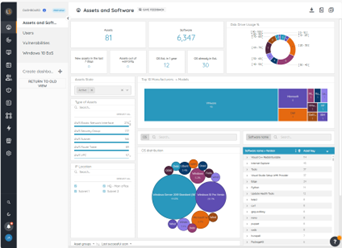
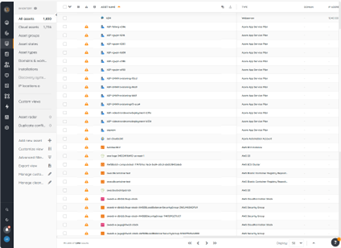
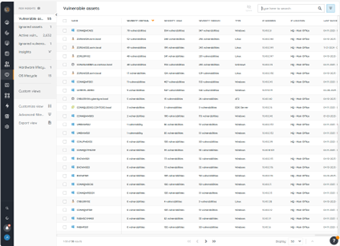
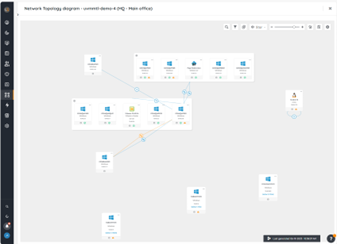
Lansweeper is an IT asset management solution that provides network discovery of all connected users, devices, and software within the IT estate. Lansweeper's device recognition capabilities provide complete visibility across the entire IT estate, in one centralized IT inventory. Lansweeper automatically and continuously discovers IT assets across infrastructure — servers, laptops, desktops, virtual & cloud machines, networks devices and IoT assets— in order to…
$2,868
per year Includes 2,000 assets
Snow License Manager
Score 8.7 out of 10
N/A
Snow License Manager enables organizations to gain an accurate view of software usage and entitlements. Organizations can then dynamically reconcile these findings against license entitlements to optimize their IT environments and be audit-ready. HOW IT WORKS Snow License Manager is the central hub for the Snow Software Asset Management platform, providing a unified view of installed software, SaaS, cloud resources and hardware. With Snow License Manager, usage data is…
Microsoft System Center needs to install agents on all IT asset for discovery and sometimes the agents can easily get corrupted. Lansweeper is a SaaS solution and it's easier to deploy to all IT asset that are connected to the network. This save us a lot of deployment time …
Lansweeper is a more mature software. Its ability to scan hardware and software is more to the point and not so full of bad info or junk you don't need. The Helpdesk feature has better options and not locked down to what the creator wants you to see. But the Reporting and …
Though Lansweeper isn't designed as a live network management tool, it's intended as a static Networked Asset Inventory Manager. It does share many functions with other applications, and the reporting tool in Lansweeper is much easier to use and to customize (create your own …
Lansweeper is DRAMATICALLY cheaper than KACE and provides the same level of reporting and inventory of asset data. Where KACE outshines Lansweeper, is Lansweeper has a very minimal software deployment system that requires clients to have direct access to a common file share. …
Lots of solutions were not able to scan platforms outside of Windows and LS was able to at some point. Lansweeper was the most affordable solution at the time when we did our selection. Lots of solutions we're not user-friendly and had way too many menus and configurations and …
For the price Lansweeper easily moved to the top of our list. It is extremely easy to use and manage. The amount of detail it gathers on each asset automatically was amazing. Manually adding an asset is very simple as well. The fact that it will detect peripherals on machines …
The main competitor that are not isted on your TrustRadius is PDQInventory and PDQDeploy, and those two come as a package and they blow Lansweeper out of the water for both software deployment and hardware inventory. That being said, comparing it to the others I see listed: …
Track-It!'s inventory control costs a lot more than LANSweeper. We're happy with the cost and features of LANSweeper compared to Track-It! We do use Track-It! for our ticketing system now. It is robust, full-featured, and blows LANSweeper out of the water. But for …
Two very different products. Snow has agents, Lansweeper is agentless with massively different functionality. Lansweeper will be good for 150 to 200 user businesses, Snow is better for anything larger. Lansweeper has little software recognition beyond Microsoft. Snow has better …
Lansweeper is great for what it does at its price point. However, it has nothing on Labtech. I have been spoiled by the feature rich Labtech and its automation greatness. If you are on a budget and need a robust product that will get the job done. I would recommend Lansweeper.
SolarWinds Web Help Desk is very bare bones and just not a very intuitive interface. The ticketing system was just a pain to work with and setup took ages upon ages to set up. ManageEngine was a nice solution but it also took quite some time to configure properly. It really was …
I do know about Flexera which is said to be the #1 Software Licensing tool on the market, however as #2 and my experience in Snow License Manager it will suffice I just need to be much more familiar with it's capabilities.
Also Remedy is said to perform software licensing, …
Many of the SAM tools function similarly. I have found that the ease of use, the ease of configuration changes, and the way the interface just works logically make Snow work better in my eyes. Snow was also much easier to learn for me.
All the top tools out there do the same sort of job, one quarter product A has a new service and within the next 3 quarters the other all have that service, some vendors innovate, other just buy in and integrate (to varying levels of success), and Snow License Manager does a …
We had some local in-house developments, but these proved inadequate for the worldwide organization. Other SAM products on the market were not in use at any time. The choice of this product was made by others after thoroughly considering what was on the market and what their …
The deciding factor for the decision makers was the combination of license management and utilization statistics. Our desktop people wanted the utilization and reporting to be very granular and close to real time. Snow was purchased because they promoted their real time …
Because of its slowdown as we have acquired more equipment, I think LANSweeper may be better suited for smaller environments. We have 3000+ users and over 1500 devices on our WAN. It has shown considerable performance issues as we have grown. Maybe moving it to a full blown SQL instance will make things a bit better. But as it stands, it has gotten tiresome waiting for it to update and refresh.
In large organizations especially with extensive networking among branches, Snow License Manager provides comprehensive information for software application management and acquisition. Users can be given privileges in Snow License Manager commensurate with their job profile. In smaller organizations it could be oversized. Snow License Manager has a stiff learning curve requiring dedicated human resources to grasp, implement and deploy. For small organizations that could be too costly in terms of initial costs and the time the user needs to become proficient
Lansweeper is grabbing lots of data from the machines without slowing the network and the client machines. We can easily get all the installed software data, hardware and linked hardware and all the user you can grab from the AD (computer and user).
Lansweeper can now scan Windows, Mac and Linux with an agent installed (or not if you want that the server is the one pulling the data).
The web interface is really friendly user and offers lots of possibilities to personalize your dashboard as you see fit.
Reports engine is really powerful and easy to monitor your machines and also your security issues.
Standard applications reports i.e. reports of applications flagged as denied on the allowed list. This would make the reporting and scheduling automated rather then being manual.
License / Agreement email notification with to users who do not have access to Snow License Manager with predefined text messages i.e. informing users what they need to do as next steps. The text can be updated based on privilege's set up on Snow License Manager e.g. Snow License Manager administrator
Standard report which returns empty container application records
schedule email of dashboards
ability to record application versions greater then 0.x.x in the SRS library. This is critical to tracking of applications where the latest version.
consistency of labels of columns through the various reports
The ability to select and move multiple columns at the same time when building or updating a report .
one report which shows a application, user, computer, if the application requires a license and which users have a valid license for the application.
Snow License Manager is an integrated part of our Licensing Compliance software solution. It does help us manage current license needs and actual license usage, as well as inventory shadow IT usage. The nice side effect of being able to see hardware specifications and keeping track of hardware usage by users is a bonus!
We currently have the on-premise solution, which is very good indeed. If we were starting working with Snow now, we'd probably select the Atlas (SaaS) managed platform. This would reduce/remove work required to keep the Snow servers up-to-date with Windows and software updates.
Lansweeper offers a variety of customer support options (including KBs for self-serve and get in touch with them via email), and most importantly, it's a matter of dialing within their allotted supporting time frames. However, I always make sure to provide the following information:
- Screenshots of the issue (if available).
- Program Files (x86)/Lansweeper/Service/Errorlog.txt, as present on your Lansweeper server.
- If it exists, the error log present in Program Files (x86)/Lansweeper/Website/App_Data.
Support for the most part is responsive, but there are times when it takes more time than I would like to resolve. But then, most of the time it is related to growing pains and the fact I do not have a Dev/Test environment to test items and upgrades before going to Production
Lansweeper is DRAMATICALLY cheaper than KACE and provides the same level of reporting and inventory of asset data. Where KACE outshines Lansweeper, is Lansweeper has a very minimal software deployment system that requires clients to have direct access to a common file share. KACE allows you to upload files directly into it's environment, and assets can download over HTTPS those files for installation anywhere. Spiceworks was a great inventory and helpdesk system for free - but the product I feel has gone stale and not nearly as powerful as it use to be - for that reason Lansweeper appears to have taken up the charge and utilized a lot of Spiceworks was going for
All the top tools out there do the same sort of job, one quarter product A has a new service and within the next 3 quarters the other all have that service, some vendors innovate, other just buy in and integrate (to varying levels of success), and Snow License Manager does a bit of both. One area we did look at was the manpower that comparable business took to run those services and Snow License Manager came out with the smallest overhead, this meant that we could direct more money to the use of the tool, rather than making to tool work.
Utilization statistics have helped us to eliminate unused licenses and software.
The central repository has eliminated the multiple spreadsheets and folders, which also reduced the amount of time our asset manager spends looking up information for others.
The computer software mapping has helped our staff during computer upgrades. It allows them to see what software is installed on a current workstation without having to go and inspect the old computer itself. They can now look up the software that needs to be added to the new workstation, saving time.