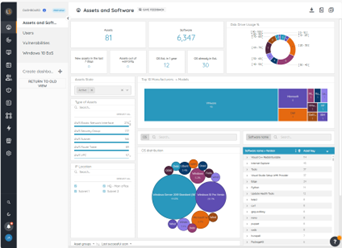
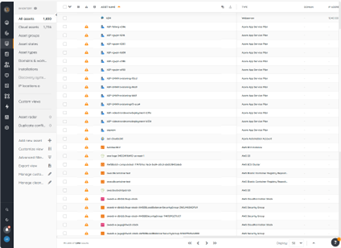
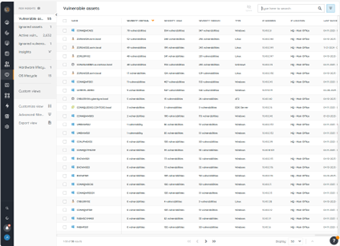
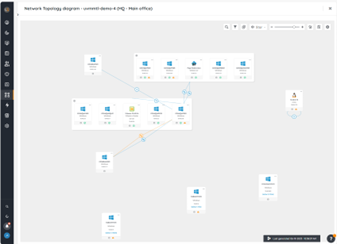
Lansweeper is an IT asset management solution that provides network discovery of all connected users, devices, and software within the IT estate. Lansweeper's device recognition capabilities provide complete visibility across the entire IT estate, in one centralized IT inventory. Lansweeper automatically and continuously discovers IT assets across infrastructure — servers, laptops, desktops, virtual & cloud machines, networks devices and IoT assets— in order to…
$2,868
per year Includes 2,000 assets
Spiceworks Cloud Help Desk
Score 7.0 out of 10
N/A
Spiceworks offers a set of free tools for IT network management and help desk support ticketing. The inventory management system essentially provides comprehensive device information for asset management.
Microsoft System Center needs to install agents on all IT asset for discovery and sometimes the agents can easily get corrupted. Lansweeper is a SaaS solution and it's easier to deploy to all IT asset that are connected to the network. This save us a lot of deployment time …
Lansweeper is a more mature software. Its ability to scan hardware and software is more to the point and not so full of bad info or junk you don't need. The Helpdesk feature has better options and not locked down to what the creator wants you to see. But the Reporting and …
Though Lansweeper isn't designed as a live network management tool, it's intended as a static Networked Asset Inventory Manager. It does share many functions with other applications, and the reporting tool in Lansweeper is much easier to use and to customize (create your own …
Lansweeper is DRAMATICALLY cheaper than KACE and provides the same level of reporting and inventory of asset data. Where KACE outshines Lansweeper, is Lansweeper has a very minimal software deployment system that requires clients to have direct access to a common file share. …
Lots of solutions were not able to scan platforms outside of Windows and LS was able to at some point. Lansweeper was the most affordable solution at the time when we did our selection. Lots of solutions we're not user-friendly and had way too many menus and configurations and …
For the price Lansweeper easily moved to the top of our list. It is extremely easy to use and manage. The amount of detail it gathers on each asset automatically was amazing. Manually adding an asset is very simple as well. The fact that it will detect peripherals on machines …
The main competitor that are not isted on your TrustRadius is PDQInventory and PDQDeploy, and those two come as a package and they blow Lansweeper out of the water for both software deployment and hardware inventory. That being said, comparing it to the others I see listed: …
Track-It!'s inventory control costs a lot more than LANSweeper. We're happy with the cost and features of LANSweeper compared to Track-It! We do use Track-It! for our ticketing system now. It is robust, full-featured, and blows LANSweeper out of the water. But for …
Two very different products. Snow has agents, Lansweeper is agentless with massively different functionality. Lansweeper will be good for 150 to 200 user businesses, Snow is better for anything larger. Lansweeper has little software recognition beyond Microsoft. Snow has better …
Lansweeper is great for what it does at its price point. However, it has nothing on Labtech. I have been spoiled by the feature rich Labtech and its automation greatness. If you are on a budget and need a robust product that will get the job done. I would recommend Lansweeper.
SolarWinds Web Help Desk is very bare bones and just not a very intuitive interface. The ticketing system was just a pain to work with and setup took ages upon ages to set up. ManageEngine was a nice solution but it also took quite some time to configure properly. It really was …
Spiceworks Help Desk was picked because of its user-friendly design, low pricing, and basic ticketing capabilities that fit our organization's requirements. Its built-in knowledge base and active user community boosted the effectiveness of our IT support operations. While it …
In my opinion, we have a much richer experience with Solarwinds. It basically ramps up all the features of Spiceworks to the next level and enforces a proper ITIL framework into the process. Integration with Dameware is a much better experience than Spiceworks' connection to …
Spiceworks Help Desk is simple and easy to install. It takes very little skill to get it installed and working. There are no expensive components needed to run the software and virtually no maintenance.
Director Of Information Technology and HIPAA Privacy Officer
Chose Spiceworks Cloud Help Desk
[Its] simplicity, [the] easy user interface for both technicians and end-users, and stability, plus the ability to locally control data access (we're highly regulated regarding privacy and records rights), puts it in its own class. While it may not do everything larger systems …
EGroupware UI is clunky and hard to use, Jira is great but the pricing is expensive in comparison with spice works that has a free version and you can test it out properly before buying and make a correct decision based on your business plan and company objectives with the …
Overall, Spiceworks Help Desk is an easy-to-use option at a GREAT cost. We didn't feel that any other products offered anything that Spiceworks couldn't so we haven't felt the need to explore any more companies. The Spiceworks FREE option is great on its own and it's hard to …
Spiceworks Help Desk is free, which is an advantage. It also includes inventory tracking. Mojo help desk does not rely on Windows as a platform. Spiceworks Help Desk also allows for add ons and reporting.
Spiceworks is a great option for a free help desk. In terms of features, it is similar to the free level of Freshdesk. If you want a lot of features and customization though, you should look at Jitbit Help Desk or the paid tiers of Freshdesk. Both offer better reporting, …
Spiceworks is much cheaper and does the job well for one organization. Connectwise Manage works better for an MSP that is handling multiple companies and wants to keep them separated.
We found that for entry-level SMB in-house needs that Spiceworks had an impressive range of features and options at an unbeatable price-free! For our in-house and multi-tenant needs, we use a different product that is more appropriate to our particular needs, but with no cost …
We tried to use Jira for ticketing, but it doesn't support hashtag updating of tickets through email. We find it helpful to be able to convert emails from users into tickets by forwarding them to the help desk email address and including hashtags for ticket assignment, …
[Spiceworks Help Desk] was much easier to roll out since it didn't require any custom development from or development team. It also had an existing mobile app that was easy to deploy.
Cost was the big factor here. While we already used TeamViewer there were some limitations for the helpdesk and some only available with increased cost on the inventory side. Ivanti was used in Europe but very pricey to add to the Americas. While we used Dynamics CRM, we had a …
Trialing Zendesk and a few others, they are very well done programs which do what is needed and even more at a cost. The free price tag of Spiceworks is well worth it for our business and environment. We chose Spiceworks for the ease of use on both IT and end users' ends and …
A lot of the competition starts with some free options, but bare minimum or "paid only modules" etc. And their support is often either non existent or convoluted while Spiceworks Help Desk is both great and responsive as well as having an open community and forums. You can …
Teamwork has many features that I wish Spiceworks had, but Spiceworks has the price that can't be beaten. There are some things that would make it better, but those are things that I can train my technicians on and we can live without the operational cost associated with …
We love the JitBit side of things for the help desk component of our system. We have a lot more customization available with JitBit vs. the Spice works application. The features for JitBit are the ones we are looking for, and as such, we have moved our ticketing to JitBit …
We have not looked at anything recently due to how well Spiceworks has been working. Other parts of campus are using other programs that one day may be forced upon us. At the moment we are very happy with what we are using and will not be looking elsewhere if we do not have to.
Spiceworks does so many things in a variety of ways that it is hard to compare it to other products. Keep in mind that freeware has limits, but if the Spiceworks tools fit your need and management doesn't complain then go for it. Paid software has plenty of benefits, but you …
We are in the process of looking at Remote Monitoring & Management tools as we are growing so rapidly. We have been checking out demos & reading reviews of these other applications and they are way more feature-rich than Spiceworks - however, they come at a cost and will …
SolarWinds is far superior but it is a locally installed application. I think each does things well. For a free or paid no-ad version legacy style it was great. As for cloud-only options, I think there are still some things that need to be improved on. There needs to be …
Because of its slowdown as we have acquired more equipment, I think LANSweeper may be better suited for smaller environments. We have 3000+ users and over 1500 devices on our WAN. It has shown considerable performance issues as we have grown. Maybe moving it to a full blown SQL instance will make things a bit better. But as it stands, it has gotten tiresome waiting for it to update and refresh.
Spiceworks Help Desk from the user end is very simple. Once you submit your technology needs, I automatically receive an email stating that my ticket was received and is being processed. It's also helpful to have the VNC feature so that my IT department can automatically VNC into my computer if it's a quick fix. At times Spiceworks Help Desk can be tricky because as someone who's not in a Tech role at my company, it can be hard to describe what I need assistance with writing.
Lansweeper is grabbing lots of data from the machines without slowing the network and the client machines. We can easily get all the installed software data, hardware and linked hardware and all the user you can grab from the AD (computer and user).
Lansweeper can now scan Windows, Mac and Linux with an agent installed (or not if you want that the server is the one pulling the data).
The web interface is really friendly user and offers lots of possibilities to personalize your dashboard as you see fit.
Reports engine is really powerful and easy to monitor your machines and also your security issues.
There is no contract to renew, since it's free. Spiceworks has helped me so much that I couldn't imagine trying to replace it with a different product. I'd have a hard time finding a single product that does everything that Spiceworks does, let alone one that does it as well as Spiceworks and for free
1. Its free. 2. Its easy to install. 3. You can have it up and running in under 1-hour. 4. You get dashboards that are easy to read so you know the state of your network. 5. You can create your own reports and not just the ones already installed. 6. Excellent tool for network administrators and security practitioners. 7. Did I mention that its free?
Lansweeper offers a variety of customer support options (including KBs for self-serve and get in touch with them via email), and most importantly, it's a matter of dialing within their allotted supporting time frames. However, I always make sure to provide the following information:
- Screenshots of the issue (if available).
- Program Files (x86)/Lansweeper/Service/Errorlog.txt, as present on your Lansweeper server.
- If it exists, the error log present in Program Files (x86)/Lansweeper/Website/App_Data.
Spiceworks has been working out of the box, and some of the basic customizations have been successful with just our internal staff handling. We don't have any other issues with the tool. It provides us with the inventory information we want in a quick and concise report in a variety of formats for our team.
If you can spin up a VM to run it on, you'll thank yourself later. If you have remote sites, set up a local server (or dedicated computer) at each site and set them up as remote collectors for the main site. You'll save time and bandwidth
Lansweeper is DRAMATICALLY cheaper than KACE and provides the same level of reporting and inventory of asset data. Where KACE outshines Lansweeper, is Lansweeper has a very minimal software deployment system that requires clients to have direct access to a common file share. KACE allows you to upload files directly into it's environment, and assets can download over HTTPS those files for installation anywhere. Spiceworks was a great inventory and helpdesk system for free - but the product I feel has gone stale and not nearly as powerful as it use to be - for that reason Lansweeper appears to have taken up the charge and utilized a lot of Spiceworks was going for
EGroupware UI is clunky and hard to use, Jira is great but the pricing is expensive in comparison with spice works that has a free version and you can test it out properly before buying and make a correct decision based on your business plan and company objectives with the right software.