Chose LeadFuze
none.

| Product | Rating | Most Used By | Product Summary | Starting Price |
|---|---|---|---|---|
 LeadFuze | Small Businesses (1-50 employees) | Find any business professional's contact information. Search entire market segments, or for specific individuals or accounts. Used by salespeople, recruiters, and marketers to help them build their ideal list of leads and candidates. LeadFuze aggregates the world’s professional data to continue to deliver fresh leads. It's prospecting, automated! | N/A | |
 Salesforce Revenue Cloud | Mid-Size Companies (51-1,000 employees) | Salesforce Revenue Cloud (formerly Salesforce CPQ or SteelBrick) is built and delivered on the Salesforce Platform and Salesforce1 Mobile App which enables users to create accurate sales quotes quickly and submit error-free orders on the fly from any device. | $30 Per User per Month |
| LeadFuze | Salesforce Revenue Cloud | |||||||||||||||
|---|---|---|---|---|---|---|---|---|---|---|---|---|---|---|---|---|
| Editions & Modules | No answers on this topic |
| ||||||||||||||
| Offerings |
| |||||||||||||||
| Entry-level Setup Fee | No setup fee | Optional | ||||||||||||||
| Additional Details | The LeadFuze team offers to write your cold email copy for you on our Professional and Rainmaker subscriptions for no additional cost. We have sent over 2 million cold emails and know what works and you can take advantage of this expertise with this offer. | — | ||||||||||||||
| More Pricing Information | ||||||||||||||||
| LeadFuze | Salesforce Revenue Cloud | |
|---|---|---|
| Considered Both Products |  LeadFuze  Zack Martin Owner Chose LeadFuze MUCH more economical solution compared to Zoominfo. The platform is always being updated and made better and better. This is a perfect solution for businesses of any size.  Mark Stafford Founder Chose LeadFuze Lead Fuze focuses on the data from LinkedIn users. It is much easier to set up a campaign in Lead Fuze and then connect it to automation. With LI Sales Navigator, you have to do more work and I'm not convinced that it provides the best data, though I can't prove that. LI Sales …  Gary Shouldis Founder & CEO Chose LeadFuze While we still use Autoklose for automated email outreach, we switched to using LeadFuze for list curation for our lead generation programs. While both tools are good we found LeadFuze to offer a much larger database as well as more filter options to build the exact curation …  Clive Elleforde Chief Revenue Officer Chose LeadFuze Pearlfinders is up to date and comprehensive with its reports and refreshes its data every qtr. They provide much easier targeted data and also on specific projects that are hot. It's more about deeper rich content that just lead gen. It provides a reason to call, not just a …  Dror Hodeda Founder Chose LeadFuze LeadFuze has more filters than other software I've been using such as FindThatLead and Snovio and that gives me the chance to drill down even further into specific niches. Also, the system is really more user friendly and simple to use even more than other software I used in …  Adam Goodman Founder/CEO Chose LeadFuze I found LeadFuze a few years ago and have always looked to them first given the great product and customer service. I go in and out of active membership depending on what my consulting projects demand. Great value given the price point.  Paul Crosby PMP Chief Financial & Marketing Officer Chose LeadFuze LeadFuze provides faster results with a better interface.  Douglas Ferguson President Chose LeadFuze I haven't used other tools so I can't say.  Shehryar Shaukat ¦ B2B ¦ SAAS ¦ Aggressive Growth Chief Marketing Officer Chose LeadFuze Leadfuze has unlimited data, which simply makes it a no-brainer, especially for SaaS companies, looking to target various verticals through email campaigns. Propsect.io is simply a Chrome extension and doesn't have the extensive filters like Leadfuze. Salesforce is simply damn …  Scott Carson President Chose LeadFuze LeadFuze is just the best, plus the customer service is second to none. Whenever I have a need or question I can get their staff on the phone to help answer my questions and queries. That's important in helping us move quickly and not waste time sitting around waiting for …  Jonathan Rockett Founder/Owner Chose LeadFuze I've looked into GetProspect for mining validated emails, but it didn't have two of the features that ultimately lead me to LeadFuse - the Technology Used filter and the Google AdWords Spend filter... As a marketing agency, these are great for prospecting my own client leads, …  Jessica Schwindt VP of Client Success Chose LeadFuze Data.com, Discoverorg. So far I do like LeadFuze the best.  Gareth Ellis Business Owner Chose LeadFuze Leadfuze makes it easy to automate the processing of prospects in volume, and is much less expensive than Navigator, which won't allow for email follow-ups, as well as building more sophisticated outreach campaigns using automation.  Doug Ellenberger Wabash Valley Lean Network Chose LeadFuze I was using a cobbled up, barely legal way of getting leads. LeadFuze is more cost effective, quicker and legal!!!  Jared Spencer Director of sales Chose LeadFuze LeadFuze was the best value for dollar.  Scott Martinis CEO/Founder Chose LeadFuze I tried Aeroleads, Seamless.AI, and LeadIQ before this. Those platforms can be good, but the problem is it requires you to manually click through Sales Navigator at some level. They also either have limits or require a lot more clicking.  Scott Scales Health Insurance Specialist Chose LeadFuze We have not used another system like LeadFuze because it has provided exactly what we need at a price that we can justify.  Jesse Hernandez Head of Growth Chose LeadFuze I've used a few manual scraping solutions but LeadFuze simplifies the entire process and is a great all-in-one solution  Bobby Shields Sales and Marketing Manager Chose LeadFuze ZenProspect is much, much more expensive (or was before it got acquired...). | Salesforce Revenue Cloud  Neha Pant Account Manager- Existing Business Chose Salesforce Revenue Cloud Conga CPQ  Nathaniel Sintros Sales Operations Manager Chose Salesforce Revenue Cloud There is no comparison to a fully functional instance of CPQ. Nothing comes close due to the amount of customization and ease of use that CPQ offers once it's fully built out. Other solutions may be easier to build or administer, but for the users and business needs, CPQ is the …  Pranav Lal Enterprise Architect Chose Salesforce Revenue Cloud Salesforce CPQ was faster in performance and suited our needs. Its direct integration on the SFDC platform made it easier to implement. Chose Salesforce Revenue Cloud I haven't used PandaDoc, but a friend of mine uses it at their organization and recommended it.  Prashant Choudhary Business Development Manager Chose Salesforce Revenue Cloud Salesforce stacks well in terms of features like lead, quote and pricing management than other software like Zoho, bichon, agile or Hubspot, personally I believe if the entire set of tools and solutions provided by Salesforce are employed they would work like a well-oiled …  Jared Wacht Principal Salesforce Administrator Chose Salesforce Revenue Cloud CPQ is a more inline, integrated and user-friendly product compared to Apttus's offering. The fact that it was bought and embedded by Salesforce into the platform and the support that entails, was the big differentiator for us.  Lindsey Stevens Enterprise Account Executive Chose Salesforce Revenue Cloud It was not my choice to move to Salesforce CPQ. Our organization chose to move to this platform because Octiv gave the reps too much flexibility. They wanted to tighten the reins. Everyone hates Salesforce CPQ and the guy who implemented it isn't even at the company anymore.  Graham Power Account Executive Chose Salesforce Revenue Cloud i did not make this decision  Cameron Walker Senior Account Manager Chose Salesforce Revenue Cloud CPQ is much more intuitive and user-friendly than JDE. JDE is clunky and was not native to the Oracle CRM tool, which created problems when it came to quote creation and consistency in how deals are moved through the pipeline. We chose CPQ because we were already using SFDC as … |
| LeadFuze | Salesforce Revenue Cloud | ||||||||||||||||||||||||||||||||||||
|---|---|---|---|---|---|---|---|---|---|---|---|---|---|---|---|---|---|---|---|---|---|---|---|---|---|---|---|---|---|---|---|---|---|---|---|---|---|
| CPQ |
|
| LeadFuze | Salesforce Revenue Cloud | |
|---|---|---|
| Small Businesses |  Salesflare Score 6.0 out of 10 |  QuoteWerks Score 9.4 out of 10 |
| Medium-sized Companies |  Lead411 Score 9.1 out of 10 | QuoteWerks Score 9.4 out of 10 |
| Enterprises |  Dialpad Sell Score 9.5 out of 10 |  SAP Sales Cloud Score 8.3 out of 10 |
| All Alternatives | View all alternatives | View all alternatives |
| LeadFuze | Salesforce Revenue Cloud | |
|---|---|---|
| Likelihood to Recommend | 9.3 (0 ratings) | 8.0 (0 ratings) |
| Likelihood to Renew | 4.0 (0 ratings) | 9.1 (0 ratings) |
| Usability | 9.6 (0 ratings) | 8.6 (0 ratings) |
| Availability | - (0 ratings) | 9.1 (0 ratings) |
| Performance | - (0 ratings) | 8.2 (0 ratings) |
| Support Rating | 7.3 (0 ratings) | 7.9 (0 ratings) |
| Implementation Rating | 9.1 (0 ratings) | - (0 ratings) |
| Product Scalability | - (0 ratings) | 8.2 (0 ratings) |
| LeadFuze | Salesforce Revenue Cloud | |
|---|---|---|
| Likelihood to Recommend |
Gary Shouldis Founder & CEO |
Nathaniel Sintros Sales Operations Manager |
| Pros |
Doug Ellenberger Wabash Valley Lean Network |
|
| Cons |
|
|
| Likelihood to Renew | No answers on this topic |
 Marcus Sandelowsky, CLSSBB Business Process Analyst |
| Usability |
|
Marcus Sandelowsky, CLSSBB Business Process Analyst |
| Support Rating |
Clive Elleforde Chief Revenue Officer |
Prashant Choudhary Business Development Manager |
| Alternatives Considered |
Mark Stafford Founder |
|
| Return on Investment |
Jonathan Rockett Founder/Owner |
|
| ScreenShots | LeadFuze Screenshots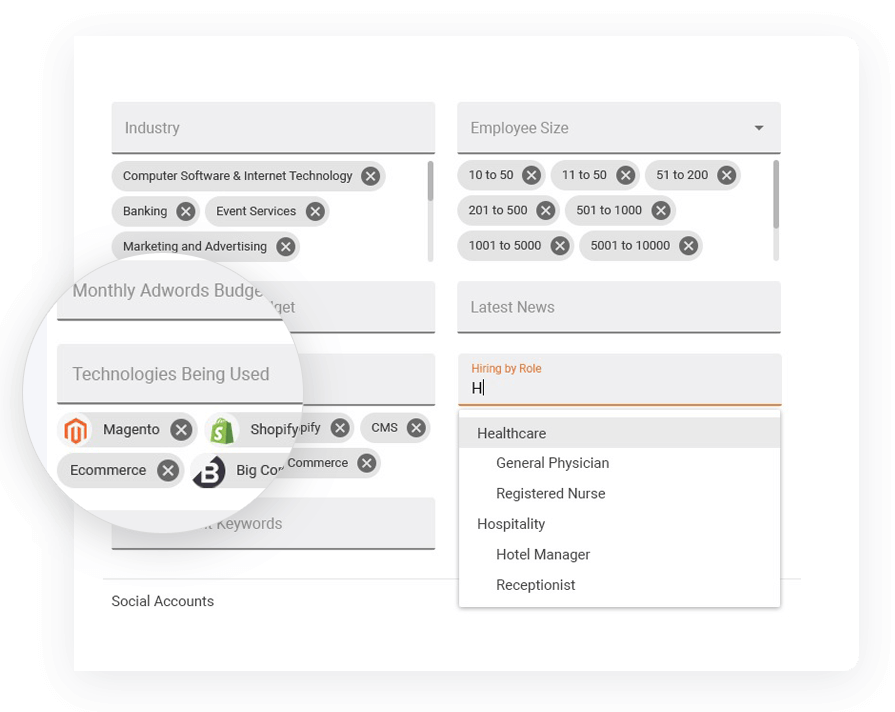 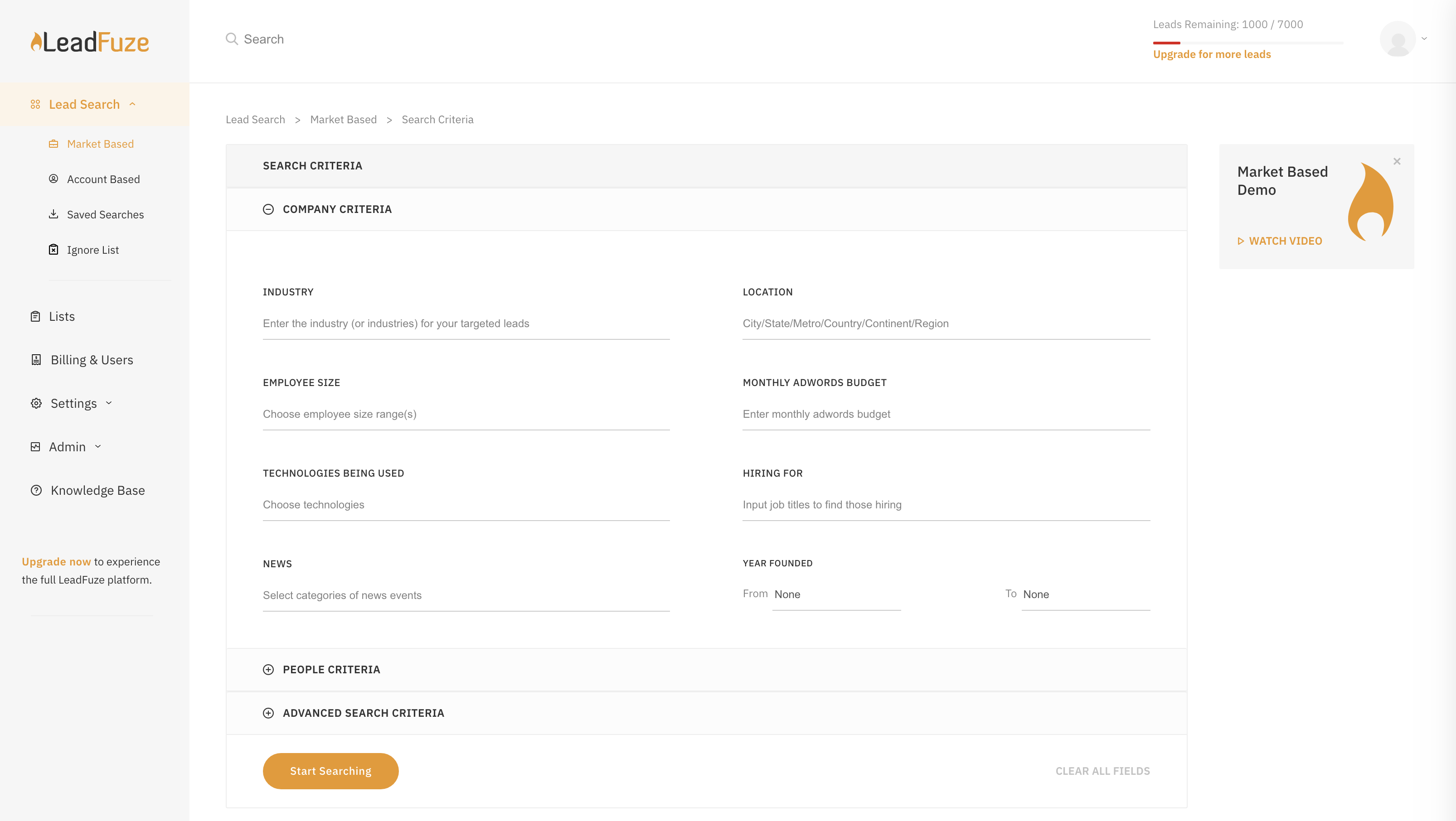 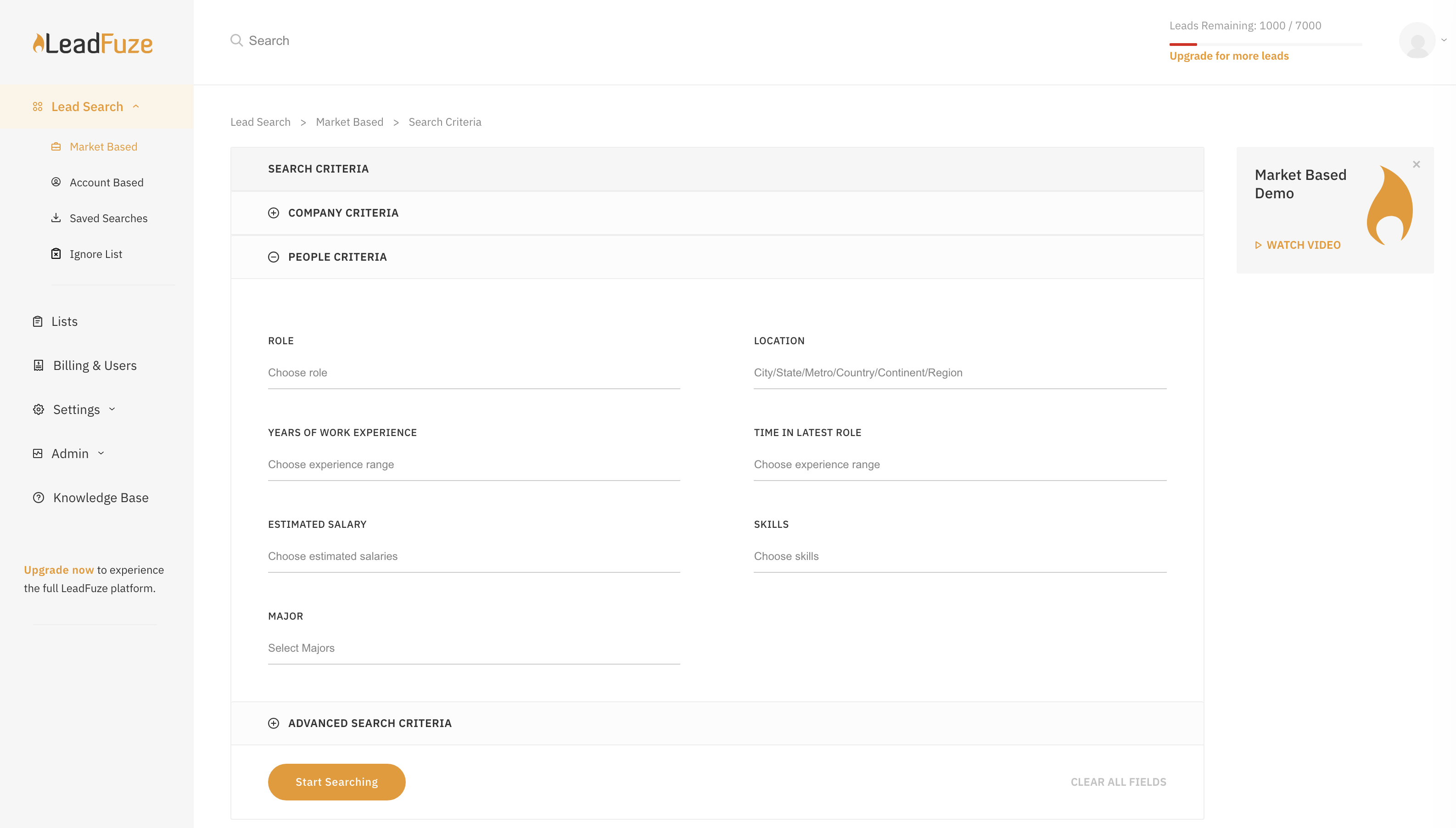  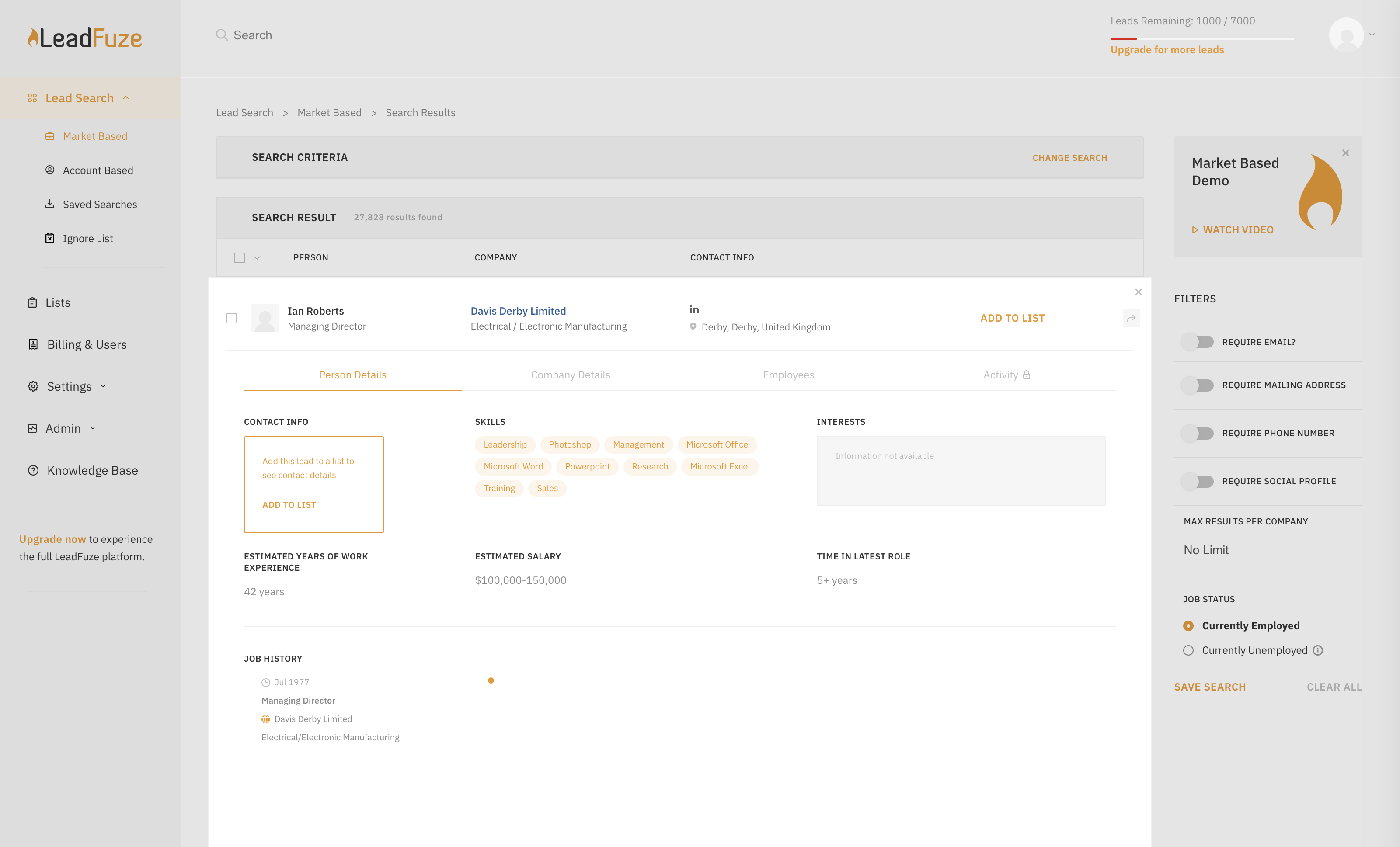  | Salesforce Revenue Cloud Screenshots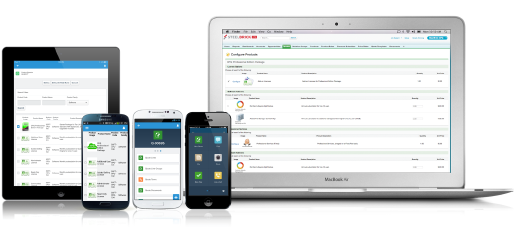 |