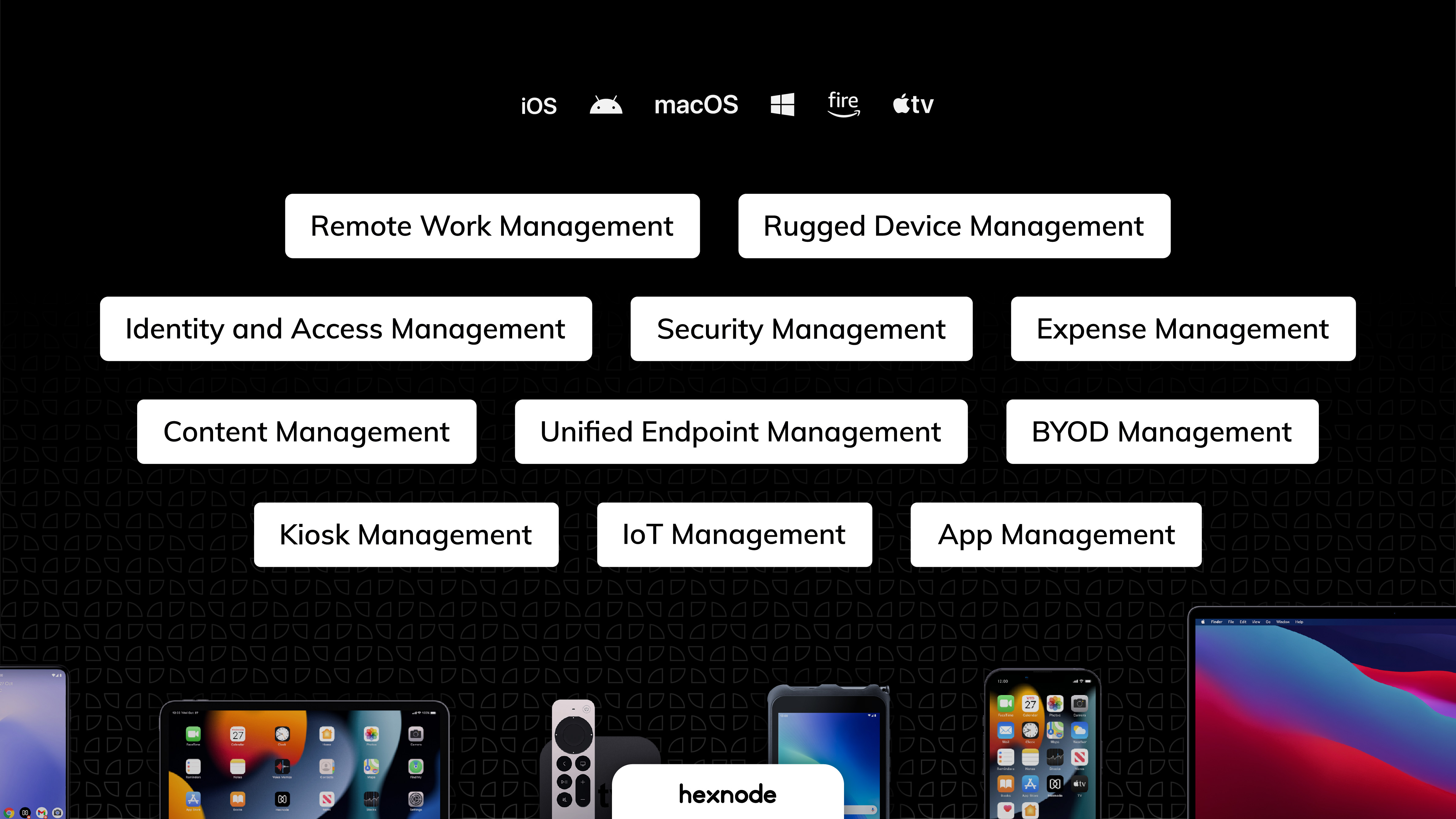
Hexnode is a Unified Endpoint Management solution from Mitsogo Inc. that aims to simplify the way people work with the help of intelligent tools. The management platform streamlines the device lifecycle model to offer its support at every stage, from device onboarding to the end of its life. It also gives a hands-free experience with automatic enrollment using Zero-touch enrollment, Knox Mobile Enrollment, and ABM and endpoint management with the help of dynamic group allocation in…
$2.40
per month per device
ManageEngine Endpoint Central
Score 9.3 out of 10
N/A
Desktop Central from ManageEngine is a client desktop management with patching, remote control, and configuration.
N/A
Pricing
Hexnode UEM
ManageEngine Endpoint Central
Editions & Modules
Pro
$2.40
per month per device
Enterprise
$3.60
per month per device
Ultimate
$5.20
per month per device
Ultra
Contact Hexnode for a Quote
No answers on this topic
Offerings
Pricing Offerings
Hexnode UEM
ManageEngine Endpoint Central
Free Trial
Yes
Yes
Free/Freemium Version
Yes
No
Premium Consulting/Integration Services
No
No
Entry-level Setup Fee
No setup fee
No setup fee
Additional Details
No support costs, No maintenance charges. Per device pricing. Discount available for annual pricing.
While some of these other Windows MDM solutions had some small improvements for something ManageEngine Endpoint Central does not have, I still find that ManageEngine Endpoint Central still has the biggest library, if you will, for functionality.
Hexnode was best suited for us to manage android devices and more specifically for Kiosk Lockdown and restrictions. Hexnode being a UEM offers support for platforms as well. It certainly does open doors for us to increase and take up more devices under the management of Hexnode. As said earlier, Hexnode does not support wearables as of now; would be great if they could start supporting them soon.
Patch management is a HUGE time saver. Simply being able to push patches out to devices without having to physically go around to each one save a ton of time. Inventory tracking has also helped us better manage equipment. We are all human and make mistakes, and this helps to eliminate or catch many of those mistakes. With ManageEngine Endpoint Central scans showing us who is using the device and what else is plugged into it, saves us from having to search for devices when they are being refreshed.
It helps to facilitate the administration of a network of workstations and servers.
The deployment of applications and updates is very easy to implement, and greatly facilitates keeping workstations and servers up to date.
The commissioning of the solution is very simple, and with the help of the external gateway, it allows for the supervision of all equipment, as long as they have internet access.
We can manage multiple mobile fleets, with user smartphones on one side and industrial smartphones with specific missions on the other. The possibility of applying a kiosk mode is not negligible.
We utilize a small number of Windows devices in addition to Android ones, however, Hexnode UEM has very few Windows-specific restrictions compared to those for other platforms.
When we turned on the remote control, the Hexnode for Work app would periodically crash.
We had to get in touch with their tech support to resolve the issue because the Multi app kiosk mode for Windows devices was not correctly pushed.
Given these factors, organizations would individually assess their experience with Endpoint Central to determine its renewal likelihood. If you're considering renewal, it might be helpful to gather feedback from users within your organization, review performance metrics, and assess how well Endpoint Central aligns with your current and future endpoint management needs.
UX is pretty good, but various screens are a bit redundant. Managing user and managing devices is often one in the same operation, but is broken across multiple screens. Device management policies are strange because if you make a "macOS" policy, why does it have all the Windows, iOS, Android etc options? It's unlikely you'll want all of these options for all possible OSes in one policy, but that's the only way to build a policy. Manage policy changes require remote system restart which is highly disruptive to employees.
The application itself is great. However, I have little insight to what the patches are doing. Being able to see patch download progress, not just the status, would be great. The user interface could also use an overhaul. The countless menus, sometimes containing similar if not duplicate tabs can be frustrating to navigate.
The immediate chat support is great and very helpful. However, if you need escalated support or have a deeper need that the chat tool can't help with, you will experience significant wait times and slow responses. The time zone difference becomes painful to the point of often just giving up.
We previously utilized Miradore MDM for all of our tablets and management. We have since made the switch to Hexnode UEM and are migrating all of our tablets to it instead. We have saved money with this switch and we have been able to easily remove our tablets from Miradore and set them up within Hexnode UEM instead.
Kaseya's system of handling patch management was not as intuitive as Endpoint Central, however in some respects it was easier to set up. Kaseya VSA and ConnectWise are also more geared towards managed service providers that handle multiple organizations versus a single company's IT department, which Endpoint Central seems more designed for. Intune, while helpful for machine management, does not have the level of overall endpoint management and inventory management and is better used alongside another endpoint management tool
We already had someone try to walk away with an ipad after deploying Hexnode, and we were immediately able to force an activation lock telling them to bring it back and they did.
It has saved us a lot of time setting up ios devices as we have a limited amount of IT staff and Hexnode makes it take probably around ten minutes an ipad.
Employee experience has improved since we can reset code remotely and they no longer have to send the ipads back to the corporate office to get reset.
We have been able resolve and complete any requests which include things like software deployment or issues that include troubleshooting, much faster and more efficiently. This has had a sharp decrease in our response times and also time it takes to complete these requests or incidents.
The mobile device management features have allowed us to be able to have a much tighter grip on security. This means we have dramtically decreased our device vulnerabilities and risk of data breaches. This has saved us lots of time and money.
The remote features that are available have helped a lot with user's being able to work remotely and allow our organisation to sustain hybrid work. It means user's can still be as productive and IT support is as efficient no matter where the user is working.