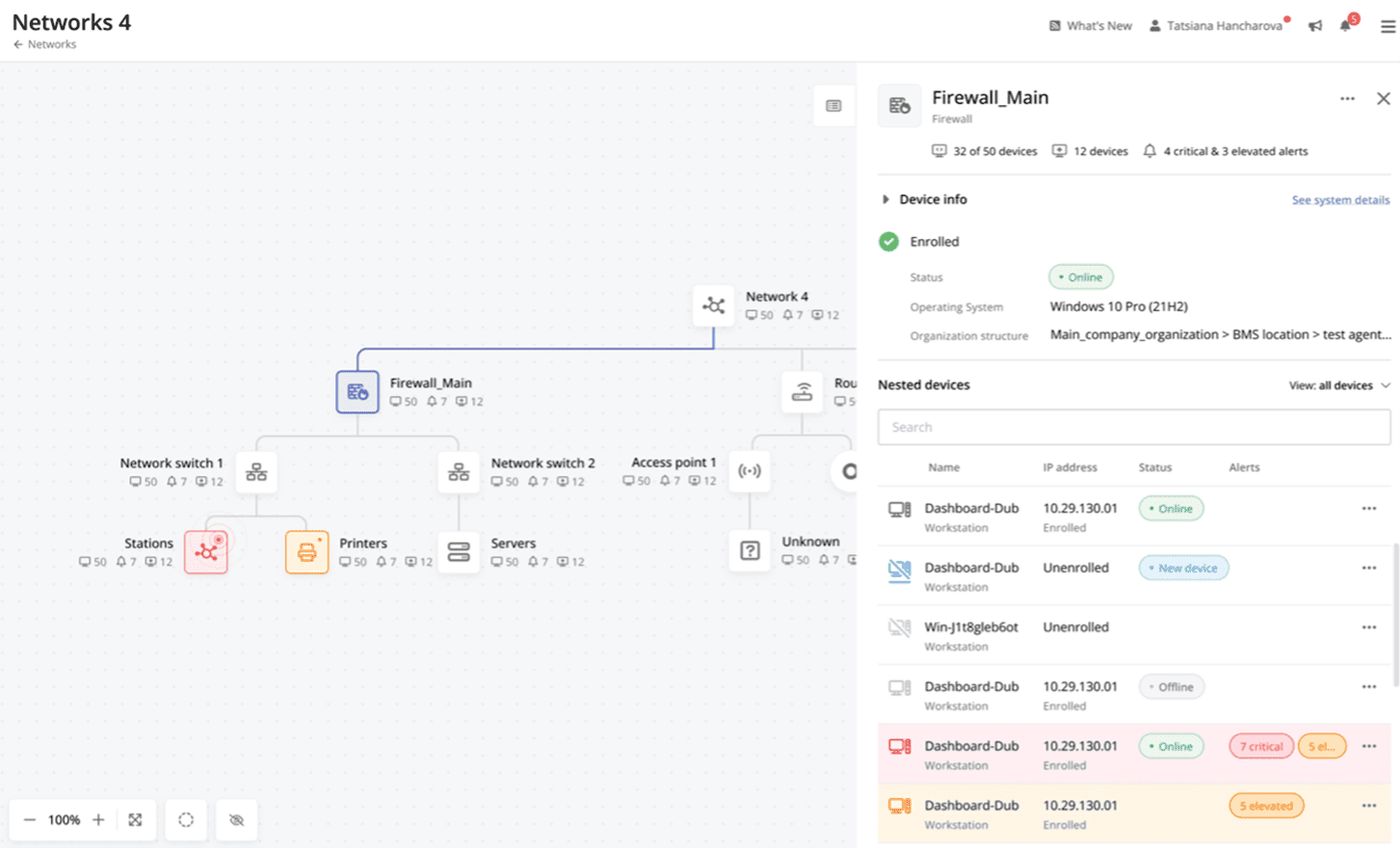
Site24x7 from ManageEngine is a full-stack application, website, server, cloud and network monitoring tool. Site24x7 offers code-level diagnostics and customizable error thresholds, end-to-end monitoring with topology visualization tools, and mobile accessibility.
$9
10 monitors
Pulseway
Score 9.9 out of 10
Mid-Size Companies (51-1,000 employees)
Pulseway is an IT monitoring and management solution that enables users to monitor, manage and control all systems and servers from a smartphone, tablet or browser. For system administrators, Pulseway sends a notification, so they can see an issue and sort it in seconds. Pulseway features: Automation: Auto-remediation workflows, so that IT issues are fixed before users even notice them. Mobile Access: Customers can monitor, manage, connect with…
$0.80
per month per installation
Pricing
ManageEngine Site24x7
Pulseway
Editions & Modules
Starter
$9.00
10 monitors
Pro
$35.00
40 Monitors
Classic
$89.00
100 Monitors
Elite
$225.00
250 Monitors
Enterprise
$449.00
500 Monitors
Enterprise Plus Web
$899.00
2500 Monitors
Enterprise
$0.80
per month per installation
Offerings
Pricing Offerings
ManageEngine Site24x7
Pulseway
Free Trial
Yes
Yes
Free/Freemium Version
Yes
Yes
Premium Consulting/Integration Services
No
No
Entry-level Setup Fee
$1 monitors
No setup fee
Additional Details
Each Pack will also support additional benefits such as Network interfaces, Applogs, Alert credits etc. You can also, purchase add-ons to create custom pricing options. Please visit the vendor's pricing page, for more information.
No hidden fees or contracts. Term-based discounts.
More Pricing Information
Community Pulse
ManageEngine Site24x7
Pulseway
Features
ManageEngine Site24x7
Pulseway
Monitoring Tasks
Comparison of Monitoring Tasks features of Product A and Product B
ManageEngine Site24x7
8.4
Ratings
8% above category average
Pulseway
-
Ratings
Remote monitoring
9.10 Ratings
00 Ratings
Network device monitoring
7.50 Ratings
00 Ratings
Multiple Server Monitoring
8.60 Ratings
00 Ratings
Multi-device monitoring
8.00 Ratings
00 Ratings
Automated alerts and notifications
9.00 Ratings
00 Ratings
Management Tasks
Comparison of Management Tasks features of Product A and Product B
ManageEngine Site24x7
7.4
Ratings
0% above category average
Pulseway
-
Ratings
Policy-based automation
7.40 Ratings
00 Ratings
Reporting
Comparison of Reporting features of Product A and Product B
ManageEngine Site24x7
8.5
Ratings
11% above category average
Pulseway
-
Ratings
Performance data reports
8.10 Ratings
00 Ratings
Customizable reporting
8.40 Ratings
00 Ratings
Data visualization
8.80 Ratings
00 Ratings
Risk analysis
8.60 Ratings
00 Ratings
Security
Comparison of Security features of Product A and Product B
I have tried other tools (PRTG etc) in the past, and switched from US monitor to [Site24x7 All-in-One Monitoring], for all the built-in features and ability to implement by using with or without the agents deployed (ip discovery LAN). This is one tool that encompasses the entire organization and allows that single pane of glass feel (NOC screen view) for an accurate virtual snapshot of your entire organization, either cloud and/or LAN.
Pulseway is well suited for just about any situation where there is a need to remotely monitor and manage computers. The most basic features are available to anyone with a free account, so even a home user can set it up and use to keep an eye on computers. The more sophisticated features require a fairly inexpensive subscription, but are well worth the cost for a business wanting to monitor the health of their servers, etc. My experience with Pulseway is limited to using it in situations where there are fewer than a dozen or so computers/servers being monitored. I'm not really sure how well it scales up, so I can't say if it is a good solution for a large corporation with hundreds or thousands of machines that need to be monitored.
Alerts: Site24x7 can be configured to send alerts in all sorts of ways, from email, to text messages, to even direct automated phone calls.
Internal monitoring: An agent installed on one or more machines can monitor internal connectivity to other network devices. This means if connectivity to a server goes down, we often know about it before users alert us.
External monitoring: Site24x7 also watched our websites and sends alerts if they're unreachable. It uses multiple locations to do so, which means if there's a partial network outage in some part of the country, we know who is affected.
There are a couple of computers that I keep ScreenConnect around for - as I lose connection with Pulseway and have to reestablish with ScreenConnect. I can't seem to get tech support interested in resolving this issue and it cost's me many $$ just to keep ScreenConnect running.
There is an issue with Webroot, their new endpoint solution. I can't get it to work - again, no help from Pulseway - they ignore my emails.
The tool is easy to use however it is can be daunting with the amount of features available in it. Last I checked, their knowledge base was not very expansive and they relied a lot on the changelog for how to do some stuff. This can make it hard to learn how to do some more advanced things like the automation.
I have only had to use support once, so I can't go into much detail about their support team. The one time I did use it the response was fast but the resolution took some time.
I have never had to use the support for Pulseway. However, when initially starting out, we would receive emails every so often asking how we are doing and if there is any support that they can provide. I would imagine that any request would be supplied with the same great support!
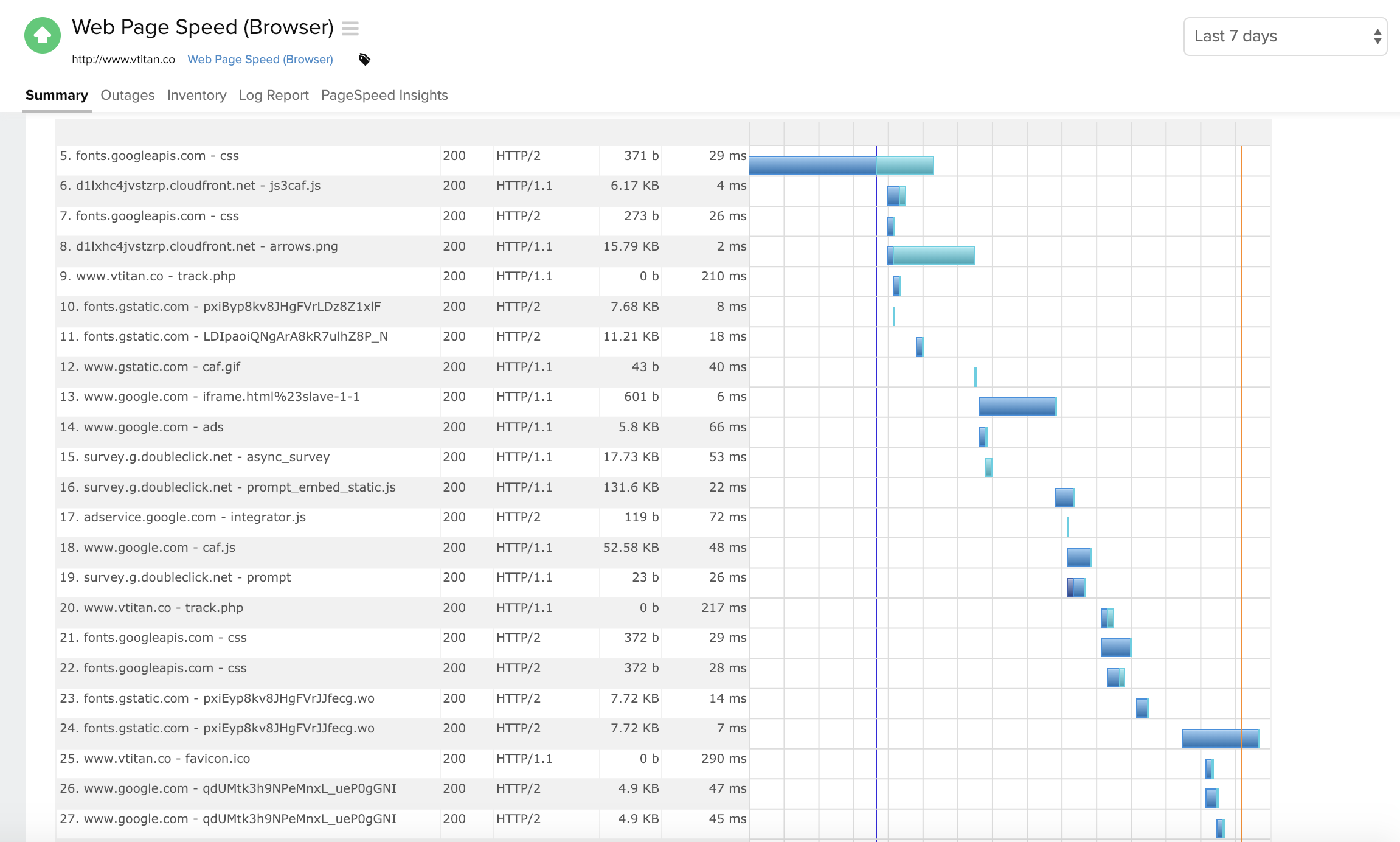
Site24x7 [All-in-One Monitoring] has some similarities to ThousandEyes. Especially in the troubleshooting aspect where both offer Web performance waterfall charts to analyze the issue better. Both have cloud-based servers globally that allow to determine performance on the Internet. Site24x7 has more features available so we selected it instead.
The 2 major factors were: 1. The fact there was no contract, we believe vendors should have to validate the usefulness of their product and their support to their customers every day, not just 1 or 2 months every few years. This is the same reason we allow our clients to leave at any time if we fail to meet their standards. 2. The ease of managing the product, we demoed other products that would have almost required a full time employee just to manage the RMM tool itself. The ease of use of Pulseway meant a tech could manage it as part of their other duties much improving the ROI. Note: We also felt NinjaOne met these same conditions but we evaluated it after having used Pulseway for a few years and while we found it a great product, possibly even superior, we didn't find enough reason to go through all the work and retraining to change over.
Positivity wise, we're spending a third of what we were on our website monitoring, this has allowed us to focus funding elsewhere (namely SolarWinds).
We have enhanced our core monitoring by now also being able to provide better coverage, whereas we were handicapped with our previous supplier due to the scaling costs of multi-step transactions.
The general feeling from our IT staff is that the platform is not great, which obviously reduces confidence in the ability for the platform to provide accurate monitoring data for our websites.
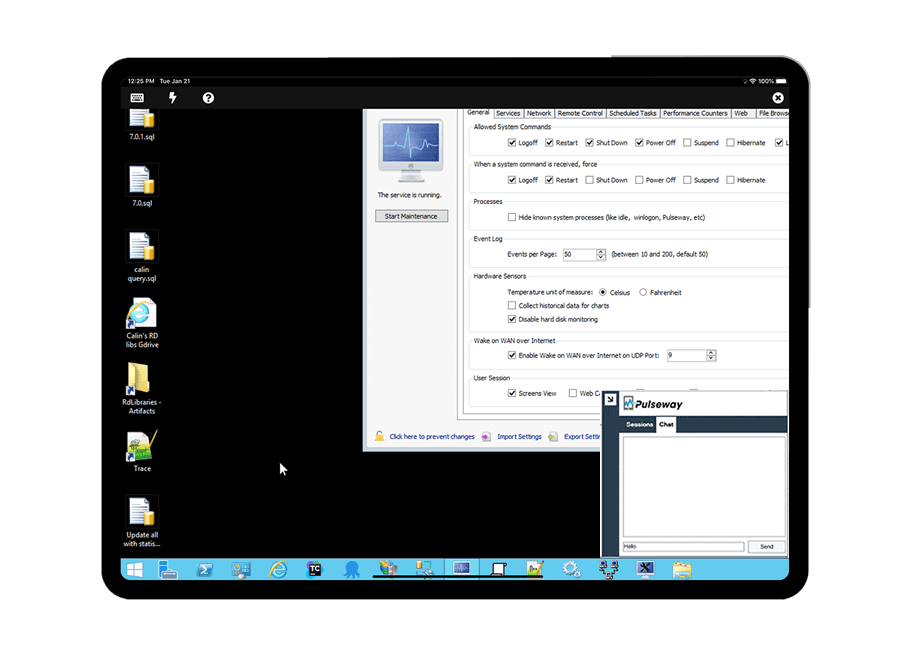
Problems can be dealt with more rapidly because I have access to systems from anywhere. I don't have to carry a computer with me nor do I have to find a location with potentially non-secure wifi to gain access to my systems.
I can handle 99% of my system admin tasks using Pulseway and never have to touch a system or connect to the console.
Pulseway gives so much control over a system that I don't need to spend extra money on other software to perform management tasks.