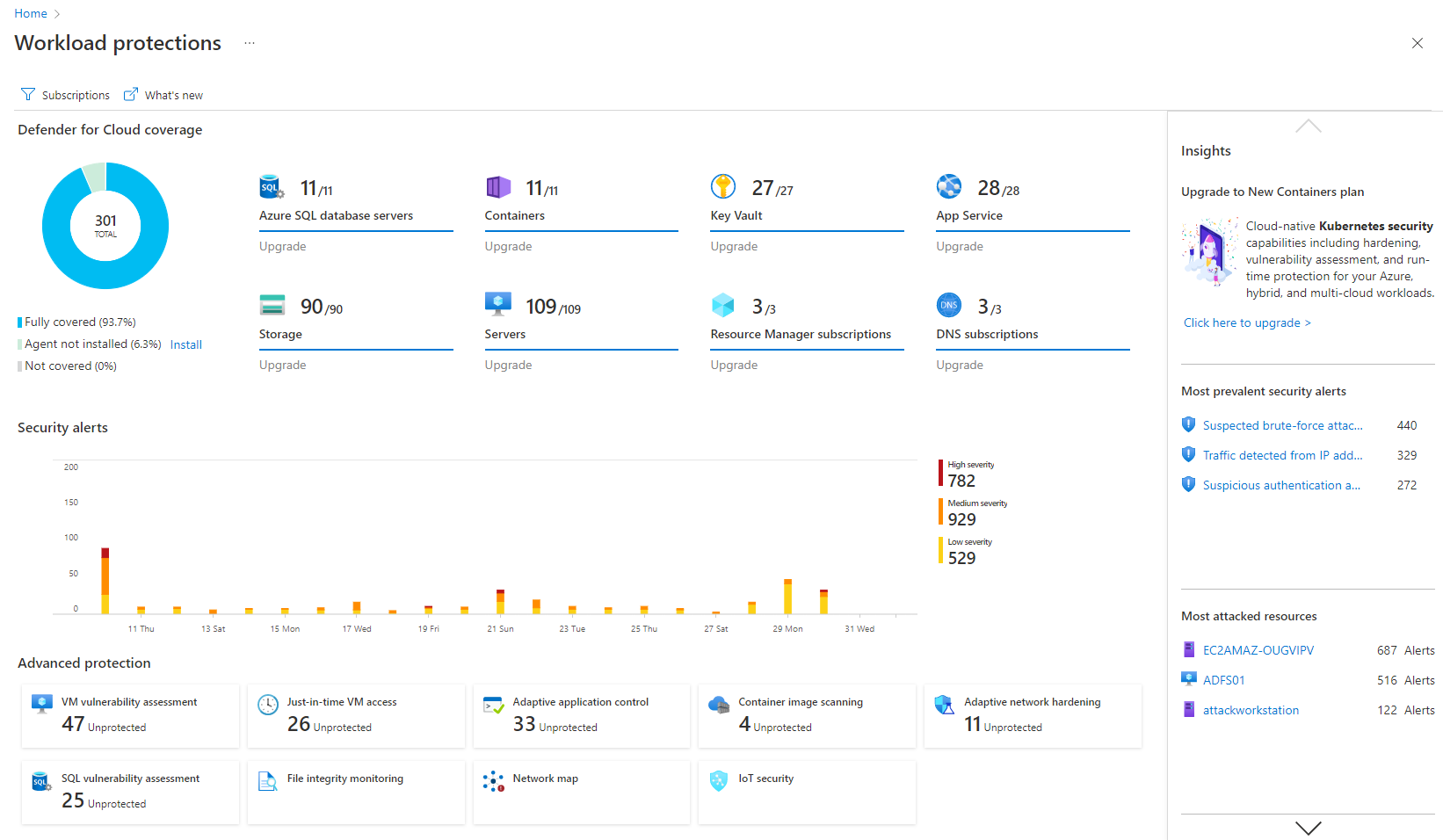
Microsoft Defender for Cloud is a Cloud Security Posture Management (CSPM) and Cloud Workload Protection Platform (CWPP) for Azure, on-premises, and multicloud (Amazon AWS and Google GCP) resources.
N/A
SonarQube Server
Score 9.5 out of 10
N/A
SonarQube is a code quality and vulnerability solution for development teams that integrates with CI/CD pipelines to ensure the software you produce is secure, reliable, and maintainable.
If you need to proceed with pay as you go service then go ahead with Microsoft Defender for Cloud. This could be expensive in the long run but if the organization usage is slightly less than then this would suite the purpose. Also, it has the latest threat updates, so you're future proof in terms of potential treats.
Large codebase: The tool's static analysis capabilities can help teams quickly identify and fix bugs, vulnerabilities, and code smells in large codebases.
Compliance and security: The tool can check the code against industry standards or regulations, such as OWASP and CWE, and identify any issues that need to be addressed.
Agile development: SonarQube can be integrated with CI/CD pipelines allowing teams to continuously monitor and improve code quality throughout the development process.
Teams using multiple languages: Teams that use multiple programming languages can benefit from using SonarQube, as the tool supports a wide range of languages and can be integrated with a variety of development tools.
Scenarios where SonarQube may be less appropriate:
Small codebase: Organizations with a small codebase may not see the full benefits of using SonarQube, as the tool's static analysis capabilities may be overkill for a smaller codebase.
Limited resources: Organizations with limited resources may find it difficult to set up and configure SonarQube, as the tool can be complex and may require specialized expertise.
Limited integration: Organizations that use development tools or IDEs that are not supported by SonarQube may find it difficult to integrate the tool into their existing development workflow.
Limited scalability: Large organizations with millions of lines of code may find SonarQube's performance and scalability to be an issue. It may take longer for the analysis to finish and the results may not be as accurate.
Automation is crucial to managing sprawl and the additional complexity that comes with it. SOC management workbooks and process automation give significant flexibility.
The Security posture score and Security Alerts are neatly centralized and offer me crucial information quickly.
Defender for Cloud avoids the common compromise of simplicity for completeness (former Azure Security Center). The security warnings and advice go into great detail while remaining current and useful.
UI/UX. It can get a little messy when navigating around with all the flyouts in the Azure portal which can be frustrating, particularly when under time pressure.
The query languages for the queries and workbooks are another language that needs to be learned - it would be nice to have kept it closer to T-SQL or something like that to minimize the need to learn new syntax.
Adding cost estimations to the security recommendations would really improve the experience.
It is a great product that integrates nicely when running an Azure platform and even multi-cloud environment. Not looking for point-solutions but a suite that answers most requirements. It is very comfortable being able to use KQL, workbooks and automation that is native to the azure platform
We we easily able to integrate the SonarQube steps into our TFS process via the Microsoft Marektplace, we didn't have the need to call SonarQube support. We've used their online documentation and community forum if we ran into any issues.
I believe Microsoft Defender for Cloud stacks up well against the other tools we looked at. It is native to the Azure platform and provides the same insights as the other tools. We selected Microsoft Defender for Cloud because it integrates well with the Azure resources and gives the needed insight, security alerts and recommendations.
SonarQube identifies significant more thing compared to the built-in suggestions in IntelliJ IDEA. The suggestions how to correct issues are also a lot better with SonarQube. IntelliJ IDEA provides great refactoring support to make it easy to refactor the code to solve issues. We use these tools together and they really complement each other.
Positive ROI from the standpoint of flagging several issues that would have otherwise likely been unaddressed and caused more time to be spent closer to launch
Slightly positive ROI from time-saving perspective (it's an automated check which is nice, but depending on the issues it finds, can take developers time to investigate and resolve)