
Naseem Ahmad
Sr Technical Architect
Chose MS SharePoint / SQL
1. Cost affective as it comes with MS 365 Tenant 2. Natively interactive with tools such MS 365 Dynamics ERP, Power Platform etc

| Product | Rating | Most Used By | Product Summary | Starting Price |
|---|---|---|---|---|
 MS SharePoint / SQL | N/A | MS SharePoint / SQL refers to Microsoft Sharepoint, a web-based collaborative platform, being used in tandem with Microsoft SQL Server to provide business intelligence analytics and reporting. They can provide BI content such as data connections, reports, scorecards, dashboards, and more. | N/A | |
 SAP Crystal | N/A | SAP Crystal is an analytics and reporting software solution for SMBs. SAP Crystal comprises Crystal Reports for pixel-perfect reporting, and SAP Crystal Server for automated distribution and self-service access to reports, dashboards and data exploration. | $295 per single user license |
| MS SharePoint / SQL | SAP Crystal | |||||||||||||||
|---|---|---|---|---|---|---|---|---|---|---|---|---|---|---|---|---|
| Editions & Modules | No answers on this topic |
| ||||||||||||||
| Offerings |
| |||||||||||||||
| Entry-level Setup Fee | No setup fee | Optional | ||||||||||||||
| Additional Details | — | * SAP Crystal Reports 2020 Viewer allows you to view static data within a SAP Crystal Reports file. * SAP Crystal Reports 2020 - Full version allows you to create powerful, richly formatted, and dynamic reports from virtually any data source, delivered in dozens of formats, in up to 28 languages. If you already have an older version of Crystal Reports, buy a license for SAP Crystal Reports 2020 - Upgrade at a discounted, upgrade price. * SAP Crystal Server 2020, 1 NUL includes 1 license of: SAP Crystal Reports 2020 - SAP Crystal Server 2020. * As an add-on to SAP Crystal Server 2020 1 NUL, SAP Crystal Server 2020 5 CAL allows you to support a wider, intermittent audience of end users, up to five logged on at the same time. | ||||||||||||||
| More Pricing Information | ||||||||||||||||
| MS SharePoint / SQL | SAP Crystal | |
|---|---|---|
| Considered Both Products |  MS SharePoint / SQL Naseem Ahmad Sr Technical Architect Chose MS SharePoint / SQL 1. Cost affective as it comes with MS 365 Tenant 2. Natively interactive with tools such MS 365 Dynamics ERP, Power Platform etc  Saif Khan Product Compliance Associate Chose MS SharePoint / SQL SharePoint is more reliable in terms of data storage, security, and accessibility by only required users compared to ClickUp. Also, SharePoint is easier to learn and use for any user, as tutorials are easily available online. Also, SharePoint is a product of Microsoft, which …  Gene Baker Vice President, Chief Architect, Development Manager and Software Engineer Chose MS SharePoint / SQL At the time of the two large projects, SharePoint was the enterprise solution so we were required to use that. We have since lobbied the enterprise teams to review and consider Atlassian confluence and were successful. Confluence is cheaper than Sharepoint which is why we …  Matt Varney Intranet Administrator Chose MS SharePoint / SQL At its core, MS SharePoint (with SQL) is for managing document-based content. It falls just short of being a best in class records manager (it does offer some features for this though), and it isn't the easiest to solution to make great looking modern and engaging web sites. …  Dinesh Selvachandra Business Process Analyst Chose MS SharePoint / SQL Google drive is not yet up to the corporate requirement.  Jeet Sohpal Technology Support Chose MS SharePoint / SQL Most of the applications used within our company have a SharePoint back end therefore I have not used anything other than SharePoint.  Mohamad CHAABAN Senior SOC Analyst Chose MS SharePoint / SQL Actually i didnt work with other than ms sharepoint so i cant say how it is stand for others |  SAP Crystal  Akhilesh Arya Assistant Professor Chose SAP Crystal SAP Crystal reports are generally in more formatted way where you can design header according to your requirements and data will be fetched from the data source accordingly. According to my analysis this is the only thing when required i'll be happy to use SAP Crystal report … Gene Baker Vice President, Chief Architect, Development Manager and Software Engineer Chose SAP Crystal We found that Crystal was a little more intuitive to our team members than the other products. All of the products were excellent choices but we liked the ability to code stored procedures to gather our data. While each product has very similar features, we went with …  Yoni Dvorkis Lead Data Scientist Chose SAP Crystal We've had SAP Crystal for about ten years at this point. We've never really evaluated any alternatives since, as of today, well over 400 reports are being generated in the system, and we've yet to consider switching to a competing product.  Jesus Chacon Software Support Engineer Chose SAP Crystal We develop our desktop applications in Visual studio IDE, we use SQL Server as a database engine, and the reports are managed by SAP Crystal since it does not limit us when it comes to displaying data. It supports all kinds of information from images and graphics.  Miguel De La Garza Rodriguez IT Manager Chose SAP Crystal Fully integrates into SAP B1 menus, it is the only reporting tool that fully integrates with B1 client, otherwise if you dont run SAP you can have all the reporting power and run reports from the crystal report viewer tool but you will not have menu like reports and you …  Frank Hunt Business Development Manager Chose SAP Crystal Crystal offered a more straightforward implementation for our situation. While Tableau offers well-designed reports, the overall functionality regarding data manipulation and analysis is behind Crystal.  Rohit Narang Assistant Vice President Chose SAP Crystal Our requirements were static in nature and we had a bias for SAP due to the availability of skilled in-house resources.  Damien Dolan Business Analyst Developer Chose SAP Crystal We didn't so much evaluate them as use them side by side. Crystal was already here so we didn't replace it or think to replace it. We just added other programs that do things better. Both Power B and Dynamics are good at visualizing data in charts. Crystal is the workhorse  Dell Stinnett-Christy Senior Manager, Data & Analytics Practice Chose SAP Crystal I have done a little bit in Microsoft SSRS and a bunch in SAP Web Intelligence (Webi). Both of those are good at what they do. Like Crystal, SSRS is more technical. Webi is great for quick ad-hoc reports or data analyses. But with Crystal I can easily do things like …  Tom Fragale Sr. Consultant and Sr. Corporate Trainer Chose SAP Crystal PowerBI is starting to replace Crystal Reports. PowerBI is a Microsoft tool. It also brings different types of data in to the same report. PowerBi allows for more data types than Crystal does. Crystal Reports allows you to create formulas easier than PowerBI does. I am very …  Vivian Pereira Manager, Enterprise Reporting Chose SAP Crystal na |
| MS SharePoint / SQL | SAP Crystal | |||||||||||||||||||||
|---|---|---|---|---|---|---|---|---|---|---|---|---|---|---|---|---|---|---|---|---|---|---|
| BI Standard Reporting |
| |||||||||||||||||||||
| Ad-hoc Reporting |
| |||||||||||||||||||||
| Report Output and Scheduling |
| |||||||||||||||||||||
| Data Discovery and Visualization |
| |||||||||||||||||||||
| Access Control and Security |
| |||||||||||||||||||||
| Mobile Capabilities |
| |||||||||||||||||||||
| Application Program Interfaces (APIs) / Embedding |
|
| MS SharePoint / SQL | SAP Crystal | |
|---|---|---|
| Small Businesses |  BrightGauge Score 9.1 out of 10 | BrightGauge Score 9.1 out of 10 |
| Medium-sized Companies |  Reveal Score 10.0 out of 10 | Reveal Score 10.0 out of 10 |
| Enterprises |  Kyvos Semantic Intelligence Layer Score 9.9 out of 10 | Kyvos Semantic Intelligence Layer Score 9.9 out of 10 |
| All Alternatives | View all alternatives | View all alternatives |
| MS SharePoint / SQL | SAP Crystal | |
|---|---|---|
| Likelihood to Recommend | 8.8 (0 ratings) | 10.0 (0 ratings) |
| Likelihood to Renew | 8.8 (0 ratings) | 10.0 (0 ratings) |
| Usability | 8.9 (0 ratings) | 9.5 (0 ratings) |
| Availability | - (0 ratings) | 8.0 (0 ratings) |
| Performance | - (0 ratings) | 8.0 (0 ratings) |
| Support Rating | 8.8 (0 ratings) | 8.6 (0 ratings) |
| In-Person Training | - (0 ratings) | 10.0 (0 ratings) |
| Implementation Rating | 7.0 (0 ratings) | 8.8 (0 ratings) |
| Configurability | - (0 ratings) | 8.0 (0 ratings) |
| Ease of integration | - (0 ratings) | 7.0 (0 ratings) |
| Product Scalability | - (0 ratings) | 7.0 (0 ratings) |
| Vendor post-sale | - (0 ratings) | 8.0 (0 ratings) |
| Vendor pre-sale | - (0 ratings) | 7.0 (0 ratings) |
| MS SharePoint / SQL | SAP Crystal | |
|---|---|---|
| Likelihood to Recommend |
|
|
| Pros |
|
Rohit Narang Assistant Vice President |
| Cons |
|
|
| Likelihood to Renew |
 Tim Ritter IT Analyst/Developer |
|
| Usability |
|
 Nathan Patrick Taylor Clinical Informatics Consultant |
| Support Rating |
|
|
| In-Person Training | No answers on this topic |
|
| Implementation Rating |
 John Dopson Network Engineer |
|
| Alternatives Considered |
Gene Baker Vice President, Chief Architect, Development Manager and Software Engineer |
|
| Return on Investment |
|
Frank Hunt Business Development Manager |
| ScreenShots | SAP Crystal Screenshots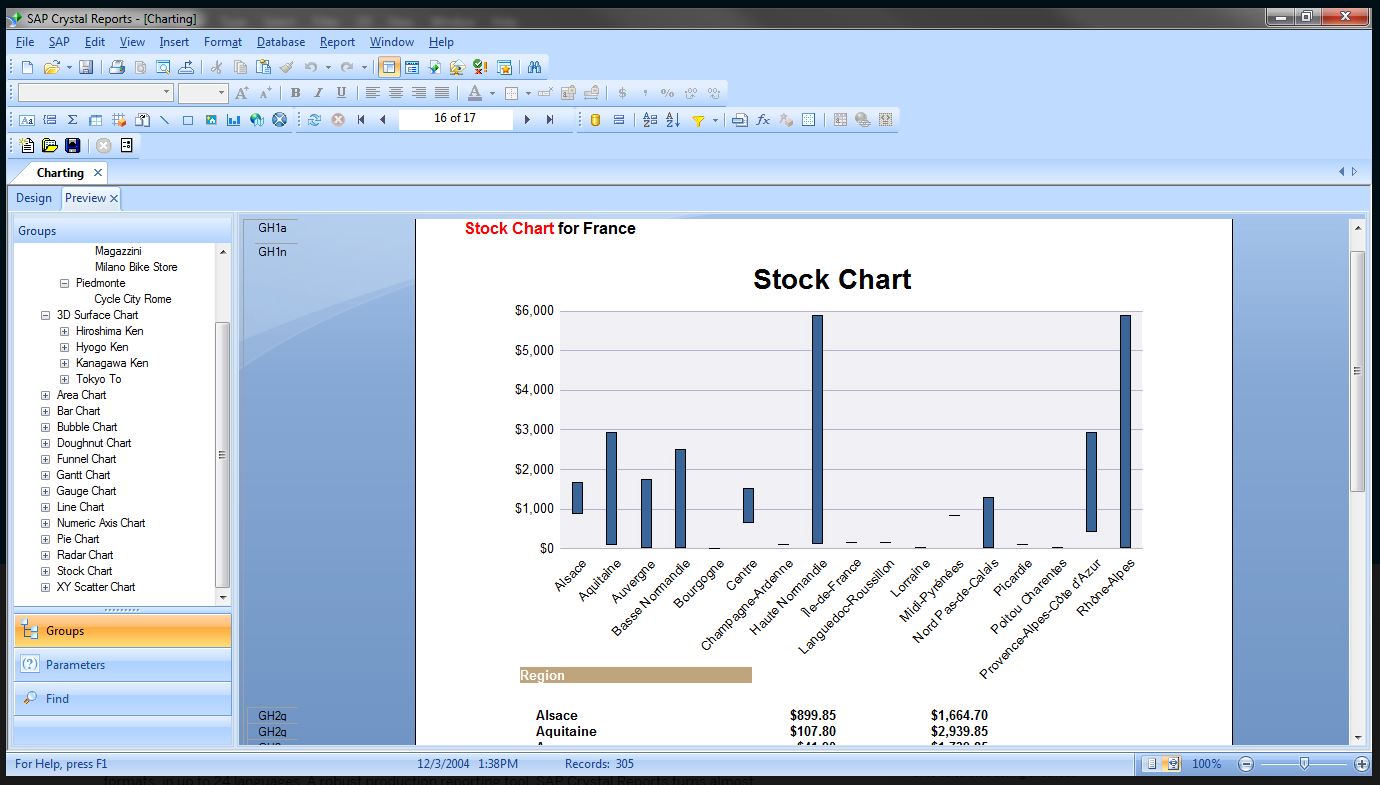   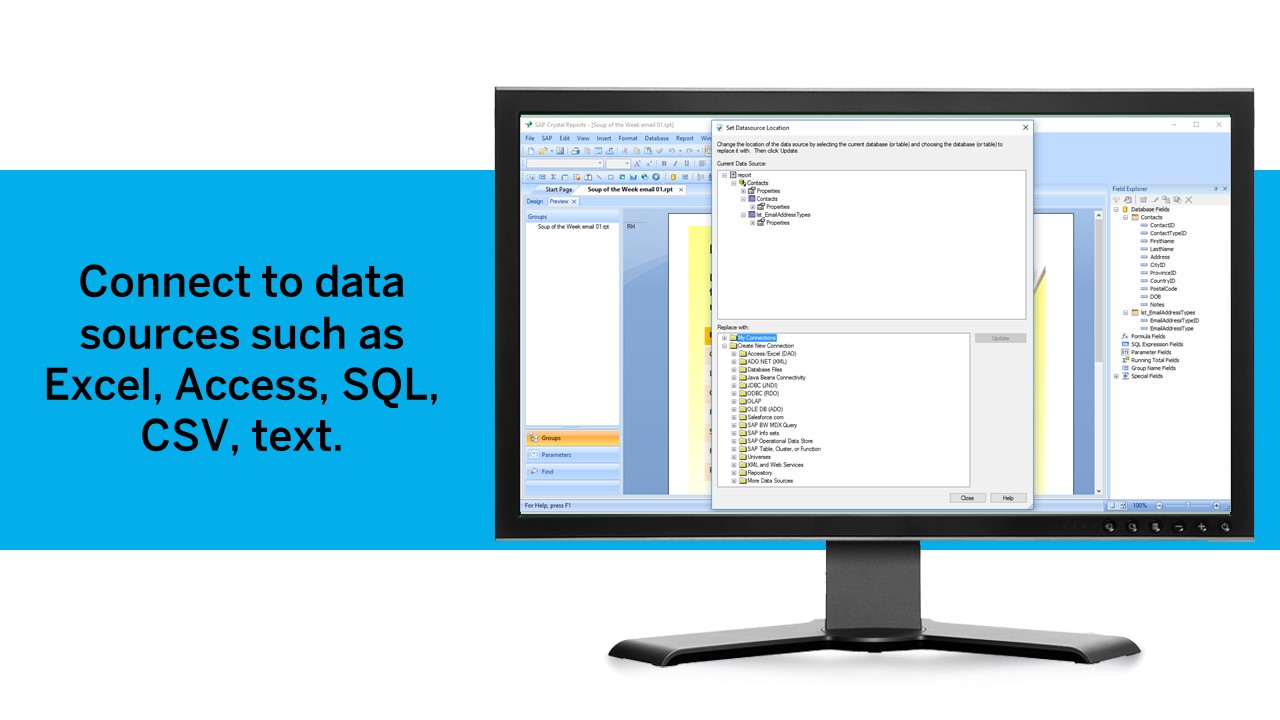 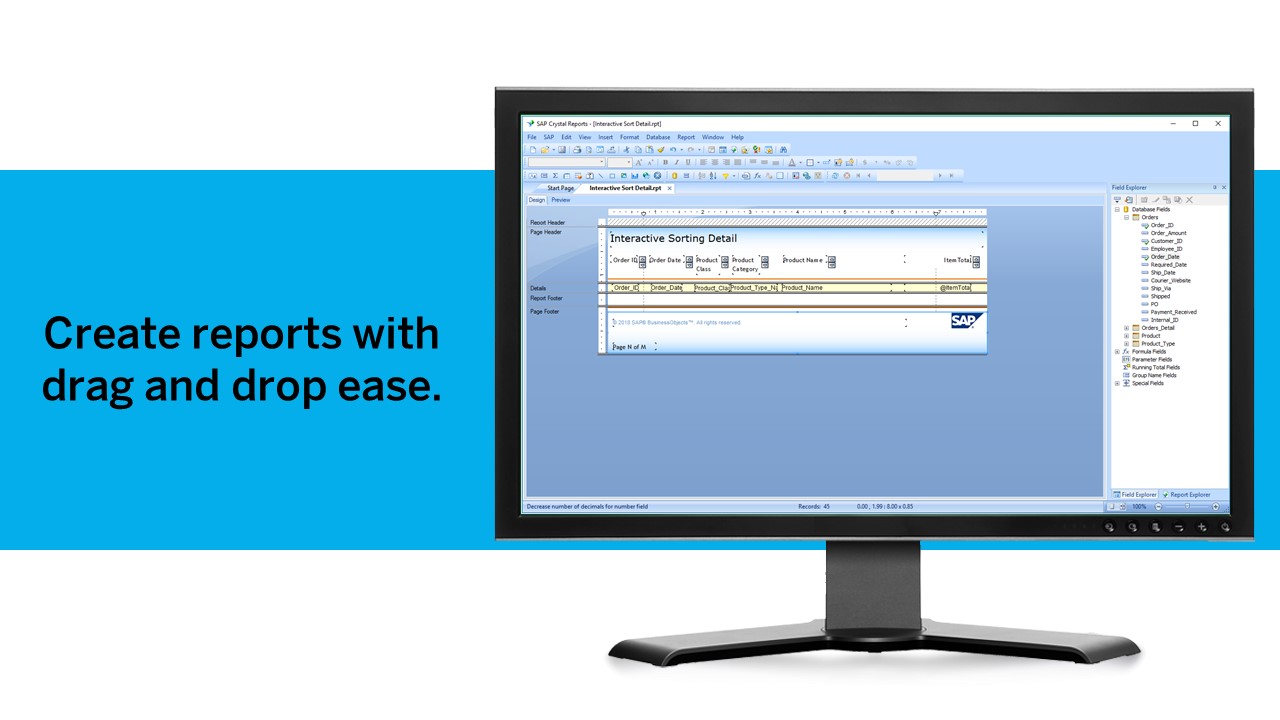  |