NAKIVO Backup & Replication now also supports Proxmox VE, alongside VMware, Hyper-V, Nutanix AHV, and AWS EC2. It offers replication, failover, cloud backup, backup copy, size reduction, screenshot verification, and site recovery.
$0.80
Billed yearly for up to 5 years. Includes 24/7 Support. Microsoft 365 User/Month
Veeam Data Cloud for Microsoft 365
Score 8.3 out of 10
Mid-Size Companies (51-1,000 employees)
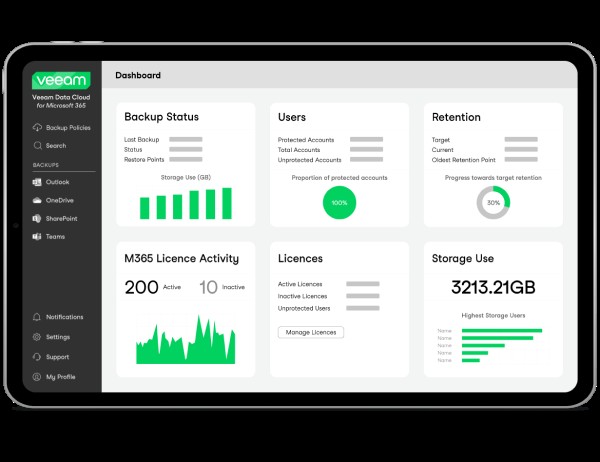
Veeam Data Cloud for Microsoft 365 is a BaaS (Backup as a Service) solution used to back up and restore Microsoft 365 data, including Microsoft Exchange, Microsoft SharePoint, Microsoft OneDrive for Business and Microsoft Teams data.
N/A
Pricing
NAKIVO Backup & Replication
Veeam Data Cloud for Microsoft 365
Editions & Modules
Enterprise Essentials/Enterprise (Perpetual)
Starting at $329 per CPU socket
Indefinite use. Includes technical support during business hours. CPU sockets
Enterprise Essentials/Enterprise
Starting $76 per server and $25 per workstation
Indefinite use. Includes technical support during business hours. Server Workstation
Enterprise Plus
Contact vendor
Enterprise Essentials/Enterprise (Subscription)
Starting at $3.5 per workload/month
Billed yearly for up to 5 years. Includes 24/7 Support. Workload/Month
Pro Essentials/Pro (Perpetual)
Starting at $239 per CPU socket
Indefinite use. Includes technical support during business hours. CPU Socket
Pro Essentials/Pro (Subscription)
Starting at $2.5 per workload/month
Billed yearly for up to 5 years. Includes 24/7 Support. Workload/Month
Pro Essentials/Pro
Starting at $58 per server and $19 per workstation
Indefinite use. Includes technical support during business hours. Server Workstation
NAKIVO Backup for Microsoft 365
Starting at $0.80 per user/month
Billed yearly for up to 5 years. Includes 24/7 Support. Microsoft 365 User/Month
VDC for Microsoft 365
Contact Sales
Offerings
Pricing Offerings
NAKIVO Backup & Replication
Veeam Data Cloud for Microsoft 365
Free Trial
Yes
No
Free/Freemium Version
Yes
No
Premium Consulting/Integration Services
No
No
Entry-level Setup Fee
No setup fee
No setup fee
Additional Details
A workload is a VMware vSphere VM, Microsoft Hyper-V VM, Nutanix AHV VM, a physical machine (01 server and 03 workstations), an Oracle database, or an Amazon EC2 instance.
NAKIVO Backup & Replication is way simpler and more flexible to deploy. It has a much more clearer user interface. The ability to deploy to a NAS to be backed up to and wide support for devices from different manufacturers.
We compared Nakivo with other solutions like Veeam. We have chosen Nakivo even if Veeam has more documentation mostly from the final users , because the product looks easier, cleaner and above all it has a really good price for perpetual licences. For a lower price we prefer to …
It's been a while since I've used Veeam. Originally I found NAKIVO when I felt Veeam's pricing was starting to feel out of reach for our small business.
It's good in its UI, easy to configure, and offers very good performance. NAKIVO Backup & Replication stands on top with its UI, or we call it, Administration Console, and provides great performance of its core and modules. Awesome Backup App and a worthy one for its UI!
NAKIVO Backup & Replication is a the best option for backup and replication of virtual machines on Nas like Synology while Veeam agent is best for backup of windows servers on disk, or Nas
Nakivo is an effective-cost solution that allows progressive use according to the needs of our company, in other companies, the cost vs. features are not comparable.
NAKIVO Backup & Replication Virtual Appliance on VMware vSphere is a great option for first steps in a Backup Solution and it no need some Windows Licenses, like others.
The positives of NAKIVO outweigh the negatives in comparison to the other solutions. As an MSP we need the multi-tenant console, which NAKIVO does perfect for us.
I've tried Veeam and Vembu. I personally liked NAKIVO better because you can do a one time license purchase, which I see as a big advantage over subscription based. Their customer support was also better. I personally found the user interface to be easier to use as well. It …
NAKIVO Backup & Replication provides a cost-effective solution without compromising on features and functionality. I selected NAKIVO Backup & Replication to benefit from its cost-effectiveness, user-friendly interface, versatile platform support, performance optimization, …
we had Veeam before purchasing NAKIVO Backup & Replication back in 2019. Veeam was too complicated for us and needed agents to operate. Also the price was higher than that of NAKIVO Backup & Replication. Meanwhile NAKIVO Backup & Replication is agentless. It uses SSH to …
NAKIVO Backup & Replication stands out as a more cost-effective and robust solution compared to Veeam One. With competitive pricing and a comprehensive feature set including incremental backups, global deduplication, LAN-free data transfer, and built-in WAN acceleration, NAKIVO …
Datto has an old-fashioned interface that often makes restores more difficult, particularly it's lack of flexibility in searching and then selecting some or all of the data that is returned by the search. You'll find yourself clicking through multiple pages of returns with no …
SyncBackPro required on prem software and extra management, and while it was VERY inexpensive (just $50-$60 I think?), once we saw Veeam Data Cloud for Microsoft 365 demonstrated, we just didn't want to even look at other products - it just seemed like the right fix for us. To …
Veeam Data Cloud for Microsoft 365 just works reliably where as other products are either slower or don't work or the support is off shore. Veeam Data Cloud for Microsoft 365 has very good technical support resources.
The reliability and ease-of-use for Veeam Data Cloud for Microsoft 365 is reliable for backups and retention to ensure that we are proactively and aggressively preparing for any disruption, business continuity scenario, or outage that would cause issues across our organization. …
Before choosing Veeam Data Cloud for Microsoft 365, we conducted an evaluation of AvePoint Cloud Backup and Metallic. Veeam Data Cloud for Microsoft 365 emerged as the top choice because its advanced recovery granularity combined with better interface design surpassed the …
Compared to AvePoint and Metallic, recovery granularity at Veeam Data Cloud for Microsoft 365 is granular and managing the solution is easier. We chose Veeam Data Cloud for Microsoft 365 due to its vast number of options and high stability. This is done with such concern; …
Acronis Cyber Protect Cloud is another good option similar to Veeam Data Cloud for Microsoft 365. It provides better built-in Cyber Security features than Veeam's product. However, the Technical Documentation and Support of Veam Data Cloud for Microsoft 365 seems much better …
Veeam Backup for Microsoft 365 is specifically focused at Microsoft 365 data. The other products are good backup products. They all have similar interfaces and functionality. It is my oppinion that the Veeam series of software is more user friendly and works very well. I have …
It beats them all out with the easiness to use and the great features that it offers. I have used other solutions and this product is much better than any of them. I even enjoy their support team when I have questions or issues. They are great at assisting me.
Veeam is superior in multiple ways. Simpler, more cost effective licensing model. Easier to restore data to ANY supported format, including PST. (Backupify did not have PST support for years.) No account management; if I did not stay on top of things, like license …
NAKIVO covers all features that we expect and demand from a backup software while keeping the management interface intuitive and straightforward. We can bet on its reliability and, in case we need to prove, there is an easy-to-use mock recovery option that allows VMs to be run directly from the backup (saves space on the virtualization datastore) and connected to dedicated recovery-test network.
Veeam Data Cloud for Microsoft 365 is well suited for medium-size companies who have a significant amount of free storage and want to keep their own copies for retention/legal reasons. It is also a great way to back up SharePoint sites in the event of something being lost or incorrectly changed by a user. It is not great for deep visibility into your backups and exact sizing. There is no good way to truly view which items are taking up storage without digging into PowerShell commands.
Can be installed natively on nas appliances leveraging the use of underutilized appliances. No need to install the software on Windows or Linux Servers.
Backup natively Vmware Virtual Machines and File Shares (you need to buy the right license modules).
Destination storage for backups (or of the backup copies) can be Microsoft shares, Amazon S3, Wasabi, Backblaze and remotely to other sites using their transporter vm.
To not overload the system with overlapping jobs, they can be chained one after the other.
Rapid add/remove/reorder priority of vm to backup and their backup archive. Jobs can be easily changed or chained.
My CFO seemed to have lost a whole year of important emails. I simply restored them to his mailbox in a matter of minutes.
An employee left the company but an issue came up with a quote this person sent out. I could search his mailbox and got the quote as well as all communications from that customer.
It is nice to be able to search emails in various mailboxes without disturbing the user.
It is also nice to go back in time. Say they deleted those emails last month I can go back years if needed.
Backups have the option of "screenshot verification". Screenshot verification doesn't always work for us when our vmtools is out of date. If we are on an older version of VMware and that version of vmtools is up to date, NAKIVO still thinks it is out of date.
It is a product that contains most of the features of its big competitors but at an affordable price for small businesses. In addition, the support is very good even if they only have support in English. Another important factor is its compatibility with NAS devices, which greatly simplifies deployment. The implementation is simple and in a matter of minutes you can define the first copy Jobs
Veeam Backup for Microsoft 365 just works so well and is so easy to use. I researched multiple options for Office 365 backup and none seemed to be as easy to setup and use as Veeam Backup for Microsoft 365 and the pricing was very comfortable to us. I can't imagine any reason why we would change away from Veeam Backup for Microsoft 365.
NAKIVO Backup & Replication is very easy to set up. I did it by myself, and it went perfectly. Online documents are very well written, and also the tech support asked to help me set it up. I want to do it by myself and the setup process is very easy to do. The connection to your VM and servers is very easy to do.
Veeam Data Cloud has an easy and user-friendly interface, easy integration with Microsoft 365 cloud, strong backup and recovery functionality, and robust security features. It is one of the few solutions that can export to .pst files and also has a very simple opt-out because the data is stored on the Microsoft cloud.
We have a lot of data, and pulling backups out of the store sometimes takes a bit of time - but this is within acceptable tolerances. I don't expect restores to be instantaneous, and I can't quantify if the speed is software or data repository.
The support is fast and perfect. If u have any questions, you can contact the support team via mail or chat and you always get a fast answer. You can also find a lot of help in the FAQ in the help center to resolve your problems. Anytime I had to contact the support, they helped me and solved my problem.
Support for all Veeam products is pretty good. While documentation sometimes is written for someone who's already an expert on the platform, their support portal is easy enough to use, and they are very responsive once a support need is documented. I have never had a problem with Veeam that could not be resolved in fairly short order.
It is very easy to do in all the formats in which it is implemented, whether as an appliance, in a windows machine, or an implementation in NAS. I only use the appliance one, but I have tried all of them in trial mode to know which one interested me more.
NAKIVO Backup & Replication provides a cost-effective solution without compromising on features and functionality. I selected NAKIVO Backup & Replication to benefit from its cost-effectiveness, user-friendly interface, versatile platform support, performance optimization, advanced features, and storage efficiency.
My familiarity with Veeam Data Cloud specifically is what drew me to the product. They both seem equally capable, but when you know a product you generally tend to go that direction. I believe the other provider could back up our environment, but I am not familiar with it and as I have stated when you need to get up and going quick it is best to be very familiar with the product you are utilizing.
One of our contributors has permanently deleted worksheets from our file server. From Nakivo, we were able to recover all the data in less than 10 minutes.
An authentication server was encrypted by ransomware, through NAKIVO Backup & Replication, we recover the entire server within 1 hour.
The only real impact is from a compliance standpoint. Our company is expected at a regulatory level to be protecting our data and even though the tenant has little traffic there could still be some regulated data in there. We have to be able to tell an auditor that it's being backed up by an enterprise grade solution, and that's what VDC was intended for.