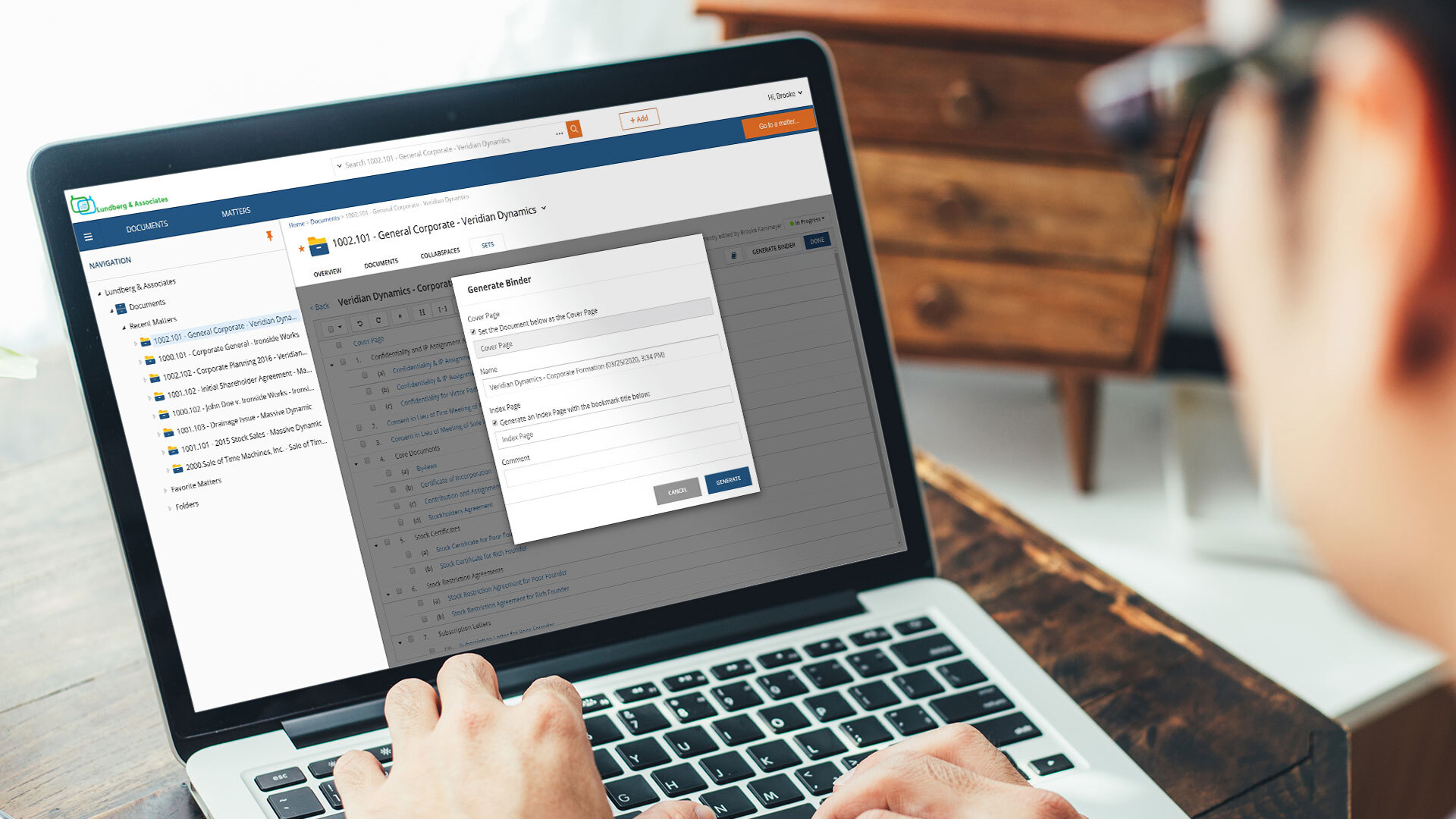
NetDocuments is a document management solution from the company of the same name in Lehi, Utah.
N/A
HighQ
Score 7.6 out of 10
N/A
HighQ Collaborate, now from Thomson Reuters (acquired 2019) is a cloud-based enterprise collaboration platform, featuring secure file sharing but also means for sharing documents with users outside the enterprise, as well as a user-interface optimized for mobile devices and intuitive interface, with real-time communication.
A cloud-based solution that transforms documents into inspired work and has features needed to reach new levels of collaboration in document and email management. The efficient two-way file synchronization between NetDocuments and local computers ensures that the remote workers …
I'll be honest. Initially, I didn't like NetDocuments because I was so used to working in iManage. Once I learned my way around NetDocs and used some of the additional features, I really began to like it and prefer it over iManage. I enjoy all of the features and capabilities …
NetDocuments is the only document management system built to be cloud-based from the ground up. All its features are optimized for cloud usage, as opposed to being a system that was adapted from an on-prem solution that was migrated to the cloud. Therefore, it just seems to …
We switched to NetDocuments 11 years ago. So, to be fair and accurate... the OpenText product at that time was called PC Docs and the company (that OpenText acquired) was Hummingbird. I can't remember who owned iManage at the time. Anyway, NetDocuments was a superior product at …
Consultant \ Law Office Practice Management & Accounting Software
Chose NetDocuments
WatchDox and WorldDox both provided what looked like similar features but too much of the technical requirements fall on the customer and they, at the time of my evaluation, were not true cloud products. They were client \ server-based product hosted in the cloud. If you do not …
Many products are good and have merit. To find the best one an individual organizational review is needed. It's not about which product is better, its about what best meets your needs.
At the time of evaluation, NetDocuments far outperformed its competition in its accessibility. The company was also very responsive to customer suggestions for improvements.
Worldox GX3 was considered as an alternative to Netdocuments before the firm decided to switch to Netdocuments. There were some differences, which may or may not apply to Worldox GX4 (the current feature of the software).
There are a large number of file sharing solutions out there. We do not use services like Dropbox and Box because they do not meet our document security requirements. Some clients use Sharepoint to host documents and share them with external organizations. I find the interface …
I feel that HighQ does not really have any real competition in this space because it simply accomplishes its goals far better than the competition at lower cost, while requiring less training and administration.
NetDocuments positioned itself to work in the legal industry, and it has done a very good job. It's kept pace with the challenges presented by the law and it's grown in its offerings. Any organization that must balance mobility and security would benefit from the use of NetDocuments as a platform.
Well suited for Extranets where: Sites where lots of documents will be shared Where workflows need to be defined and tracked Sites where complex permissions are required Sites that need to be accessible by anyone with Internet access Sites that require several different functionalities, such as wikis, calendars, task assignment, etc. Not well suited: Where integration with existing on-prem databases is required. Sites with complex or extensive workflows.
File Organization. Netdocuments is a great tool to neatly organize your virtual files and separate them by workspaces (matters). Each workspace contains folders (document types) that can be customized according to users' needs and preference.
Searching your data base. All the documents and emails saved in Netdocuments are searchable. The search feature works great.
Cloud based document management system. Simply put, Netdocuments can be accessed from ANY web-enabled device. This is becoming more and more important in the age of satellite offices, working on-the-go, and telecommuting.
Disaster preparedness. Should something happen to your office, your documents are safe, secure and accessible.
Seamless integration with Microsoft Applications. Netdocuments provides users with Microsoft applications integrations that can be easily installed on each individual machine.
Support. There is an extensive on-line help library which provides incredibly helpful articles with step-by-step instructions. If you cannot find solution on-line, telephone support is staffed by courteous and knowledgeable people.
Security. This is especially important for a law firm. A designated administrator can put in force workspace, folder, document, or profile-based security.
In my opinion, VERY Expensive. You can not find documents without OCR. OCR doubles your storage cost as they save the OCRd document as a second version.
In my experience, very annoying latency, even when trying to preview documents. As a result, folks in my office often try to save locally as opposed to storing in the cloud.
I orginally signed up for NDMax. However, it would only process one document at a time. I am not a transactional firm, so, in my opinion, this was essentially worthless.
It is just not that exciting. We host documents on there for clients but the extranet sites have ultimately turned out to not be a product that our clients are clamoring for or that we are regularly pushing.
The product is simple to learn and adheres to well-known web user protocols. The NetDocuments team spends a lot of time talking to customers regarding how to improve their interface, and are pretty quick about implementing good ideas. The system is reliable and repeatable, and similar functions are laid out consistently and in formats that users are used to.
NetDocuments is a performant web app. It is reliable and provides all the functionality of a sophisticated document management system. It also can serve, through its APIs, as a base system for other applications, which enhances its value. Other vendors find the company easy to work with, and it consistently seems to be the first to offer new features and technologies to its customers.
I've never had to contact support, but I won't give it a ten. We've had a few hiccups along the way, but nothing that couldn't be fixed within 24 hours.
The interface is easy to use and overall the software seems pretty robust (I haven't had any crashes yet), so I haven't had to use the support very often. Likewise, I don't think I've ever had a client e-mail me with questions or issues - the software is pretty idiot-proof.
WatchDox and WorldDox both provided what looked like similar features but too much of the technical requirements fall on the customer and they, at the time of my evaluation, were not true cloud products. They were client \ server-based product hosted in the cloud. If you do not know the difference, research until you do. iManger is a viable alternative if you are just not able to get the internet speed you need for NetDocuments. But heads up it is not the Swiss Army knife for security features like NetDocuments.
There are a large number of file sharing solutions out there. We do not use services like Dropbox and Box because they do not meet our document security requirements. Some clients use Sharepoint to host documents and share them with external organizations. I find the interface clunky and overall harder to use. For one-off requests, we use have a "Secure File Transfer" service (it seems to be a whitebox solution that we slap our logo on, so I'm not sure which software it actually is). That works well for one-off requests but does not have many of the key features that HighQ Collaborate does for long term document sharing.