New Relic is a SaaS-based web and mobile application performance management provider for the cloud and the datacenter. They provide code-level diagnostics for dedicated infrastructures, the cloud, or hybrid environments and real time monitoring.
$0
No credit card required; 100 GB free ingest per month, 1 free full user + unlimited basic users, 8 days retention, 100 Synthetics Checks
Retrace
Score 8.0 out of 10
N/A
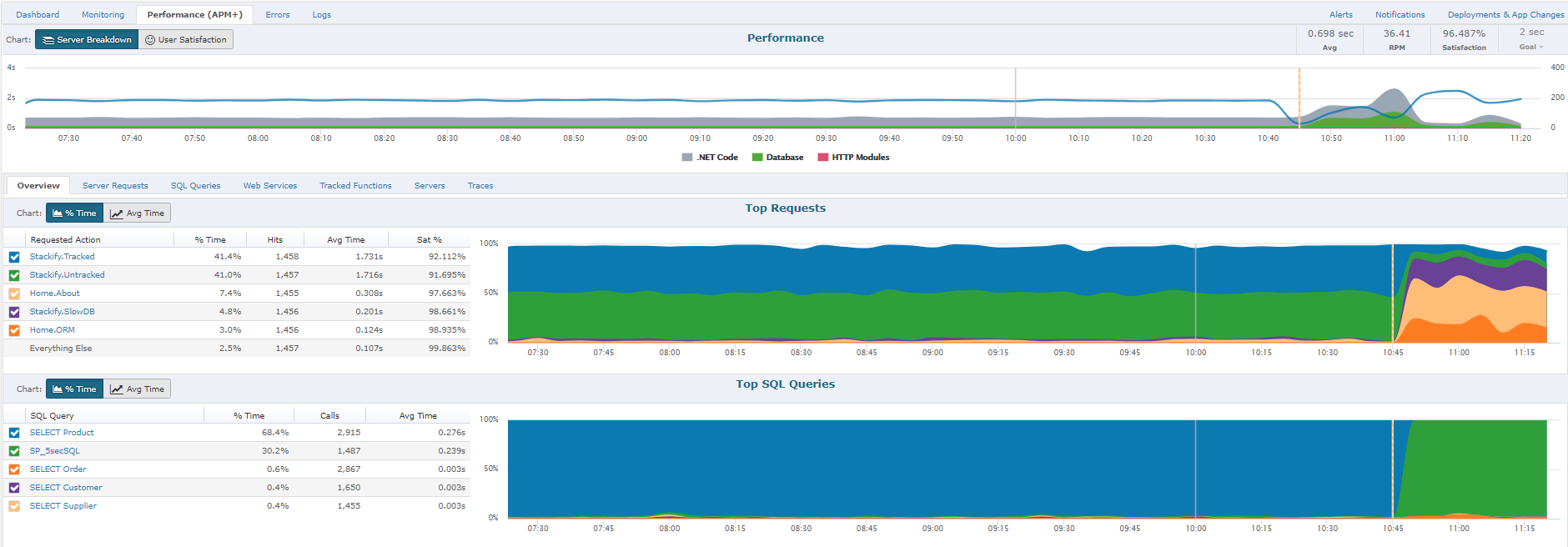
Retrace (formerly APM+) is a lightweight Application Performance Management solution. Retrace gives developers continuous, real-time analysis through a combination of code-level visibility with in-line log and error data. Retrace helps identify top performance offenders by analyzing top page requests, top SQL queries, and top external web services.
$99
up to 3 servers, 500,000 traces, and 1,000,000 logs
Pricing
New Relic
Retrace
Editions & Modules
Free (Forever)
$0
No credit card required; 100 GB free ingest per month, 1 free full user + unlimited basic users, 8 days retention, 100 Synthetics Checks
Telemetry Data Platform
$0.25
per month per extra GB data ingest (after first free 100GB per month)
Incident Intelligence
$0.50
per month per event (after first 1000 free events per month)
Standard
$99
per month per full user (after first free full user - unlimited free basic users)
Pro
Contact sales team
Enterprise
Contact sales team
Essentials
$99
up to 3 servers, 500,000 traces, and 1,000,000 logs
Stackify's pricing was quite a bit better than New Relic, however on the whole New Relic had more features overall that benefitted our team. Overall though however, Stackify is worth checking out, they are improving their application over time and adding more features. It's …
We use other products within the organization but New Relic gives a broader coverage of the full stack. While all have their niche advantages over each other. New Relic has the broadest capability set that is more accessible, not only to engineers but to other non-technical …
It is perfect for observing our energy platforms during high-load situations, such as grid demand spikes, or our real-time ingest of sensor data, allowing us to respond in real time to anomalies. And it’s a good way to monitor API performance in client dashboards, too. But it’s not as conducive for low-budget/low-code work or deep customization that doesn’t get ample development support given its complexity and expense.
If you're a Java or .net shop they will do excellent. I believe that for PHP, Ruby, Java and few others they have only the error and log management and the application and server monitoring.
Capturing Front end Metrics specially web vitals and setting up alerts for violations really helps.
NRQL is great tool to fetch the data you need. With queries you can pull the data and put the data by table or by chart. You can even trend graphs and create dashboards.
Synthetic Monitoring is very helpful for proactive monitoring. You can use it for user journeys by using scripted browser monitor type or just check availability using PING type.
ASk AI is great addition that can fetch details you need with natuaral language
To set up the fields that APM Plus monitors, you need to map each field area on each document.
APM Plus could use a way to link the documents back into the finance or business software so you can find the document under the PO, Sales Order, Invoice, etc.
APM Plus setup is only for the professionals. There are many areas that need tweaking on setup, having a better default setup would lessen the learning curve to set it up for use.
I have not yet found any similar product that offers me this range of features to help us keep our online service fast and reliable. Besides this, New Relic is constantly evolving by adding new plugins to emerging technologies and platforms. Server performance measuring features are a key point as our user database grows.
New Relic helps in observability setup for the critical environments and getting known about the issues and troubleshoot the applications and services. Alerts helps in knowing the abnormal state of the system and services, Dashboards are used for visualizing the key metrics and muting the unwanted notifications and dropping the extra data from the source.
The support team has been really helpful and resolved most of the issues on time. However, for a couple of issues, several follow-ups were needed to elicit a reasonable response. The issue was deeply technical and could have been investigated only by their Architects, and bringing them into the ticket took longer than needed
The documentation was clear and concise; the only issue we ran into was custom application naming. Due to HTTPD mod_fcgid and the need for the application name to be set in php.ini (not in .htaccess or the virtual host directive) ... we had issues setting this up.
Its covers all the observability aspects as well as giving us more competitive pricing models compared to other providers that's why I like to use New Relic in place of other tools. And also it introduces new Agentic AI features as well as it adopts AI in its RCA. As an observability tool it should reduce the RCA of any problem and New Relic is continuously focusing on that that's why I am preferring New Relic in place of other tools.
APM Plus does a better job of archiving documents than DocSend and makes it easier to find the documents when you need them. DocSend seemed to be more of a marketing tool than a business tool. APM Plus is all business and consistently does what you need on a daily basis. We selected APM Plus because of the great support on setup and after implementation. They are always ready to help.
APM Plus has freed up users from having to manually attach documents to each place they are sending it. APM Plus will do it automatically.
APM Plus provides a searchable archive to re-visit sent documents with customers and vendors. Having to reprint a document you risk the potential that something has changed since it was last printed.
APM Plus does need IT staff for adjustments and to review sending problems. Not for an average user.