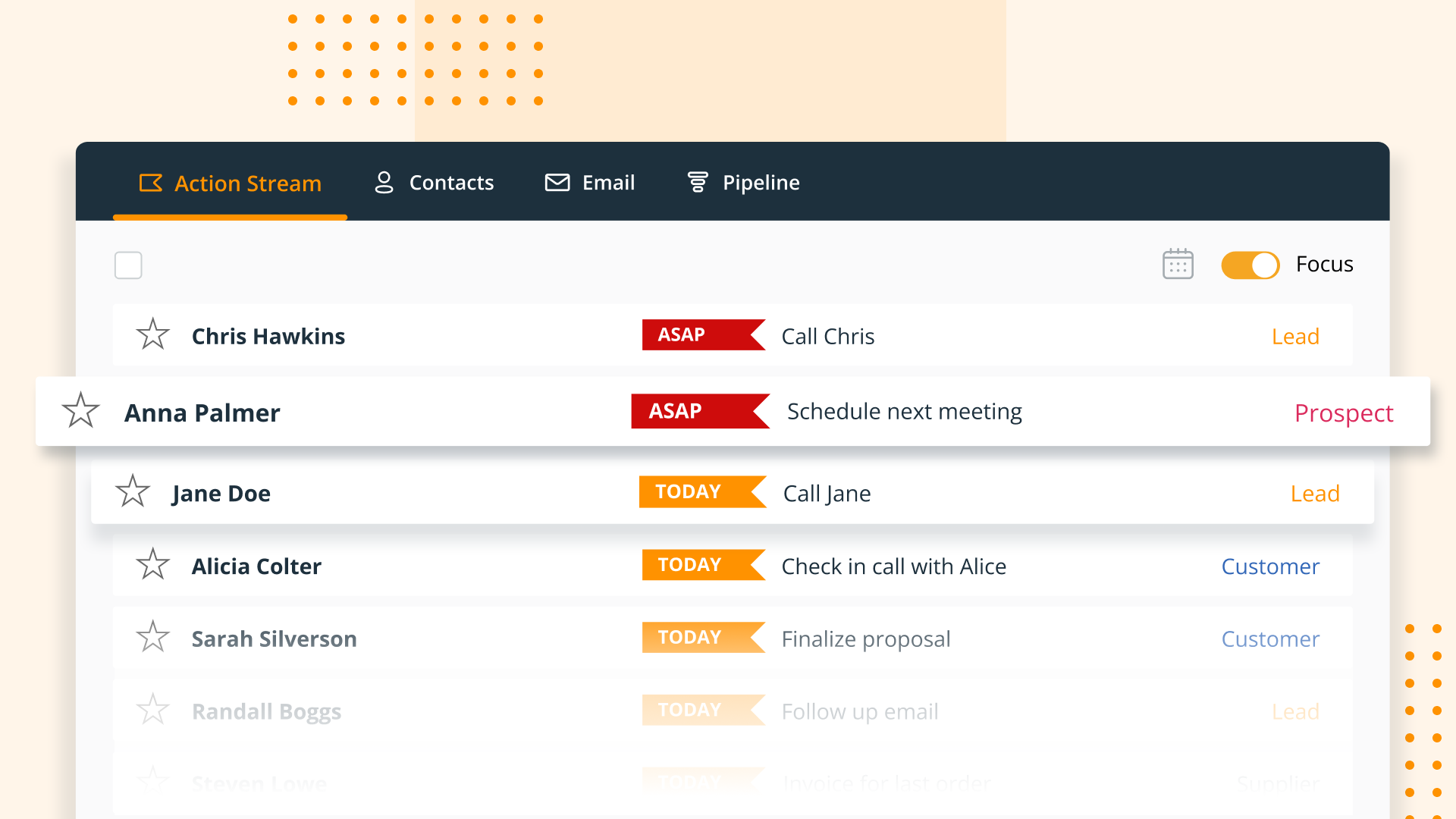
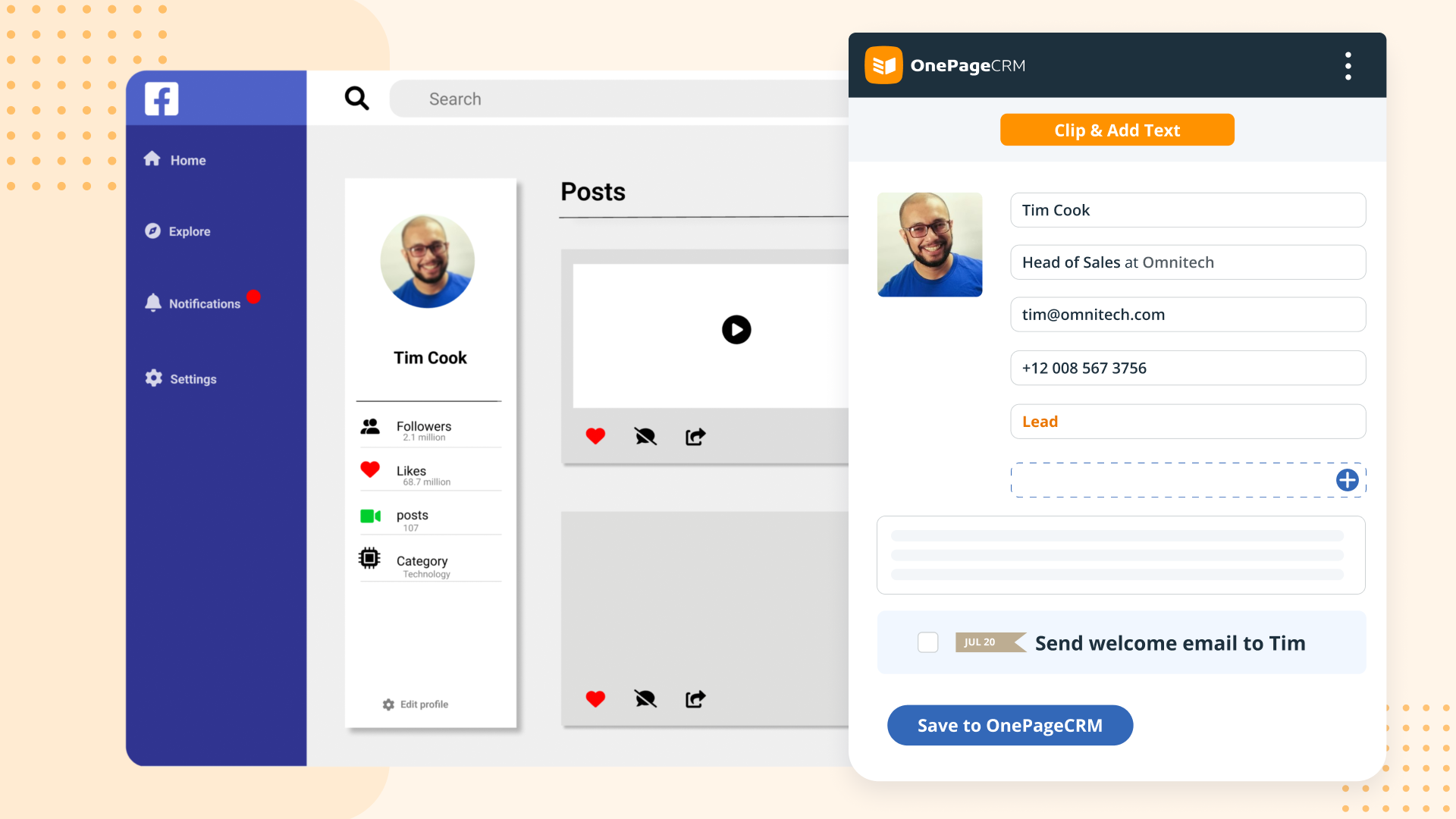
OnePageCRM aims to turn the complexity of a CRM into a simple to-do list. This action-focused CRM helps users interact with contacts by setting simple follow-up tasks. Just out of a promising sales call? Type the next action to "Send a quote", set a date, and move on to the next contact. Contacts will be sorted by task priority so the user can sell with focused attention to each prospect and client. OnePageCRM can be tried with a 21-day free trial today.
$9.95
per month per user
SAP Sales Cloud
Score 8.3 out of 10
N/A
SAP Sales Cloud (formerly SAP Cloud for Sales) is a cloud sales application with sales automation, enterprise resource planning (ERP) integration, and collaboration capabilities.
N/A
Pricing
OnePageCRM
SAP Sales Cloud
Editions & Modules
Professional Plan (Annually)
$9.95
per month per user
Professional Plan (Monthly)
$15
per month per user
Business Plan (Annually)
$19.95
per month per user
Business Plan (Monthly)
$29
per month per user
No answers on this topic
Offerings
Pricing Offerings
OnePageCRM
SAP Sales Cloud
Free Trial
Yes
No
Free/Freemium Version
No
No
Premium Consulting/Integration Services
No
No
Entry-level Setup Fee
No setup fee
No setup fee
Additional Details
OnePageCRM offers 4 months free in annual subscriptions.
—
More Pricing Information
Community Pulse
OnePageCRM
SAP Sales Cloud
Considered Both Products
OnePageCRM
Verified User
Anonymous
Chose OnePageCRM
OnePage is not as robust when compared to SharpSpring. SharpSpring is better with email marketing, lead scoring, social media management, etc.
OnePage is better for the sales team, but for our fulfillment team, Asana works better because of the ability to create sub-tasks and …
We use all these software for task management and email marketing. OnePage doesn't send out mass emails and we needed a more robust task management system, so we use SharpSpring and Asana as well.
Again, my review is based upon my desire for an easy life using a CRM. I have little doubt that OnePageCRM would be configurable for most applications, sophisticated or not. For sales, the way OnePageCRM uses the GTD (Getting Things Done) principal is key to the success I've …
SAP Sales Cloud is Tightly integrated with SAP S/4 Hana while the integration and transfer of data with user interface was challenging inearlier Salesforce sales cloud being non SAP product at hight cost
It’s very similar, but Salesforce has an edge on query capabilities and less reliance on custom code for enhancements with strong transport management.
We choose SAP Sales Cloud over HubSpot CRM because we have a large number of customers to handle, and their needs need to be personalized. Which are offered accurately by SAP Sales Cloud. In our experience, HubSpot has some issues when the number of customers increases. Our …
SAP Sales Cloud is way better than the other products and tools which we had used earlier because it provides efficient solutions for sales management and security wise it is pretty much reliable compared to others. It also provides the top notch next generation AI driven …
One of the most outstanding features of SAP Sales Cloud is its easy integration with our existing SAP ecosystem. This was essential because we used SAS/4HANA in our operations. Its ability to have a single platform that easily integrates sales data with other company operations …
SAP Sales Cloud always work in early stage before the demand comes in to market and thus SAP Sales Cloud got benefited to engage its client in profitable way.
SAP Sales Cloud vs. HubSpot = HubSpot is better out of the box, cheaper for smaller teams, and easier to maneuver without having to upgrade much in terms of cost to win more deals. SAP Sales Cloud is generally more expensive than other providers like HubSpot or Pipedrive, but …
Better user experience. Intuitive platform with great tools. Easy to find past cases and people from different companies. great customer management tool it helps to keep the know how inside the company when a colleague decides to take a new challenge out of the company. It’s …
SAP Sales Cloud excels over Oracle Sales due to its smoother integration
with our business processes and superior scalability. The comprehensive
features of SAP Sales Cloud, coupled with its seamless compatibility
Sap sales cloud has boosted the supply chain network . Sap Sales cloud has seamlessly unified the backend business processes into more transparent effective ones.The customer satisfaction have also increased with better customer collaboration and relationship.The vendor …
We went with SAP Sales Cloud over Oracle Sales Cloud because it just clicks better with our way of doing things. SAP is like the superhero of sales software – it plays super well with all our other systems, grows with us as we get bigger, and gives us really smart insights into …
SAP Sales Cloud is known for its seamless integration capabilities, especially with other SAP solutions like ERP systems. This allows for a unified and comprehensive view of business operations, contributing to better decision-making. It is often recognized for its scalability, …
It depends on what your business needs are. The benefits of Zoho CRM are related to its integration with Zoho's other products. SAP Sales Cloud is built with larger businesses in mind and is a comprehensive solution for multiple departments. Learning curve aside, many large …
Against most of the software like it, SAP Sales Cloud has a strong resilience of features and functionality. It is more dynamic and an all-in-one sale cloud solution. its lead management and opportunity tracking are the top-notch features of SAP Sales Cloud. Their customer …
We evaluated SAP Sales Cloud as a suitable alternative to Hubspot, but we are not convinced that it stacks up against it. It does provide a better forecasting system, although it's not as customizable as Hubspot's, the direct impact of this situation is that we need to rely …
The main product I have used in comparison is Salesforce Commerce Cloud. Ultimately, we selected SAP Sales Cloud because it fits within our existing tech stack, and we thought it would be easier to implement and ultimately scale across the organization during our rapid growth …
We liked SAP Sales Cloud the best because of the tracking capabilities between many different teams, allowing us to collaborate in a way we weren't capable of beforehand. The strong customer community was also a factor; that way, we have a way to see how other users have been …
The platform is often used to enable mobile sales teams. Sales representatives can access customer data, product information, and order processing on-the-go, improving their productivity.
Easy adoption using other products like SAP Customer Data Solutions and SAP Service Cloud. For your developers integration is transparent but if your business logic or on-premise software is made by your organisation, integration is not easy and required more time (and …
It's hard to be helpful here: we use OnePage in such a limited way that I'm certain some of the higher level features would really help other organizations, it's just that our activity flow isn't based here. We use our help-desk ("Freshdesk") for the majority of our customer communication, and in fact don't manually communicate from OnePage directly.
1. Better understanding of customer choice and sales insights. 2. High chance that we can convert the lead into sales as SAP analyzes the customer's need and behavior. 3. As it analyzes the data behind the scenes, a better price deal closing is possible, as it gives that level of insight.
OnePage does not show an overall "life of the lead" in one place. While it tracks everything, it can be difficult to get a broad overview/timeline of all communication.
I know what SAP CRM can do in the future. We are very happy with the product and think it is a great choice for both SAP ERP users and even those who do not use other SAP products. We have both Salesforce and SAP CRM, and we feel that Salesforce is a good product for a few years, but SAP CRM is a more fully-featured product and is a better choice for complex organizations capable of running installed software of this complexity. It is often just a question of budget.
In short, SAP CRM is a complete service that will help improve marketing strategy and productivity. It covers various topics, from big data analytics to resource management and housing sales data. SAP CRM has a long list of features and can do them all.
SAP's customer service is quick and efficient, with a response time of fewer than some minutes. In either case, you'll get instant help from the vendor or online forums. In addition, the vendor provides excellent global support for this tool. Like Salesforce, SugarCRM, etc., it's probably fine as a standalone CRM option.
Training was mostly completed over a couple conference calls, and reading the API documentation. Our developers were able to implement quickly after reading the documentation.
I would rate the implementation a 7. While the process overall was successful, there were challenges related to data migration, integration with other systems, and initial user adoption. However, the support from SAP during the implementation phase was helpful, and we were able to resolve the major issues as the process progressed.
OnePage is not as robust when compared to SharpSpring. SharpSpring is better with email marketing, lead scoring, social media management, etc. OnePage is better for the sales team, but for our fulfillment team, Asana works better because of the ability to create sub-tasks and projects.
One of the most outstanding features of SAP Sales Cloud is its easy integration with our existing SAP ecosystem. This was essential because we used SAS/4HANA in our operations. Its ability to have a single platform that easily integrates sales data with other company operations was a huge advantage for us. In contrast, some of the other systems we explored required significant changes or integration work, which would have raised our overall costs and level of complexity.
I choose this rating because the sales and supply chain network has been strengthened by the use of this product. Sap Sales cloud has seamlessly unified the backend business processes into more transparent effective ones.The customer satisfaction have also increased with better customer collaboration and relationship.The vendor management process has also been significantly impacted and all for good
The thing is, GTD seems to work well for me and ensures that I don't forget to follow up which is the number one failure in sales prospecting. So, the ROI is obviously good.