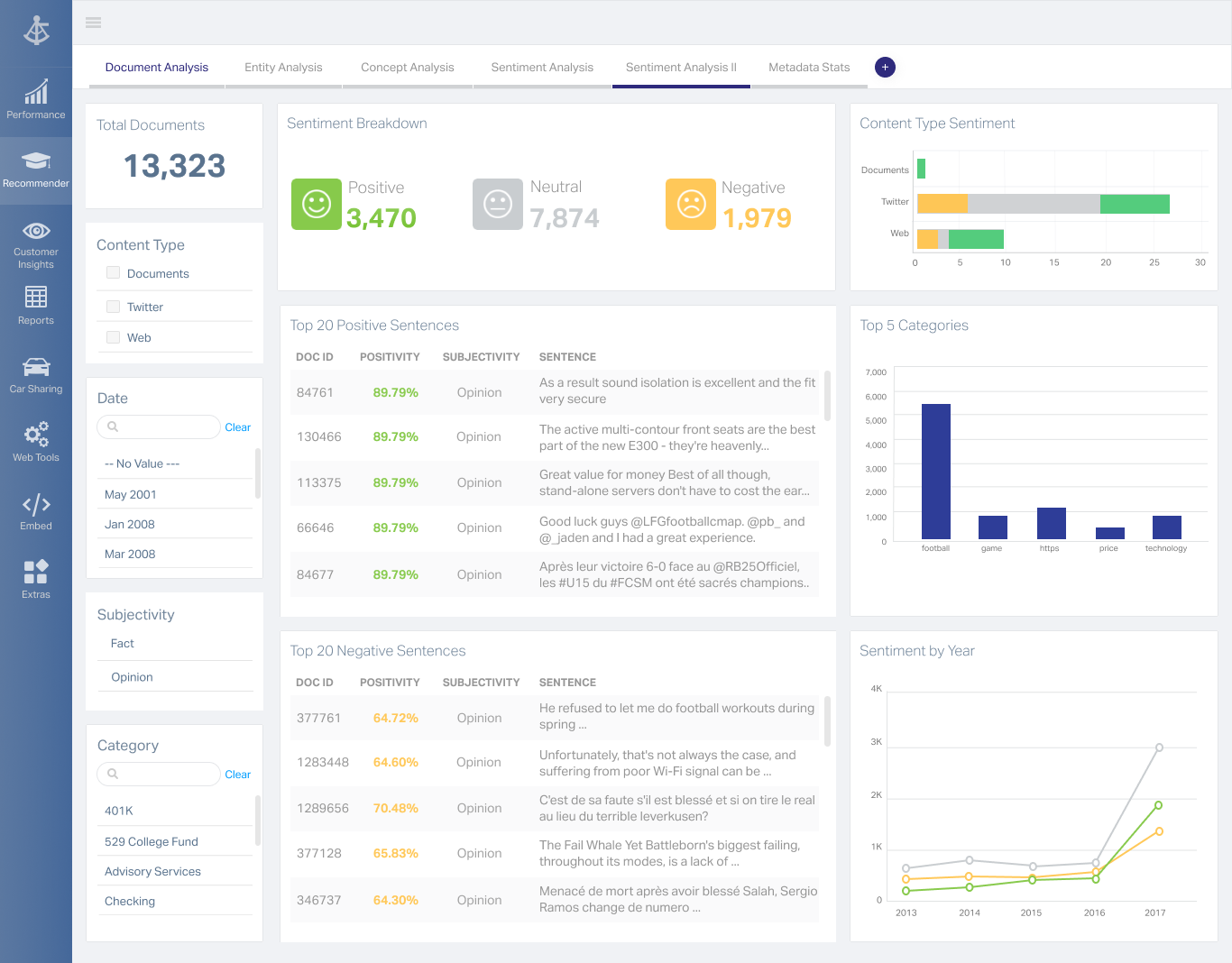
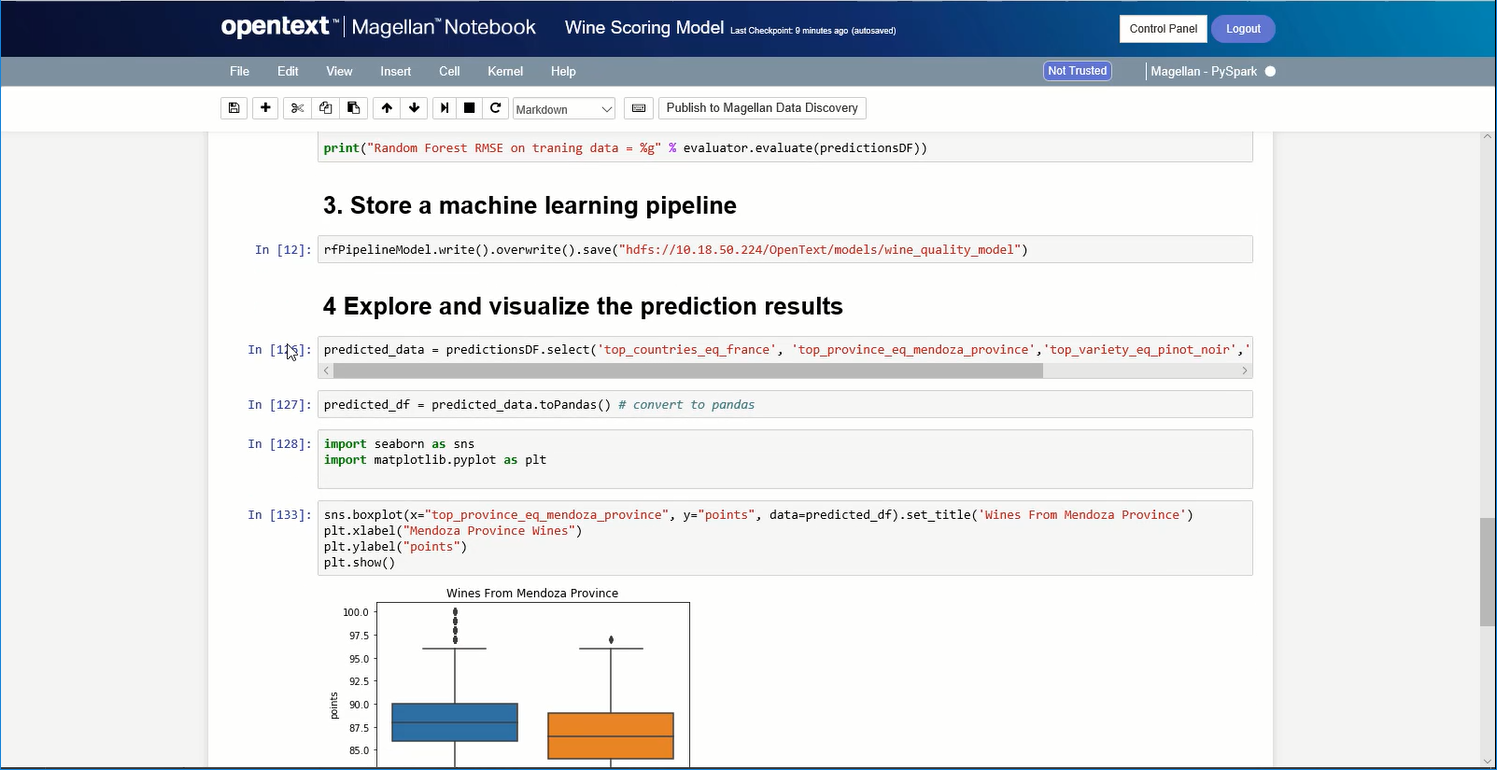
OpenText Magellan Analytics Suite leverages a comprehensive set of data analytics software to identify patterns, relationships and trends through data visualizations and interactive dashboards.
N/A
Zendesk Explore
Score 8.7 out of 10
N/A
Zendesk offers Explore, a business intelligence and customer analytics tool which integrates with the Zendesk suite featuring ticket analytics, custom fields, dashboards, and other features. Zendesk is migrating customers of the BIME analytics product, which is approaching end of support, to Zendesk Explore in 2019.
N/A
Pricing
OpenText Magellan
Zendesk Explore
Editions & Modules
No answers on this topic
No answers on this topic
Offerings
Pricing Offerings
OpenText Magellan
Zendesk Explore
Free Trial
No
No
Free/Freemium Version
No
No
Premium Consulting/Integration Services
No
No
Entry-level Setup Fee
No setup fee
No setup fee
Additional Details
—
—
More Pricing Information
Community Pulse
OpenText Magellan
Zendesk Explore
Considered Both Products
OpenText Magellan
Verified User
Anonymous
Chose OpenText Magellan
There is multiple software available in the market to do the reporting and text analytics. Generally, analysts prefer using Python or R. Or we try to use any API available. This software can fulfill almost 80% of those needs without writing the codes. It has the integration …
OpenText Magellan can produce reports that are much more elaborate than PowerBI, which is ideal for users that just need to see a report. On the other hand, PowerBI seems to be better at allowing users to interact with data.
It is vastly superior to these in many ways, for complex reporting it is a much more sophisticated solution. Visualizations are very good. Javascript extensibility is very powerful, others don't support this or as well. Pentaho and MS are both OLAP oriented. Pentaho is moving …
Actuate has been in the industry a while and the open source community make going with Actuate's BIRT a stable decision. Changing report engines can be expensive, so going with a company with a good reputation helps long-term.
Actuate has a HUGE number of features that can tie nicely into almost any ERP but it takes some time to learn and the development community was relatively small compared to the Crystal Reports alternative. Crystal was far easier to learn and had a massive support base. Probably …
Zendesk Explore stands out against Freshchat and Freshdesk for it's deeper analytics capabilities and seamless integration with Zendesk ecosystem. While Freshdesk offers reporting, it lacks on the same level of granular insights and customization that Zendesk Explore provides. …
I selected Zendesk Explore only to provide an easy and quick access for my managers and supervisors regading metrics and volume trends. Is not the most flexible nor complete data visualization tool, but works well for day-to-day follow ups. You need to use another tool if you …
What's good with Zendesk Explore is that data is already provided since it's included in the package. We get the data from Zendesk Support and make a report in Zendesk Explore.
It provides suggested templates and report formats also which you don't get on the other platforms. …
Zendesk Explore is more user friendly and the software plus maintenance cost is less. The report section is more detailed and no lag while creating report for a large data source. The report segments and formats are editable which make it more convenient to make a report …
We tried other reporting and Zendesk Explore was by far the best as it was already implemented into our support system we were already using; Zendesk. The main selling point for us, is that all of the reports are customizable and that no coding knowledge is needed to build out …
Zendesk Explore is better than Freshservice Analytics. In Freshservice, even though the interface is more attractive, the functions are not as good as Zendesk Explore. Reports and dashboards are hard to build, and the materials to learn are not as good as the materials on …
For support data, we have only used Explore because it came with our ZenDesk membership. So I can't speak to other solutions! That said, it's awesome to have Knowledge Base and support data in one place.
It depends on extensibility, set-up, access & style. Actuate performs fairly well, but has performance issues because it sits on top of eclipse, which sits on top of Java. Extensibility usually comes at that price. Set-up is fairly straightforward and it can be secured.
Compared to other analytics functions of other Ticket Management System, Zendesk Explore is the easiest to learn. Moreover, the learning curve is high. Once you pick up the fundamentals, you will be able to create all types of analytic reports. In addition, if you know basic coding or SQL, you can create your own metrics and attributes to capture extremely specific elements such as the tickets that contain a certain word or etc.
As with most "suite" products, if you already use other Zendesk features (Chat, Talk, etc), then Zendesk Explore adds an extra facet to the customer experience. The more we know about our clientele, the better we can understand/anticipate their needs.
I like that we can get as in-depth as we feel is necessary. For example, is just one customer having an issue? Or are many experiencing a similar problem? We can better rack this type of trend using Explore.
Our team can dive deep into the data based on exactly what we're looking for. If the marketing team wants a certain kind of segment, we can give them that info. If we want to sort by date or another set of parameters, we can do that as well.
I am no longer working for the company that was using Actuate but I believe they would continue to use it because the stitching costs would be to high. It would require a complete rewrite of the reports and the never version of Actuate (BIRT) even required an almost complete report rewrite
It is quite intuitive to use. It is fit specifically for doing sentiment, emotion, and intention analysis as well as text classification and text summarization. I would have given 10 if it is fit for the purpose of doing image processing and analysis as well. There is a huge market to analyze video and image data.
I rate Zendesk Explore 8 out of 10 for it's overall usability because it offers powerful reporting and analytics with an easy to navigate interface and intuitive dashboards. It helps improve customer satisfaction by providing valuable insights into ticket handling, agent performance and customer satisfaction. Though the complex query builder can be challenging for non technical users.
Zendesk Community is extremely useful for Zendesk Explore beginners. The live support provided by Zendesk will also help a lot. If you don't know anything you can ask live support right away. However, one drawback of Zendesk Community and Support is the creation of complex reports on Zendesk Explore. Zendesk Community and Support cannot really help you much if you are trying to build a complex report as they are not a complete expert on it as well.
It is vastly superior to these in many ways, for complex reporting it is a much more sophisticated solution. Visualizations are very good. Javascript extensibility is very powerful, others don't support this or as well. Pentaho and MS are both OLAP oriented. Pentaho is moving more toward big data, which was not our primary focus. Others are stuck in the Crystal Reports Band metaphor.
Zendesk Explore stands out against Freshchat and Freshdesk for it's deeper analytics capabilities and seamless integration with Zendesk ecosystem. While Freshdesk offers reporting, it lacks on the same level of granular insights and customization that Zendesk Explore provides. Compared to Freshchat which focuses more on live chat and conversational analytics Zendesk Explore excels in historical trend analysis and comprehensive dashboarding. We choose Zendesk Explore for it's robust reporting and drill down capabilities.
Actuate can handle 50 to 60 sub reports inside a report very well.
Dynamically creating the datasource, chart, graph, reports are the main advantages. We can do any level of drilling, and can create a performance matrix dashboard efficiently.