Pipedrive is a customer relationship management (CRM) software built to help small teams to drive sales.
$24
per month per seat
vCita
Score 8.5 out of 10
N/A
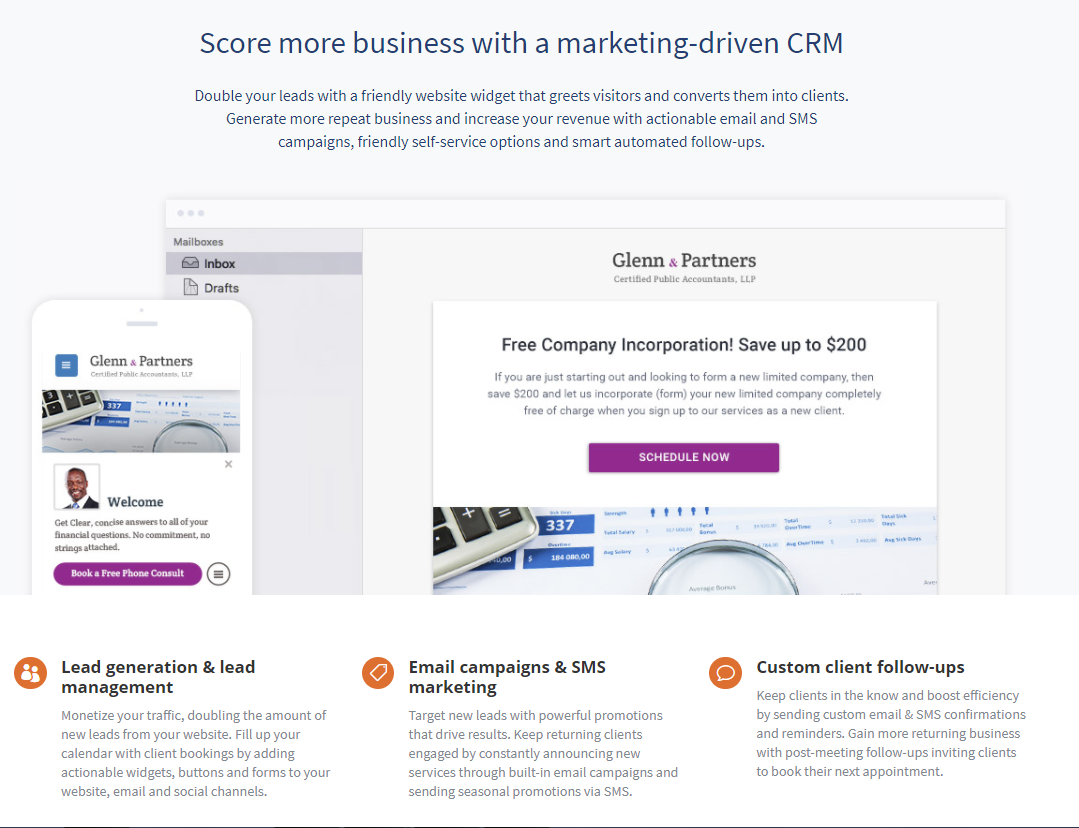
vCita is a marketing-focused CRM for service providers. According to the vendor, the product helps service providers move clients through every stage of the sales cycle: from the first point of contact to closing, upselling and follow-up. vCita is a lightweight CRM with the following features: - Manage appointments, payments, and clients - Access info & respond to clients on the go with a mobile app - Invite clients to…
$29
per month
Pricing
Pipedrive
vCita
Editions & Modules
Essential
$24
per month per seat
Advanced
$49
per month per seat
Professional
$69
per month per seat
Power
$79
per month per seat
Enterprise
$129
per month per seat
Essentials
$29
per month
Business
$59
per month
Platinum
$99
per month
Offerings
Pricing Offerings
Pipedrive
vCita
Free Trial
Yes
Yes
Free/Freemium Version
No
Yes
Premium Consulting/Integration Services
No
No
Entry-level Setup Fee
No setup fee
No setup fee
Additional Details
Monthly plans are available. The Essentials monthly plan at $24 per month.
—
More Pricing Information
Community Pulse
Pipedrive
vCita
Considered Both Products
Pipedrive
Verified User
Anonymous
Chose Pipedrive
Salesforce is more complex, visually Pipedrive is easier to look at at a glance to see where your opportunities fall in the stages in your funnel; whereas salesforce is not as visually appealing. Pipedrive is better for smaller businesses and more price effective than some of …
The reporting tools with Pipedrive are immensely more advanced and customizable than Clio Grow. We are able to adjust and tweak the reports to make sense for our firm specifically whereas with Clio Grow, you were sort of stuck with the default reports. Pipedrive beats Clio Grow …
Overall compared to SFDC and other CRM tools Pipedrive stacks up very well when it comes to ease of use and usability. It needs a bit better more robust reporting compared to some of the other tools. But for the cost and value provides I'd rank Pipedrive very highly in …
Pipedrive has a simpler interface and focuses on sales initiatives rather than digital marketing efforts which is something that our sales team needs. Pipedrive offers a good level of flexibility when it comes to customizations and they are always open to adding new features.
Pipedrive has an excellent UI, email tracking features, and the ability to display contact information and notes about each individual. It allows us to integrate other systems with a high degree of automation, which is crucial to our workflow. Easy to pick up and use, with …
We switched from Microsoft Dynamics to Pipedrive because Pipedrive was more cost effective and gave us more control over the custom fields we could make that applied directly to our company. It also was a much easier software to navigate and the sales team was using it a lot …
Pipedrive's integrations are so much better. Pipedrive has a much better user interface, the email tracking functionality is very handy, Pipedrive has a better interface in displaying people's contact details and our notes on them, and most importantly, Pipedrive allows us to …
It is easier to use and more specific. I think HubSpot has a lot and can be overwhelming or confusing at the start. It is cheaper, and the automation is easier to configure. I think it is a better option to start with Pipedrive software. Try it and check for yourself.
Pipedrive is less complex and far more affordable. It is missing some of the marketing tools (email marketing, adspend tracking, etc.) But for a small team this tool is far superior. It cuts out the fluff and focuses on helping you manage a pipeline. And the cost is a million …
The difference between this CMR software and similar ones is that Pipedrive is much more complete in terms of features that can be exercised in different job roles such as consulting, human resources management and marketing.
Pipeline Deals - prior to Pipedrive we tested Pipeline Deals. these two products are similar as in they are made for small/mid-sized businesses. We felt that Pipedrive was more intuitive and easier for our companies needs. The deal tracking was a real decision-maker for us. …
I much prefer the interface of Pipedive when compared to Zoho. Much more user friendly and the team is always readily available when we need them. Pipedrive allowed for many custom integrations to be added, as Zoho was a tad more complicated to manipulate. We would not go back …
Pipedrive is much more intuitive, fast, easy to understand and to keep tracking, BUT, it's not as customizable, as good for marketing automation, it doesn't use AI. Salesforce was the most customizable CRM I ever used, that was amazing, we could adapt to every business, but the …
Pipedrive stands ahead of SugarCRM in its ease of use, its simplicity and zero overhead information that is not needed in order to manage your leads. Pipedrive is our preferred tool since it has everything you would really need is a pretty simple, clean, and easy to use and …
Pipedrive was being used by a sister company and recommended. Not sure how a one on one trial would go. I like Outlook for email and Pipedrive is weak when synching with Outlook
Pipedrive is extremely lightweight, but extremely powerful as you get deeper into it. My 61 year old father will use it, when he won't even use email on desktop. Pipedrive is inexpensive and easy to adopt. It's also easy to adapt, adding custom fields, deal stages, and other …
Pipedrive is extremely simple with the pipeline management, but more time-consuming than necessary for even simpler tasks like browsing through contacts or organizations, and especially making changes to those contacts or organizations. If they were able to make it so that you …
Pipedrive is nowhere near as capable as Salesforce, but it's also much easier to manage. I think of Pipedrive as a simple version CRM that is good for managing inbound lead's interests in an organized way. When you have a larger sales structure with different components and …
Pipedrive was the best option for our company because the price is right for a small company! Before Pipedrive, we were just tracking sales in excel spreadsheets, and Pipedrive I believe is the next best step if you want to graduate from spreadsheets, but not take your company …
vCita has been very responsive to our needs and desires for improvement in certain areas. We have appreciated the level of support we receive when a problem arises. Our biggest gain when moving was the reliability of this product's teleconferencing integration with Zoom. …
I think only Acuity Scheduling rivals vCita. One weak point for vCita is that the others have a better link for reviews on social media and beyond than vCita.
vCita is a platform which is still developing and falls short of dedicated CRM platforms in some ways however it shines where it counts for any business wanting to provide more power to their customer to make bookings and manage their profile. Other platforms such as Insightly …
We were satisfied with TimeTrade and probably wouldn't have made the switch if we were able to integrate with our new Duda website as well as vCita does. They do not offer as many features as vCita, but for scheduling only, they work well and are very affordably priced.
Pipedrive's lead management features are top-notch, particularly the ability to automate email correspondence and receive alerts when necessary. It has an excellent pipeline, opportunity management, and sales automation without coding: —Exceptional cost-effectiveness. —User-friendliness. —Usability. —Top-notch search filter. However, its speed could be increased because adding new actions requires numerous taps and swipes.
It makes client communication extremely easy - we can message and schedule online appointments. Clients really like those options. We also like the online payment portal. That way clients can pay at their convenience, and we don't end up with credit card information that requires PCI compliance. It also helps with payments. It would also help with invoicing, but unfortunately, there are only 3 linked payment options (Square, Stripe, and PayPal). If you don't use one of those payment processors, you cannot link to billing.
Great visual visibility of the funnel plus easy to drag the deals across the stages
The email integration that collects all relevant communication (also through the possibility of adding a deal-specific Pipedrive address on BCC)
The integration with Pandadoc, which we use a lot, so that Pipedrive keeps a really handy overview of the documents we have sent out / which have been signed
Very easy implementation of a contact/scheduling widget.
Allows for scheduling of appointments with clients. The setup is easy and the allotted times can be changed as needed. Easy for the client to use as well.
Managing communication between individual clients is easy as well.
Showing the customers name on the pipeline page. Right now I can only get it to show the brand name twice. I wish it would replace the second brand name with the main point of contact.
Better reporting tools. Their reporting tools are not easy to pick up. I've spent time trying to figure it out and it isn't something I can pick up on quickly.
Better training options. I wish I had a personal trainer to walk me through the best way to use Pipedrive so I can get the most out of it.
There is a learning curve that caused a slow adoption but overall the UI looks great and the support is helpful when there is an issue that you need to be addressed. The marketplace integrations (developed by Pipedrive) could definitely use some work as they're not as seamless as we'd hoped for!
Overall - easy to use. There are some missing features (like fillable pdf forms), and it also requires using certain credit card processors to link billing (otherwise it doesn't work).
Between quick video tutorials and having very quick feedback from their support teams, it is one of the main reasons I would recommend Pipedrive. It is critical, especially when setting up the platform to meet your companies needs, that a solid support team like Pipedrive has is there to make the transition easier.
I do miss the days when I could easily call up a rep and talk to them about any issues I had with the service. But I still do hear back from the customer service rep during the week within 24 hours.
The reporting tools with Pipedrive are immensely more advanced and customizable than Clio Grow. We are able to adjust and tweak the reports to make sense for our firm specifically whereas with Clio Grow, you were sort of stuck with the default reports. Pipedrive beats Clio Grow hands down.
vCita has been very responsive to our needs and desires for improvement in certain areas. We have appreciated the level of support we receive when a problem arises. Our biggest gain when moving was the reliability of this product's teleconferencing integration with Zoom. With OnCall we had trouble onboarding people, difficulty with the app they used going down, etc. We also had expectations about progress with Forms that we unmet.
Great on setup which made our work easier and less technically equipped people can manage a lot of things(compared to SalesForce where you need to hire a developer to set it up)
We were able to integrate our calling system easily and get things going on the lead calling aspect.
Great multipipeline option where we were able to manage both organisations under one roof.
The initial cost was high compared to other options but the features in the base level allowed even the smallest of business to grow into the paid version of the service.
The time saved with self service bookings and profile management for customers has been a big plus and made the purchase of the service worthwhile.
The constant improvements to the platform have been enough to continue to use the service as it develops into a competent CRM.