Chose Qlik Sense
We use both Qlik Sense and QlikView. Both bring valué. However, due to simpler development Qlik Sense is the main tool.

| Product | Rating | Most Used By | Product Summary | Starting Price |
|---|---|---|---|---|
 Qlik Sense | N/A | Qlik Sense® is a self-service BI platform for data discovery and visualization. It supports a full range of analytics use cases—data governance, pixel-perfect reporting, and collaboration. Its Associative Engine indexes and connects relationships between data points for creating actionable insights. | $200 per month | |
 SAP BusinessObjects Business Intelligence | N/A | The SAP® BusinessObjects™ Business Intelligence Platform provides users with ad hoc queries, reporting, data visualizations, and analysis tools. Its integrated, unified infrastructure aims to offer scalability from one-to-many tools and interfaces on-premise, in the cloud, or as a hybrid approach. | N/A |
| Qlik Sense | SAP BusinessObjects Business Intelligence | |||||||||||||||
|---|---|---|---|---|---|---|---|---|---|---|---|---|---|---|---|---|
| Editions & Modules |
| No answers on this topic | ||||||||||||||
| Offerings |
| |||||||||||||||
| Entry-level Setup Fee | No setup fee | No setup fee | ||||||||||||||
| Additional Details | — | — | ||||||||||||||
| More Pricing Information | ||||||||||||||||
| Qlik Sense | SAP BusinessObjects Business Intelligence | |
|---|---|---|
| Considered Both Products | Qlik Sense  Manjul Malhotra Product Consultant Chose Qlik Sense Qlik Sense cost of licensing is cheaper compared with other tools which always gives an upper edge in analytics industry with good functionality. More enhanced level of security with better user community group available to discuss about new updates. Understanding of Qlik Sense …  Murilo Fernandes BI Analyst and Automation Chose Qlik Sense We use Microsoft Power BI too as a BI tool, in my point of view, Qlik Sense's ETL is much better than PowerBi. In another side, PowerBI learning curve is small than Qlik Sense, especially the PowerBI Desktop.  Fabricio Velasco Demand Generation Manager Chose Qlik Sense Sometimes as competing solutions, other times as completing one another.  Lucy Daniell Senior Business Analyst Chose Qlik Sense The customization of the platform opens up plenty of other options depending on the use cases. The API layer is incredibly rich and makes integration of Qlik based visualization into web pages a simple and effective pattern. It's been very easy to use with a great community …  Edgar Olmos Ascanio Intelligence Data Manager Chose Qlik Sense Qlik Sense is a fast tool to implement; you can have a functional dashboard in a few days, and the ETL processes are quite easy to build it. You can have the ROI in a short period of time.  Anjum Arora Group ICT Head - Technology & Applications Chose Qlik Sense Qlik Sense comes out as a superior product as well as more cost efficient than some of the other products we evaluated as a part of our Enterprise Business Intelligence stack. It offers unified view of our data and extensibility. Qlik Sense being the most interactive …  Jeanine Willig Program Analyst Chose Qlik Sense using it because my organization has purchased it.  Silvia Guardini Manager Chose Qlik Sense Qlik Sense is one of the best reporting systems. It is stronger than PBI and Tableau when speaking about complex KPIs. It is really similar to Microstrategy Analytics when you speak about obtained results, but it is easier to use, especially as it is more code-based. But is it …  Sam Joseph Gomez Sr. Data Analyst Chose Qlik Sense Qlik Sense can easily integrate multiple data models to
visualize customer data. Tableau is easy to use—perhaps more manageable than Qlik—but
expensive. Microsoft BI was chosen because it was similar to previously used  Richard Stables Information and Support Manager Chose Qlik Sense We originally went with Qlik Sense because the desktop version used to be free for single users and was a very good proposition for us (we are a non-profit with a limited budget). However, from what I see, the functionality is comparable, and Qlik Sense stacks up well.  Angel Monjarás CIO (Chief Information Officer) Chose Qlik Sense As soon as you want to pull data from two or more separate tables, Qlik Sense leaves the rest in the dust, since it does not require joins or complex transformations. Zoho CRM analytics are limited to the data located in the product itself. No external tables can be combined. |  SAP BusinessObjects Business Intelligence  Gaurav Pandey - PMP,ITIL,CSM SAP Application Manager Chose SAP BusinessObjects Business Intelligence Microsoft's Power BI has certainly gained a lot of attention and became a leader in Gartner's magic quadrant. This is certainly a good product for average data volume which can be handled in the cloud, however, SAP BI is capable of handling much more data with complex reporting …  Saurabh Raheja Technology Lead Chose SAP BusinessObjects Business Intelligence When we get the installation of the SAP BO BI Platform done on one of the BO servers, we get a whole of stacks of SAP BO BI suite tools installed. This is a package that has reporting tools inside it. For instance, web intelligence-rich clients, sap crystal reports, etc. We can …  Dharmesh Shah Associate Principal Chose SAP BusinessObjects Business Intelligence MicroStrategy Analytics and IBM Cognos Analytics is costlier compared to SAP BusinessObjects Business Intelligence (BI) Platform stacks. SAP BusinessObjects Business Intelligence (BI) Platform stacks is user friendly, easy to adapt, easy to train resources and get them …  Martin Lopez Gerente de Consultoría Chose SAP BusinessObjects Business Intelligence SAP BusinessObjects Business Intelligence (BI) Platform is an on premise solution that allows you to display information hosted on an SAP BW / 4 HANA server. SAP Analytics Cloud is SAP's business intelligence solution that works in the cloud and is complemented by SAP …  Michael Diaz-Suarez Help Desk Specialist Chose SAP BusinessObjects Business Intelligence We selected SAP BusinessObjects Business Intelligence (BI) based on price. It can stack up against others in terms of price and honestly, that's about it. Salesforce Commerce does a hell of a better job at handling it. However, in the space of Business Intelligence, SAP can do …  Tim Dorscher Product Specialist - Walls Product Line Management Chose SAP BusinessObjects Business Intelligence I use the platform as it is all that is available to me. I have no ability to query the warehouse directly probably for good reason. I have been using PowerBI and I know it can connect to the warehouse and do the query and visualization in real time. However, our admins will … |
| Qlik Sense | SAP BusinessObjects Business Intelligence | |||||||||||||||||||||
|---|---|---|---|---|---|---|---|---|---|---|---|---|---|---|---|---|---|---|---|---|---|---|
| BI Standard Reporting |
| |||||||||||||||||||||
| Ad-hoc Reporting |
| |||||||||||||||||||||
| Report Output and Scheduling |
| |||||||||||||||||||||
| Data Discovery and Visualization |
| |||||||||||||||||||||
| Access Control and Security |
| |||||||||||||||||||||
| Mobile Capabilities |
| |||||||||||||||||||||
| Application Program Interfaces (APIs) / Embedding |
|
| Qlik Sense | SAP BusinessObjects Business Intelligence | |
|---|---|---|
| Small Businesses |  BrightGauge Score 9.1 out of 10 | BrightGauge Score 9.1 out of 10 |
| Medium-sized Companies |  Reveal Score 10.0 out of 10 | Reveal Score 10.0 out of 10 |
| Enterprises |  Kyvos Semantic Intelligence Layer Score 9.9 out of 10 | Kyvos Semantic Intelligence Layer Score 9.9 out of 10 |
| All Alternatives | View all alternatives | View all alternatives |
| Qlik Sense | SAP BusinessObjects Business Intelligence | |
|---|---|---|
| Likelihood to Recommend | 8.5 (0 ratings) | 7.7 (0 ratings) |
| Likelihood to Renew | 8.4 (0 ratings) | 8.3 (0 ratings) |
| Usability | 8.0 (0 ratings) | 7.6 (0 ratings) |
| Availability | - (0 ratings) | 10.0 (0 ratings) |
| Performance | - (0 ratings) | 9.0 (0 ratings) |
| Support Rating | 7.3 (0 ratings) | 8.6 (0 ratings) |
| In-Person Training | 9.1 (0 ratings) | 10.0 (0 ratings) |
| Online Training | 9.1 (0 ratings) | 9.0 (0 ratings) |
| Implementation Rating | 7.3 (0 ratings) | 9.0 (0 ratings) |
| Configurability | - (0 ratings) | 9.0 (0 ratings) |
| Ease of integration | - (0 ratings) | 9.0 (0 ratings) |
| Product Scalability | - (0 ratings) | 9.0 (0 ratings) |
| Vendor post-sale | 9.1 (0 ratings) | 9.0 (0 ratings) |
| Vendor pre-sale | 9.1 (0 ratings) | 9.0 (0 ratings) |
| Qlik Sense | SAP BusinessObjects Business Intelligence | |
|---|---|---|
| Likelihood to Recommend |
 Gustavo Figueroa IT Developer / Engineer |
|
| Pros |
Anjum Arora Group ICT Head - Technology & Applications |
|
| Cons |
|
|
| Likelihood to Renew |
|
 Robert Scrimshaw Finance Analyst III |
| Usability |
Manjul Malhotra Product Consultant |
|
| Reliability and Availability | No answers on this topic |
|
| Performance | No answers on this topic |
 Dariusz Zyskowski Business Intelligence Manager |
| Support Rating |
|
|
| In-Person Training |
|
 AJ Senff Regional Operations Manager |
| Online Training |
|
|
| Implementation Rating |
 Mohan Suswaram Enterprise Data Architect |
 Priyanka Musale Sr SAP BOE/BODS Lead |
| Alternatives Considered |
Lucy Daniell Senior Business Analyst |
|
| Scalability | No answers on this topic |
Dharmesh Shah Associate Principal |
| Return on Investment |
 Victor Ramirez Benitez Sales Support Team Leader Arg |
Saurabh Raheja Technology Lead |
| ScreenShots | Qlik Sense Screenshots   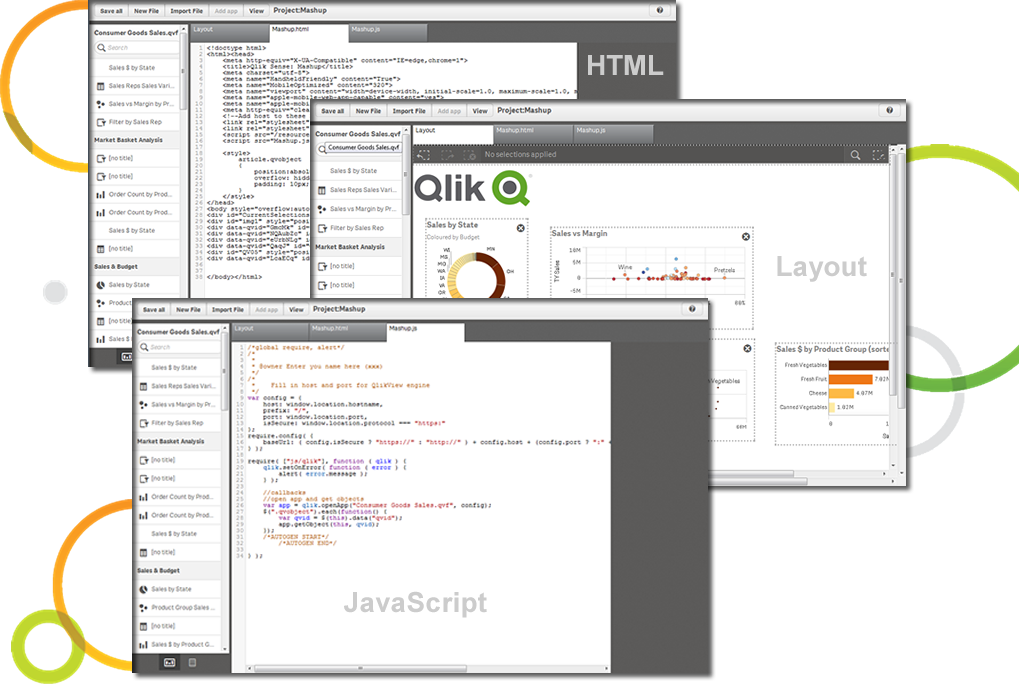   |