TrustRadius: an HG Insights company

Qlik Sense

Score7.5 out of 10

1,000 Reviews and Ratings

What is Qlik Sense?

Qlik Sense® is a self-service BI platform for data discovery and visualization. It supports a full range of analytics use cases—data governance, pixel-perfect reporting, and collaboration. Its Associative Engine indexes and connects relationships between data points for creating actionable insights.

Media

Qlik Sense Cash Flow Dashboard
Qlik Sense Global Smart Search
Qlik Sense Smart Data Compression - Get immediate insight on large data
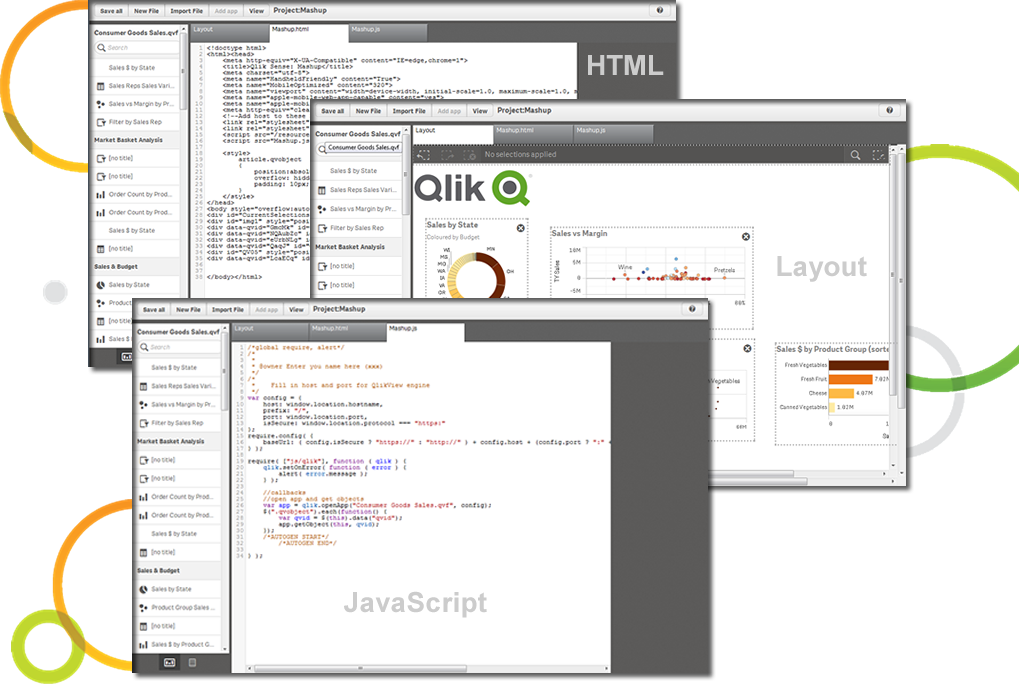
Extend, mix and mash-up with our APIs
Add "External data" with Qlik DataMarket - Data as a Service
Visualization Bundle
Help Desk case analysis
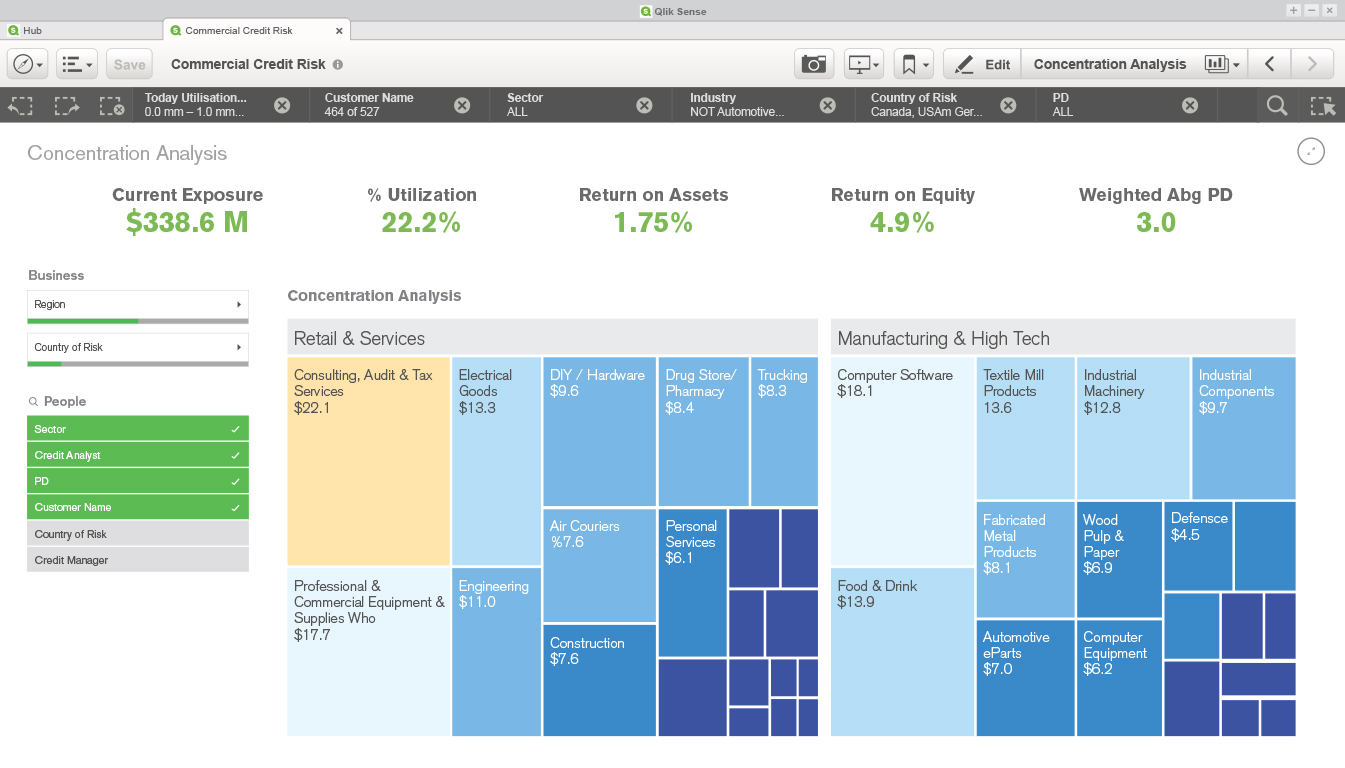
Concentration analysis
KPI Dashboard
Geographical Accident Analysis

1 / 10

Top Performing Features

  • Multi-User Support (named login)

    Named model access means that users have access based on name and password.

    Category average: 8.6

  • Report sharing and collaboration

    Report sharing and collaboration is the ability to easily share reports with others.

    Category average: 8.5

  • Role-Based Security Model

    Role-based access means that access to data is determined by job or position in the corporation.

    Category average: 8.4

Areas for Improvement

  • Formatting capabilities

    Ability to format output e.g. conditional formatting, lines, headers, footers.

    Category average: 8.1

  • Mobile Application

    A dedicated app for iOS and/or Android.

    Category average: 7.4

  • Dashboard / Report / Visualization Interactivity on Mobile

    In-app dashboard reports and data visualization.

    Category average: 7.9

Analytics with Qlik Sense

Use Cases and Deployment Scope

Qlik Sense is a wonder analytics tool where we can easily visualize the data from multiple sources.

It can easily handle large datasets from different streams which help us to save lot of manual effort and help to generate meaningful insights.

It has a clean and easy to understand user interface which could be learn by any new team member.

Pros

  • Easy to generate multiple graphs, pie charts and help to create new dashboards without much efforts
  • We can able to view the reports on Mobile and integrate Qlik Sense with other tools with ease
  • It is a cloud based application which we access from anywhere.

Cons

  • Predictive analytics options must be included with various other statiscal functions.
  • Customisation is quite limited compared with other analytics tool.
  • It has limited data importing options which must be enhanced

Return on Investment

  • We have done funnel analysis of our business to understand the drop rates with drill down analysis that helps to understand the pain points.
  • It also help us to identify the voice of customer by analysing the feedback surveys and help to increase our NPS score
  • It streamline our Root causes analysis on major KPI to understand the change in conversion metrics

Usability

Alternatives Considered

Tableau Desktop, Microsoft Power BI and Looker Studio

Other Software Used

Microsoft Access, Microsoft Power BI, Looker Studio

Great tool for data analysis

Use Cases and Deployment Scope

Qlik Sense is used to create reports with data from SAP. It helos to combine diferent SAP transactions and data for reconciliation and anayst purposes.

Pros

  • SAP data presentation
  • Filtering
  • Merging data from different sources

Cons

  • Copy of data. There is no easy way to copy a piece of information. You have to download the whole tab.
  • Managing the access could be easier.

Return on Investment

  • Helps to present and track KPIs shared with múltiple stakeholders.
  • Presents the data in a more user friendly manner.

Usability

Alternatives Considered

QlikView

Other Software Used

QlikView, SAP Business Warehouse, Excel Analyzer

The artificial intelligence offered by this program has been well received by the staff.

Use Cases and Deployment Scope

Each and every one of the tools that we have at hand and that Qlik Sense offers us are an enormous contribution to the skill of users in their work with the aim of increasing the business processes of the company much more, this program is a guide interaction that notably benefits the relationships of a company with all its customers.

Pros

  • The intelligent technology of Qlik Sense educates us to be much more accurate in each of the processes that we build, that is to say that this program is an accomplice to manipulate our data.
  • One of the greatest virtues that this program offers us is that it considerably increases the speed with which we can act and the efficiency of our operations.

Cons

  • It is very important that each one of the new users of this program have prior knowledge or some type of course with programs similar to this one in order to get the most out of it, since otherwise it would be complicated to manipulate the program.
  • This program can offer much more and cover other stations, it has the potential to include many more resources that strengthen the skills of its users, unfortunately the updates do not change much.

Return on Investment

  • This program is one of the greatest resources we use to perform in our jobs, since it is through this means that we increase the facilities with all our clients.
  • Qlik Sense takes a deep look at each of our data to give it a better deal and to get it where it needs to be to break down the company's business processes.

Other Software Used

KACE Cloud Mobile Device Manager (MDM), Altova RaptorXML Server, ACES (Automated Compliance and Evaluation System) Web Audit Technology

Qlik A Complete End-to-end Data Visualization and Analytics Tool. Fit for every Business.

Use Cases and Deployment Scope

Qlik Sense has unmatched service, I mostly like the power to show not only what we have filtered, but what we are missing, it shows and unearthing the hidden insights. Qlik associate engine is one of the unparalleled and powerful engines I have used in the domain and has been a great leader in BI/analytics space. I also like how Qlik Automation has been a game changer and we are moving more and more our MS Automation over to Qlik. Overall Qlik Automation experience is very fantastic and brings the support team closer in case of any challenge or inconvenience.

Pros

  • Qlik allows us to create a centralized reporting platform with governed security rules that allows visibility into data easily.
  • Unifies all our data sources regardless of our data sources, or traditional databases.
  • I like the intuitive, quick learning curve for analytic and business users.
  • Great associate data model.

Cons

  • The only challenge is navigation through Qlik mobile app which is clunky at times and not very smooth. Especially for non-IT.
  • It's also too expensive to scale to hundred - thousands users, it would be fine to have lower license cost.

Return on Investment

  • Qlik uses an enhanced language to allow data to be loaded and transformed faster into all apps. Saves time.
  • Easy to install, easy to learn, easy to train users.
  • Allows integration with all types of data sources.

Data, analysis, fast and easy!

Use Cases and Deployment Scope

What I like the most about this application is that it is really easy to use, it is intuitive, dynamic and very simple to implement, to begin with this is already a great achievement. On the other hand, I like being able to have a central platform that generates the reports, with minimal security rules to prevent unauthorized data manipulation. For me it has been of great help to generate reports from large databases, unify data and criteria and generate analysis, according to this information. I have used it in different organizations in which I have worked, which broadens its scope since it is not limited to one sector, but can be used in any field, for the analysis of any type of data.

Pros

  • Flexibility in data recording, from the app, as well as in handling them. Allowing you to view reports quickly and effectively.
  • Easy to generate dynamic graphics according to our needs.
  • It is very easy to use, intuitive, so it does not generate costs in the learning process compared to the tool with collaborators

Cons

  • Data analysis in data groups is of great help that allows us to visualize impressive results, however, these tools that are so useful and tremendous to us are not easy to use.
  • Windows are not very friendly or intuitive.
  • The support or customer service leaves a lot to be desired.

Return on Investment

  • The impact has undoubtedly been positive, it is difficult to quantify it, however in terms of effectiveness or efficiency I give it a 90%.
  • I don't give it 100% because to use the complete package you have to pay, and it's not that cheap and on the other hand because it has some deficiencies, such as technical support and some issues like windows that are not so friendly and easy to work with.
  • Still, I can't stop using it.

Other Software Used

Kdan Mobile PDF Reader, Microsoft 365