Chose Olark
I actually have not utilized any other products similar to Olark at this point in my career.

| Product | Rating | Most Used By | Product Summary | Starting Price |
|---|---|---|---|---|
 Olark | N/A | Olark is a website live chat tool for engaging website visitors while they browse. It can be used to to track leads, drive sales, provide support. | $19 Per Agent Per Month | |
 REVE Chat | N/A | REVE Chat is a multi-channel cloud based live chat software that provides instant assistance to your website visitors for better customer service and boost sales conversions. Businesses can instantly engage with their customers across various channels such as Website live chat, Voice/ Video Chat, Facebook Messenger, Viber, Mobile apps (Android, iOS) using a single platform. REVE Chat also has advanced features such as Screen sharing and co-browsing, Department Management, Auto… | $12 per license per month |
| Olark | REVE Chat | |||||||||||||||
|---|---|---|---|---|---|---|---|---|---|---|---|---|---|---|---|---|
| Editions & Modules |
|
| ||||||||||||||
| Offerings |
| |||||||||||||||
| Entry-level Setup Fee | No setup fee | $12 per license per month | ||||||||||||||
| Additional Details | — | — | ||||||||||||||
| More Pricing Information | ||||||||||||||||
| Olark | REVE Chat | |
|---|---|---|
| Considered Both Products | Olark  Vivian Vassar Owner Chose Olark We did use Zendesk chat for a short time but switched to Olark when a colleague suggested Olark was simpler. We were looking for a chat solution that was easy to understand and use visually, plus easy to switch between multiple people when taking turns monitoring chat. And we …  Quinton Myers Director Of Support Chose Olark Olark has an easier implementation process and has better functionality such as the ability to send commands through the platform to either create a ticket in your CRM or push an opportunity to salesforce; you're even able to 'push' the end user to a web page. Implementing …  Lindsay Bytof Customer Service Agent Chose Olark I have not used zopim extensively, but my company has been looking into converting to ZenDesk. The one positive difference I did notice with zopim was the ability to easily email a transcript of a chat - and the user has the option to request it independently of the operator.  Allison Carlson Customer Support Manager Chose Olark The main reason was that we had a really hard time integrating the Zendesk chat function into our UI, and once we discovered that Olark would not only integrate seamlessly with our website, but also automatically produce Zendesk support tickets, we were sold. |  REVE Chat |
| Olark | REVE Chat | ||||||||||||
|---|---|---|---|---|---|---|---|---|---|---|---|---|---|
| Chat Analytics and Reports |
|
| Olark | REVE Chat | |
|---|---|---|
| Small Businesses |  Gist Score 9.5 out of 10 | Gist Score 9.5 out of 10 |
| Medium-sized Companies |  Genesys DX (discontinued) Score 10.0 out of 10 | Genesys DX (discontinued) Score 10.0 out of 10 |
| Enterprises | Genesys DX (discontinued) Score 10.0 out of 10 | Genesys DX (discontinued) Score 10.0 out of 10 |
| All Alternatives | View all alternatives | View all alternatives |
| Olark | REVE Chat | |
|---|---|---|
| Likelihood to Recommend | 10.0 (0 ratings) | 10.0 (0 ratings) |
| Likelihood to Renew | 8.6 (0 ratings) | - (0 ratings) |
| Usability | 10.0 (0 ratings) | - (0 ratings) |
| Support Rating | 9.8 (0 ratings) | - (0 ratings) |
| Product Scalability | 8.0 (0 ratings) | - (0 ratings) |
| Olark | REVE Chat | |
|---|---|---|
| Likelihood to Recommend |
|
|
| Pros |
 Adam Montgomery Energy Efficiency Consultant |
|
| Cons |
|
|
| Likelihood to Renew |
| No answers on this topic |
| Usability |
| No answers on this topic |
| Support Rating |
Vivian Vassar Owner | No answers on this topic |
| Alternatives Considered |
Vivian Vassar Owner |
|
| Return on Investment |
|
|
| ScreenShots | REVE Chat Screenshots  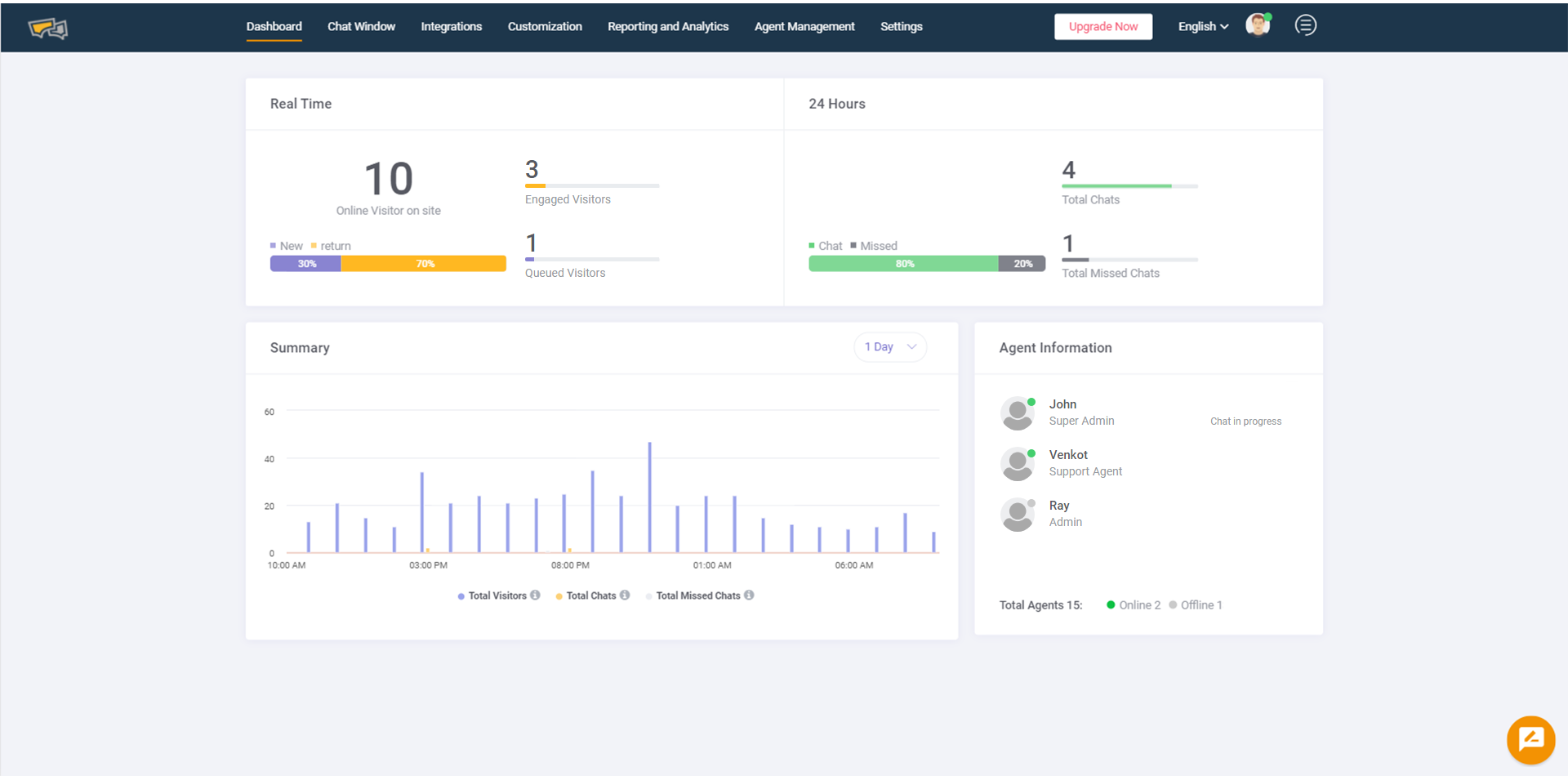 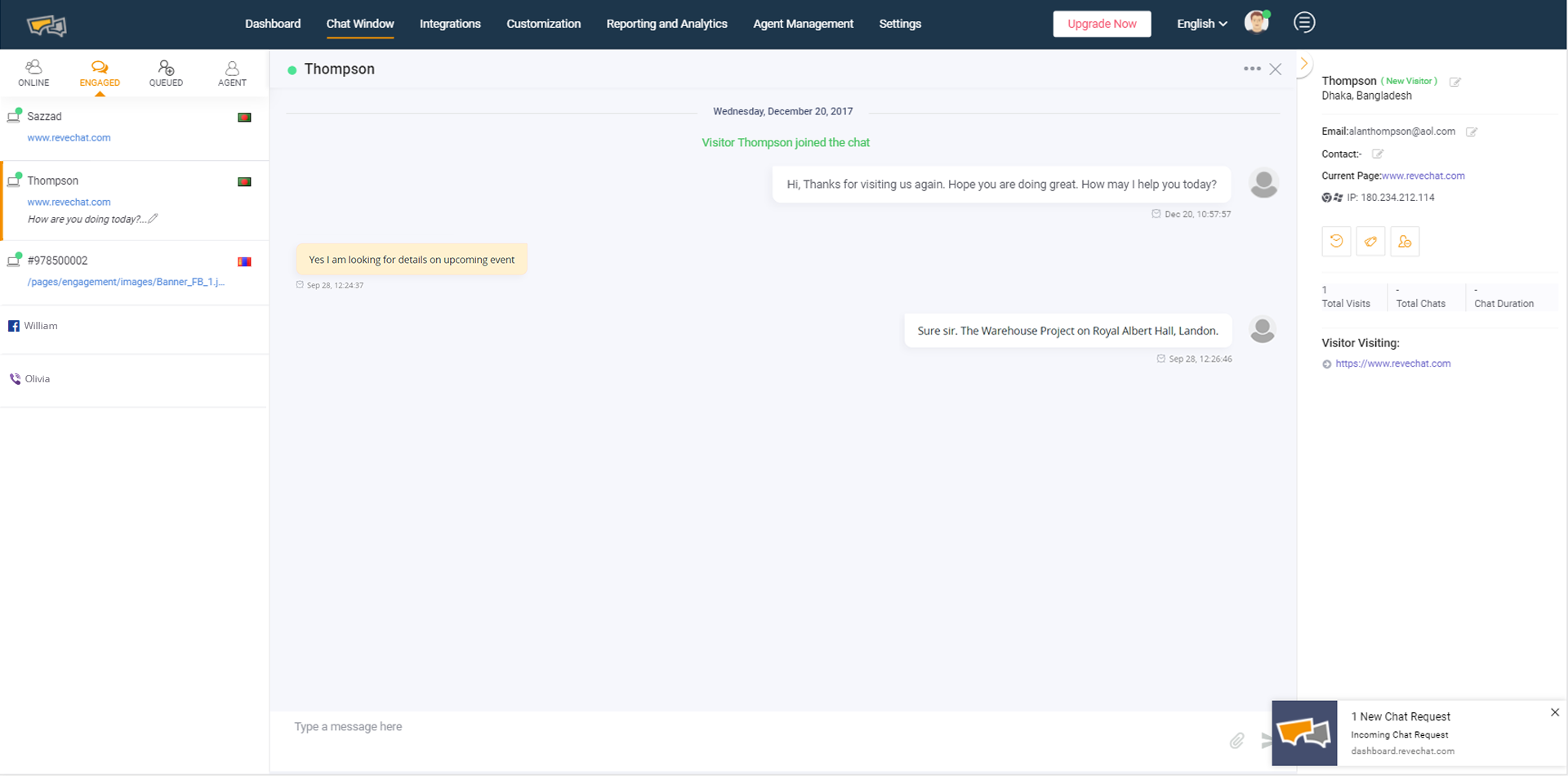   |