Chose DocuSign
eversign, sign now, adobe sign, microsoft sign

| Product | Rating | Most Used By | Product Summary | Starting Price |
|---|---|---|---|---|
 DocuSign | N/A | DocuSign supports transactions with document sharing and electronic signature, as well as automated and guided data collection and entry, record updating across disparate systems and payment collection upon agreement, as well as analytics and reporting. | $15 per month | |
 RSign | N/A | RSign, from RPost headquartered in Los Angeles, is presented as an E-Signature solution that the vendor describes as simple but feature-rich, elegantly easy, and affordable. | $7 per month per user |
| DocuSign | RSign | |||||||||||||||
|---|---|---|---|---|---|---|---|---|---|---|---|---|---|---|---|---|
| Editions & Modules |
|
| ||||||||||||||
| Offerings |
| |||||||||||||||
| Entry-level Setup Fee | No setup fee | No setup fee | ||||||||||||||
| Additional Details | — | Contact Sales for API & Custom Integrations. | ||||||||||||||
| More Pricing Information | ||||||||||||||||
| DocuSign | RSign | |
|---|---|---|
| Considered Both Products |  DocuSign  Emily Wallace Talent Acquisition Coordinator Chose DocuSign Adobe Acrobat Sign is less user-friendly and more suited to small scopes, or one-off documents. It lacks the use of templates that DocuSign has, which is what ultimately streamlines and delivers the consistency and efficiencies for the business.  Shrina Jain Senior Channel Sales Manager Chose DocuSign Deal hub is a relatively complicated software, my company requirement was limited to getting the document verifed and then get it signed from the right set of designation after the verification The evaluation process of DocuSign was also smooth and it was very simple to …  Denitra McGraw Small Business Manager - Family Owned & Operated Chose DocuSign I actually have both. Docusign has better features. Signnow was a little cheaper so I kept them.  Erin Gracyalny Customer Success Manager Chose DocuSign I prefer DocuSign to Adobe Sign because of the workflow process. To me, DocuSign flows much easier and the interface is easier for me to locate the things I need. I also appreciate the templates that DocuSign allowed, especially because Egnyte had a direct integration with …  Dave Bevington Director of Automation Chose DocuSign DocuSign is so much more widely used and I think reliable. Who knows where HelloSign will be in a few years and I don't think they have nearly the funding to compete with DocuSign. Also, everyone uses DocuSign and it makes clients feel secure knowing the name of software …  Krystofer Gardner Director Of Operations Chose DocuSign When viewing other competing products they didn't have the superior functionality that DocuSign had, nor the admin control. However, it should be noted that since making the selection, competing products have greatly improved.  Matthew McGinnis Managing Partner Chose DocuSign I would say that DocuSign's biggest competitor and a most similar product is Adobe Sign. They both offer almost identical features with Adobe offering a slightly better interface. Adobe sign is also less costly than DocuSign while offering templates that can be useful for …  Liz Duffié VP, People & Culture Chose DocuSign I've used Hellosign and DocuSign at the company. DocuSign has an easier UX and ability to use with multiple users. Also links and partners with a lot more external tools.  Jeanette Carroll VP, Operations and Marketing Chose DocuSign DocuSign is the one we went with because of the majority of people who use it regularly. It's the first one that comes to mind when you think of electronic signatures. We do use AdobeSign with our HR platform because that is the one that is integrated with it, but standalone …  Shanna Kostopulos Paralegal/Supervisor Chose DocuSign Adobe Sign makes it harder to edit documents unless you have upgraded administrative accounts. It’s also harder to go in and cancel Adobe Sign documents.  Mallorie Kragt Real Estate Agent Chose DocuSign DocuSign is provided by my company. It's a very well-known program that is used throughout the industry if I have any issues trying to figure something out, it's very easy to get a hold of someone who have experience with the program | RSign |
| DocuSign | RSign | |
|---|---|---|
| Small Businesses |  Foxit eSign Score 9.8 out of 10 | Foxit eSign Score 9.8 out of 10 |
| Medium-sized Companies |  MSB Docs Score 9.4 out of 10 | MSB Docs Score 9.4 out of 10 |
| Enterprises |  Conga Sign Score 7.8 out of 10 | DocuSign Score 8.3 out of 10 |
| All Alternatives | View all alternatives | View all alternatives |
| DocuSign | RSign | |
|---|---|---|
| Likelihood to Recommend | 4.8 (0 ratings) | 10.0 (0 ratings) |
| Likelihood to Renew | 7.0 (0 ratings) | - (0 ratings) |
| Usability | 4.0 (0 ratings) | - (0 ratings) |
| Availability | 10.0 (0 ratings) | - (0 ratings) |
| Performance | 10.0 (0 ratings) | - (0 ratings) |
| Support Rating | 10.0 (0 ratings) | - (0 ratings) |
| Online Training | 10.0 (0 ratings) | - (0 ratings) |
| Implementation Rating | 10.0 (0 ratings) | - (0 ratings) |
| Product Scalability | 10.0 (0 ratings) | - (0 ratings) |
| DocuSign | RSign | |
|---|---|---|
| Likelihood to Recommend |
|
|
| Pros |
 Michele Roy Special Education Teacher |
|
| Cons |
 Kenneth Hess Senior Systems Analyst |
|
| Likelihood to Renew |
| No answers on this topic |
| Usability |
| No answers on this topic |
| Reliability and Availability |
| No answers on this topic |
| Performance |
| No answers on this topic |
| Support Rating |
 Erik Sheafer Enterprise Development Manager | No answers on this topic |
| Online Training |
| No answers on this topic |
| Implementation Rating |
| No answers on this topic |
| Alternatives Considered |
Emily Wallace Talent Acquisition Coordinator |
|
| Scalability |
| No answers on this topic |
| Return on Investment |
Matthew McGinnis Managing Partner |
|
| ScreenShots | DocuSign Screenshots   | RSign Screenshots     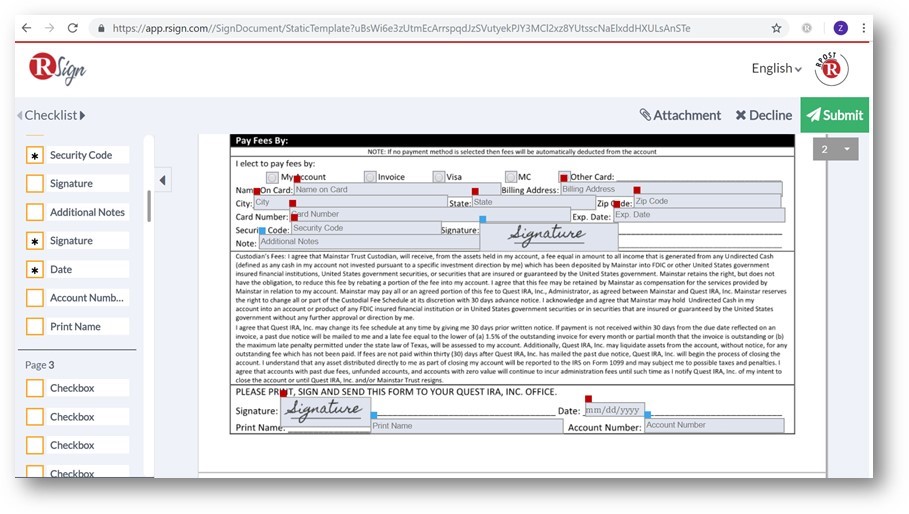 |