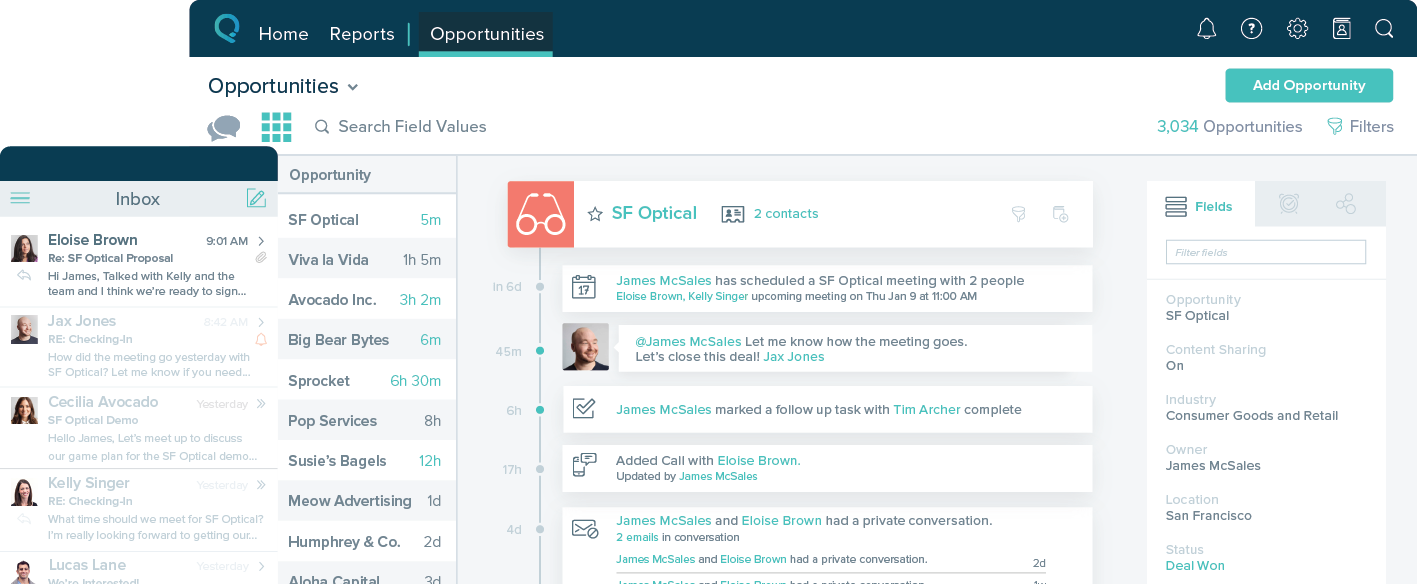
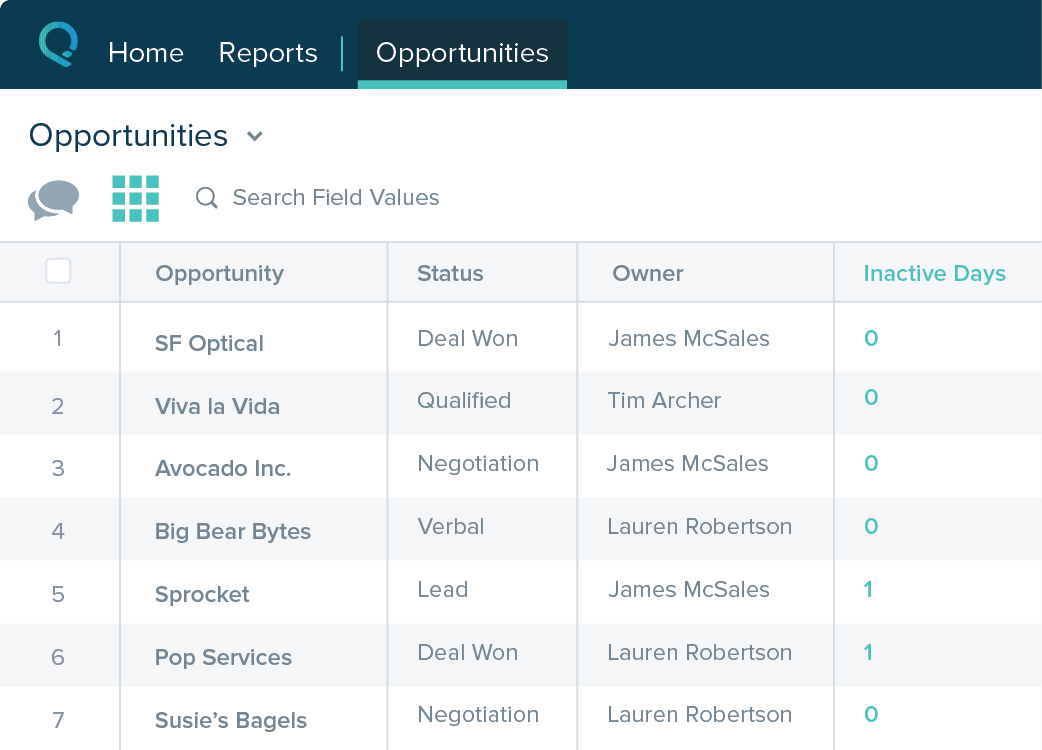
Salesforce Starter (formerly Salesforce Essentials) is a small business CRM that replaces the former SalesforceIQ product. It is priced at $35 per user, on a monthly basis, or at $25 per month for if billed annually ($300) and can be tried free for 14 days on a trial.
N/A
vCita
Score 8.5 out of 10
N/A
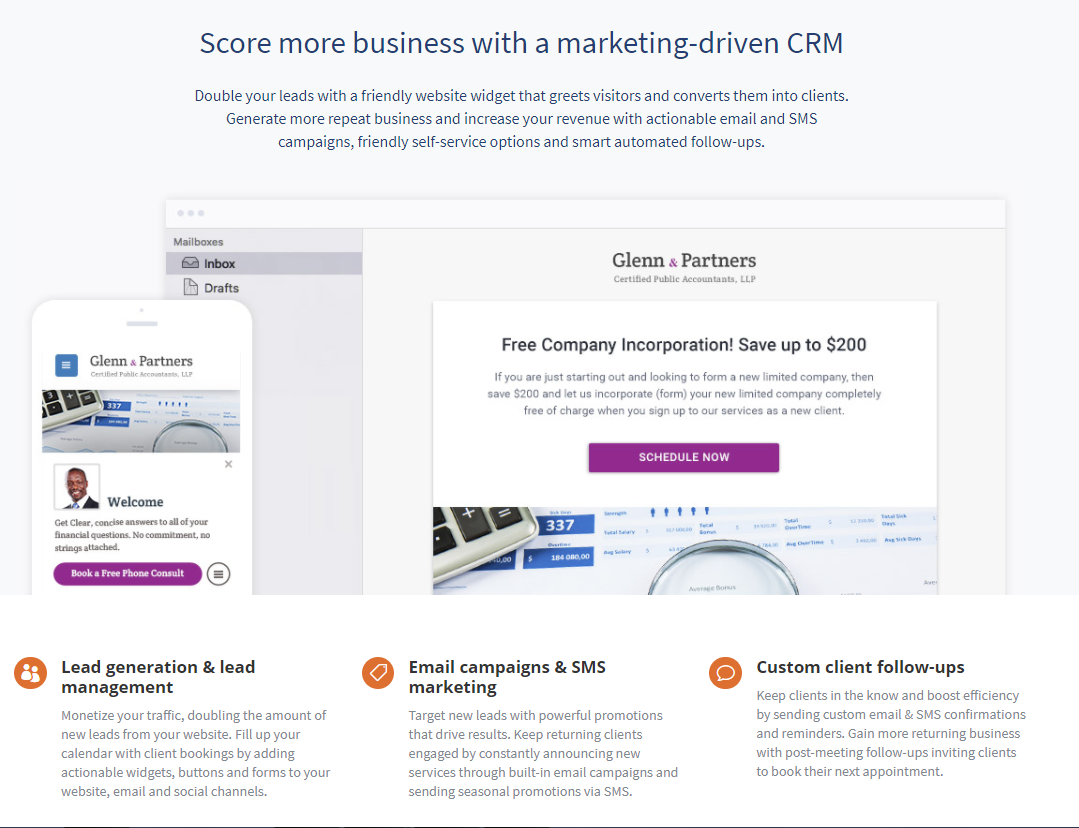
vCita is a marketing-focused CRM for service providers. According to the vendor, the product helps service providers move clients through every stage of the sales cycle: from the first point of contact to closing, upselling and follow-up. vCita is a lightweight CRM with the following features: - Manage appointments, payments, and clients - Access info & respond to clients on the go with a mobile app - Invite clients to…
$29
per month
Pricing
Salesforce Starter
vCita
Editions & Modules
No answers on this topic
Essentials
$29
per month
Business
$59
per month
Platinum
$99
per month
Offerings
Pricing Offerings
Salesforce Starter
vCita
Free Trial
Yes
Yes
Free/Freemium Version
No
Yes
Premium Consulting/Integration Services
No
No
Entry-level Setup Fee
No setup fee
No setup fee
Additional Details
—
—
More Pricing Information
Community Pulse
Salesforce Starter
vCita
Considered Both Products
Salesforce Starter
Verified User
Anonymous
Chose Salesforce Starter
The Zoho system is free and gives a long trial product. The salesforce brand is well known, and I wanted to try a good European crm product. The account manager was South African and very friendly. The system was trained on a demo, whereas Zoho did not offer an account …
Salesforce Starter is exactly what it says. It's specific to getting a small business up and running effectively, without unnecessary development or internal overhead required. It doesn't allow for a ton of customization, but it provides more than most other providers across …
We selected SalesforceIQ over insightly because of the email automation they offered. Their app also seemed to be a little more robust. I highly recommend a trial before you make a decision. The trial with SalesforceIQ is what sold us on the product.
vCita has been very responsive to our needs and desires for improvement in certain areas. We have appreciated the level of support we receive when a problem arises. Our biggest gain when moving was the reliability of this product's teleconferencing integration with Zoom. …
I think only Acuity Scheduling rivals vCita. One weak point for vCita is that the others have a better link for reviews on social media and beyond than vCita.
vCita is a platform which is still developing and falls short of dedicated CRM platforms in some ways however it shines where it counts for any business wanting to provide more power to their customer to make bookings and manage their profile. Other platforms such as Insightly …
We were satisfied with TimeTrade and probably wouldn't have made the switch if we were able to integrate with our new Duda website as well as vCita does. They do not offer as many features as vCita, but for scheduling only, they work well and are very affordably priced.
SalesforceIQ is a perfect CRM to start with and get your organization used to tracking customer contact. It was an easy setup and well adopted. It allowed us to rollout completely in just 30 days. We have seen a large increase in our ability to communicate. It may be lacking in some items if you already have a tracking method but was the perfect starting point for us.
It makes client communication extremely easy - we can message and schedule online appointments. Clients really like those options. We also like the online payment portal. That way clients can pay at their convenience, and we don't end up with credit card information that requires PCI compliance. It also helps with payments. It would also help with invoicing, but unfortunately, there are only 3 linked payment options (Square, Stripe, and PayPal). If you don't use one of those payment processors, you cannot link to billing.
Sales CRM with built-in guidance and reminders to manage and track opportunities.
Self-service for customers and internal employee needs. Integrates forms and chatbots very easily into your existing website.
Guided setup with inherent flows to make transitioning from legacy systems to new age cloud-based technologies
Integrates with Outlook and Gmail extremely well. Includes the Salesforce Inbox mobile app to link records with calendar and email. Email reminders included automatically.
The Salesforce Mobile App comes with Starter, making it super easy to work on the go, even in remote areas.
Very easy implementation of a contact/scheduling widget.
Allows for scheduling of appointments with clients. The setup is easy and the allotted times can be changed as needed. Easy for the client to use as well.
Managing communication between individual clients is easy as well.
Table views can be sorted by column. Filters can be applied, but only to one column. Multi-column filtering like Excel allows would be extremely useful and a big improvement.
The ability to quick copy data in a table view would also be helpful, like (ctrl ') in excel.
easy to use, training is intuitive and can be peer taught if needed. Not overly complex so that users can get started within a very short period of time.
Overall - easy to use. There are some missing features (like fillable pdf forms), and it also requires using certain credit card processors to link billing (otherwise it doesn't work).
I do miss the days when I could easily call up a rep and talk to them about any issues I had with the service. But I still do hear back from the customer service rep during the week within 24 hours.
Salesforce Starter is exactly what it says. It's specific to getting a small business up and running effectively, without unnecessary development or internal overhead required. It doesn't allow for a ton of customization, but it provides more than most other providers across sales, service, and integration/automating business processes. Some tools are more specific to organizations that want to focus on a specific area to grow or manage their business. That's where the other package types and integrations with specific tools come in
vCita has been very responsive to our needs and desires for improvement in certain areas. We have appreciated the level of support we receive when a problem arises. Our biggest gain when moving was the reliability of this product's teleconferencing integration with Zoom. With OnCall we had trouble onboarding people, difficulty with the app they used going down, etc. We also had expectations about progress with Forms that we unmet.
The initial cost was high compared to other options but the features in the base level allowed even the smallest of business to grow into the paid version of the service.
The time saved with self service bookings and profile management for customers has been a big plus and made the purchase of the service worthwhile.
The constant improvements to the platform have been enough to continue to use the service as it develops into a competent CRM.