
Bryan Hughes
Owner
Chose Salesmate
I haven't used any other CRM, but from what I've heard from other's that have, other CRM's are much more expensive and they don't offer the sale level of customer support that Salesmate does.

| Product | Rating | Most Used By | Product Summary | Starting Price |
|---|---|---|---|---|
 Salesmate | Mid-Size Companies (51-1,000 employees) | Salesmate is a single platform that helps create personalized experiences across marketing, sales, and service touchpoints across all channels – email, text, chat, web, calls, and eCommerce. It is designed to enable users to generate more leads, close more deals, and build lasting customer relationships. It replaces many disjointed systems to save users time and money. Salesmate offers businesses: … | $29 per month per user | |
 Zoho CRM | N/A | Zoho CRM is a simple, very low-cost CRM option for the smaller end of the SMB segment. The product has several useful integrations with other products, including QuickBooks, and Google Apps and Google Docs. The product also has an integrated project management module. | $14 Per User/Per Month |
| Salesmate | Zoho CRM | |||||||||||||||
|---|---|---|---|---|---|---|---|---|---|---|---|---|---|---|---|---|
| Editions & Modules |
|
| ||||||||||||||
| Offerings |
| |||||||||||||||
| Entry-level Setup Fee | Optional | $14 /user/month | ||||||||||||||
| Additional Details | We offer built-in calling: Starting at $1.10 per month for your phone line & pay as you go credits | — | ||||||||||||||
| More Pricing Information | ||||||||||||||||
| Salesmate | Zoho CRM | |
|---|---|---|
| Considered Both Products |  Salesmate Bryan Hughes Owner Chose Salesmate I haven't used any other CRM, but from what I've heard from other's that have, other CRM's are much more expensive and they don't offer the sale level of customer support that Salesmate does. Chose Salesmate Salesmate was a good trade-off in pricing, features and possibilites: we started with a very simple pipeline management and then we slowly added some new features that we were already paying for in the basic/pro level. No need to upgrade to higher cost solutions to have full …  Labanya Roy Senior Executive - Client Acquisition Chose Salesmate Automation Light weight zero downtime  Soundar Manoharan Senior Consultant - Client Acquisition Chose Salesmate Bigin by Zoho CRM and Microsoft 365  Manikyala Dirisala Manager - Client Acquisition Chose Salesmate I did brief this at the start itself. Salesmate is a simple tool, which is easy to understand, easy to navigate, easy to automate your own process, easy to configure and execute things without manually feeding it everything with all details. The simple point is - Email Outlook …  Carte Bisbee Marketing Operations Manager Chose Salesmate Hubspot Monday.com Woosender  Adam O'Leary Founder Chose Salesmate I was using the free version of Hubspot, which was extremely limiting. If I wanted to go ahead and unlock a simple feature, which every other CRM offered, my price would shoot up to hundreds of dollars a month for no reason, as they force you to unlock “all the features” not …  Lisa Kraus Business Process Administrator Chose Salesmate Salesmate is way better at keeping organized, creating call lists, and keeping track of won and lost deals. I spent years trying to organize blitz to no avail and that's why we made the move to Salesmate.  Andrea Blake, CMP Head of Operations Chose Salesmate I am fairly decent with computers but I don't like dealing with things that are overly complicated. I loved Salesmate because it had all of the features we needed to manage clients, but not a bunch of extra stuff you never use. Customization of the system was easy and it didn't …  Vivek Sahay AVP - Sales & Solutions Chose Salesmate In our quest to streamline our sales effort and
consolidate our siloed data, we evaluated various CRM's out there in the market
and zeroed on to Salesmate, some of the features we really liked, are the  Puja K Client Partner - Business Success Chose Salesmate The mobile feature is not available with Creatio Manual dialing with Freshsales CRM no power dialer Customizable
but fairly detailed (more focused on quotation management) Knowledge base not available with Mothernode  Michael Eastwood Marketing Manager Chose Salesmate Very similar in overall layout and user experience...but the features blow these others out of the water. Where alternative solutions had features either lacking or as an upgrade (ie having to spend an extra $10-$30/month/user) Salesmate has these features out-of-the-box.  Kevin Johnson President Chose Salesmate Salesmate is more
 Alexander Ceranek Business Owner Chose Salesmate Every call, chat and email creates a support ticket which is usually 24-48 hours for a response. I accomplished more with Salesmate support than I did with a month of the entire Fresh Works Suite. Also - all components are separate with Freshworks i.e. contacts to not sync …  Nika Apriashvili Business Development Chose Salesmate More user-friendly and affordable. |  Zoho CRM  Michael Weisel Co-founder & Chief Technology Officer Chose Zoho CRM Sugar was great when we first got started. Zoho CRM allowed us to take things to the next level and get the support that we needed along with that transition. Zoho CRM's customization was mush easier to setup and use without having to rely on developers to create custom code …  Nikita Vinichenko Marketing Manager CRM Chose Zoho CRM It is decent against what is offered in the market, it follows certain philosophy of CRM which may not be a perfect fit for everyone. There are not so many guides and new updates push for differentiation. Formatting and bugs appearances are often an issue.  Waleed Aqdas Head of Business Enablement Technology Chose Zoho CRM Overall Zoho CRM is great. It might not be the best CRM but if you compare the price difference, i think Zoho CRM does wonders. I ll not line it up in the same position with Salesforce and Hubspot but it is full full-capacity CRM. If they add AI capabilities and add more …  Dinesh Kumar Lead Generation Executive Chose Zoho CRM HUbSpot Is not Effective . Even though it has all Option its not user Friendly to Create Report and filter the leads like that so i switch to Zoho  Aslin Baro Sales Executive Chose Zoho CRM For our organizations requirements, Zoho CRM fits for it and pricing to less than other products and it also has all suite plan where accounts team and marketing team use.  Lisa Parshan Digital Content Manager Chose Zoho CRM We selected ZOHO over the above - specifically salesforce - initially because of the price. Secondly, we do not have the technical expertise and budget to do a lot of customization at this time. So, we needed a product that had a good user interface, and that was flexible and … |
| Salesmate | Zoho CRM | ||||||||||||||||||||||||||||||
|---|---|---|---|---|---|---|---|---|---|---|---|---|---|---|---|---|---|---|---|---|---|---|---|---|---|---|---|---|---|---|---|
| Sales Force Automation |
| ||||||||||||||||||||||||||||||
| Customer Service & Support |
| ||||||||||||||||||||||||||||||
| Marketing Automation |
| ||||||||||||||||||||||||||||||
| CRM Project Management |
| ||||||||||||||||||||||||||||||
| CRM Reporting & Analytics |
| ||||||||||||||||||||||||||||||
| Customization |
| ||||||||||||||||||||||||||||||
| Security |
| ||||||||||||||||||||||||||||||
| Integrations with 3rd-party Software |
| ||||||||||||||||||||||||||||||
| Platform |
| ||||||||||||||||||||||||||||||
| Social CRM |
|
| Salesmate | Zoho CRM | |
|---|---|---|
| Small Businesses |  Salesflare Score 6.0 out of 10 | Salesmate Score 10.0 out of 10 |
| Medium-sized Companies |  Creatio Score 9.7 out of 10 | Creatio Score 9.7 out of 10 |
| Enterprises | Creatio Score 9.7 out of 10 | Creatio Score 9.7 out of 10 |
| All Alternatives | View all alternatives | View all alternatives |
| Salesmate | Zoho CRM | |
|---|---|---|
| Likelihood to Recommend | 10.0 (0 ratings) | 8.5 (0 ratings) |
| Likelihood to Renew | 9.1 (0 ratings) | 7.6 (0 ratings) |
| Usability | 10.0 (0 ratings) | 7.8 (0 ratings) |
| Availability | - (0 ratings) | 8.8 (0 ratings) |
| Performance | - (0 ratings) | 8.5 (0 ratings) |
| Support Rating | 1.4 (0 ratings) | 6.1 (0 ratings) |
| In-Person Training | - (0 ratings) | 8.0 (0 ratings) |
| Online Training | - (0 ratings) | 5.6 (0 ratings) |
| Implementation Rating | 9.1 (0 ratings) | 5.6 (0 ratings) |
| Configurability | - (0 ratings) | 5.1 (0 ratings) |
| Ease of integration | - (0 ratings) | 7.2 (0 ratings) |
| Product Scalability | - (0 ratings) | 5.7 (0 ratings) |
| Vendor post-sale | - (0 ratings) | 7.7 (0 ratings) |
| Vendor pre-sale | - (0 ratings) | 7.8 (0 ratings) |
| Salesmate | Zoho CRM | |
|---|---|---|
| Likelihood to Recommend |
|
|
| Pros |
|
|
| Cons |
|
|
| Likelihood to Renew |
 Matthew Gehrman Agency Principal |
 Alexis Correa Owner |
| Usability |
 Daniel Cragin Founder |
|
| Reliability and Availability | No answers on this topic |
|
| Performance | No answers on this topic |
|
| Support Rating |
Michael Eastwood Marketing Manager |
|
| In-Person Training | No answers on this topic |
|
| Online Training | No answers on this topic |
|
| Implementation Rating |
|
|
| Alternatives Considered |
Adam O'Leary Founder |
|
| Scalability | No answers on this topic |
 Ashley Longstaff Program Manager |
| Return on Investment |
|
|
| ScreenShots | Salesmate Screenshots    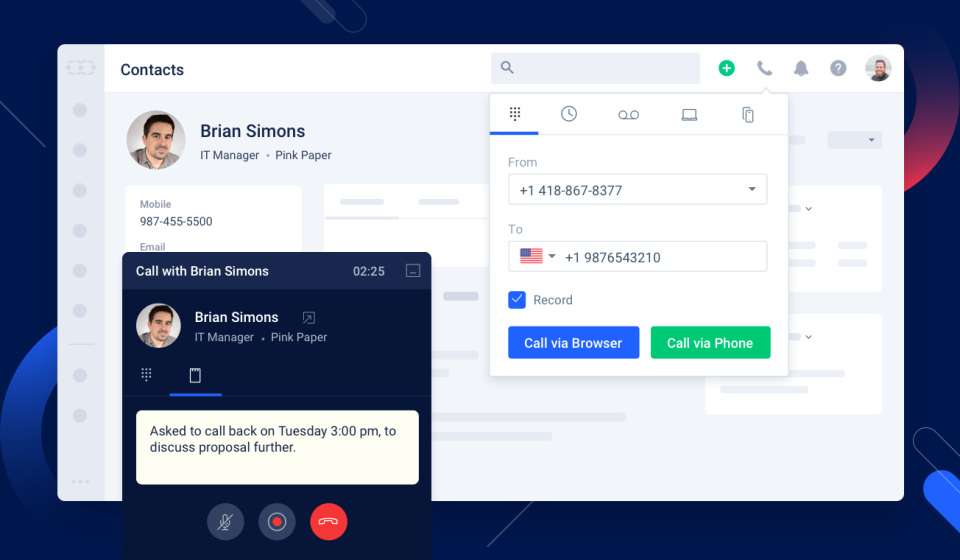 | Zoho CRM Screenshots  |

