SAP Crystal vs. Vertafore RiskMatch

Overview
ProductRatingMost Used ByProduct SummaryStarting Price
SAP Crystal
Score 7.5 out of 10
N/A
SAP Crystal is an analytics and reporting software solution for SMBs. SAP Crystal comprises Crystal Reports for pixel-perfect reporting, and SAP Crystal Server for automated distribution and self-service access to reports, dashboards and data exploration.
$295
per single user license
Vertafore RiskMatch
Score 6.9 out of 10
N/A
Vertafore supplies business intelligence for agencies via RiskMatch, in various editions such as RiskMatch for Benefits to create client benchmark presentations, and RiskMatch for Carriers for data to give users the insights needed to drive growth and retention in the independent agency channel.N/A
Pricing
SAP CrystalVertafore RiskMatch
Editions & Modules
Upgrade Version to SAP Crystal Reports 2020
$295
per single user license
SAP Crystal Reports 2020 64-Bit
$495
per single user license
SAP Crystal Reports 2016 32-Bit
$495
per single user license
SAP Crystal Server 2020 1 NUL
$869
per user license + first year maintenance to be added
SAP Crystal Server 2020 5 CAL
$8,744
5 concurrent users + first year maintenance to be added
No answers on this topic
Offerings
Pricing Offerings
SAP CrystalVertafore RiskMatch
Free Trial
YesNo
Free/Freemium Version
YesNo
Premium Consulting/Integration Services
NoNo
Entry-level Setup FeeOptionalNo setup fee
Additional Details* SAP Crystal Reports 2020 Viewer allows you to view static data within a SAP Crystal Reports file. * SAP Crystal Reports 2020 - Full version allows you to create powerful, richly formatted, and dynamic reports from virtually any data source, delivered in dozens of formats, in up to 28 languages. If you already have an older version of Crystal Reports, buy a license for SAP Crystal Reports 2020 - Upgrade at a discounted, upgrade price. * SAP Crystal Server 2020, 1 NUL includes 1 license of: SAP Crystal Reports 2020 - SAP Crystal Server 2020. * As an add-on to SAP Crystal Server 2020 1 NUL, SAP Crystal Server 2020 5 CAL allows you to support a wider, intermittent audience of end users, up to five logged on at the same time.
More Pricing Information
Community Pulse
SAP CrystalVertafore RiskMatch
Features
SAP CrystalVertafore RiskMatch
BI Standard Reporting
Comparison of BI Standard Reporting features of Product A and Product B
SAP Crystal
9.3
Ratings
13% above category average
Vertafore RiskMatch
7.0
Ratings
15% below category average
Pixel Perfect reports8.00 Ratings7.40 Ratings
Customizable dashboards10.00 Ratings7.20 Ratings
Report Formatting Templates10.00 Ratings6.40 Ratings
Ad-hoc Reporting
Comparison of Ad-hoc Reporting features of Product A and Product B
SAP Crystal
9.6
Ratings
17% above category average
Vertafore RiskMatch
8.1
Ratings
1% above category average
Drill-down analysis10.00 Ratings8.90 Ratings
Formatting capabilities10.00 Ratings8.00 Ratings
Integration with R or other statistical packages8.60 Ratings8.10 Ratings
Report sharing and collaboration10.00 Ratings7.40 Ratings
Report Output and Scheduling
Comparison of Report Output and Scheduling features of Product A and Product B
SAP Crystal
9.4
Ratings
12% above category average
Vertafore RiskMatch
8.4
Ratings
1% above category average
Publish to Web9.20 Ratings10.00 Ratings
Publish to PDF10.00 Ratings7.80 Ratings
Report Versioning9.00 Ratings8.00 Ratings
Report Delivery Scheduling9.00 Ratings7.80 Ratings
Delivery to Remote Servers10.00 Ratings8.30 Ratings
Data Discovery and Visualization
Comparison of Data Discovery and Visualization features of Product A and Product B
SAP Crystal
8.0
Ratings
0% above category average
Vertafore RiskMatch
7.3
Ratings
9% below category average
Pre-built visualization formats (heatmaps, scatter plots etc.)7.60 Ratings7.00 Ratings
Location Analytics / Geographic Visualization8.50 Ratings8.30 Ratings
Predictive Analytics7.80 Ratings6.70 Ratings
Access Control and Security
Comparison of Access Control and Security features of Product A and Product B
SAP Crystal
8.6
Ratings
1% above category average
Vertafore RiskMatch
6.4
Ratings
28% below category average
Multi-User Support (named login)7.80 Ratings7.10 Ratings
Role-Based Security Model7.70 Ratings6.70 Ratings
Multiple Access Permission Levels (Create, Read, Delete)8.40 Ratings4.50 Ratings
Report-Level Access Control10.00 Ratings00 Ratings
Single Sign-On (SSO)9.00 Ratings7.10 Ratings
Mobile Capabilities
Comparison of Mobile Capabilities features of Product A and Product B
SAP Crystal
8.4
Ratings
7% above category average
Vertafore RiskMatch
8.3
Ratings
6% above category average
Responsive Design for Web Access8.70 Ratings9.00 Ratings
Mobile Application7.60 Ratings6.00 Ratings
Dashboard / Report / Visualization Interactivity on Mobile9.00 Ratings10.00 Ratings
Application Program Interfaces (APIs) / Embedding
Comparison of Application Program Interfaces (APIs) / Embedding features of Product A and Product B
SAP Crystal
6.9
Ratings
12% below category average
Vertafore RiskMatch
8.4
Ratings
8% above category average
REST API7.40 Ratings10.00 Ratings
Javascript API6.00 Ratings9.00 Ratings
iFrames7.10 Ratings7.00 Ratings
Java API6.00 Ratings9.00 Ratings
Themeable User Interface (UI)8.30 Ratings8.00 Ratings
Customizable Platform (Open Source)7.00 Ratings7.40 Ratings
Best Alternatives
SAP CrystalVertafore RiskMatch
Small Businesses
BrightGauge
BrightGauge
Score 9.1 out of 10
BrightGauge
BrightGauge
Score 9.1 out of 10
Medium-sized Companies
Reveal
Reveal
Score 10.0 out of 10
Reveal
Reveal
Score 10.0 out of 10
Enterprises
Kyvos Semantic Intelligence Layer
Score 9.9 out of 10
Kyvos Semantic Intelligence Layer
Score 9.9 out of 10
All AlternativesView all alternativesView all alternatives
User Ratings
SAP CrystalVertafore RiskMatch
Likelihood to Recommend
10.0
(0 ratings)
6.9
(0 ratings)
Likelihood to Renew
10.0
(0 ratings)
-
(0 ratings)
Usability
9.5
(0 ratings)
7.7
(0 ratings)
Availability
8.0
(0 ratings)
-
(0 ratings)
Performance
8.0
(0 ratings)
-
(0 ratings)
Support Rating
8.6
(0 ratings)
7.7
(0 ratings)
In-Person Training
10.0
(0 ratings)
-
(0 ratings)
Implementation Rating
8.8
(0 ratings)
-
(0 ratings)
Configurability
8.0
(0 ratings)
-
(0 ratings)
Ease of integration
7.0
(0 ratings)
-
(0 ratings)
Product Scalability
7.0
(0 ratings)
-
(0 ratings)
Vendor post-sale
8.0
(0 ratings)
-
(0 ratings)
Vendor pre-sale
7.0
(0 ratings)
-
(0 ratings)
User Testimonials
SAP CrystalVertafore RiskMatch
Likelihood to Recommend
Generation of templated reports is the strong suit of SAP Crystal. Allows users to change formats in templates bases on requirement with minimal effort. Automated report delivery requires the user to be aware of sql which cannot be expected from all users. Should support more document export formats and improve the UI for SAP B1 Users
Read full review
It is well suited when a quick overview of your business is needed. Less appropriate if you are looking for detailed reports on your book of business.
Read full review
Pros
  • Great visualization for static format & precise tasks: For presentation to senior management /ex-co/vendors where concise decisions need to be made, Crystal is a nice choice to slide data into presentable views.
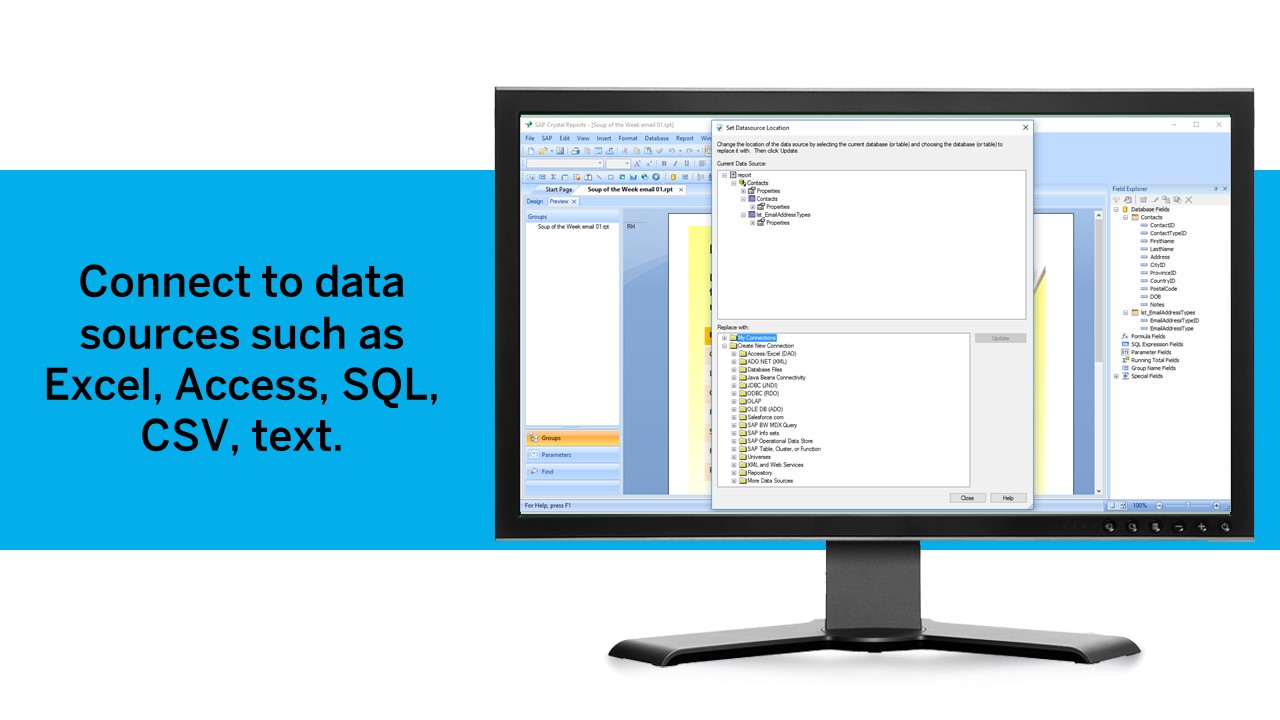
  • Diverse data source connect: We have used it to write reports using data from DB2, SQL, Progress, Excel spreadsheets, XML data, Access, and Lotus Notes databases. It can also be used to join different database types together in one report.
  • It uses the "recurring bands" structure for page layout which is efficient and fungible for generating different types of reports. Crystal doesn't require that we set up a metadata layer before creating reports and provides direct access to tables and dimensions.
Read full review
  • Good value for money
  • Automatization of processes
  • Data analysis
Read full review
Cons
  • Crystal Reports charting engine is ok but compared to some other visualization products available it is behind the times.
  • Crystal Reports uses a proprietary format for its data storage, using an open format (like XML) would be much better
  • You cannot add add a structured table object to the page layout, you can only use lines and boxes
Read full review
  • the "mapping" of insurance carriers is confusing as some are named differently
  • the "roles" for users could be more clearly defined or better matched to our setup
  • the ability to compare information to same time last year would be nice
Read full review
Likelihood to Renew
We have been using this product for so many years and it has truly become a cornerstone to our business processes when it comes to developing and distributing information via reports. We currently have over 500 reports developed to date over about 30 systems and that will continue to grow as user needs change.
Read full review
No answers on this topic
Usability
Being able to get up and running quickly is a key asset. There's plenty of advanced features to master that are surprisingly difficult in others tools (or just missing from other tools altogether). The UI can feel a bit dated at times but its usability isn't affected. Any issue you have can usually be resolved by searching in the user community
Read full review
I find the product to be extremely usable. It’s not terribly difficult to learn. One of the easiest things to do was create and customize my own reports which I have found challenging in other software. The tool has a really understandable interface that most would be able to pick up with minimal effort.
Read full review
Support Rating
SAP Crystal report is very supportive in daily need of reports or any organization. Basic functionality of operational reports detailing the Sales Order details or PO in a manner which can be used very easily. A readily available solution for delivering any customized need in terms of pixelated reporting can be met easily with the tool
Read full review
Had some issues when importing data and the support was not quite helpful that time, but is only bad experience
Read full review
In-Person Training
Trainer was patient and thorough in going through the basics and willing to answer questions by email after the initial training
Read full review
No answers on this topic
Implementation Rating
Just like any other implementation: When designing the differing reports, get end users' input, make sure to design the reports so that they display the information that the company requires, in the best and clearest way possible.
Test, test, test, revise when needed, and, particularly, do sufficient training so users are comfortable using Crystal Reports!
Read full review
No answers on this topic
Alternatives Considered
For standard pixel perfect reporting, our company still uses Crystal Reports. It allows us to continually provide standard reporting to our clients. For dashboards, we are moving towards Microsoft Power BI. Power BI allows similar collaboration, but generally has better features for dashboards. Power BI also allows us to publish multiple reports and dashboards into a single app for our end users.
Read full review
I was working in the Audits auditing an insurance company and they used this software as a tool to find the correct balance between the services they offered and the needs of their clients, I have never seen a software like this in other insurance clients and therefore, I thought it was a good tool to have a clear overview of everything, to make processes more secure by reducing the hand-job inputs and to foster the process chain by making it faster and automatized.
Read full review
Return on Investment
  • Time and cost savings achieved by automation of report creating across many data sources we maintain.
  • The ability to drill down into granular details of the data leads to a better understanding of the business procedures.
  • Well-presented reports are invaluable for getting new clients on board.
Read full review
  • Customer Satisfaction
  • Retention
Read full review
ScreenShots

SAP Crystal Screenshots

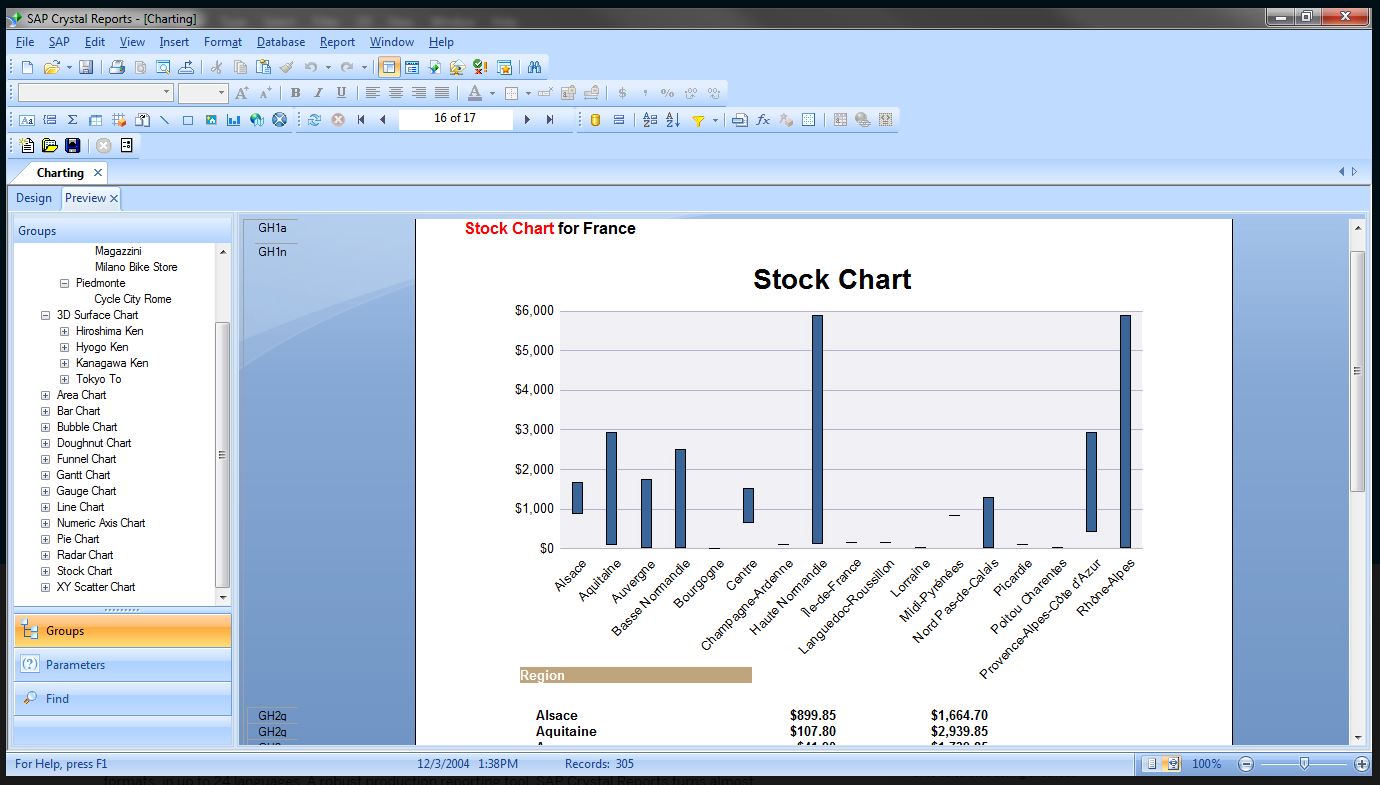
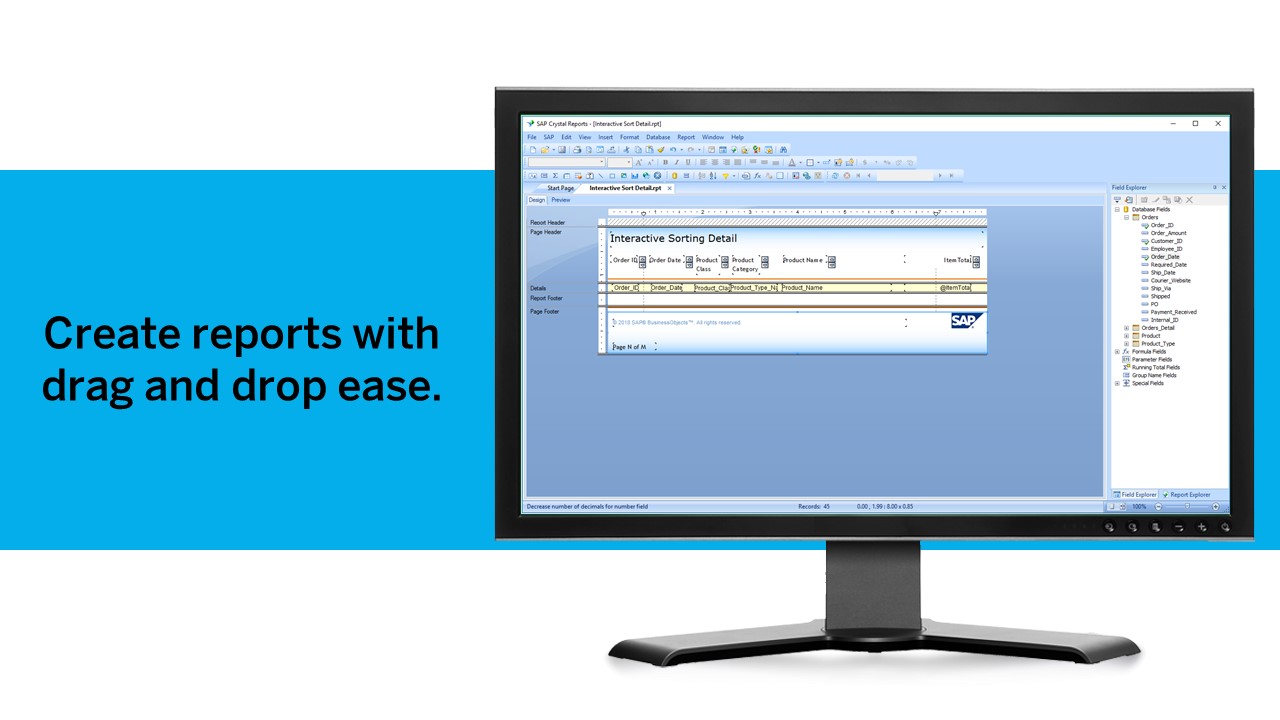
Screenshot of Pixel-perfect reporting solutionScreenshot of Refresh with a clickScreenshot of Build pixel-perfect documentsScreenshot of Connect to all data sourcesScreenshot of Use drag and dropScreenshot of Build interactive reports