Signable vs. Zoho Sign

Overview
ProductRatingMost Used ByProduct SummaryStarting Price
Signable
Score 8.2 out of 10
N/A
UK company Signable offers an electronic signature application featuring SSL encryption, audit log, GDPR compliant security and identity verification, document integrity checking, and other features supporting businesses needing an esign solution.
$1.50
one-time fee
Zoho Sign
Score 9.3 out of 10
Small Businesses (1-50 employees)
Zoho Sign is a digital signing service that lets you execute contracts quickly without the hassles of transporting paper documents while ensuring security and legality. It works completely on cloud and integrates readily with your everyday apps. According to the vendor, Zoho Sign is perfect for anyone who needs to sign business documents but widely used for HR, legal, finance, HR, and sales functions. Documents that can be signed include:…
$0
per user
Pricing
SignableZoho Sign
Editions & Modules
PAYG
$1.50
one-time fee
Small
$40
per month
Medium
$90
per month
Large
$220
per month
Corporate
$380
per month
Bespoke
Price on request
per month
Free
$0.00
per user
Standard
$10.00
per user/ month
Professional
$15.00
per user/ month
Offerings
Pricing Offerings
SignableZoho Sign
Free Trial
YesNo
Free/Freemium Version
NoYes
Premium Consulting/Integration Services
NoNo
Entry-level Setup FeeNo setup fee$10 per user
Additional Detailsdiscount available for annual billing.
More Pricing Information
Community Pulse
SignableZoho Sign
Considered Both Products
Signable
Chose Signable
We switched from Docusign mostly because the customer support was not as good. It was very difficult to get a response in a timely manner when you have to get a document out to a client and need to wait days for a response. The user interface for Docusign, on the surface, …
Zoho Sign
Chose Zoho Sign
Price is important but it has all the same features as some of the main brand names on the market which makes this package ideal for small businesses and larger ones looking at costs. The advantage we find is that we can edit forms with drop-down boxes and preset answers for …
Chose Zoho Sign
Before using Zoho Sign, we simply send out PDFs and had our partners and clients sign them and send them back. Obviously, Zoho Sign stacks pretty high against that because of how professional it is, how much simpler it is for us to use, and how much time it saves us.
Chose Zoho Sign
Docusign seems to be more commonly used and often times clients will ask if we can use that as opposed to Zoho Sign.
Chose Zoho Sign
I was a paid subscriber to Adobe prior to using Zoho, and found their solution expensive and inflexible. DocuSign may be the market leader, but Zoho fits better into our overall needs, especially since it integrates well with our other Zoho products.
Best Alternatives
SignableZoho Sign
Small Businesses
Foxit eSign
Foxit eSign
Score 9.8 out of 10
Foxit eSign
Foxit eSign
Score 9.8 out of 10
Medium-sized Companies
MSB Docs
MSB Docs
Score 9.4 out of 10
MSB Docs
MSB Docs
Score 9.4 out of 10
Enterprises
DocuSign
DocuSign
Score 8.3 out of 10
DocuSign
DocuSign
Score 8.3 out of 10
All AlternativesView all alternativesView all alternatives
User Ratings
SignableZoho Sign
Likelihood to Recommend
8.2
(0 ratings)
9.0
(0 ratings)
User Testimonials
SignableZoho Sign
Likelihood to Recommend
Signable to is a great all-around option for most businesses that require online document signing. They are based in the UK so if you have clients in Europe, they are fully compliant with all EU laws. There are easier online document options out there so if you are not tech-savvy and a beginner with online document signing, there are some other choices that may make it easier to get started, but Signable is a very good all-around choice for any size business.
Read full review
If your business needs an electronic signing software, then I recommend Zoho Sign because it has all the great features. It ensures fast and secure document signing and, most importantly, it is legally binding.
Read full review
Pros
  • Easy to use. Clients have had no issues using it the first time.
  • Google Drive and Dropbox integrations are very useful.
  • Works well across all browsers and devices we have used.
  • Good value for the money.
Read full review
  • Shared organizational templates encourage corporate uniformity and standards.
  • Centralized retention of the executed agreements.
  • Orchestrated signing workflow with internal and external users.
Read full review
Cons
  • Can be tricky to use on mobile devices as some clickable elements are very small.
  • Have had a few emails to clients from Signable end up in junk/promotion folders.
  • The pay-as-you-go requires the purchase of new credits if you have to amend a document due to an error and resend.
Read full review
  • It integrates from sign to the CRM (in that order) poorly. To have the doc associated with the contact it can ONLY come from the CRM.
Read full review
Usability
No answers on this topic
The UI is easy and using Zoho Sign is easy too.
Read full review
Alternatives Considered
We switched from DocuSign mostly because the customer support was not as good. It was very difficult to get a response in a timely manner when you have to get a document out to a client and need to wait days for a response. The user interface for DocuSign, on the surface, looked easy to use, but in reality, it was kind of clunky and buggy and caused frustrations with our team.
Read full review
Price is important but it has all the same features as some of the main brand names on the market which makes this package ideal for small businesses and larger ones looking at costs. The advantage we find is that we can edit forms with drop-down boxes and preset answers for the forms. Each entry field can be customized by data type and length or allow the client to enter their own answers.

Read full review
Return on Investment
  • We realized a positive ROI in the first month, we save several hours of work each month.
  • We were able to streamline the online document signing process with a single software.
  • Has made doing virtual business very easy.
Read full review
  • Allowed us to appear more more professional by sending out a fillable document instead of emailing a PDF.
  • Saved us time by sending automated reminders to recipients reminding them to sign the document.
Read full review
ScreenShots

Signable Screenshots

Screenshot of sending a document with SignableScreenshot of Screenshot of document management with Signable

Zoho Sign Screenshots

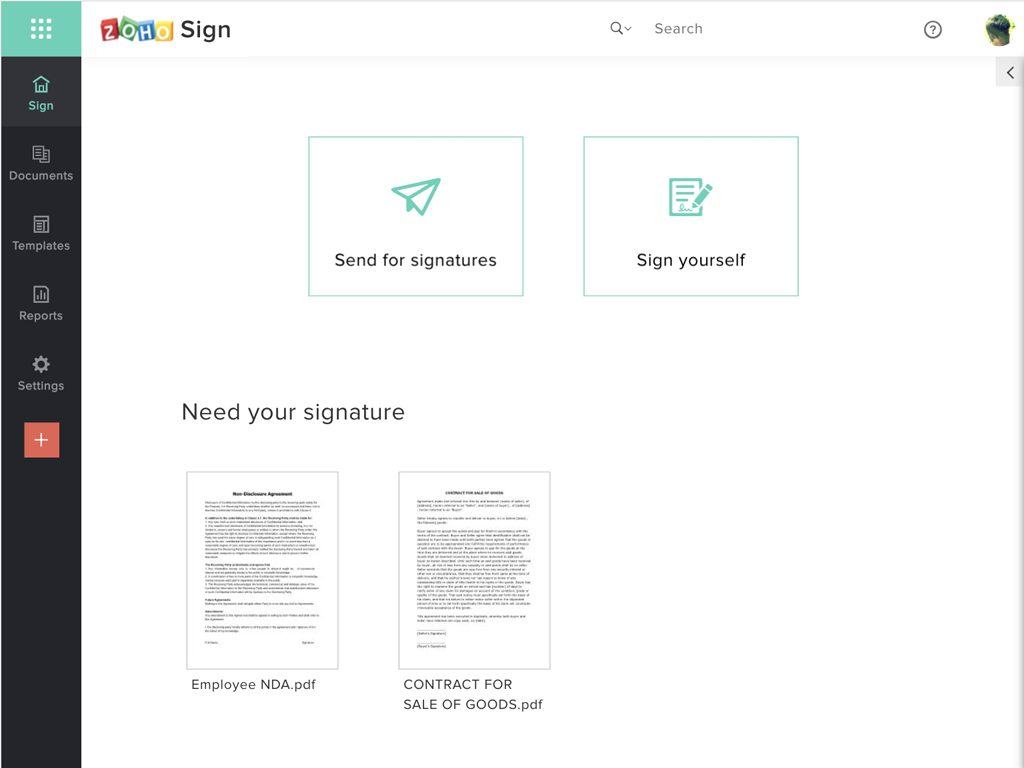
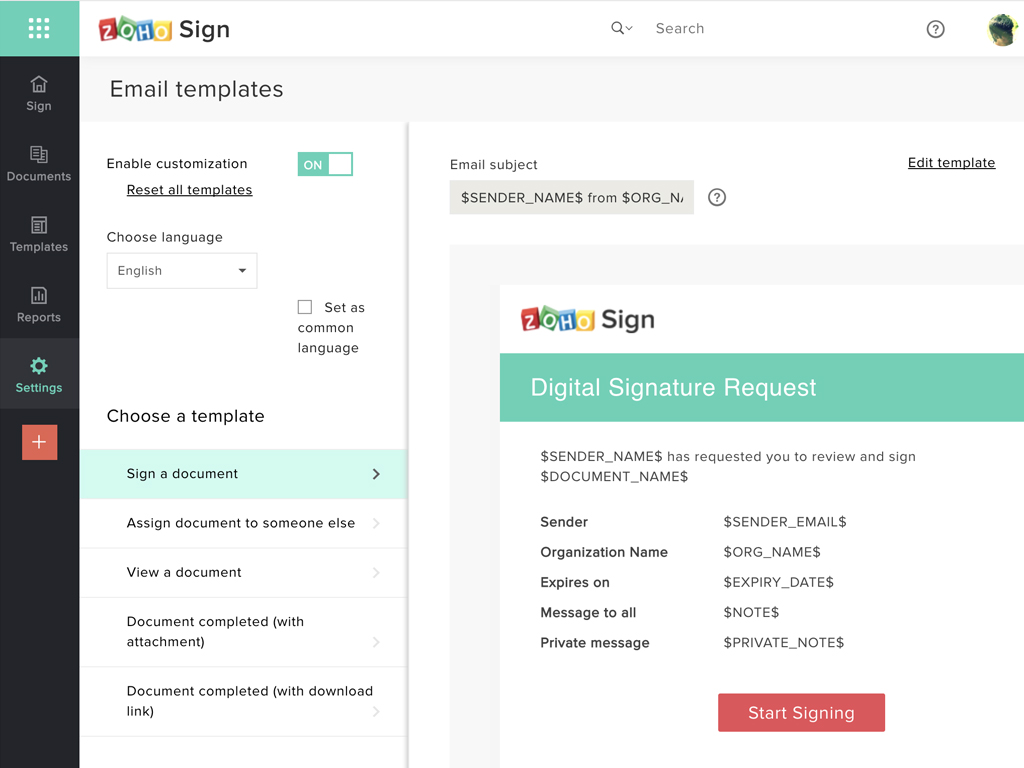
Screenshot of Zoho Sign DashboardScreenshot of Sending documents for signatures using templatesScreenshot of All document sent using Zoho SignScreenshot of Rebranding email templates sent from Zoho Sign