SmartSuite vs. Wrike

Overview
ProductRatingMost Used ByProduct SummaryStarting Price
SmartSuite
Score 1.2 out of 10
N/A
SmartSuite provides a collaborative Work Management platform that enables teams to plan, track and manage workflows - whether it be a project, an ongoing process or routine everyday tasks. SmartSuite helps coordinate people and work across all levels of an organization to ensure that team members have the information they need to accomplish the work that matters most. Team members can create a workflow, or choose from over 200 templates that can be tailored to their exact needs.
$10
per month per user
Wrike
Score 8.3 out of 10
Mid-Size Companies (51-1,000 employees)
Wrike is a project management and collaboration software. This solution connects tasks, discussions, and emails to the user’s project plan. Wrike is optimized for agile workflows and aims to help resolve data silos, poor visibility into work status, and missed deadlines and project failures.
$240
per year 2 users (minimum)
Pricing
SmartSuiteWrike
Editions & Modules
No answers on this topic
Wrike Free
$0
per month per user
Wrike Team
$10
per month (billed annually) per user (2-15 users)
Wrike Business
$25
per month (billed annually) per user (5-200 users)
Wrike Enterprise
Request a quote
per month per user
Pinnacle
Request a quote
per month per user
Offerings
Pricing Offerings
SmartSuiteWrike
Free Trial
YesYes
Free/Freemium Version
NoYes
Premium Consulting/Integration Services
NoYes
Entry-level Setup FeeNo setup feeNo setup fee
Additional DetailsEvery premium plan begins with a 14-day trial period.
More Pricing Information
Community Pulse
SmartSuiteWrike
Features
SmartSuiteWrike
Project Management
Comparison of Project Management features of Product A and Product B
SmartSuite
1.0
19 Ratings
154% below category average
Wrike
8.0
758 Ratings
5% above category average
Task Management1.019 Ratings8.9752 Ratings
Resource Management1.018 Ratings8.2635 Ratings
Gantt Charts1.015 Ratings8.6531 Ratings
Scheduling1.017 Ratings8.1657 Ratings
Workflow Automation1.018 Ratings8.3643 Ratings
Team Collaboration1.019 Ratings8.7751 Ratings
Support for Agile Methodology1.019 Ratings7.4391 Ratings
Support for Waterfall Methodology1.01 Ratings8.3348 Ratings
Document Management1.018 Ratings7.4633 Ratings
Email integration1.018 Ratings7.3569 Ratings
Mobile Access1.018 Ratings7.9550 Ratings
Timesheet Tracking1.015 Ratings7.6345 Ratings
Change request and Case Management1.017 Ratings7.723 Ratings
Budget and Expense Management1.016 Ratings7.4266 Ratings
Professional Services Automation
Comparison of Professional Services Automation features of Product A and Product B
SmartSuite
1.0
16 Ratings
153% below category average
Wrike
7.8
264 Ratings
3% above category average
Quotes/estimates1.015 Ratings8.21 Ratings
Invoicing1.01 Ratings7.31 Ratings
Project & financial reporting1.015 Ratings7.5260 Ratings
Integration with accounting software1.010 Ratings8.3152 Ratings
Best Alternatives
SmartSuiteWrike
Small Businesses
Stackby
Stackby
Score 9.0 out of 10
Stackby
Stackby
Score 9.0 out of 10
Medium-sized Companies
InEight
InEight
Score 8.3 out of 10
InEight
InEight
Score 8.3 out of 10
Enterprises
InEight
InEight
Score 8.3 out of 10
InEight
InEight
Score 8.3 out of 10
All AlternativesView all alternativesView all alternatives
User Ratings
SmartSuiteWrike
Likelihood to Recommend
1.0
(19 ratings)
8.6
(792 ratings)
Likelihood to Renew
9.1
(1 ratings)
8.4
(99 ratings)
Usability
1.0
(2 ratings)
8.4
(114 ratings)
Availability
-
(0 ratings)
7.8
(22 ratings)
Performance
-
(0 ratings)
7.5
(19 ratings)
Support Rating
1.0
(2 ratings)
7.3
(88 ratings)
In-Person Training
-
(0 ratings)
8.2
(5 ratings)
Online Training
-
(0 ratings)
7.6
(12 ratings)
Implementation Rating
1.0
(2 ratings)
7.7
(32 ratings)
Configurability
-
(0 ratings)
9.0
(11 ratings)
Contract Terms and Pricing Model
-
(0 ratings)
6.7
(3 ratings)
Ease of integration
-
(0 ratings)
6.9
(7 ratings)
Product Scalability
-
(0 ratings)
7.7
(14 ratings)
Professional Services
-
(0 ratings)
6.8
(3 ratings)
Vendor post-sale
-
(0 ratings)
5.9
(6 ratings)
Vendor pre-sale
-
(0 ratings)
9.0
(7 ratings)
User Testimonials
SmartSuiteWrike
Likelihood to Recommend
SmartSuite
It is best suited to be a google alternative for a google drive due to its multiple functions. Can add action items, upload multiple types of files and assign people responsibilities and tasks. It combines resource platform abilities with project management functionality in order to unite all your needs in one area.
Read full review
Wrike
Wrike is well-suited for content creation, review, and management. I can't speak to other types of work it can be suitable for because I use it as a writer only, but I would recommend it to other people in content creation fields who have to work with a team. A friend of mine is an editor at the local newspaper, and I think some features of Wrike would make her editing tasks a little easier and promote more cohesion in her team.
Read full review
Pros
SmartSuite
  • SmartSuite is a good collaboration tool
  • The capabilities of the platform are immense
  • The customization features allow users to set up the report type and view it exactly as they want
  • The choice of the fields to be used in the records and reports is really wide
Read full review
Wrike
  • different views to accommodate different users workflow
  • predecessors and successors to tie tasks together and adjust dates as a group
  • Being able to see other people's workloads so when I am planning my projects for the upcoming quarter, I can set a project delivery date that is better suited to workload and is more realistic
Read full review
Cons
SmartSuite
  • A little better home screen, which is already in the works!
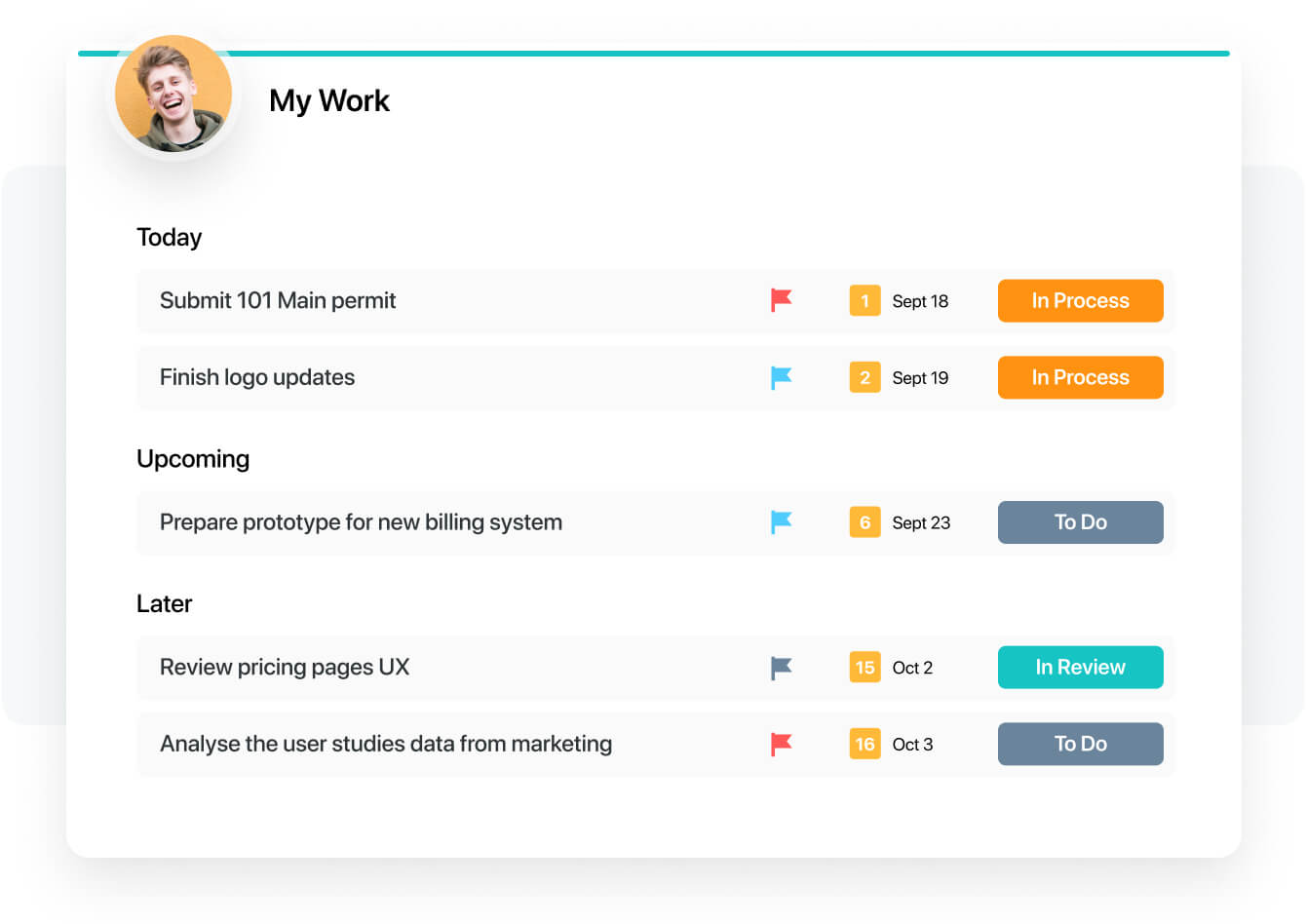
  • Better experience in the my work panel, which is also in the works already!
Read full review
Wrike
  • Templating.
  • For example, let's say we are onboarding a new client. There are certain tasks that need to be done. It would be great to be able to create a new project and have certain tasks preloaded.
  • Importing.
  • Importing may seem easy, but there is so much nuance to it. The fact that you need to make sure the parent task comes before child tasks is very difficult to do without the help of AI. Also, I am not sure it is possible if you have a thousand tasks to import, to make sure that you have a folder structure and parent/child tasks.
  • I also find that the documentation is lacking and the 2 import methods lacking as well.
  • Customize my inbox. When I log into Wrike, my Inbox is the first thing I see, but this doesn't show the full picture of what I want it.
Read full review
Likelihood to Renew
SmartSuite
I have a great expereance
Read full review
Wrike
I wish that Wrike had more drag and drop functionality that would be connected to assignee and also I wish that the finish date of a task would update to the date where you checked completed. It does not do that. Also finishing a task doesn't move the start date of the next task it "protects your time in that way", but our management team wants us to quickly see what we have down the pipeline rather than having to scroll down the list of upcoming tasks.
Read full review
Usability
SmartSuite
The product is usability friendly, easy to use, flexible and has all functions I need for my purposes
Read full review
Wrike
The platform is intuitive, easy to navigate, and flexible enough to accommodate the complexity of payer contracting workflows. Features such as custom workflows, automated reminders, and real-time collaboration make it simple for our team to stay aligned and efficient. Wrike allows us to track negotiations and related tasks without needing extensive training or technical expertise, which has driven adoption across departments and ensured consistent usage.
Read full review
Reliability and Availability
SmartSuite
No answers on this topic
Wrike
Over two years of (almost) daily usage without outages. Don't remember any errors. I give it 9 only because some Wrike plugins (for online document edit) are based on NPAPI architecture. These types of plugins are being phased out in new browsers, and NPAPI plugins are disabled by default in recent versions of Chrome so you have to do some browser adjustments when you switch browsers or move to another computer.
Read full review
Performance
SmartSuite
No answers on this topic
Wrike
Wrike tasks loads fine, but I hate clicking files and wait for a bit of time since it is powerpoint or word, Wrike assumes I want to open those on Wrike. My suggestion is to link it to office 365 so we do not need Wrike based decoder for PPTX and DOCX
Read full review
Support Rating
SmartSuite
They have a great tutorial and a lot of hits during the work process
Read full review
Wrike
During my learning phase with Wrike, I initially struggled with setting up automation rules and request forms. However, Wrike support was always my go-to, resolving issues within seconds or minutes. Their assistance made the learning process much easier. My best experience was receiving step-by-step screenshots to follow, with the support team on standby until I was completely satisfied.
Read full review
In-Person Training
SmartSuite
No answers on this topic
Wrike
We had staff in person provide some training
Read full review
Online Training
SmartSuite
No answers on this topic
Wrike
I love the Wrike training options. Wrike Discover has tons of courses, learning plans, certifications, etc. This is an area where Wrike definitely shines! I wish these resources were more in your face for new people, because it seems like a lot of coworkers didn't know all of this training was available to them.
Read full review
Implementation Rating
SmartSuite
That's easy. Just try
Read full review
Wrike
There are a lot of bells and whistles in Wrike, and not all of it is easy or intuitive to understand once it's plopped in your lap. It's easier when there are a few choice people who understand Wrike as a platform and articulate it in such a way where it makes it easy to pass it along to others in the group
Read full review
Alternatives Considered
SmartSuite
For our team, SmartSuite contains all features that we need. Before we use Asana, Trello and tried to use Airtable. But all of these management systems did not satisfy us. Then we started using SmartSuite, got to know all the possibilities and decided to switch to it
Read full review
Wrike
We use both monday.com and Wrike. While Monday does have a better user interface, Wrike allows us to have more visibility into tasks where multiple people are collaborating. And also to receive project brief-ins and requests for new projects. We use both differently and I would say for us Wrike is more the collaboration tool than the day to day individual task management tool - and it works great.
Read full review
Contract Terms and Pricing Model
SmartSuite
No answers on this topic
Wrike
company purchase
Read full review
Scalability
SmartSuite
No answers on this topic
Wrike
The sky is the limit for what can be done in Wrike. We started with 1 use case and within 5 months we migrated several key business practices over to Wrike because they were easier to manage. Use cases so far: process improvement, management review, corrective actions, maintenance requests, month-end financial closing, and document management. As we grow, it's easy to imagine putting even more into Wrike where it becomes a cornerstone for how we do business
Read full review
Professional Services
SmartSuite
No answers on this topic
Wrike
I do not use professional services.
Read full review
Return on Investment
SmartSuite
  • We have to spend less time on checking where the project is at
  • We can have less PM's in the business
  • Our clients are happier thus leading to more business
Read full review
Wrike
  • Wrike has improved our resource management significantly.
  • Wrike has improved the request intake process for us.
  • One negative impact of using Wrike is that we had to include Workato for some customised automations, which were not supported by Unito, but this can be on a need-to basis.
Read full review
ScreenShots

SmartSuite Screenshots

Screenshot of Screenshot of Screenshot of Screenshot of Screenshot of Screenshot of

Wrike Screenshots

Screenshot of DashboardsScreenshot of DashboardsScreenshot of DashboardsScreenshot of DashboardsScreenshot of Space workflowsScreenshot of Space workflows